Andy Walker / Android Authority
Keeping distracting ads from infiltrating my Android phone has become a necessity rather than a luxury. Blocking them not only saves me time and sanity, but also prevents me from miss-clicking a potentially malicious link that could prompt me to download a random app. This is more of an issue for inexperienced smartphone users, but it’s nonetheless a core reason I prefer batting ads away rather than ignoring them.
I’m not suggesting that ads aren’t the source of essential cash flow for developers and services, but considering my experiences with deceitful ads and unskippable disruptions, I’ve taken a firm stand.
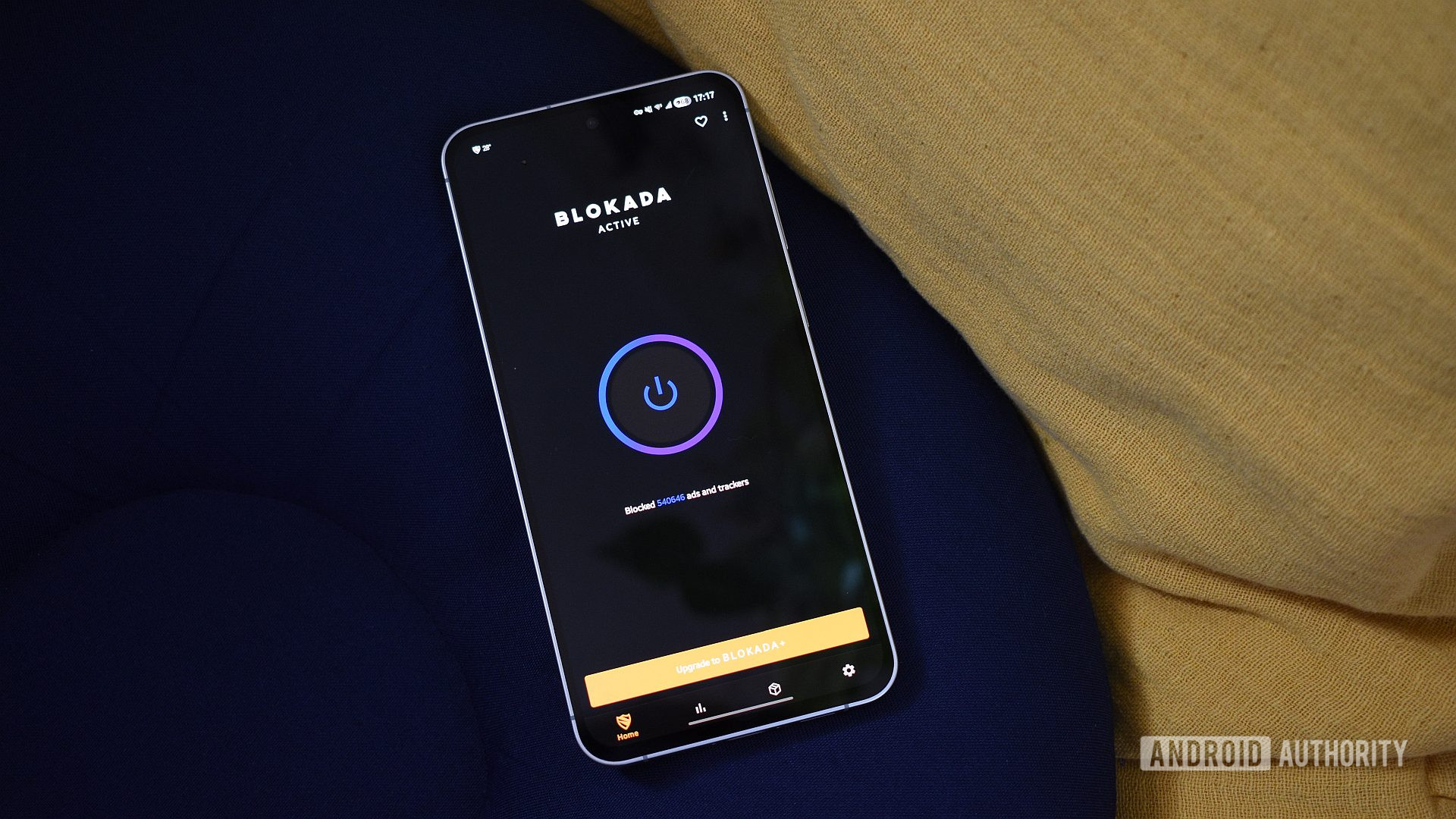
For many users, the Private DNS feature paired with an adblocking DNS is more than enough to keep annoyances and security risks off their phones, but it’s not for me. Instead, for the past few years, I’ve relied on a third-party app to block ads on my Android phone. My current choice is Blokada.
How do you block ads on your Android phone?
310 votes
Is Private DNS not good enough for me?

Andy Walker / Android Authority
Let’s first touch on the Private DNS feature. DNS, or the Domain Name System, is a necessary service that converts web addresses into IP addresses. It’s an essential process for loading content from the internet.
Android usually uses a default DNS service, but with the Private DNS feature, you can specify which service you want to use. This gives you a certain amount of control over which domain names are resolved and which are not. Some DNS services specifically block ads and other malicious content.
Using a Private DNS has its advantages. It’s relatively simple to set up, and since it’s already baked into Android, you don’t need to install anything else to get it up and running. Additionally, since your phone isn’t running any other apps in the background, it should theoretically reduce battery drain and improve performance on slower devices. As a set-it-and-forget-it solution, it’s also a splendid ad-blocking option for those who are less technically inclined or those who don’t want to actively manage another thing on their phones.
Ultimately, the effectiveness of this feature comes down to the DNS service used — and there are plenty to choose from. Among the most popular options is Adguard (hostname: dns.adguard-dns.com), but several others exist. This does make it tricky to pick one that’s reliable and lets the content you want through its gates.
To enable the Private DNS feature and use it to block ads:
- Open the Settings app.
- Go into Network & internet > Private DNS > select Private DNS provider hostname.
- Enter the DNS provider’s hostname, for instance, dns.adguard-dns.com.
- Hit Save.
Notably, I’ve never had a completely smooth relationship with this method. Using Adguard’s DNS, I regularly encountered sites that don’t load, forcing me to disable then reenable the Private DNS feature. As I’ve mentioned, finding the right hostname is important, so be sure to experiment.
Why I still prefer an ad-blocking app on my phone

Andy Walker / Android Authority
This is where dedicated adblocking apps have a leg up. While there are many options, including NextDNS, Adguard, and RethinkDNS, I’ve used Blokada for several years across many devices. It’s easy to use, offers a sensible UI, and isn’t wantonly killed by Android in the background.
There are premium and cloud-based versions of the app, but I usually just grab the APK from GitHub — that alone doesn’t require an account or any subscription.
So, how does a third-party ad blocker differ from Private DNS? Instead of using a DNS service, Blokada uses blocklists — text files of disallowed domains. The app utilizes Android’s VPN service, essentially setting up an on-device VPN to route traffic through it. It then compares the incoming traffic to the addresses on the blocklist and forbids these domains from loading. Easy peasy!
In my experience, it’s massively reliable. I also appreciate the amount of control I have with this solution. With Blokada, I can pick exactly which blocklists I want to use and don’t need to rely on a DNS service to pick these items for me.
Some blocklists specialize in blocking cookie requests and social widgets, while others target domains from specific regions. I can roll my own selection, personalizing the extent of the ad-blocking potential on my phone, or add any domain that Blokada has detected to my personal blocklist. Better yet, third-party apps like Blokada also allow me to bypass certain apps that may not play nice with ad-blocking measures. You don’t have this level of control with a Private DNS.

Andy Walker / Android Authority
Blokada isn’t fault-free, though. Some Android skins rather enjoy killing apps in the background, and these ad-blocking solutions are regular victims. While I’ve discovered that my Galaxy S24 FE running Android 16 doesn’t cull Blokada in the background, I do often have to restart the app when it stops blocking ads. This also hints at the larger manual management this solution also requires. I’ve made checking Blokada part of my regular Android security and privacy checklist, which involves adding new sites to the blocklist, bypassing new apps, and keeping certain blocklists updated. This simply isn’t a good solution for novices.
Have you encountered a scam ad on Android?
332 votes
Of course, Blokada does use a portion of my battery. While I feel it’s largely negligible for the benefit it provides, it is nonetheless more than what Private DNS would use. Then there’s the way it functions, which will step on the toes of any dedicated VPN service you already use. Because Blokada and similar apps use the VPN feature on Android to funnel traffic through it, they don’t play nicely with dedicated VPN services. This is a problem if you’re connecting to a foreign Wi-Fi network in a coffee shop, want to use your VPN, and also want to block ads. In this case, you’ll have far more luck with Private DNS, which happily works alongside VPN services.
Private DNS vs adblocking apps: Which should you use?

Andy Walker / Android Authority
While I appreciate Android’s Private DNS feature, it simply pales in comparison to a dedicated adblocking app that gives me more control over what I want to block — sometimes even beyond ads.
But which do you think is best, and which solution do you prefer? Let me know in the comments below.
Don’t want to miss the best from Android Authority?


Thank you for being part of our community. Read our Comment Policy before posting.