For years, PHP developers watched the AI revolution unfold from a slight distance. We hacked together Python microservices, wrestled with raw API calls to OpenAI, or relied on experimental libraries that broke with every minor release.
With the release of Symfony 7.4 and the maturity of the Symfony AI Initiative, we finally have a first-class citizen for building AI-native applications. While symfony/ai-platform handles the chat models, the real game-changer for business applications is symfony/ai-store.
This component is the backbone of Retrieval-Augmented Generation (RAG) in PHP. It abstracts the complexity of vector databases — whether you’re using Redis, PostgreSQL (pgvector), or Elasticsearch — into a clean, recognizable Symfony interface.
In this article, we’re going deep. We will build a knowledge base search engine using symfony/ai-store and Symfony 7.4, utilizing PHP 8.4’s latest features.
Why symfony/ai-store Matters
Before we write code, we need to understand the architecture. Large Language Models (LLMs) like GPT-4 are brilliant but have two fatal flaws:
- Hallucination: They make things up.
- Amnesia: They don’t know your private business data.
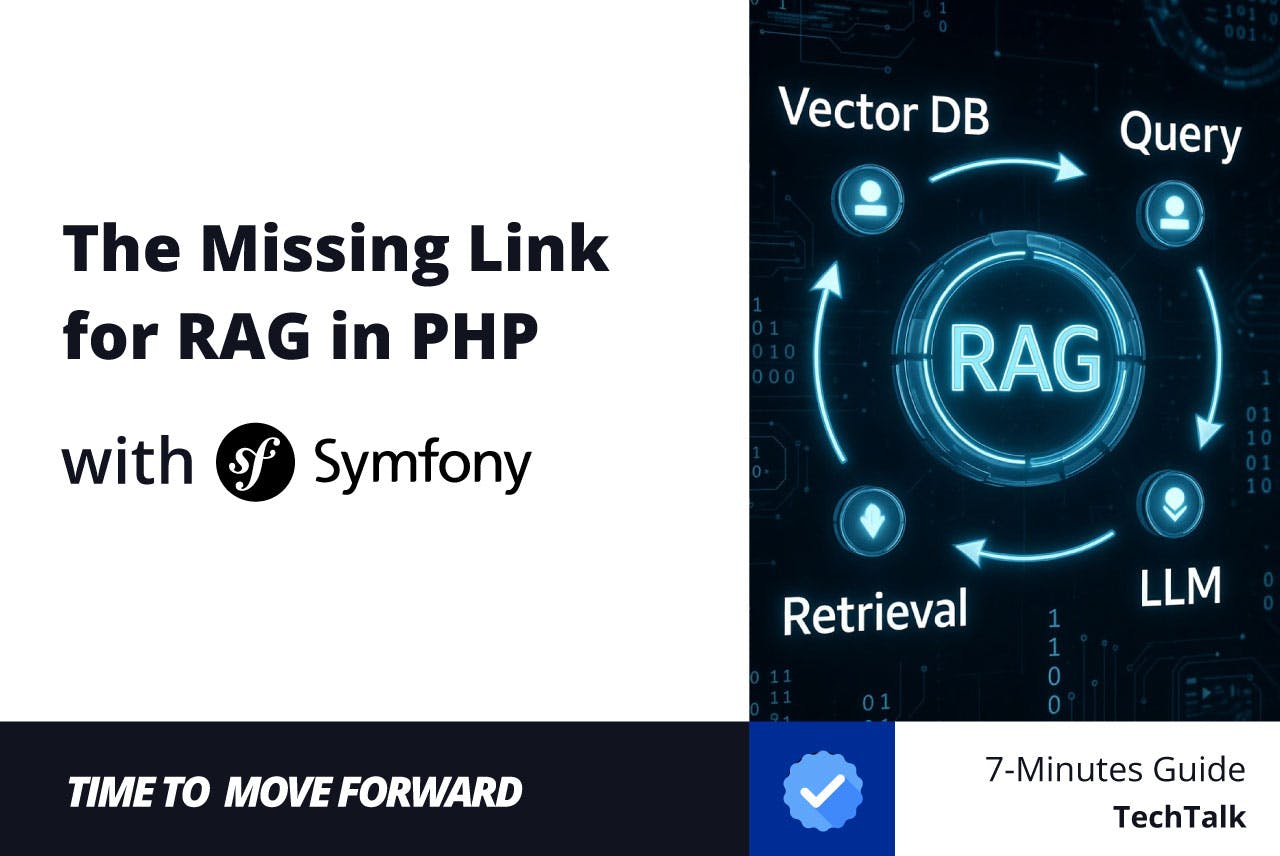
RAG solves this by “grounding” the AI with your data. You convert your documentation or products into “vectors” (lists of numbers representing meaning) and store them. When a user asks a question, you find the most similar vectors and feed them to the AI.
symfony/ai-store provides the standard interface for that middle step: the Vector Store.
Installation and Setup
We will install the AI Bundle, which includes the Store component and simplifies configuration. We’ll also need a transport. For this tutorial, we’ll use Doctrine with PostgreSQL (using pgvector), as it’s the most common stack for Symfony developers.
composer require symfony/ai-bundle symfony/ai-doctrine-store
Ensure you have a running PostgreSQL instance with the vector extension enabled.
Check that the bundle is active and the store commands are available:
php bin/console list ai
You should see commands like ai:store:setup.
Configuration
In Symfony 7.4, we prefer explicit configuration. Open your config/packages/ai.yaml.
We will define a default store that uses the Doctrine transport.
# config/packages/ai.yaml
ai:
    # We need an embedding model to turn text into vectors
    platform:
        openai:
            api_key: '%env(OPENAI_API_KEY)%'

    store:
        default:
            # The 'doctrine' type automatically uses your default Doctrine connection
            type: doctrine

            # We must specify which embedding model interacts with this store
            embedding_model: 'openai/text-embedding-3-small'

            # Optional: Configure the table name or vector dimensions explicitly
            options:
                table_name: 'vector_documents'
                dimensions: 1536 # Matches text-embedding-3-small
The Database Migration
The ai-doctrine-store package allows us to generate the schema automatically.
php bin/console ai:store:setup default
This command will interact with your database to create the necessary table (e.g., vector_documents) with the correct vector column type.
In production, you should use Doctrine Migrations. The ai:store:setup command is excellent for rapid prototyping, but for CI/CD pipelines, generate a migration that executes the SQL required to enable the extension and create the table.
The Core Concept: Documents
The Store component doesn’t save your complex Doctrine Entities directly. It saves Documents. A Document is a simple DTO (Data Transfer Object) containing:
- ID: Unique identifier.
- Content: The actual text the AI will read.
- Metadata: Arbitrary array for filtering (e.g., authorid, createdat).
- Vectors: The calculated embeddings (handled automatically).
Building the Ingestion Service
Let’s create a service that takes a blog post (or any entity), converts it into a Document and saves it to the store.
We will use PHP 8.4 attributes for dependency injection.
namespace AppService;

use AppEntityBlogPost;
use SymfonyComponentAiStoreStoreInterface;
use SymfonyComponentAiStoreDocument;
use SymfonyComponentDependencyInjectionAttributeAutowire;

readonly class KnowledgeBaseIndexer
{
    public function __construct(
        // Inject the default store configured in YAML
        #[Autowire(service: 'ai.store.default')]
        private StoreInterface $store,
    ) {}

    public function indexBlogPost(BlogPost $post): void
    {
        // 1. Prepare the content for the LLM.
        // Concatenate title and body for better context.
        $content = sprintf(
            "Title: %snn%s",
            $post->getTitle(),
            $post->getContent()
        );

        // 2. Create the AI Document
        $document = new Document(
            id: (string) $post->getId(),
            content: $content,
            metadata: [
                'type' => 'blog_post',
                'author_id' => $post->getAuthor()->getId(),
                'published_at' => $post->getPublishedAt()->format('Y-m-d'),
            ]
        );

        // 3. Add to store
        // The Store component automatically calls the configured embedding model
        // to generate vectors before saving.
        $this->store->add($document);
    }
}
When $this->store->add($document) is called, Symfony:
- Detects the configured embedding model (text-embedding-3-small).
- Sends the $content to OpenAI via the API.
- Receives the vector float array.
- Inserts the text, metadata and vector into the PostgreSQL database.
Building the Retrieval Service
Now for the magic. We want to ask a question and find relevant blog posts.
namespace AppService;

use SymfonyComponentAiStoreStoreInterface;
use SymfonyComponentDependencyInjectionAttributeAutowire;

readonly class KnowledgeBaseSearch
{
    public function __construct(
        #[Autowire(service: 'ai.store.default')]
        private StoreInterface $store,
    ) {}

    /**
     * @return array<int, string> List of relevant content chunks
     */
    public function search(string $userQuery, int $limit = 3): array
    {
        // The query() method automatically embeds the user's question
        // using the same model as the store, ensuring vector compatibility.
        $results = $this->store->query($userQuery)
            ->withLimit($limit)
            // Example of Metadata Filtering (syntax depends on the driver)
            ->withFilter(['type' => 'blog_post'])
            ->execute();

        $answers = [];

        foreach ($results as $result) {
            // $result is a ScoredDocument object
            $score = $result->getScore(); // Similarity (0.0 to 1.0)

            // Basic threshold to filter out noise
            if ($score < 0.7) {
                continue;
            }

            $answers[] = $result->document->content;
        }

        return $answers;
    }
}
Putting it Together: The RAG Controller
Finally, let’s wire this into a controller that uses the retrieved data to generate an answer.
namespace AppController;

use AppServiceKnowledgeBaseSearch;
use SymfonyBundleFrameworkBundleControllerAbstractController;
use SymfonyComponentAiChatChatInterface;
use SymfonyComponentAiChatMessageUserMessage;
use SymfonyComponentAiChatMessageSystemMessage;
use SymfonyComponentHttpFoundationJsonResponse;
use SymfonyComponentHttpFoundationRequest;
use SymfonyComponentRoutingAttributeRoute;

#[Route('/api/ai')]
class AssistantController extends AbstractController
{
    public function __construct(
        private KnowledgeBaseSearch $searchService,
        private ChatInterface $chat, // Provided by symfony/ai-platform
    ) {}

    #[Route('/ask', methods: ['POST'])]
    public function ask(Request $request): JsonResponse
    {
        $question = $request->getPayload()->get('question');

        // 1. Retrieve relevant context from our Vector Store
        $contextDocuments = $this->searchService->search($question);

        $contextString = implode("n---n", $contextDocuments);

        // 2. Construct the prompt with context (RAG)
        $systemPrompt = <<<PROMPT
You are a helpful assistant for our company blog.
Answer the user's question based ONLY on the context provided below.
If the answer is not in the context, say "I don't know."

Context:
$contextString
PROMPT;

        // 3. Call the LLM
        $response = $this->chat->complete(
            model: 'openai/gpt-4o',
            messages: [
                new SystemMessage($systemPrompt),
                new UserMessage($question),
            ]
        );

        return $this->json([
            'answer' => $response->getContent(),
            'sources' => count($contextDocuments) // Transparency is key!
        ]);
    }
}
Advanced Configuration: Multiple Stores
In a real-world enterprise app, you might have different stores for different data types (e.g., productsstore vs documentationstore) or different backends (Redis for hot session memory, Postgres for long-term knowledge).
Symfony 7.4 makes this trivial with bind or target attributes.
config/packages/ai.yaml:
ai:
    store:
        products:
            type: redis
            dsn: '%env(REDIS_URL)%'
            embedding_model: 'openai/text-embedding-3-small'

        docs:
            type: doctrine
            # ...
Service Injection:
public function __construct(
        #[Autowire(service: 'ai.store.products')]
        private StoreInterface $productStore,

        #[Autowire(service: 'ai.store.docs')]
        private StoreInterface $docStore,
    ) {}
Performance Pattern: Decoupling Ingestion with Messenger
In the previous section, we indexed the blog post immediately. In a production environment, this is a performance bottleneck.
Calling OpenAI (or any LLM provider) to generate embeddings involves an HTTP request that can take anywhere from 200ms to several seconds. If you do this synchronously while an editor hits “Save” in your CMS, their browser will hang. If the API is down, your application throws an error.
The solution is to decouple the ingestion using Symfony Messenger. We will dispatch a lightweight message containing the ID of the content and let a background worker handle the heavy lifting of embedding and vector storage.
Create the Message
We follow the “Thin Message” pattern. Never pass the full Entity or the large text content in the message. Pass only the identifier.
namespace AppMessage;

readonly class IndexBlogPostMessage
{
    public function __construct(
        public int $blogPostId,
    ) {}
}
Create the Handler
The handler is where we glue the pieces together. It fetches the fresh entity from the database and passes it to our existing KnowledgeBaseIndexer.
namespace AppMessageHandler;

use AppMessageIndexBlogPostMessage;
use AppRepositoryBlogPostRepository;
use AppServiceKnowledgeBaseIndexer;
use SymfonyComponentMessengerAttributeAsMessageHandler;

#[AsMessageHandler]
readonly class IndexBlogPostHandler
{
    public function __construct(
        private BlogPostRepository $repository,
        private KnowledgeBaseIndexer $indexer,
    ) {}

    public function __invoke(IndexBlogPostMessage $message): void
    {
        // 1. Re-fetch the entity
        $post = $this->repository->find($message->blogPostId);

        // 2. Handle edge case: Entity might have been deleted
        // before the worker picked up the job.
        if (!$post) {
            return;
        }

        // 3. Delegate to the heavy-lifting service defined in Section 4
        $this->indexer->indexBlogPost($post);
    }
}
Dispatching the Event
Now, update your Controller (or Event Listener) to dispatch the message instead of calling the indexer directly.
namespace AppControllerAdmin;

use AppEntityBlogPost;
use AppMessageIndexBlogPostMessage;
use SymfonyBundleFrameworkBundleControllerAbstractController;
use SymfonyComponentHttpFoundationResponse;
use SymfonyComponentMessengerMessageBusInterface;
use SymfonyComponentRoutingAttributeRoute;

class BlogAdminController extends AbstractController
{
    public function __construct(
        private MessageBusInterface $bus,
    ) {}

    #[Route('/admin/post/{id}/publish', methods: ['POST'])]
    public function publish(BlogPost $post): Response
    {
        // ... (Your existing logic to save/publish the post) ...

        // Instead of indexing immediately:
        // $indexer->indexBlogPost($post); // REMOVE THIS

        // Dispatch to the background queue:
        $this->bus->dispatch(new IndexBlogPostMessage($post->getId()));

        return $this->json(['status' => 'published', 'job_id' => 'queued']);
    }
}
Conclusion
The symfony/ai-store component is a watershed moment for PHP. We no longer need to rely on Python sidecars or brittle HTTP wrappers to implement vector search. It brings the power of RAG directly into the Dependency Injection container we know and love.
Key Takeaways:
- Abstraction: Swap vector databases (Redis -> Postgres) without changing your PHP code.
- Integration: Works seamlessly with symfony/ai-platform for embedding generation.
- Simplicity: Treating vectors as “Documents” fits the Symfony mental model perfectly.
The ecosystem is moving fast. Today it’s text; tomorrow it will be multi-modal (images/audio). By adopting symfony/ai-store now, you are future-proofing your application for the AI era.
Integrating AI into Symfony 7.4 has never been this streamlined. We moved from “experimental” to “production-ready” in record time. If you aren’t using Vector Stores yet, you are building an AI with one hand tied behind its back.
Let’s connect! I write about high-performance Symfony architecture and AI integration every week.
👉 Follow me on LinkedIn [https://www.linkedin.com/in/matthew-mochalkin/] for weekly tips and let me know: What are you building with Symfony AI?