I’m all for boosting the efficiency of my Android phone, which means uninstalling or disabling apps and services I don’t need. With the advent of AI services, it’s more important than ever to trim the fat on my device.
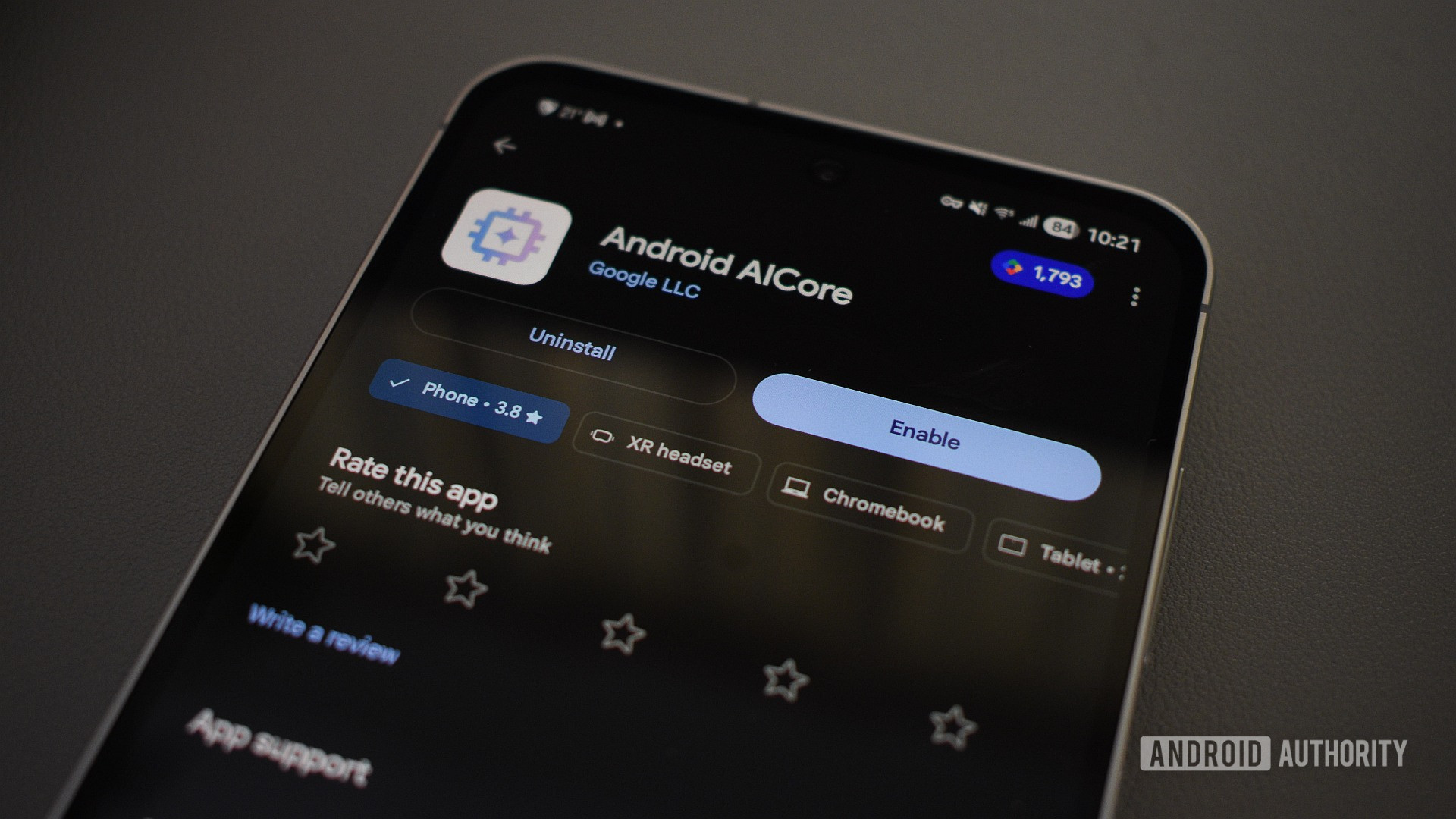
If you’ve scrolled through your system apps list recently, you may have noticed an app called AICore running in the background. It’s known for consuming a lot of RAM, draining the battery, and occasionally sending annoying notifications. This got me thinking: would it be so bad to disable AICore, even if it’s a system process?
Below, I detail what you need to know about disabling AICore, including what it did to my phone, and whether you should consider it too.
Do you use AI features on your phone?
1271 votes
Dear AICore: Who are you, and what do you do?
Andy Walker /
Per Google’s description, AICore specifically helps update and maintain on-device AI models — e.g., Gemini Nano — that run locally and allows apps that require these features to access them. This means the service requires no data connection or cloud communication to process any requests or queries — everything is done on the phone itself.
Google’s guidance on Nano specifically states:
For on-device use-cases, you can take advantage of Google’s Gemini Nano foundation model. Gemini Nano runs in Android’s AICore system service, which leverages device hardware to enable low inference latency and keeps the model up-to-date.
Considering just how integral AI is to the modern Android experience, AICore seems like an app you’d rather keep running in the background. After all, it enables the following smarts:
- Summarizing text, like a web page or news article.
- Proofreading messages and text written by the user.
- Rewriting messages and text in different tones and styles.
- Generation of image descriptions.
- The processing of prompts issued to Gemini Nano. including the extraction of info from an email thread or receipt and generating content.
If you’re using a Google Pixel, apps like Pixel Studio, Pixel Screenshots, the Phone app’s Call Notes feature, Magic Compose in Google Messages, and the Summarize feature in the Pixel Recorder app also require AICore. Additionally, several Samsung Galaxy AI features also hinge on the availability of the service and the model it supports.
There is one exception. If you decry the use of AI, disabling AICore wouldn’t necessarily affect you. As AICore powers AI-related features alone, it would make sense to disable it if you don’t use these. And, in my case, reclaiming the resources the app is occupying is certainly a positive.
Oh no! I can’t access that AI feature I never use!
Disabling AICore is no different from disabling any other app on Android. I took the following steps:
- I navigated to Settings > Apps.
- I then searched for “AICore.” Once the result appeared, I tapped it.
- On the AICore app screen, I scrolled down to the bottom of the page and tapped Force Stop.
- I then tapped Disable.
And, as a final step to ensure that all processing was limited to my smartphone, I enabled the “Process data only on device” option on my Samsung phone. You can find it in Settings > Galaxy AI.
Once AICore was disabled, I didn’t notice any significant changes on my phone at first. However, after some investigation, I noticed a few grayed-out items and limitations.
Many features that previously relied on AICore and Gemini Nano to process commands now try to access models in the cloud. One interesting example of this was in the Samsung Gallery. Tapping the Galaxy AI icon usually opens up two options: Generative Edit and Sketch to image — both are image manipulation features that use Nano on-device. But with AICore no longer running, these features had no access to local processing and therefore requested that I turn off Process data only on device. Only then would the features run.
Andy Walker /
I noticed several other apps that requested this detail, including Samsung Internet’s Summarize and Read Highlights Aloud features.
As much as I find the novelty of Gallery’s features entertaining and the usefulness of Internet’s features alluring, I use neither app in my daily life. Disabling AICore, therefore, had little to no effect on me.
Granted, there are a host of other AI features that will also be disabled when you disable AICore, but I don’t use any of them either. In any case, those that do matter continue to function. This includes Circle to Search (which is largely just a Google Lens shortcut) and Live Transcribe, which I use regularly to snag snippets from meetings or dictate thoughts. Neither product seems to require AICore running in the background.
Considering I just disabled a system service that manages a fairly important modern Android feature, I didn’t once encounter a feature that didn’t work that I would normally use.
Does disabling AICore make your phone faster? Not necessarily.

Andy Walker /
The most significant positive of disabling AICore is regaining some RAM, storage, and battery life. It’s a common refrain I’ve seen from those online who’ve done it. However, I can’t claim to share a similar experience.
As mentioned, I’m running a Galaxy S24 FE and have barely used Galaxy AI features. As a result, I didn’t see many megabytes released back into the wild. While AICore does occupy 1.3GB of storage on my phone, I couldn’t reclaim that without uninstalling the app. RAM was a similar story. AICore never seemed to occupy too much volatile storage on my phone, at least not as much as some other Samsung and Google processes.
While some users have seen significant performance boosts after disabling AICore, I don’t share that experience.
Judging by reports from many users online and some of my colleagues, disabling AICore has a surprising surplus benefit: extended battery life. My colleague, Jonathan Feist, has noted “better battery life” on his Samsung phone since taking these measures, but others on various online forums have seen considerable increases in screen-on-time on their devices. I haven’t seen any battery benefits on my device, at least not any tangible gains. Some running Pixel 9 and 10s have noted up to three hours of additional screen-on-time — that’s incredible. Bear in mind that Pixels and their apps do rely heavily on Gemini Nano, as I’ve mentioned above.
Should you disable AICore on your smartphone?
Have you disabled AICore on your phone?
180 votes
I don’t believe AICore should be disabled on your device, unless it’s causing you issues. Notably, Jonathan disabled the app on his phone after experiencing high battery drain and constant notification harassment — it was a last resort of sorts. While it worked out well for his device, I never had an issue with AICore on mine.
If you are concerned about battery life, I’d suggest culling the apps you’ve installed yourself that you no longer use, rather than targeting system apps first. If you own a Samsung phone, apps like Weather, Interpreter, Personal data intelligence, and the Customization Service use plenty of memory in the background. Only then would I advise you to disable AICore.

Andy Walker /
Of course, there are privacy implications here too. Disabling AICore means that tasks that can be processed locally will now be sent across the internet to a server. AICore is actually beneficial if you use AI features and want some degree of security while doing so.
As for my personal experience, I’ll likely keep AICore disabled for now. Considering the lack of disadvantages I’ve experienced when disabling AICore, I see no reason why I’d leave it running. Your mileage will vary.
Don’t want to miss the best from ?


Thank you for being part of our community. Read our Comment Policy before posting.