The fastest way to get burned by AI coding tools is to treat them like a vending machine: “prompt in, perfect code out.”
They’re not. They’re closer to an eager junior engineer with infinite confidence and a fuzzy memory of docs. The output can look clean, compile, and still be wrong in ways that only show up after real users do weird things on slow networks.
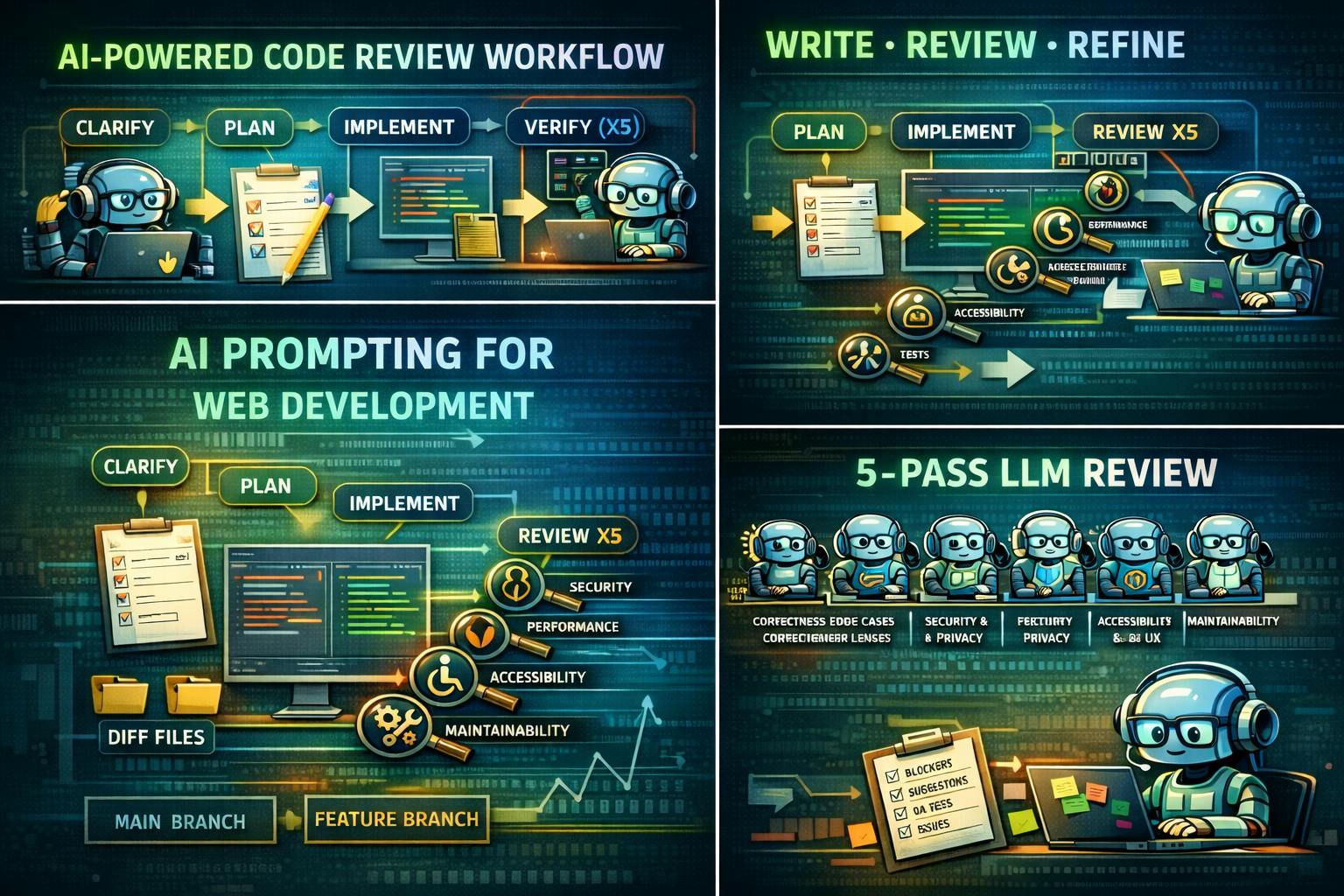
What’s worked for me is not a “magic prompt.” It’s forcing a process:
- Ask 5–10 clarifying questions first
- Write a short plan
- Implement
- Run 5 review passes (different reviewer lenses)
- Only then produce the final answer + a review log
This article is a set of copy‑paste templates I use for web dev tasks and PR reviews, plus a quick note on Claude Code–specific modes (Plan Mode, and the “ultrathink” convention). Claude Code has explicit Plan Mode docs, and it even prompts to gather requirements before planning.
Cheat sheet
| What you’re doing | Use this template |
|—-|—-|
| Your request is vague (“refactor this”, “make it faster”, “review my PR”) | Prompt Upgrader |
| You want the model to stop guessing and ask for missing context | Clarifying Questions First (5–10) |
| You want production‑quality output, not a first draft | Plan → Implement → 5 Review Passes |
| You want the model to do a serious PR review | PR Review (5 reviewers) |
| You’re in Claude Code and want safe exploration | Claude Code Plan Mode |
The highest‑leverage trick: force 5–10 clarifying questions first
One of the best tips I’ve picked up (and now reuse constantly) is: before writing any code, have the model ask you 5–10 clarifying questions.
This prevents the most common failure mode: the model fills gaps with assumptions, then confidently builds the wrong thing. The “Ask Me Questions” technique shows up as a repeatable pattern in r/PromptEngineering for exactly this reason.
Template 1: Clarifying questions first
Before you write any code, ask me 5–10 clarifying questions.

Rules:
- Questions must be specific and actionable (not generic).
- Prioritize anything that changes architecture, API choices, or test strategy.
- If something is ambiguous, ask. Do not guess.

After I answer, summarize:
- Assumptions
- Acceptance criteria
- Edge cases / failure states
- Test plan (unit/integration/e2e + manual QA)

Then implement.
Quick tool note: “Plan Mode” and “ultrathink” are Claude Code–specific concepts
This matters because people copy these keywords around and expect them to work everywhere.
Plan Mode
Plan Mode is a Claude Code feature. It’s designed for safe codebase analysis using read‑only operations, and the docs explicitly say Claude gathers requirements before proposing a plan.
“ultrathink”
The “think/think hard/think harder/ultrathink” ladder is an Anthropic/Claude convention—not a universal LLM standard.
- Anthropic’s Claude Code best‑practices article says those phrases map to increasing “thinking budget.”
- Claude Code docs also caution that the phrases themselves may be treated as normal instructions and that extended thinking is controlled by settings/shortcuts.
Translation: outside Claude Code, treat “ultrathink” as plain English. Even inside Claude Code, the safer mental model is: use Plan Mode and extended thinking settings for planning; don’t rely on magic words.
Template 2: Prompt Upgrader (turn rough requests into an LLM‑ready spec)
When a prompt is vague, you don’t want the model to “be creative.” You want it to clarify.
You are a staff-level web engineer. Rewrite my request into an LLM-ready spec.

Rules:
- Keep it concrete concise. No fluff.
- Put critical constraints first.
- Add missing details as questions (max 10).
- Include acceptance criteria, edge cases, and a test plan.
- Output a single improved prompt I can paste into another chat.
Be Extremely through in anlyzing, and take extra 10x more time to research before answering.

My request:
{{ paste your rough prompt here }}
This “meta‑prompting” pattern (using AI to improve the prompt you’ll use next) is a common productivity trick in r/PromptEngineering circles.
Template 3: The main workflow — Plan → Implement → 5 Review Passes
This is the one I use for “real work” (features, refactors, bugs). It’s intentionally strict. The goal is to stop the model from stopping early and to force it through the same angles a strong reviewer would use.
You are a staff-level web engineer who ships production-quality code.

PRIMARY GOAL
Correctness first. Then clarity, security, accessibility, performance, and maintainability.

STEP 0 — CLARIFY (do this first)
Ask me 5–10 clarifying questions before writing any code.
If something is ambiguous, ask. Do not guess.
After I answer, summarize:
- Assumptions
- Acceptance criteria
- Edge cases / failure states
- Test plan (unit/integration/e2e + manual QA)

STEP 1 — PLAN (short)
Write a plan (5–10 bullets max) including:
- Files/modules likely to change
- Data flow + state model (especially async)
- Failure states and recovery behavior
- Tests to add + basic manual QA steps

STEP 2 — IMPLEMENT
Implement the solution.
Rules:
- Do not invent APIs. If unsure, say so and propose safe alternatives.
- Keep changes minimal: avoid refactoring unrelated code.
- Include tests where it makes sense.
- Include accessibility considerations (semantics, keyboard, focus, ARIA if needed).

STEP 3 — DO NOT STOP: RUN 5 FULL REVIEW PASSES
After you think you’re done, do NOT stop. Perform 5 review passes.
In each pass:
- Re-read everything from scratch as if you did not write it
- Try hard to break it
- Fix/refactor immediately
- Update tests/docs if needed

Pass 1 — Correctness & Edge Cases:
Async races, stale state, loading/error states, retries, boundary cases.

Pass 2 — Security & Privacy:
Injection, unsafe HTML, auth/session mistakes, data leaks, insecure defaults.

Pass 3 — Performance:
Unnecessary renders, expensive computations, bundle bloat, network inefficiency.

Pass 4 — Accessibility & UX:
Keyboard nav, focus order, semantics, ARIA correctness, honest loading/error UI.

Pass 5 — Maintainability:
Naming, structure, readability, test quality, future-proofing.

FINAL OUTPUT (only after all 5 passes)
A) Assumptions
B) Final answer (code + instructions)
C) Review log: key issues found/fixed in Pass 1–5

TASK
{{ paste your request + relevant code here }}
If you’re thinking “this is intense,” yeah. But that’s the point: most hallucination-looking bugs are really spec gaps + weak verification. The five passes are a brute-force way to get verification without pretending the model is a compiler.
:::info
Also: prompts that bias behavior (“don’t fabricate,” “disclose uncertainty,” “ask clarifying questions”) tend to be more effective than long procedural law. That’s a recurring theme in anti-hallucination prompt discussions.
:::
Template 4: PR review (5 reviewer lenses)
PR review is where this approach shines, because the “five reviewers” model forces the same kind of discipline you’d expect from a strong human review.
One practical detail: whether you can provide only a branch name depends on repo access.
- If the model has repo access (Claude Code / an IDE agent wired into your git checkout), you can simply give the base branch (usually
main) and the feature branch name, and ask it to diff and review everything it touches. - If the model does not have repo access (normal chat), you’ll need to paste the diff or the changed files/snippets, because a branch name alone isn’t enough context.
Either way, the best review prompts follow the same pattern: focus on correctness, risk, edge cases, tests, and maintainability—not style nits.
You are reviewing a PR as a staff frontend engineer.

STEP 0 — CLARIFY
Before reviewing, ask me 5–10 clarifying questions if any of these are missing:
- What the PR is intended to do (1–2 sentences)
- Risk level (core flows vs peripheral UI)
- Target platforms/browsers
- Expected behavior in failure states
- Test expectations

INPUT (pick what applies)
A) If you have repo access:
- Base branch: {{main}}
- PR branch: {{feature-branch}}
Then: compute the diff, inspect touched files, and review end-to-end.

B) If you do NOT have repo access:
I will paste one of:
- git diff OR
- changed files + relevant snippets OR
- PR description + list of changed files

REVIEW PASSES
Pass 1 — Correctness & edge cases
Pass 2 — Security & privacy
Pass 3 — Performance
Pass 4 — Accessibility & UX
Pass 5 — Maintainability & tests

OUTPUT
1) Summary: what changed + biggest risks
2) Blockers (must-fix)
3) Strong suggestions (should-fix)
4) Nits (optional)
5) Test plan + manual QA checklist
6) Suggested diffs/snippets where helpful

Be direct. No generic praise. Prefer risk-based prioritization.
What I paste along with my prompt (so the model has a chance)
If you want better output with less iteration, give the model something concrete to verify against. Claude Code’s docs explicitly recommend being specific and providing things like test cases or expected output.
I usually include:
- Tech stack: framework + version, build tool, test runner, router
- Constraints: browser support, performance budget, bundle constraints, accessibility requirements
- Exact inputs/outputs: API shape, sample payloads, UI states
- Failure behavior: timeouts, retries, offline, partial success
- Definition of done: tests required, what “correct” means, acceptance criteria
This alone reduces the “confident but wrong” output because the model can’t hand-wave the edges.
Credits (prompts and ideas I built on)
I didn’t invent the underlying ideas here. I’m packaging patterns that show up repeatedly in r/PromptEngineering and applying them specifically to web dev workflows:
- The “Ask Me Questions” technique (interview first, implement second): n https://www.reddit.com/r/PromptEngineering/comments/1pym80k/askmequestionswhynobodytalksabout_this/
- Anti-hallucination framing (“don’t fabricate, disclose uncertainty, ask questions before committing”): n https://www.reddit.com/r/PromptEngineering/comments/1q5mooj/universalantihallucinationsystemprompti_use/
- Code review prompt packs (structured PR review prompts you can reuse): n https://www.reddit.com/r/PromptEngineering/comments/1l7y10l/codereviewprompts/
- “Patterns that actually matter” (keep it simple, clarify goals, structure output): n https://www.reddit.com/r/PromptEngineering/comments/1nt7x7v/after1000hoursofpromptengineeringi_found/
Claude Code references used for the tool-specific notes:
- Plan Mode and requirement-gathering behavior: n https://code.claude.com/docs/en/common-workflows
- Permission modes and “Plan mode = read-only tools”: n https://code.claude.com/docs/en/how-claude-code-works
- “think / ultrathink” thinking-budget ladder (Anthropic best practices): n https://www.anthropic.com/engineering/claude-code-best-practices
- Claude Code note about “think/ultrathink” being regular prompt text + thinking controls: n https://code.claude.com/docs/en/common-workflows