By using this site, you agree to the Privacy Policy and Terms of Use.
Accept
World of SoftwareWorld of SoftwareWorld of Software
  • News
  • Software
  • Mobile
  • Computing
  • Gaming
  • Videos
  • More
    • Gadget
    • Web Stories
    • Trending
    • Press Release
Search
  • Privacy
  • Terms
  • Advertise
  • Contact
Copyright © All Rights Reserved. World of Software.
Reading: You Can Speed Up Any Old Computer With Your Spare USB Ports – Here’s How – BGR
Share
Sign In
Notification Show More
Font ResizerAa
World of SoftwareWorld of Software
Font ResizerAa
  • Software
  • Mobile
  • Computing
  • Gadget
  • Gaming
  • Videos
Search
  • News
  • Software
  • Mobile
  • Computing
  • Gaming
  • Videos
  • More
    • Gadget
    • Web Stories
    • Trending
    • Press Release
Have an existing account? Sign In
Follow US
  • Privacy
  • Terms
  • Advertise
  • Contact
Copyright © All Rights Reserved. World of Software.
World of Software > News > You Can Speed Up Any Old Computer With Your Spare USB Ports – Here’s How – BGR
News

You Can Speed Up Any Old Computer With Your Spare USB Ports – Here’s How – BGR

News Room
Last updated: 2026/02/05 at 5:29 PM
News Room Published 5 February 2026
Share
You Can Speed Up Any Old Computer With Your Spare USB Ports – Here’s How – BGR
SHARE


New Africa/Shutterstock

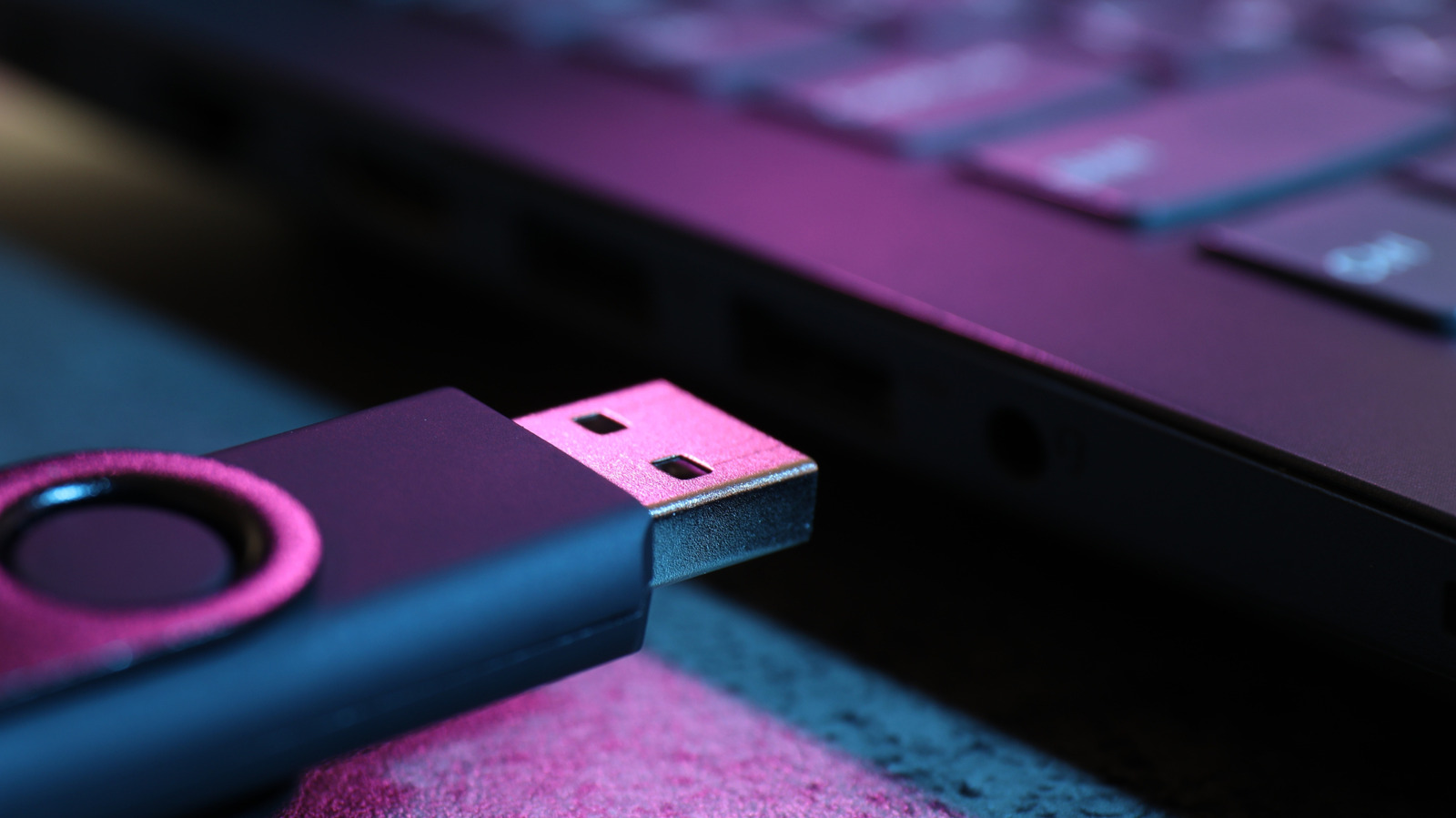
If your PC is a few years old, it probably doesn’t feel as fast anymore. PCs running Windows slow down after years of use for a number of reasons. While you can’t always fix the root causes, there’s another simpler option to improve the computer’s performance: ReadyBoost. It’s a built-in Windows feature that lets you use a USB flash drive as a cache on computers with low RAM and an HDD. This cache is then used to store frequently accessed files. Since pulling them from the flash drive can be quicker than reading from a disk, your computer feels noticeably faster.

To be clear, ReadyBoost is not a replacement for RAM, but supplements it. RAM is where your computer loads the data required for active apps and files. For instance, if you are running Google Chrome, the OS will load the required files on to RAM while the session is active. After that, the space will be freed up, making room for other apps. RAM is still much faster than the cache on a flash drive. But, on old PCs with 2-4GB of RAM, where an upgrade is not possible due to hardware constraints, using a flash drive and a spare USB port can improve performance.

Make your old computer faster with ReadyBoost

To use ReadyBoost, you will need a fast USB flash drive with at least 4GB of storage, a free USB port, and a computer running Windows 10 or earlier. Older versions of Windows 11 do also support ReadyBoost, but any version newer than Windows 11 22H2 no longer supports ReadyBoost functionality by default.

Now, to activate ReadyBoost, plug the USB drive into an available port on the PC, and press Windows + E to open File Explorer. Then, right-click on the flash drive, choose “Properties,” and navigate to the “ReadyBoost” tab. Select the “Use this device” option, drag the slider to configure the space you want to reserve for ReadyBoost, and click “Apply” and “OK” to save the changes. Windows will now create a “ReadyBoost.sfcache” file on the flash drive.

When you turn on ReadyBoost, Windows will suggest the amount of space to reserve for optimal performance. Generally, it’s recommended to dedicate 1-3x the installed RAM. For older computers with 2 GB of RAM, you can reserve 2-6GB for ReadyBoost. ReadyBoost can also work with an SD card, as long as it’s fast enough.

ReadyBoost doesn’t work on modern PCs
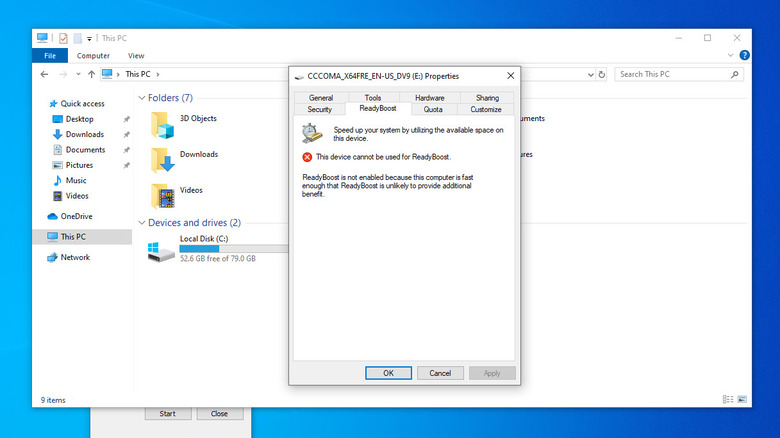

Screenshot of Windows 11 computer with ReadyBoost menu open showing device cannot use it
Kazim Alvi/BGR

If you plug a USB drive into a PC running Windows 11, you might not even see the ReadyBoost tab. Similarly, on Windows 10, if the computer is fast enough, has sufficient RAM, or uses an SSD as its boot/storage drive, you may not be able to set up ReadyBoost. Under all these conditions, ReadyBoost offers no real benefit and may even make things feel slower in some cases. The feature was designed for older computers with slow mechanical drives, where a USB cache can speed things up.

Most modern computers already ship with SSDs and 8-16GB of RAM, making them fast enough to handle everyday tasks and even light multitasking. Since SSDs are already much faster than traditional drives, using a flash drive as a cache won’t provide much of an advantage. In simple words, while ReadyBoost delivers a performance boost on old computers, it may not be of any help on modern ones. But for older ones, it may still add a few years to the computer’s life, keeping it useful a little longer.



Sign Up For Daily Newsletter

Be keep up! Get the latest breaking news delivered straight to your inbox.
By signing up, you agree to our Terms of Use and acknowledge the data practices in our Privacy Policy. You may unsubscribe at any time.
Share This Article
Facebook Twitter Email Print
Share
What do you think?
Love0
Sad0
Happy0
Sleepy0
Angry0
Dead0
Wink0
Previous Article How Stablecoin Pegs Hold Under Normal Market Conditions | HackerNoon How Stablecoin Pegs Hold Under Normal Market Conditions | HackerNoon
Next Article Some of Our Favorite Valentine’s Day Gifts Are on Sale Some of Our Favorite Valentine’s Day Gifts Are on Sale
Leave a comment

Leave a Reply Cancel reply

Your email address will not be published. Required fields are marked *

Stay Connected

248.1k Like
69.1k Follow
134k Pin
54.3k Follow

Latest News

3 IKEA Finds That Can Hide Your HDMI Cables – BGR
News
Amazon Echo Show 8 and 11 drop to new record low prices!
News
Apple may have a surprisingly overpowered MacBook coming very soon
News
Is It All Doom and Gloom For Software Development? | HackerNoon
Computing

You Might also Like

3 IKEA Finds That Can Hide Your HDMI Cables – BGR
News

3 IKEA Finds That Can Hide Your HDMI Cables – BGR

6 Min Read
Amazon Echo Show 8 and 11 drop to new record low prices!
News

Amazon Echo Show 8 and 11 drop to new record low prices!

2 Min Read
Apple may have a surprisingly overpowered MacBook coming very soon
News

Apple may have a surprisingly overpowered MacBook coming very soon

4 Min Read
Best iPhone 17 Cases of 2026
News

Best iPhone 17 Cases of 2026

2 Min Read
//

World of Software is your one-stop website for the latest tech news and updates, follow us now to get the news that matters to you.

Quick Link

  • Privacy Policy
  • Terms of use
  • Advertise
  • Contact

Topics

  • Computing
  • Software
  • Press Release
  • Trending

Sign Up for Our Newsletter

Subscribe to our newsletter to get our newest articles instantly!

World of SoftwareWorld of Software
Follow US
Copyright © All Rights Reserved. World of Software.
Welcome Back!

Sign in to your account

Lost your password?