Switchbot AI art frame: Specs
Screen size: 13.3 inches
Resolution: 1600 x 1200 pixels
Size: 16.1 x 12.2 x 0.98 inches
Touch screen: No
Wi-Fi: Yes
Remote: No
Built-in storage: 10 images
Motion sensor: No
Music player: No
Video: No
USB/SD slots: USB-C (for charging only)
Cloud Services: No
Battery life: 2 years
The Switchbot AI Art Frame is one of the first of a new type of digital photo frames, one that uses E Paper rather than an LED display to show off all your images. While this means that your pictures won’t look as vibrant, these E Paper frames have much longer battery life — up to two years — so you can hang them on a wall as you would any traditional photo frame, and not have any dangling cords to contend with.
What sets Switchbot’s frame apart from others is that the company added an AI image generator to its app, so that if you get bored with your own photos, you can have the frame make some for you based on your prompts.
But is that enough to pay far more than what most of the best digital photo frames cost?
Switchbot AI art frame review: Price and availability
The AI art frame is available in three sizes: A 7.3-inch 800 × 480 pixel frame costs $149, the 13.3-inch 1600 x 1200 pixel frame is $349, and the massive 31.5-inch 2560 x 1440 frame is a whopping $1,299. For that price, you might as well get a Samsung The Frame TV and enjoy your favorite shows.
As of this writing, you could only purchase the art frame from Switchbot’s website.
I suspect most will opt for the 13.3-inch frame; Switchbot sent me both that one and the 7.3-inch model, and the smaller one has a rather odd aspect ratio that makes it suitable mainly for landscape images, or narrow portraits.
Switchbot AI art frame review: Design and image quality
I suspect that Switchbot is using the same supplier as Aluratek did for its E Paper 13.3 inch Wi-Fi Digital Photo Frame. Both use an E Ink Spectra 6 display that has the same size and 1600 x 1200 resolution, and both have a two-year battery life.
Not surprisingly, images looked about the same on both frames, which is to say close to an actual photograph, but with some caveats. High-contrast images — like my daughter at the beach, or in front of a bright white wall bathed in sunlight — didn’t look very good. E Paper just doesn’t handle this as well as an LED display.

Aluratek’s frame has a larger matte, so it’ll take up more room on your wall — I don’t have a preference for one over the other — but the Aluratek also has physical buttons on its side, so you can switch photos without having to use the app. The Switchbot frame has no such physical controls.
Switchbot AI art frame review: Switchbot app
The app used to control the frame is the same app that’s used to control all Switchbot smart home products, which run the gamut from robot vacuums to smart locks and automated curtains. As a smart home app, it’s well thought out, but Switchbot’s inexperience with digital photo frames shows.

Adding photos to the Art Frame is not as easy as with most of the other digital photo frames I’ve tested. You can only add one photo at a time, and there’s no way to sync it with either a Google Photos nor an Apple Photo library. Moreover, there’s no way to invite collaborators, so you couldn’t give this to your parents or grandparents and then have other family members add photos from their own phones.
As I was testing this frame out, I discovered another unfortunate parallel to the Aluratek frame: You can only have 10 photos synced to the Switchbot frame at any one time. You can either display a single image or have it rotate through the ones you’ve uploaded; if you select the latter, you can change the interval from once every 15 minutes all the way to once every 24 hours.

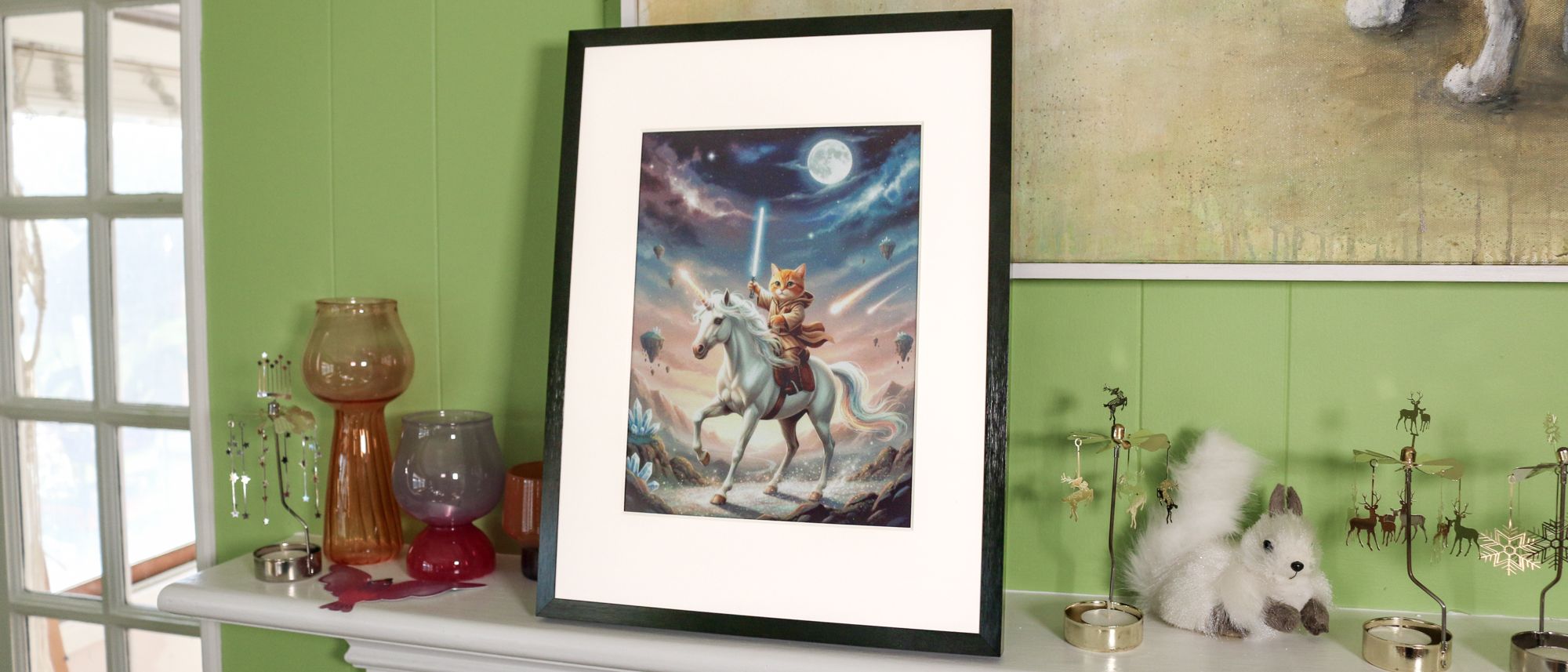
The novel feature with this frame is the integrated AI studio, which lets you use AI to modify images you’ve already uploaded to the frame, or generate new ones out of whole cloth using prompts. However, to use this feature you need to subscribe to Switchbot’s AI Studio, which costs $3.99 per month, and lets you generate up to 400 images each month. It’s fun — I had it create an image of a lightsaber-wielding cat on a unicorn — but considering there are multitudes of AI image generators you can use for free, like Nano Banana, I’m not sure that Switchbot’s is worth the price for the convenience of having it right in the app.
In addition to adding AI art, Switchbot also has a Gallery feature where you can add art from famous painters and artists, akin to what you’d find on something like Samsung’s The Frame TV (albeit without the subscription costs). It seems somewhat limited: When I searched for “Michelangelo,” it only returned a handful of his sketches, rather than more famous works. A search for “Monet” did get me some water lilies and some haystacks, but only 20 pieces in total.
Switchbot AI art frame review: Verdict
Looking back at my Aluratek review (as well as my Aura Ink review), I feel like I was a bit generous with my rating, which I’ll chalk up to the fact that it was the first such digital photo frame of its kind. I still like that, while these E Paper displays might not be as vivid as their LED counterparts, you can mount them on a wall for years at a time, and not have to see a cord dangling to an outlet.
However, like the Aluratek frame, the Switchbot Art Frame is very limited in the images you can upload. Its AI feature, though a little gimmicky, does add some uniqueness, as does its limited Gallery. The Aura Ink is even pricier at $500, but at least it’s more capable when it comes to adding photos from friends and family. Ultimately, all three are far more expensive than traditional digital photo frames, which makes them a harder sell, especially if you don’t get the basics right.