By using this site, you agree to the Privacy Policy and Terms of Use.
Accept
World of SoftwareWorld of SoftwareWorld of Software
  • News
  • Software
  • Mobile
  • Computing
  • Gaming
  • Videos
  • More
    • Gadget
    • Web Stories
    • Trending
    • Press Release
Search
  • Privacy
  • Terms
  • Advertise
  • Contact
Copyright © All Rights Reserved. World of Software.
Reading: What Those Blinking Lights On Your Ethernet Port Are Really Telling You – BGR
Share
Sign In
Notification Show More
Font ResizerAa
World of SoftwareWorld of Software
Font ResizerAa
  • Software
  • Mobile
  • Computing
  • Gadget
  • Gaming
  • Videos
Search
  • News
  • Software
  • Mobile
  • Computing
  • Gaming
  • Videos
  • More
    • Gadget
    • Web Stories
    • Trending
    • Press Release
Have an existing account? Sign In
Follow US
  • Privacy
  • Terms
  • Advertise
  • Contact
Copyright © All Rights Reserved. World of Software.
World of Software > News > What Those Blinking Lights On Your Ethernet Port Are Really Telling You – BGR
News

What Those Blinking Lights On Your Ethernet Port Are Really Telling You – BGR

News Room
Last updated: 2026/02/10 at 6:15 PM
News Room Published 10 February 2026
Share
What Those Blinking Lights On Your Ethernet Port Are Really Telling You – BGR
SHARE


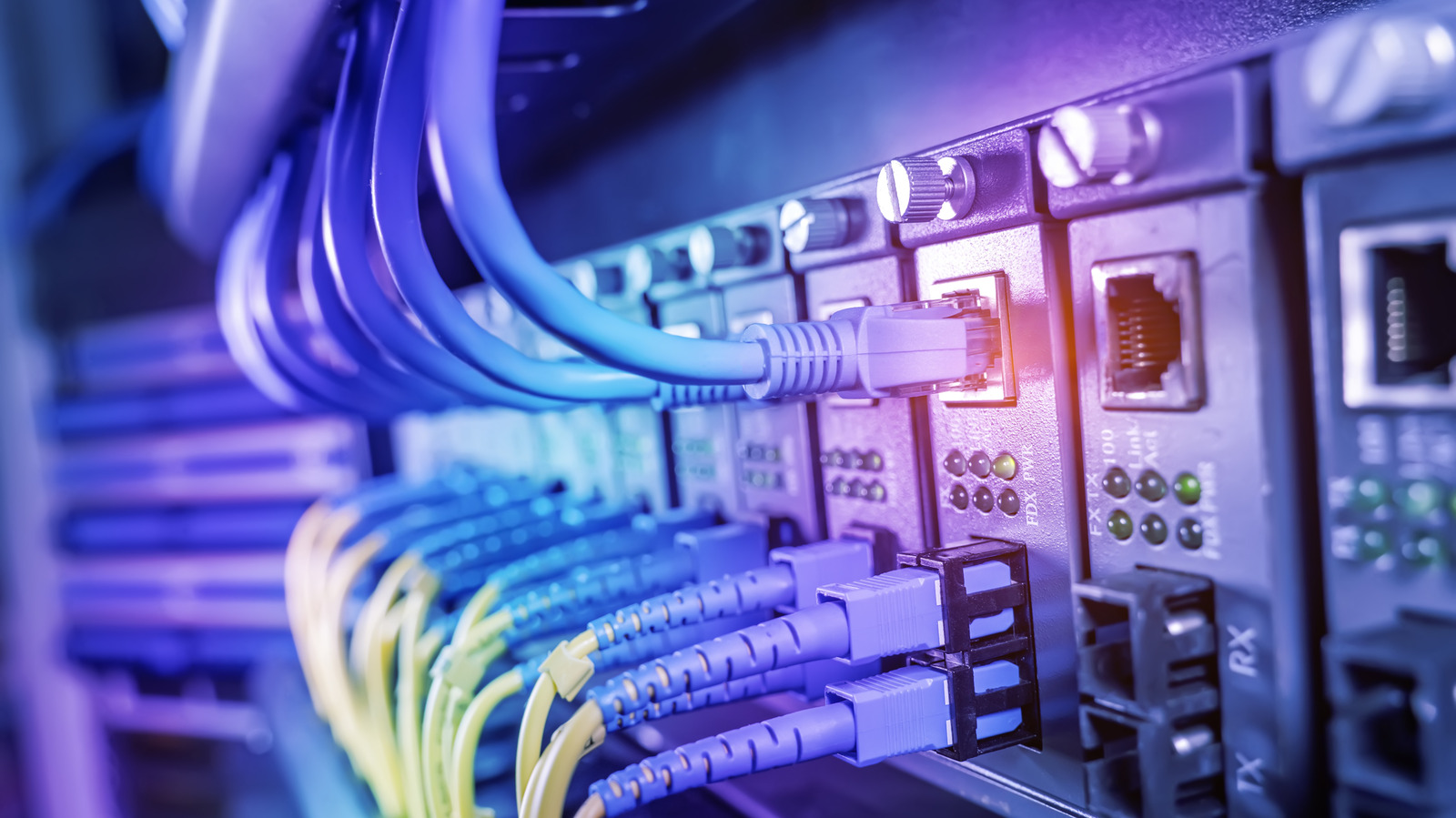
Kynny/Getty Images

Have you ever looked at the back of your computer and noticed the lights where the cables are plugged into your PC? Maybe you’re trying to understand why you’re having slow internet issues and noticed the different colors of the ethernet ports on your router, but don’t know what they mean. While it might not seem like an important thing to keep an eye on, the color of the light around an ethernet port can actually relay crucial information, especially if they are blinking.

Firstly, it’s important to note that there are at least three different light colors typical found around an ethernet port: green, amber (it may look more yellow or orange depending on the model), and red. These three colors sound off distinct meanings for the status of your connection. Secondly, you will notice that they blink sometimes, while other times they may appear completely solid. This can vary depending on the device and how its LED lights are set up, which is important to keep in mind when determining the state of your connection.

What the different colored ethernet lights really mean
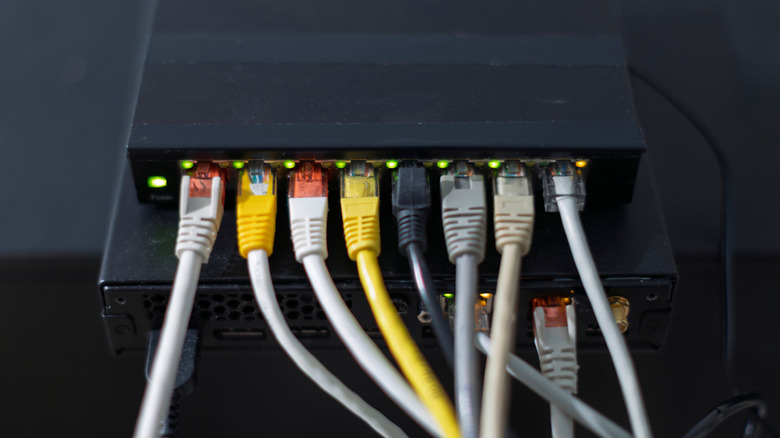

Router with several ethernet cables plugged in showing multiple green lights and an amber light
dba87/Shutterstock

Firstly, a solid green light means that your ethernet connection is stable and is over 100 Mbps. If it is blinking, it means that there is active traffic and data traveling along that cable.

Next, an amber light usually means that there is an issue that may need your attention, such as your speed being limited to between 10 and 100 Mbps (some brands also use amber lights to indicate speeds in excess of 1,000 Mbps). This could be because of a network issue or even because you didn’t choose the right ethernet cable for your connection. If you’re experiencing slow internet, then checking the cable can be one of the easiest ways to troubleshoot your internet speed without replacing your router. An amber light on enterprise level gear can indicate an issue with the power over ethernet (POE) connection.

Finally, red or no light at all means that the connection is interrupted. Some devices may have two tiny LEDs — one that blinks and one that doesn’t — or just one LED that changes from solid to blinking. The easiest way to determine which system your device utilizes is to check the manual and online guides from the manufacturer.


Sign Up For Daily Newsletter

Be keep up! Get the latest breaking news delivered straight to your inbox.
By signing up, you agree to our Terms of Use and acknowledge the data practices in our Privacy Policy. You may unsubscribe at any time.
Share This Article
Facebook Twitter Email Print
Share
What do you think?
Love0
Sad0
Happy0
Sleepy0
Angry0
Dead0
Wink0
Previous Article The Reality of Deploying Tech in Legacy Industries | HackerNoon The Reality of Deploying Tech in Legacy Industries | HackerNoon
Next Article This AI Tool Turns 400 Informal Names Into Accurate OMOP Code | HackerNoon This AI Tool Turns 400 Informal Names Into Accurate OMOP Code | HackerNoon
Leave a comment

Leave a Reply Cancel reply

Your email address will not be published. Required fields are marked *

Stay Connected

248.1k Like
69.1k Follow
134k Pin
54.3k Follow

Latest News

JMGO N1S 4K Review: Big 4K From a Surprisingly Small Projector
News
OpenAI policy exec who opposed chatbot’s “adult mode” reportedly fired on discrimination claim |  News
OpenAI policy exec who opposed chatbot’s “adult mode” reportedly fired on discrimination claim | News
News
Prediction Markets Are Swallowing the Real World | HackerNoon
Computing
Apple, Google agree to ‘improve fairness’ on app stores
News

You Might also Like

JMGO N1S 4K Review: Big 4K From a Surprisingly Small Projector
News

JMGO N1S 4K Review: Big 4K From a Surprisingly Small Projector

7 Min Read
OpenAI policy exec who opposed chatbot’s “adult mode” reportedly fired on discrimination claim |  News
News

OpenAI policy exec who opposed chatbot’s “adult mode” reportedly fired on discrimination claim | News

2 Min Read
Apple, Google agree to ‘improve fairness’ on app stores
News

Apple, Google agree to ‘improve fairness’ on app stores

3 Min Read
You Can See How Much Money You’ve Spent On Steam (If You’re Brave Enough) – BGR
News

You Can See How Much Money You’ve Spent On Steam (If You’re Brave Enough) – BGR

4 Min Read
//

World of Software is your one-stop website for the latest tech news and updates, follow us now to get the news that matters to you.

Quick Link

  • Privacy Policy
  • Terms of use
  • Advertise
  • Contact

Topics

  • Computing
  • Software
  • Press Release
  • Trending

Sign Up for Our Newsletter

Subscribe to our newsletter to get our newest articles instantly!

World of SoftwareWorld of Software
Follow US
Copyright © All Rights Reserved. World of Software.
Welcome Back!

Sign in to your account

Lost your password?