

By using this site, you agree to the Privacy Policy and Terms of Use.
Accept
World of SoftwareWorld of SoftwareWorld of Software
  • News
  • Software
  • Mobile
  • Computing
  • Gaming
  • Videos
  • More
    • Gadget
    • Web Stories
    • Trending
    • Press Release
Search
  • Privacy
  • Terms
  • Advertise
  • Contact
Copyright © All Rights Reserved. World of Software.
Reading: Before You Buy New Tires, Use This Cheap Gadget To Make Them Smart – BGR
Share
Sign In
Notification Show More
Font ResizerAa
World of SoftwareWorld of Software
Font ResizerAa
  • Software
  • Mobile
  • Computing
  • Gadget
  • Gaming
  • Videos
Search
  • News
  • Software
  • Mobile
  • Computing
  • Gaming
  • Videos
  • More
    • Gadget
    • Web Stories
    • Trending
    • Press Release
Have an existing account? Sign In
Follow US
  • Privacy
  • Terms
  • Advertise
  • Contact
Copyright © All Rights Reserved. World of Software.
World of Software > News > Before You Buy New Tires, Use This Cheap Gadget To Make Them Smart – BGR
News

Before You Buy New Tires, Use This Cheap Gadget To Make Them Smart – BGR

News Room
Last updated: 2026/02/20 at 11:48 PM
News Room Published 20 February 2026
Share
Before You Buy New Tires, Use This Cheap Gadget To Make Them Smart – BGR
SHARE


Azmanjaka/Getty Images

We may receive a commission on purchases made from links.

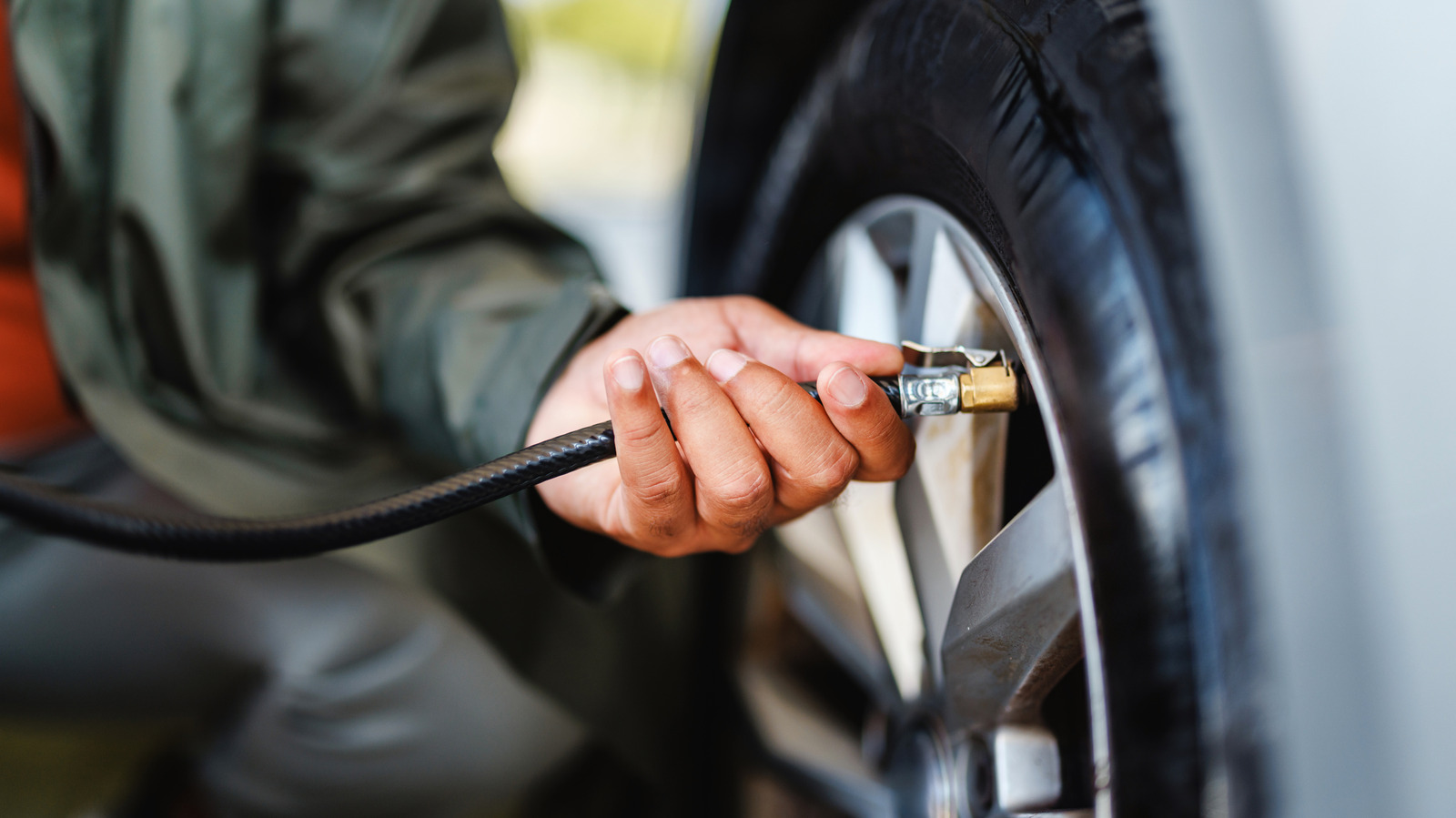
If your drive home is unusually bumpy or your tires seem to wear out quickly, it could be the result of incorrect tire pressure. Under- and over-inflated tires can lead to poor vehicle handling and shorten tire lifespan. When tires are not inflated as recommended, it can put you at risk of blowouts and cause a decrease in fuel efficiency. That’s why it’s important to keep an eye on your car’s tire pressure at all times. 

In modern vehicles, you usually won’t have to worry about this, thanks to the built-in Tire Pressure Monitoring System (TPMS). These systems typically show the current pressure of all four corners, right on the dashboard. On many older cars, though, the only way to check these pressures is by getting out of the vehicle and measuring each tire with a handheld gauge. 

If you want to skip that manual process, there’s a truly underrated smart car gadget you can install: An aftermarket tire pressure monitoring system, like the Tymate TM7 Wireless TPMS. This affordable accessory does the same basic job as a factory-fitted TPMS, making your tires smart without breaking the bank. 

No more manual tire pressure checks

The $45 Tymate TM7 TPMS is an excellent gadget to upgrade your old car’s power outlet. The display interface plugs into a 12V port, while the four sensors that come with it mount to the tire valves. Once installed, the Tymate system will monitor your tires pressure in real-time. Along with visual warnings, it will sound an alarm if the reading goes 25% higher or 15% lower than it should be. 

You will also hear a beep if the tire temperature goes beyond 158 degrees Fahrenheit, a fast leak is detected, the sensor battery is low, or if it’s disconnected. The Tymate TM7 can monitor pressure between 0 and 87 psi, and is compatible with sedans, SUVs, RVs, and travel trailers. Designed to withstand variable outdoor conditions, each sensor is dust- and waterproof, and works in hot and cold temperatures. 

For customizability and better readability, you can change the display’s brightness level and the units from psi to bar, and degrees Fahrenheit to degrees Celsius. Besides helping you stay on top of your tire pressure, the Tymate TPMS includes built-in USB-A and USB-C ports for powering small electronics.

How to set up the Tymate Wireless TPMS

Installing the Tymate TM7 Wireless TPMS is fairly easy with its plug-and-play design. Before doing so, your tires should be filled to the manufacturer’s recommended pressure, which you can find on a sticker located on your car’s door jamb. This is the pressure that will be used as a reference point for detecting any deviations. 

First, insert the receiver unit into your car’s 12V port. Then, connect each of the sensors — which are paired with the receiver unit out of the box — to the corresponding tire valve. The current tire pressures should automatically show up on the display. From here, you can adjust the receiver to your liking. Hit the Set button for your desired brightness level, hold the “+” button for three seconds to change the temperature unit, and the “-” button for three seconds to modify the pressure unit. 

The only thing left to do is watch out for warning signs on the display and take action as needed. If you ever need to replace the CR1632 battery powering the sensor, use the black circular tool included in the package to take it apart. You can then slide out and replace the battery.


Sign Up For Daily Newsletter

Be keep up! Get the latest breaking news delivered straight to your inbox.
By signing up, you agree to our Terms of Use and acknowledge the data practices in our Privacy Policy. You may unsubscribe at any time.
Share This Article
Facebook Twitter Email Print
Share
What do you think?
Love0
Sad0
Happy0
Sleepy0
Angry0
Dead0
Wink0
Previous Article The reason you change your smartphones could mean trouble for the Galaxy S26 The reason you change your smartphones could mean trouble for the Galaxy S26
Next Article Best Time to Post on LinkedIn in 2025 to Maximize Engagement Best Time to Post on LinkedIn in 2025 to Maximize Engagement
Leave a comment

Leave a Reply Cancel reply

Your email address will not be published. Required fields are marked *

Stay Connected

248.1k Like
69.1k Follow
134k Pin
54.3k Follow

Latest News

Electrolyte Supplements vs. Natural Sources: What’s Best for Hydration
News
BYD’s latest midsize SUV set to assuage range anxiety · TechNode
Computing
The 5 Best Weekend Tech Deals On Laptops, Monitors, TVs, and More
News
Relooted: the South African video game where players take back artefacts from western museums
News

You Might also Like

Electrolyte Supplements vs. Natural Sources: What’s Best for Hydration
News

Electrolyte Supplements vs. Natural Sources: What’s Best for Hydration

10 Min Read
The 5 Best Weekend Tech Deals On Laptops, Monitors, TVs, and More
News

The 5 Best Weekend Tech Deals On Laptops, Monitors, TVs, and More

8 Min Read
Relooted: the South African video game where players take back artefacts from western museums
News

Relooted: the South African video game where players take back artefacts from western museums

5 Min Read
Best Samsung deal: Save ,100 on Samsung 65-inch Class S84F OLED 4K TV
News

Best Samsung deal: Save $1,100 on Samsung 65-inch Class S84F OLED 4K TV

3 Min Read
//

World of Software is your one-stop website for the latest tech news and updates, follow us now to get the news that matters to you.

Quick Link

  • Privacy Policy
  • Terms of use
  • Advertise
  • Contact

Topics

  • Computing
  • Software
  • Press Release
  • Trending

Sign Up for Our Newsletter

Subscribe to our newsletter to get our newest articles instantly!

World of SoftwareWorld of Software
Follow US
Copyright © All Rights Reserved. World of Software.
Welcome Back!

Sign in to your account

Lost your password?