By using this site, you agree to the Privacy Policy and Terms of Use.
Accept
World of SoftwareWorld of SoftwareWorld of Software
  • News
  • Software
  • Mobile
  • Computing
  • Gaming
  • Videos
  • More
    • Gadget
    • Web Stories
    • Trending
    • Press Release
Search
  • Privacy
  • Terms
  • Advertise
  • Contact
Copyright © All Rights Reserved. World of Software.
Reading: Group Text Split into Separate Conversations? Here’s the Fix!
Share
Sign In
Notification Show More
Font ResizerAa
World of SoftwareWorld of Software
Font ResizerAa
  • Software
  • Mobile
  • Computing
  • Gadget
  • Gaming
  • Videos
Search
  • News
  • Software
  • Mobile
  • Computing
  • Gaming
  • Videos
  • More
    • Gadget
    • Web Stories
    • Trending
    • Press Release
Have an existing account? Sign In
Follow US
  • Privacy
  • Terms
  • Advertise
  • Contact
Copyright © All Rights Reserved. World of Software.
World of Software > News > Group Text Split into Separate Conversations? Here’s the Fix!
News

Group Text Split into Separate Conversations? Here’s the Fix!

News Room
Last updated: 2026/03/10 at 12:22 PM
News Room Published 10 March 2026
Share
Group Text Split into Separate Conversations? Here’s the Fix!
SHARE

What to Know

  • If your group text keeps splitting in two, it’s most likely due to the group being a mix of iPhone and Android users.
  • There are several troubleshooting steps to try if your group chat splits, including checking your Messages Settings, resetting Network Settings, and more.

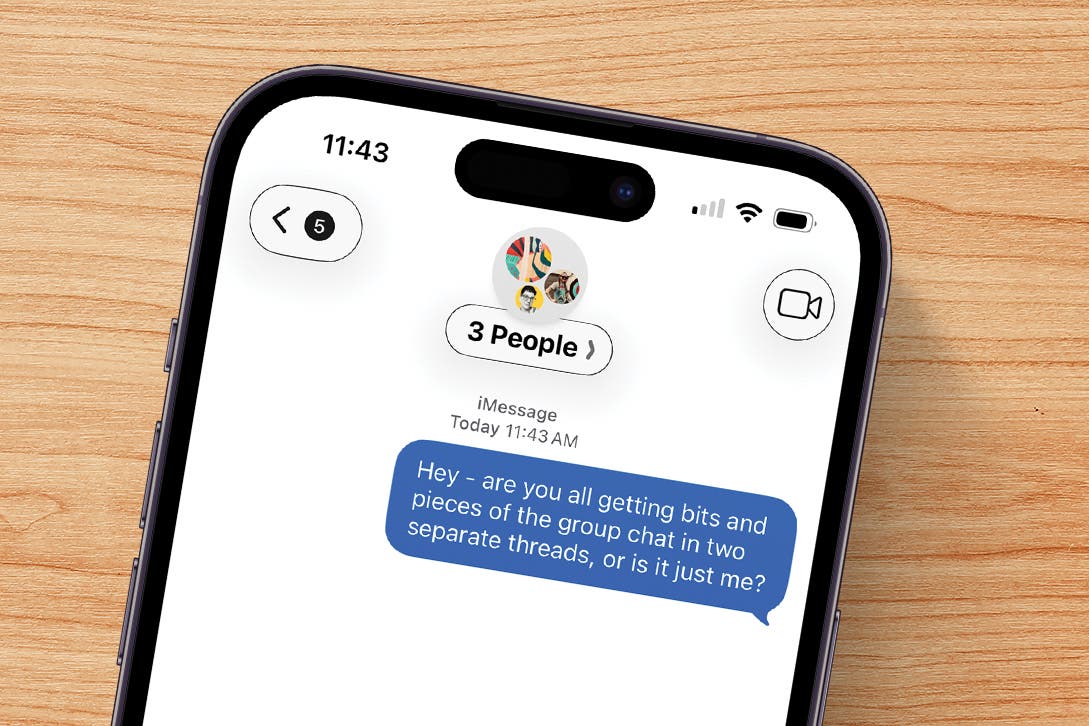
If you’ve ever had a group chat split into two separate chats, you know how annoying and frustrating this problem can be. Trying to keep tabs on new messages and replies seems nearly impossible. Here’s what to do if your group text splits.

Jump To: 

  • Why Did My Group Text Split into Two on My iPhone?
  • How to Fix Group Text That’s Split in Two
  • FAQ

Why Did My Group Text Split into Two on My iPhone?

So you’ve made a group text on your iPhone or iPad, but now the group message is split into multiple chats. But why? There are several reasons why iPhone group messaging problems like this happen. This is a bit different than the issue of group messages sending as individual messages on your iPhone, though some of the fixes are the same. 

Here are some reasons why a group chat may split on an iPhone or iPad:

  • Mixed Users: A group chat with iPhone and Android users turns messages into MMS, which can cause glitches in your group message.
  • iOS Issues: You and other group members may have an iOS bug that’s impacting message delivery.
  • Network Problems: A poor signal could be causing your group chat to split.

How to Fix Group Text That’s Split in Two

There are a few things you and everybody else in your group chat can do if the chat has split in two. Everyone should:

  1. Restart their iPhone or Android and update to the latest software version. 
  2. Make sure iMessage is enabled. 

  3. Make sure Group Messaging is enabled. While you’re in this setting, toggle off RCS messaging, wait a few minutes, then toggle it back on again.


    toggle rcs messaging off and on

  4. If this hasn’t worked, have everyone sign out of iMessage wait a few minutes, then sign back in.


    sign out of icloud then back in on iphone

  5. Have everyone in the group ensure that they’ve saved each group member’s phone number correctly, and that they’ve labeled the phone correctly (iPhone or mobile).


    make sure phone is categorized correctly

  6. If none of the previous steps have worked, it’s time to Reset Network Settings. Keep in mind you’ll have to re-enter your Wi-Fi passwords and re-pair with Bluetooth devices after taking this step.


    tap reset network settings

  7. As a last resort, everyone in the group will have to delete the old group chat that split, and create a new group chat. 

Now you know what to do when your group chat splits in two. If the steps above haven’t solved your problem, check in with your cellular carrier and Apple Support for more guidance. Also, be sure to check out our free Tip of the Day for more great troubleshooting guides.

FAQ

  • I want to leave a group chat. How do I do that? To leave a group chat on your iPhone, all members need to be iPhone users, and there have to be three or more group members. If this is the case, you can tap the contacts at the top of the page, then tap Leave this Conversation.
  • Can I name group texts on my iPhone? Yes, to name a group chat on your iPhone, tap the contact icons at the top, then tap Change Name and Photo.
  • How do I create an email contact group on my iPhone? To create an email contact group, you need to open the Contacts app, tap Lists, tap Add List, type a name for your group, and add each contact.
  • Why does iMessage keep turning off? If iMessage keeps turning off, there may be a service outage on Apple’s end or you may need to change some settings.

Top image credit: wk1003mike / Shutterstock.com

How-To
iPad
iPhone
iMessage
(Apps)
Messages
Settings
Communication

Sign Up For Daily Newsletter

Be keep up! Get the latest breaking news delivered straight to your inbox.
By signing up, you agree to our Terms of Use and acknowledge the data practices in our Privacy Policy. You may unsubscribe at any time.
Share This Article
Facebook Twitter Email Print
Share
What do you think?
Love0
Sad0
Happy0
Sleepy0
Angry0
Dead0
Wink0
Previous Article 7 Simply Genius Ways To Use Dollar Tree Bins To Organize Your Home Office Gadgets – BGR 7 Simply Genius Ways To Use Dollar Tree Bins To Organize Your Home Office Gadgets – BGR
Next Article Pop Mart leads China’s new consumer stock rally as female-driven spending surges · TechNode Pop Mart leads China’s new consumer stock rally as female-driven spending surges · TechNode
Leave a comment

Leave a Reply Cancel reply

Your email address will not be published. Required fields are marked *

Stay Connected

248.1k Like
69.1k Follow
134k Pin
54.3k Follow

Latest News

Decision Latency is Killing Your Cloud Budget. Agentic AI Can Fix it  | HackerNoon
Decision Latency is Killing Your Cloud Budget. Agentic AI Can Fix it | HackerNoon
Computing
I’ve taught thousands of people how to use AI – here’s what I’ve learned
News
LastPass vs. RoboForm: The Password Manager You Actually Need
News
Judge blocks Perplexity’s AI agents from shopping on Amazon
News

You Might also Like

I’ve taught thousands of people how to use AI – here’s what I’ve learned
News

I’ve taught thousands of people how to use AI – here’s what I’ve learned

7 Min Read
LastPass vs. RoboForm: The Password Manager You Actually Need
News

LastPass vs. RoboForm: The Password Manager You Actually Need

8 Min Read
Judge blocks Perplexity’s AI agents from shopping on Amazon
News

Judge blocks Perplexity’s AI agents from shopping on Amazon

2 Min Read
Best earbud deal: Get  off this Samsung Galaxy Buds 4 Pro +  Amazon Gift Card bundle.
News

Best earbud deal: Get $30 off this Samsung Galaxy Buds 4 Pro + $30 Amazon Gift Card bundle.

3 Min Read
//

World of Software is your one-stop website for the latest tech news and updates, follow us now to get the news that matters to you.

Quick Link

  • Privacy Policy
  • Terms of use
  • Advertise
  • Contact

Topics

  • Computing
  • Software
  • Press Release
  • Trending

Sign Up for Our Newsletter

Subscribe to our newsletter to get our newest articles instantly!

World of SoftwareWorld of Software
Follow US
Copyright © All Rights Reserved. World of Software.
Welcome Back!

Sign in to your account

Lost your password?