We may receive a commission on purchases made from links.
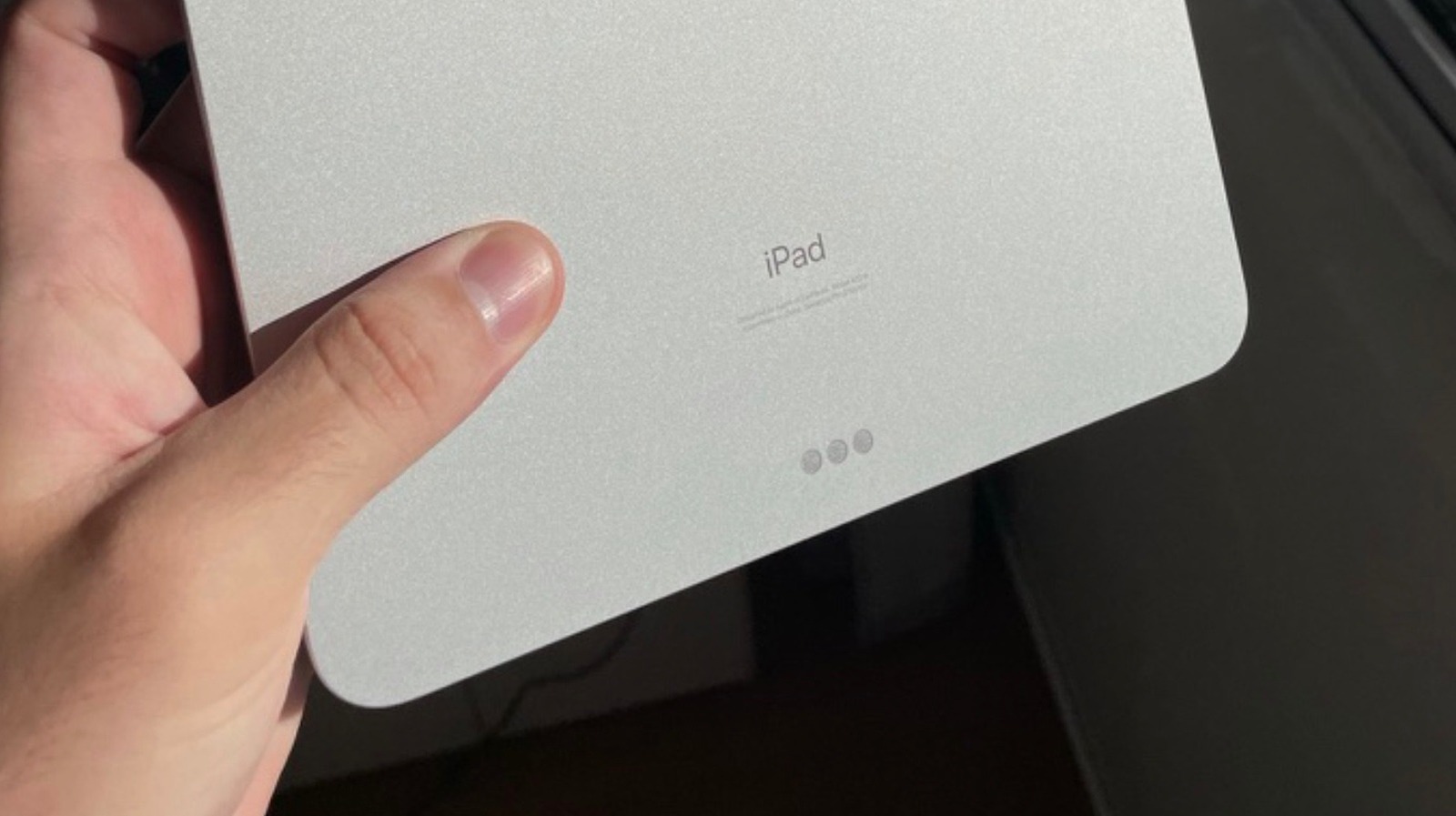
Apple offers a Smart Connector feature for most of its iPad lineup, including the base model, the iPad Air, and the iPad Pro. This connector is commonly used by Apple on its Magic Keyboard and Magic Keyboard Folio products, and the only Apple tablet that doesn’t support these accessories is the iPad Mini, possibly due to its small form factor.
There are several reasons why customers have so few iPad Smart Connector accessories to choose from, even though you might expect accessory brands to experiment with innovative products that take advantage of the system. The main hurdles for adoption seem to be that Apple doesn’t disclose much about the technology, and that the connector only offers limited power and data transfer. This has led to many brands preferring to develop products that take advantage of the USB-C port, like Satechi and its recently-released OntheGo Foldable Stand Hub.
While there’s practically an infinite number of accessories that take advantage of the iPad’s USB-C port, as it stands, the iPad’s Smart Connector is only good for two types of accessories: keyboards and chargers. Apple itself offers Smart Connector keyboards, as do some other third-party accessory makers, and there are a few brands that offer Smart Connector-enabled chargers.
iPad’s Smart Connector might never be more than what we have today
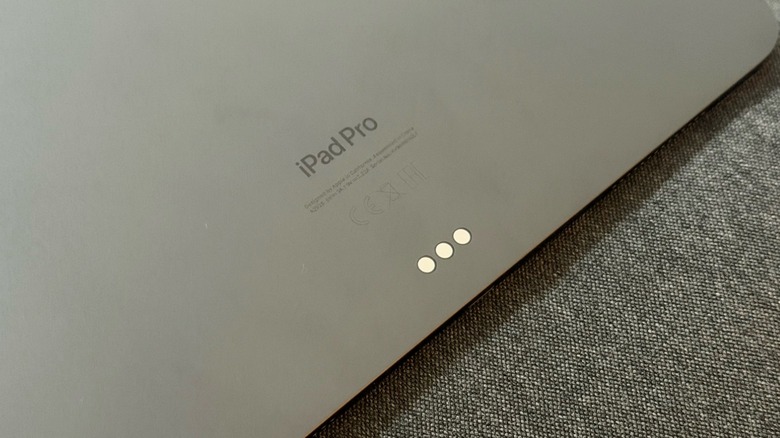
Apple is fairly opaque about the iPad Smart Connector. On Apple’s Smart Keyboard product page, the company explains that the “Smart Connector transfers both data and power between iPad Pro” and the connected accessory, with “no batteries or charging required.” However, if a developer or third-party accessory maker wants to go deep into the Made For iPhone/iPad (MFi) program, they won’t find a ton of information on how to develop a product for the iPad’s Smart Connector, even though there’s thorough documentation for several other products and features.
That said, almost a decade ago, Apple was questioned by Fast Company about the lack of accessories for the iPad’s Smart Connector, and the firm responded that “multiple companies” were developing products that worked with the pogo-pin system. The publication reported that wait times and high costs for Smart Connector components made working with this technology undesirable for some accessory makers, which may explain why options are still very limited to this day.
Another interesting point comes from Engadget. When the publication reviewed the Magic Keyboard for the iPad, it questioned Apple about the Smart Connector’s bandwidth, but the company declined to comment. Industry insiders also tell BGR that the costs related to the Made For iPad program, in addition to licensing fees, make the Smart Connector harder to develop accessories for, as production costs and time-to-market quickly become untenable. That said, without a proper push from Apple, it’s only natural that the iPad’s Smart Connector market never really took off.
Keyboards and the Smart Connector system are a perfect match
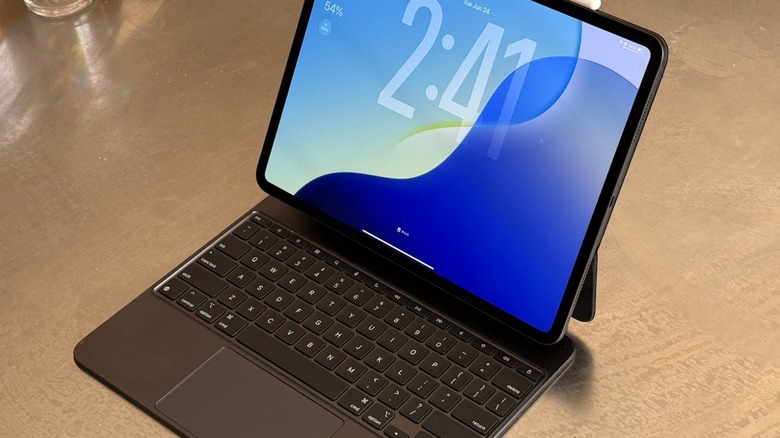
The main functionality of the iPad’s Smart Connector comes in the form of the company’s Magic Keyboard and Magic Keyboard Folio accessories. The Magic Keyboard Folio is only available for the base-model iPad, whereas Apple focuses on the Magic Keyboard for the Air and Pro lineups. Apple had previously sold similar Smart Connector accessories called the Smart Keyboard and Smart Keyboard Folio (and still does in Latin America and the Caribbean), but the company has since discontinued these products in most regions in favor of their Magic-branded counterparts.
These accessories magnetically attach to the back of the iPad, and without requiring extra power or a setup process, users can instantly start typing on their iPads using these add-on keyboards. The main difference between them is the build quality, as the Magic Keyboard resembles a proper Mac keyboard with an aluminum finish, while the Magic Keyboard Folio option uses a less premium material and is cheaper.
Besides Apple, Logitech is the main accessory maker developing Smart Connector-compatible keyboards for the iPad, as it features three lineups with the Combo Touch, the Rugged Folio, and the Folio Touch. Of these models, the Combo Touch works with any Smart Connector iPad and includes a detachable keyboard with backlit keys and a trackpad. On the other hand, a simpler option like the Folio Touch offers similar functionality, but its keyboard is not detachable and it only works with the iPad Air. Still, this market isn’t a lot of fun, and users don’t have many options to choose from if they want to take advantage of the Smart Connector instead of just a Bluetooth connection.
Smart Connector chargers can free up your USB-C port and give you a desktop-like experience
Believe it or not, some accessory makers have created chargers that use the Smart Connector system. One clever aspect of these accessories is that they can free the main USB-C port on your iPad, and if you have an iPad Pro, that means you can get Thunderbolt-like speeds for other devices without having to unplug them when you need to charge your tablet.
One of these options is Kuxiu’s M30 Magnetic Smart Connector Charger, which offers up to 35-watt power delivery while freeing up your USB-C port. Its premium finish gives it a similar look to the iPad Pro, so it should blend right in if you decide to charge your iPad magnetically.
Another product is Lululook’s 360 Rotating Foldable Magnetic iPad Charging Stand. This gives your iPad an iMac-like form factor, making it easy to use Sidecar, take a look at spreadsheets, or watch your favorite show while the tablet charges. You can plug a USB-C cable to the back of the stand, which then supplies power to the Smart Connector. It’s a clever option for those who prefer a clean aesthetic and want to use their iPads in more of a desktop-like configuration. As the name suggests, you can also rotate the dock on the table to face the iPad in any direction.