AI Time Blocking: How to Build the Perfect Daily Schedule with ChatGPT in 2026
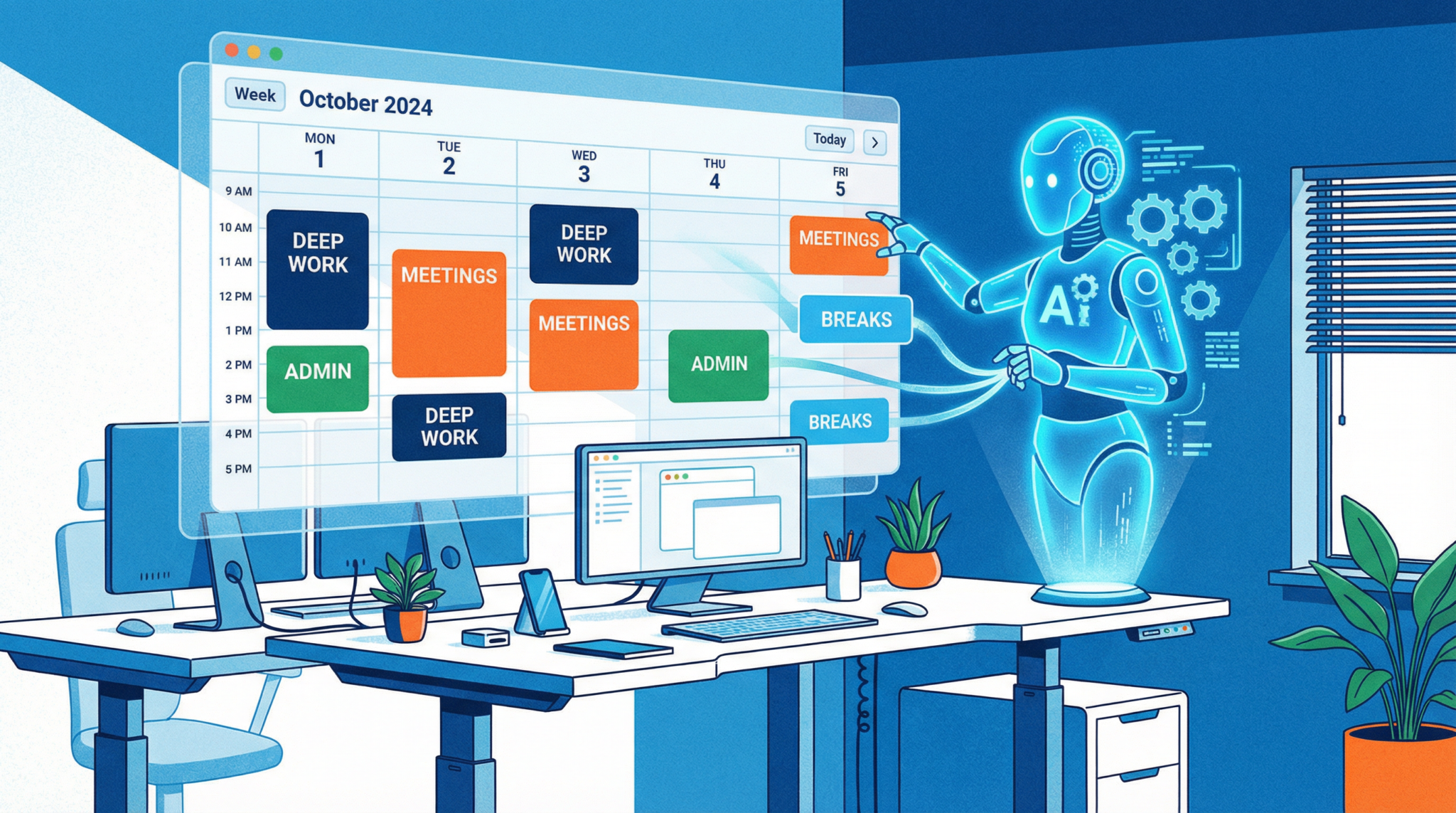
In the fast-paced world of 2026, productivity isn’t just about working harder; it’s about working smarter. The relentless influx of notifications, meetings, and shifting priorities can leave even the most organized professionals feeling scattered and unproductive. This is where time blocking, a decades-old time management technique, finds a new lease on life through the power of Artificial Intelligence. By partnering with AI tools like ChatGPT, you can transform this simple method into a dynamic, responsive, and highly personalized system for mastering your day.
This deep dive will explore the fundamentals of AI-powered time blocking. We’ll cover everything from the core concepts and diverse strategies to practical, step-by-step instructions for using ChatGPT to create and manage your perfect daily schedule. Whether you’re a developer, a marketer, an executive, or any knowledge worker striving for peak performance, this guide will provide you with the tools and templates to reclaim your focus and achieve your most ambitious goals. For a broader look at how AI can revolutionize your workflow, check out our AI productivity prompts guide“>AI productivity prompts guide.
The Foundations of Time Blocking: Why It Works
Time blocking is the practice of scheduling out every part of your day, assigning specific “blocks” of time to particular tasks or activities. Instead of working from a simple to-do list and reacting to tasks as they come, you proactively decide what you’ll work on and when. This deliberate approach has several profound psychological and practical benefits:
- Reduces Decision Fatigue: By planning your day in advance, you eliminate the constant, low-level stress of deciding what to do next. This frees up mental energy for more important, high-level thinking.
- Encourages Deep Work: As championed by Cal Newport, deep work is the ability to focus without distraction on a cognitively demanding task. Time blocking is the perfect framework for carving out and protecting these invaluable deep work sessions.
- Provides a Realistic View of Your Time: We often underestimate how long tasks will take. Time blocking forces you to confront the finite nature of your workday and make realistic commitments, preventing over-scheduling and burnout.
- Combats Parkinson’s Law: This law states that “work expands so as to fill the time available for its completion.” By assigning a fixed time box to a task, you create a sense of urgency that encourages focus and efficiency.
Core Time Blocking Strategies
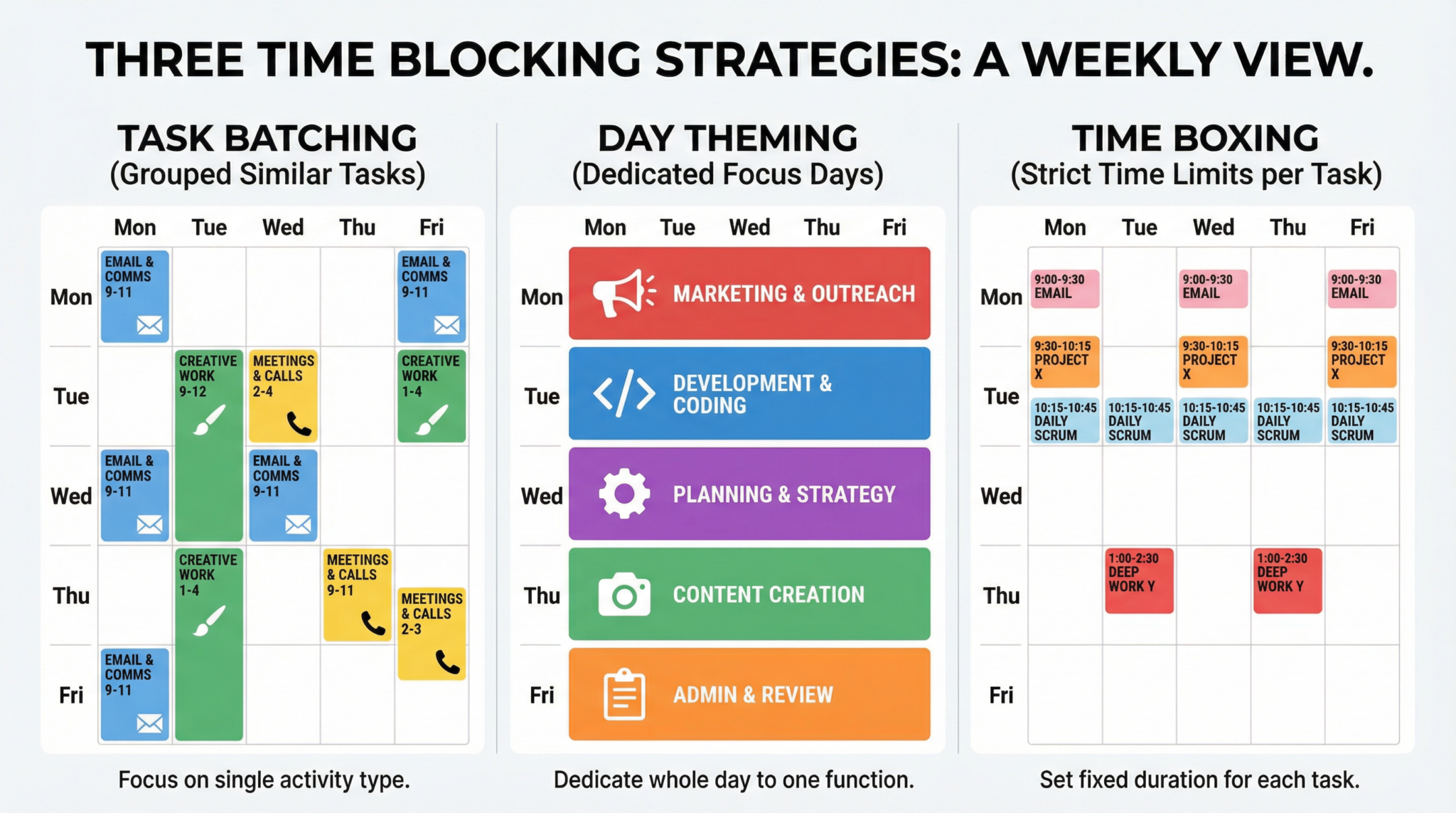
While the core concept is simple, time blocking can be adapted to fit various work styles. Here are three popular strategies that can be supercharged with AI:
1. Task Batching
Task batching involves grouping similar tasks together and completing them in a single, dedicated time block. For example, instead of answering emails as they arrive, you would schedule two or three specific blocks for email management throughout the day. This minimizes context switching, which is a major drain on productivity.
Pro Tip: Use ChatGPT to identify batching opportunities in your to-do list. You can paste your list and ask it to group similar tasks, such as “communications,” “research,” or “creative work.”
2. Day Theming
Day theming takes task batching to a macro level. You assign a specific theme to each day of the week. For example:
- Monday: Meetings and planning
- Tuesday: Deep work on Project A
- Wednesday: Marketing and outreach
- Thursday: Deep work on Project B
- Friday: Administrative tasks and weekly review
This strategy is excellent for those with varied responsibilities, as it allows for sustained focus on a single area for an entire day.
3. Time Boxing
Time boxing is the most granular form of time blocking. You allocate a fixed time period—a “time box”—to a single task. The goal is to complete the task within that box. This is particularly effective for large or daunting projects, as it breaks them down into manageable chunks.
Building Your Perfect Schedule with ChatGPT
Now, let’s get to the heart of the matter: using ChatGPT to create your schedule. The key is to provide the AI with the right context and constraints. Here’s how to do it, using the powerful prompt from our AI productivity prompts guide“>AI productivity prompts guide.
Act as a time management expert specializing in time blocking. Your task is to outline different time blocking strategies, recommend optimal time durations, and provide insights into adapting this technique to various work scenarios. Explain the concept of time blocking and its benefits, then present diverse strategies tailored for different work styles and preferences. Offer guidance on determining the most effective time durations for specific tasks and share insights on adapting time blocking to various professional and personal scenarios. My first request is to: [Insert your daily goals/tasks here]
Step 1: Define Your Constraints and Goals
Before you even use the prompt, you need to be clear about your own schedule. In a text document, list the following:
- Working Hours: Your start and end times, including any fixed breaks (e.g., lunch).
- Fixed Appointments: Any meetings, appointments, or other non-negotiable commitments.
- Daily Goals: A realistic list of what you want to accomplish today. Be specific!
- Energy Levels: Note when you typically have the most energy (e.g., “I’m a morning person” or “I get a second wind in the afternoon”).
Step 2: Feed Your Information to ChatGPT
Now, fill in the [Insert your daily goals/tasks here] section of the prompt with the information you just gathered. For example:
“My first request is to: Create a time-blocked schedule for me for tomorrow. My working hours are 9:00 AM to 5:30 PM, with a 30-minute lunch break. I have a team meeting from 10:00 AM to 10:30 AM. My main goals are to write a 1500-word blog post, prepare a presentation for Friday, and respond to all pending client emails. I have the most energy in the morning, right after my first coffee.”
Step 3: Refine and Iterate
ChatGPT will generate a detailed schedule. It might look something like this:
- 9:00 AM – 9:30 AM: Morning Kickstart (Review schedule, prioritize tasks, handle urgent emails)
- 9:30 AM – 10:00 AM: Email Batch #1
- 10:00 AM – 10:30 AM: Team Meeting
- 10:30 AM – 12:30 PM: Deep Work Block: Blog Post Writing (2 hours)
- 12:30 PM – 1:00 PM: Lunch Break
- 1:00 PM – 3:00 PM: Deep Work Block: Presentation Prep (2 hours)
- 3:00 PM – 3:30 PM: Afternoon Walk/Break
- 3:30 PM – 4:30 PM: Blog Post Editing and Finalizing (1 hour)
- 4:30 PM – 5:00 PM: Email Batch #2
- 5:00 PM – 5:30 PM: Daily Wrap-up and Plan for Tomorrow
This is a great starting point, but don’t be afraid to refine it. You can ask ChatGPT for adjustments: “This looks good, but can you make the morning deep work block longer and move the presentation prep to the afternoon?”
Protecting Your Deep Work Blocks
A schedule is useless if you don’t stick to it. Protecting your deep work blocks is non-negotiable.
- Signal Your Unavailability: Set your status on Slack, Teams, and other communication apps to “Focusing” or “Deep Work.”
- Silence Notifications: Turn off all notifications on your phone and computer during these blocks. The world can wait.
- Use a Physical Cue: A sign on your door or a specific light on your desk can signal to colleagues or family members that you are not to be disturbed.
Handling Interruptions and Schedule Drift
No plan is perfect. Interruptions will happen. The key is to have a system for getting back on track.
- The “Buffer Block”: Schedule one or two 30-minute “buffer” or “overflow” blocks into your day. These are for handling unexpected tasks or for work that takes longer than anticipated.
- The “Capture and Re-plan” Method: When an unexpected task arises, don’t do it immediately (unless it’s truly urgent). Instead, “capture” it in a dedicated inbox (like a notebook or a specific to-do list). At the end of your current block, or during a buffer block, you can assess the new task and “re-plan” the rest of your day if necessary.
Integration with Your Favorite Tools
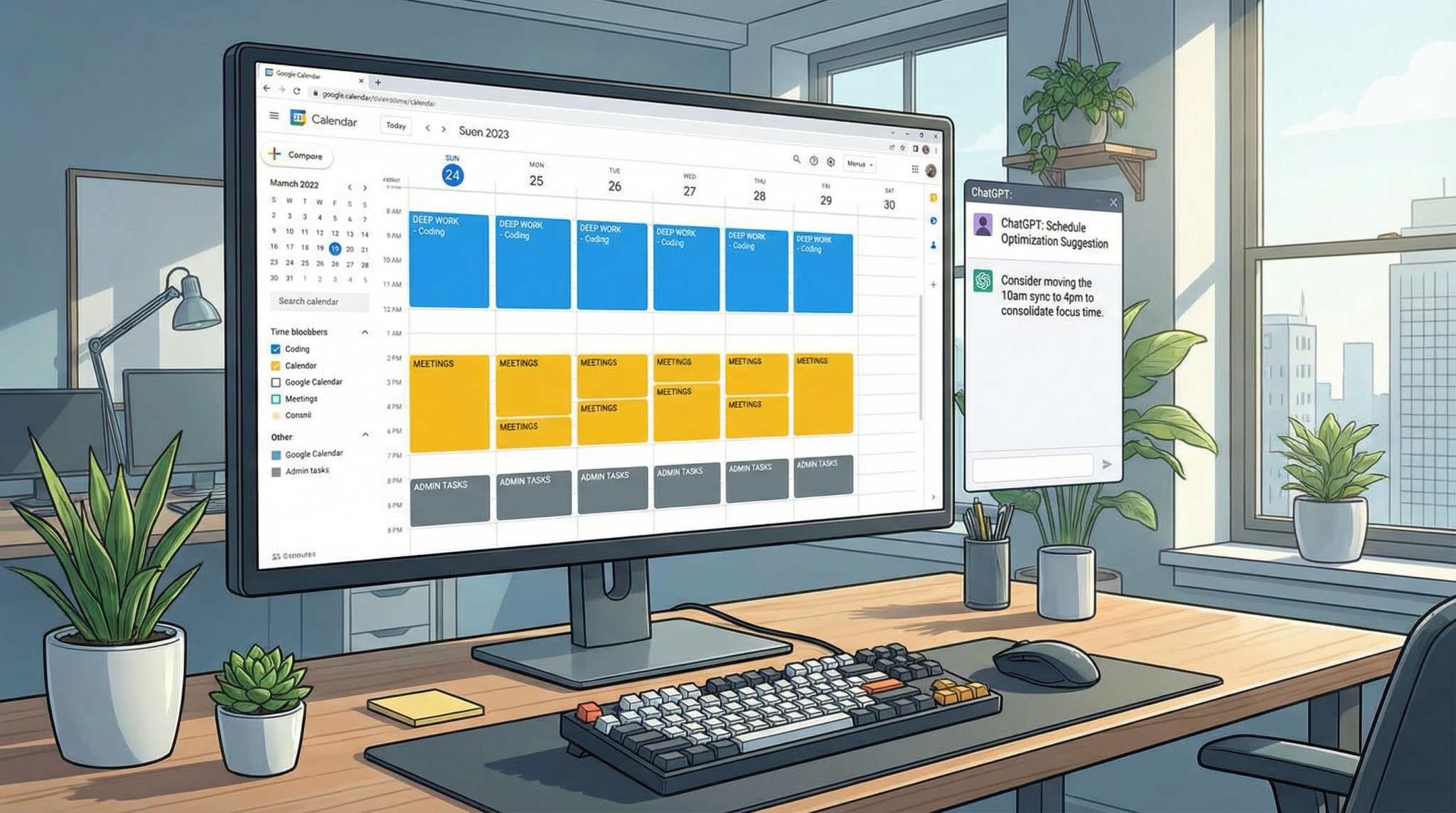
An AI-generated schedule is most powerful when it lives in the tools you already use.
Google Calendar
Once you have a schedule you’re happy with from ChatGPT, you can ask it to format the schedule as a table that you can easily copy and paste into a Google Sheet. From there, you can use a simple App Script or a Zapier integration to automatically create calendar events. For more on automation, see our guide on Automating Your Workflow“>Automating Your Workflow.
Notion
Notion is a fantastic tool for time blocking. You can create a database of tasks with properties for “Date,” “Time Block,” “Status,” and “Project.” You can then view this database as a calendar or a timeline. Ask ChatGPT to output your schedule in a format that’s easy to import into a Notion database.
Real-World Templates
Here are a few starting-point templates for different roles. Use these as a foundation and customize them with ChatGPT.
For the Software Developer
- Morning (9-12): Deep Work Block #1 (Coding new features)
- Lunch (12-1): Break
- Afternoon (1-3): Deep Work Block #2 (Bug fixing and code reviews)
- Late Afternoon (3-5): Meetings, collaboration, and planning
For the Marketer
- Monday: Analytics and Reporting
- Tuesday: Content Creation (Blog posts, social media)
- Wednesday: SEO and Technical Marketing
- Thursday: Campaign Management and Email Marketing
- Friday: Strategy, Planning, and Creative Brainstorming
For the Executive
- 8-9 AM: Uninterrupted Strategy Time
- 9-12 PM: Meeting Blocks (Batch all meetings here)
- 12-1 PM: Lunch (Ideally with a direct report or mentor)
- 1-3 PM: Open Door / Collaboration Time
- 3-5 PM: Deep Work and Email
Supercharge Your Productivity with ChatGPT
Ready to take your productivity to the next level? The right prompts can turn ChatGPT into a powerhouse for brainstorming, writing, and problem-solving. Download our exclusive guide featuring 100+ battle-tested ChatGPT prompts for marketing, SEO, and content creation. Stop guessing and start generating results.
Download Your Free ChatGPT Prompt Guide Now!
Frequently Asked Questions (FAQ)
Is time blocking suitable for creative work?
Absolutely. While it might seem counterintuitive, scheduling time for creative work can actually enhance it. By dedicating a specific block to brainstorming, writing, or designing, you give yourself permission to focus solely on that creative task without guilt or distraction. The structure of the block provides the freedom to explore ideas within it.
What if my job is mostly reactive (e.g., customer support)?
Even in a reactive role, you can apply time blocking principles. You can block out time for different types of reactive tasks (e.g., “Tier 1 Support Tickets,” “Escalated Issues,” “Live Chat”). You can also block out time for proactive work, such as updating documentation, training, or analyzing common issues. This ensures that important but non-urgent work doesn’t get perpetually pushed aside.
How long should a time block be?
The ideal length of a time block depends on the task and your personal focus patterns. The Pomodoro Technique uses 25-minute blocks, which are great for small, focused tasks. For deep work, blocks of 90-120 minutes are often recommended, as this aligns with our natural ultradian rhythms. Experiment to see what works best for you. You can even ask ChatGPT to suggest block durations based on your task list.
Advanced Strategies: Fine-Tuning Your AI-Powered Schedule
Once you’ve mastered the basics, you can explore more advanced techniques to further optimize your time-blocked schedule. These strategies are designed to introduce more flexibility and intentionality into your planning process.
Proactive vs. Reactive Time Blocks
A powerful way to structure your week is to categorize your time blocks as either proactive or reactive. Proactive blocks are for your most important, high-priority tasks—the work that moves you closer to your long-term goals. This is your deep work, your strategic thinking, and your creative projects. Reactive blocks are for the necessary but often unpredictable tasks that demand your attention, such as answering emails, attending impromptu meetings, and handling urgent requests.
By intentionally scheduling both types of blocks, you create a balanced schedule that allows for focused progress while also providing dedicated time to manage the inevitable demands of a dynamic work environment. This prevents your entire day from being consumed by reactive tasks and ensures that you are always making headway on what truly matters.
Energy-Based Time Blocking
Not all hours of the day are created equal. Your cognitive energy and focus naturally ebb and flow. Energy-based time blocking involves aligning your most demanding tasks with your peak energy levels. For many people, this means tackling their most important deep work in the morning, when their minds are fresh. The afternoon might be better suited for less demanding tasks like administrative work or collaborative meetings.
To implement this, track your energy levels for a week. Note when you feel most focused, creative, and motivated. Once you have this data, you can use ChatGPT to design a schedule that aligns with your natural rhythms. For example, you could tell ChatGPT: “I have the highest energy from 9 AM to 11 AM and again from 2 PM to 4 PM. Please schedule my most important tasks during these times.”
The Psychology of Successful Time Blocking
The effectiveness of time blocking isn’t just about the schedule itself; it’s about the psychological shifts it encourages. Understanding these mental models can help you stay consistent and motivated.
Commitment and Consistency
When you create a time-blocked schedule, you are making a commitment to yourself. This act of pre-commitment makes it more likely that you will follow through. The visual nature of a time-blocked calendar serves as a constant reminder of your intentions, reinforcing your commitment throughout the day.
The Power of a Fresh Start
Each time block is a new beginning. If you get distracted or a task takes longer than expected, you don’t have to write off the entire day. You can simply take a deep breath and refocus at the start of the next block. This modular approach to your day makes it easier to recover from setbacks and maintain momentum.
Building a Habit of Intentionality
Ultimately, time blocking is a habit. The more you practice it, the more natural it becomes. Over time, you will develop a deep sense of intentionality about how you spend your time. This is the true power of the system: it trains you to be the master of your own schedule, rather than a slave to the whims of your inbox.