By using this site, you agree to the Privacy Policy and Terms of Use.
Accept
World of SoftwareWorld of SoftwareWorld of Software
  • News
  • Software
  • Mobile
  • Computing
  • Gaming
  • Videos
  • More
    • Gadget
    • Web Stories
    • Trending
    • Press Release
Search
  • Privacy
  • Terms
  • Advertise
  • Contact
Copyright © All Rights Reserved. World of Software.
Reading: This brilliant Samsung Galaxy S26 camera trick is coming to the Galaxy S25… and it’ll replace something you use daily
Share
Sign In
Notification Show More
Font ResizerAa
World of SoftwareWorld of Software
Font ResizerAa
  • Software
  • Mobile
  • Computing
  • Gadget
  • Gaming
  • Videos
Search
  • News
  • Software
  • Mobile
  • Computing
  • Gaming
  • Videos
  • More
    • Gadget
    • Web Stories
    • Trending
    • Press Release
Have an existing account? Sign In
Follow US
  • Privacy
  • Terms
  • Advertise
  • Contact
Copyright © All Rights Reserved. World of Software.
World of Software > News > This brilliant Samsung Galaxy S26 camera trick is coming to the Galaxy S25… and it’ll replace something you use daily
News

This brilliant Samsung Galaxy S26 camera trick is coming to the Galaxy S25… and it’ll replace something you use daily

News Room
Last updated: 2026/04/03 at 7:26 AM
News Room Published 3 April 2026
Share
This brilliant Samsung Galaxy S26 camera trick is coming to the Galaxy S25… and it’ll replace something you use daily
SHARE
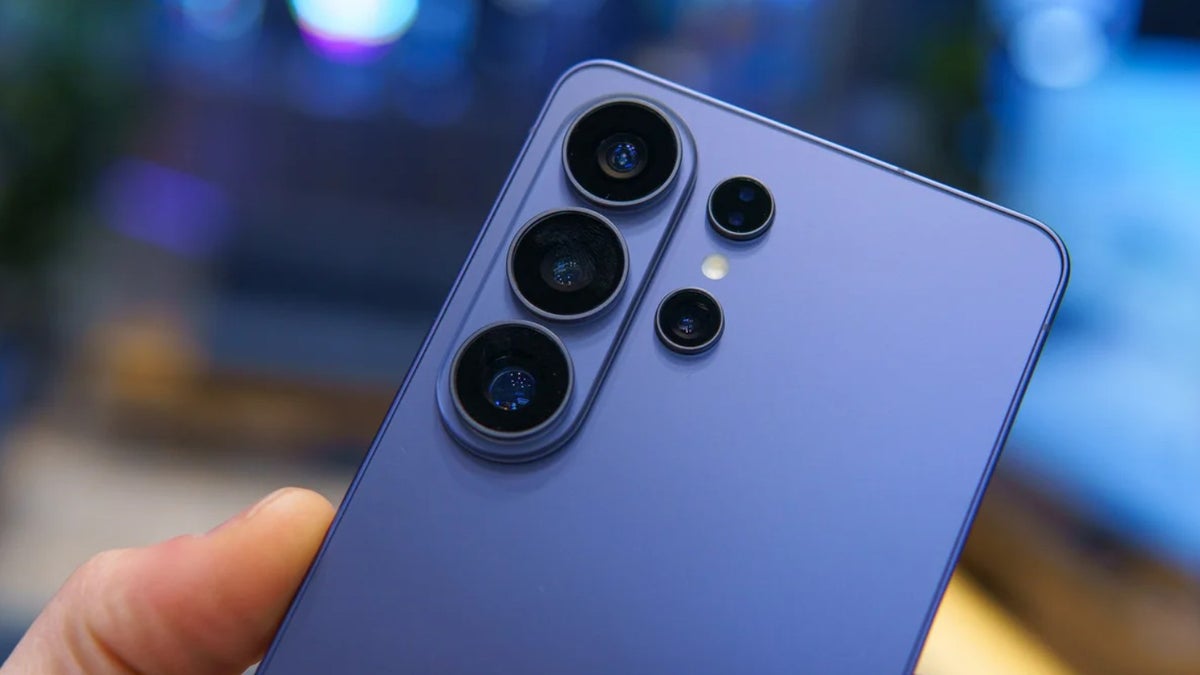
It’s been some time since the Galaxy S26 lineup went live, and there’s no denying that all the phones in it come with very nominal hardware upgrades over their respective predecessors. However, the latest Galaxy phones do come with some cool AI features. One of these is the AI-powered document scanner, which could soon be rolled out to the Galaxy S25 family as well.

How does the Galaxy S26’s AI-powered document scanner work?

The AI-powered document scanner does exactly what you expect it to do: scan documents. It’s built into your Galaxy S26 Camera app, but before you start using it, you need to ensure it’s enabled. To do this, head to Camera settings, select Scanning, and turn on the Document scan toggle.

Now, when you open the Camera app and frame the document in front of it, the app intelligently recognizes the object as a document and displays a small “Scan” button near the shutter. You need to hit the Scan button once you’re sure the document is perfectly framed.
The best part about this feature is that it uses AI to automatically remove any finger marks, folds, or moiré that might be on the document you’re scanning. You also have the option to add multiple pages to the same document and arrange them in any order you choose. The camera app also allows you to apply different filters to the scanned file.

It’s coming to the Galaxy S25 series

Having a built-in document scanner is a very important capability, as it eliminates the need to install a third-party app for this function. The good news is that it is reported to arrive on the S25 family as well.

Replying to a post on the Samsung Community forum, an official community moderator said, “Document scanning support for the S25 is scheduled to be added.” However, the exact release window has not been mentioned.
If I had to guess, I would say it could arrive with the upcoming One UI 8.5 beta build for last year’s S-line phones. But we also can’t deny the possibility of Samsung releasing it with the One UI stable update.

How to scan documents on Galaxy S25 line phones until this feature arrives?

As mentioned earlier, we don’t have a concrete release date for this feature. So, what should you do if you need to scan a document today? Fortunately, there are various third-party apps available on the Play Store that you can use.

For instance, you can use Adobe’s Document Scanner app, which comes from the reputable brand Adobe. If you prefer not to install any extra apps on your device, you can also use Google Drive, which comes pre-installed on most Android phones.
You simply need to open the app, tap the plus icon in the bottom-right corner, and choose Scan from the menu that appears. It automatically scans the document once it detects a proper scan. There’s also a manual scan option, which you can choose if you want to align and scan the document yourself.

Similar to Samsung’s built-in scanner, Google Drive also allows you to scan multiple documents at once. Furthermore, it also gives you the choice to apply different filters.


Samsung beats its competitors by a big margin

What puts Samsung’s scanning capability far ahead of its competitors is that, unlike others, it is built directly into the camera app. For instance, on an iPhone, you need to open the Notes app to scan a document.

I have a Pixel 10, and its scanning option is also available inside the camera app, but it actually redirects you to Google Drive. When you try to scan a document on a Pixel through its camera app, a “Scan document” option appears right in front of the shutter button. Tapping it opens the Google Drive scanner, and then you need to follow the steps I mentioned above to scan the file.
That’s why I think the South Korean giant is leading its competitors in this particular aspect. All that said, there’s no guarantee when, or even if, this functionality will land on the Galaxy S24 or previous S-line phones.


Get Visible as low as $20/mo for 1 year. Limited time offer with code: FRESHSTART

Offer Ends 6.1.2026 at 11.59pm ET. New members get $5/mo off the $25/mg Visible plan, $35/mo Visible+ plan, or $45/mo Visible+ Pro plan for the first 12 months. Promo code FRESHSTART required at checkout.


Buy at Visible

Read the latest from Aman Kumar

Sign Up For Daily Newsletter

Be keep up! Get the latest breaking news delivered straight to your inbox.
By signing up, you agree to our Terms of Use and acknowledge the data practices in our Privacy Policy. You may unsubscribe at any time.
Share This Article
Facebook Twitter Email Print
Share
What do you think?
Love0
Sad0
Happy0
Sleepy0
Angry0
Dead0
Wink0
Previous Article CDP vs MDM: Similar Goals, Different Jobs | HackerNoon CDP vs MDM: Similar Goals, Different Jobs | HackerNoon
Next Article This  Microsoft upgrade makes an old PC feel brand new again This $45 Microsoft upgrade makes an old PC feel brand new again
Leave a comment

Leave a Reply Cancel reply

Your email address will not be published. Required fields are marked *

Stay Connected

248.1k Like
69.1k Follow
134k Pin
54.3k Follow

Latest News

Crime blotter: A  million iPhone heist in Florida
Crime blotter: A $2 million iPhone heist in Florida
News
These are my 5 favorite One UI power user tricks for Samsung foldables
News
China’s state broadcaster takes small stake in iQIYI as revenue falls · TechNode
Computing
Can AI Find Your Next Obsession? I Tested Its Hobby Suggestions
News

You Might also Like

Crime blotter: A  million iPhone heist in Florida
News

Crime blotter: A $2 million iPhone heist in Florida

1 Min Read
These are my 5 favorite One UI power user tricks for Samsung foldables
News

These are my 5 favorite One UI power user tricks for Samsung foldables

12 Min Read
Can AI Find Your Next Obsession? I Tested Its Hobby Suggestions
News

Can AI Find Your Next Obsession? I Tested Its Hobby Suggestions

6 Min Read
Musk Forces Banks to Use Grok, Ahead of SpaceX IPO
News

Musk Forces Banks to Use Grok, Ahead of SpaceX IPO

5 Min Read
//

World of Software is your one-stop website for the latest tech news and updates, follow us now to get the news that matters to you.

Quick Link

  • Privacy Policy
  • Terms of use
  • Advertise
  • Contact

Topics

  • Computing
  • Software
  • Press Release
  • Trending

Sign Up for Our Newsletter

Subscribe to our newsletter to get our newest articles instantly!

World of SoftwareWorld of Software
Follow US
Copyright © All Rights Reserved. World of Software.
Welcome Back!

Sign in to your account

Lost your password?