By using this site, you agree to the Privacy Policy and Terms of Use.
Accept
World of SoftwareWorld of SoftwareWorld of Software
  • News
  • Software
  • Mobile
  • Computing
  • Gaming
  • Videos
  • More
    • Gadget
    • Web Stories
    • Trending
    • Press Release
Search
  • Privacy
  • Terms
  • Advertise
  • Contact
Copyright © All Rights Reserved. World of Software.
Reading: What Is The Tiny Hole On The Top Right Of Your Nintendo Switch 2 For? – BGR
Share
Sign In
Notification Show More
Font ResizerAa
World of SoftwareWorld of Software
Font ResizerAa
  • Software
  • Mobile
  • Computing
  • Gadget
  • Gaming
  • Videos
Search
  • News
  • Software
  • Mobile
  • Computing
  • Gaming
  • Videos
  • More
    • Gadget
    • Web Stories
    • Trending
    • Press Release
Have an existing account? Sign In
Follow US
  • Privacy
  • Terms
  • Advertise
  • Contact
Copyright © All Rights Reserved. World of Software.
World of Software > News > What Is The Tiny Hole On The Top Right Of Your Nintendo Switch 2 For? – BGR
News

What Is The Tiny Hole On The Top Right Of Your Nintendo Switch 2 For? – BGR

News Room
Last updated: 2026/04/05 at 2:50 PM
News Room Published 5 April 2026
Share
What Is The Tiny Hole On The Top Right Of Your Nintendo Switch 2 For? – BGR
SHARE


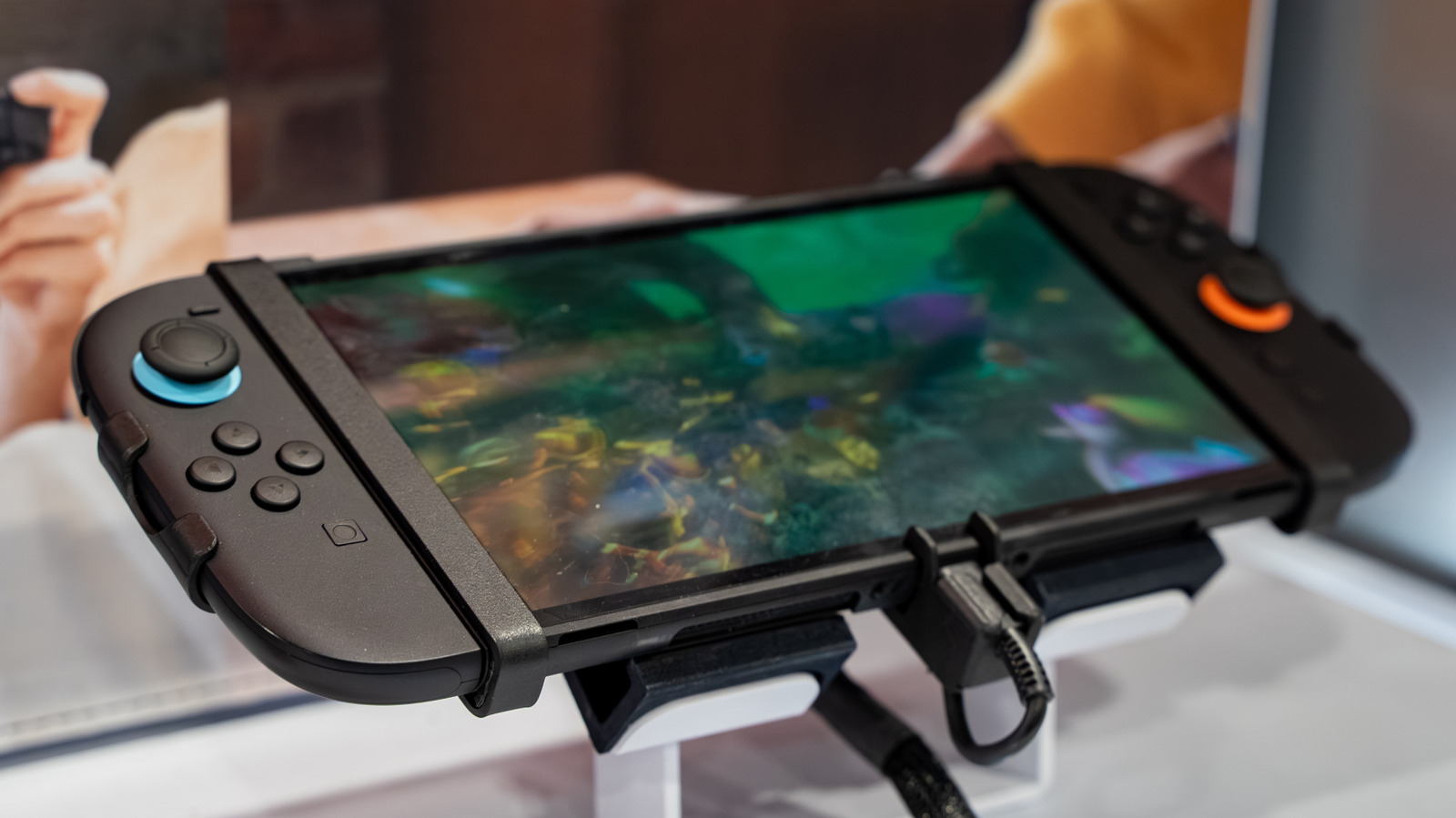
Erman Gunes/Shutterstock

If you’ve looked over your Nintendo Switch 2 and spotted a tiny hole in the upper right corner, don’t fret: that’s where the built-in microphone is located, making it possible to chat with friends — one of several things you can do with the Switch 2. While most headphones also come with the same feature, Nintendo added it directly to the console to make voice chat easier for players who want to talk with friends right away and without needing any extra hardware.

This built-in microphone was added to the Nintendo Switch 2 to solve one of the biggest complaints that many players had with the original Switch: the lack of native communication. Unlike other major consoles, such as Xbox Series X|S and PlayStation 5, the first Switch didn’t offer any kind of way to talk with friends. That’s why the Switch 2 also comes with GameChat alongside the built-in microphone.

The Switch 2’s built-in microphone enables headset-free chat

Anyone who used the original Nintendo Switch remembers how the lack of native voice communication between players hindered the potential of many games. To play something like “Animal Crossing: New Horizons” with voice chat, players were forced to rely on the clunky Nintendo Switch Online smartphone app. Because the official solution was so impractical, having famously required the phone screen to stay on at all times when the app first launched, many players simply resorted to using external voice chat tools.

Now, on the Nintendo Switch 2, the experience feels a little more plug-and-play because GameChat exists natively on the console. You don’t need much effort to talk to your friends while you play something like “Splatoon 3” together: just press the C button on the right Joy-Con to start the call, which supports up to 12 people. You can still use your own microphone, but you no longer need one.

Even though it does not offer quality similar to an external microphone, Nintendo’s built-in solution performs very well. It automatically adjusts voice pickup to prevent settings from ruining your experience based on how you play, whether in handheld mode, tabletop mode, or TV mode, and it filters unwanted noise. It can even pick up the player’s voice from a considerable distance from the console, such as when you play on a TV. In handheld mode, its position on the top of the console helps you avoid covering it with your hands while you play.

GameChat does more than just voice chat

Nintendo GameChat has other functions beyond just talking with friends using the built-in microphone. For example, you can plug a webcam — one of the coolest Switch 2 accessories — into the USB-C port on the top of the Nintendo Switch 2 to make video calls with friends. Games such as “Mario Party Jamboree” also support extra features when the camera is connected to the console.

In addition, GameChat also lets users share their own screen with friends during gameplay even if they aren’t playing the same title, as voice and video calls are not limited only to people who are playing the same thing. Another nice GameChat feature is the GameShare function, which lets one user share a supported game with up to four other people while they play online.

For a few months after the console launched, GameChat and all of its functions were free for Nintendo Switch 2 players. However, starting in April 2026, the free trial period ended, and to access these functions, users need a subscription to Nintendo’s online services.


Sign Up For Daily Newsletter

Be keep up! Get the latest breaking news delivered straight to your inbox.
By signing up, you agree to our Terms of Use and acknowledge the data practices in our Privacy Policy. You may unsubscribe at any time.
Share This Article
Facebook Twitter Email Print
Share
What do you think?
Love0
Sad0
Happy0
Sleepy0
Angry0
Dead0
Wink0
Previous Article How to Find & Make Sounds on TikTok in 2024 | How to Find & Make Sounds on TikTok in 2024 |
Next Article As people look for ways to make new friends, here are the apps promising to help |  News As people look for ways to make new friends, here are the apps promising to help | News
Leave a comment

Leave a Reply Cancel reply

Your email address will not be published. Required fields are marked *

Stay Connected

248.1k Like
69.1k Follow
134k Pin
54.3k Follow

Latest News

OnePlus launches Ace 5 series with Snapdragon 8 Gen 3 and Elite processor · TechNode
Computing
This Is The Cheapest iPhone You Can Buy New In 2026 – BGR
News
How to Make Money on Pinterest: 7 Tips for 2025
Computing
Report: Meta developing open-source versions of upcoming AI models –  News
Report: Meta developing open-source versions of upcoming AI models – News
News

You Might also Like

This Is The Cheapest iPhone You Can Buy New In 2026 – BGR
News

This Is The Cheapest iPhone You Can Buy New In 2026 – BGR

6 Min Read
Report: Meta developing open-source versions of upcoming AI models –  News
News

Report: Meta developing open-source versions of upcoming AI models – News

5 Min Read
This Android gaming handheld has a wild feature that could replace your Bluetooth controller
News

This Android gaming handheld has a wild feature that could replace your Bluetooth controller

3 Min Read
In Honor of the Artemis II Mission, Explore the Moon in Fortnite Now
News

In Honor of the Artemis II Mission, Explore the Moon in Fortnite Now

4 Min Read
//

World of Software is your one-stop website for the latest tech news and updates, follow us now to get the news that matters to you.

Quick Link

  • Privacy Policy
  • Terms of use
  • Advertise
  • Contact

Topics

  • Computing
  • Software
  • Press Release
  • Trending

Sign Up for Our Newsletter

Subscribe to our newsletter to get our newest articles instantly!

World of SoftwareWorld of Software
Follow US
Copyright © All Rights Reserved. World of Software.
Welcome Back!

Sign in to your account

Lost your password?