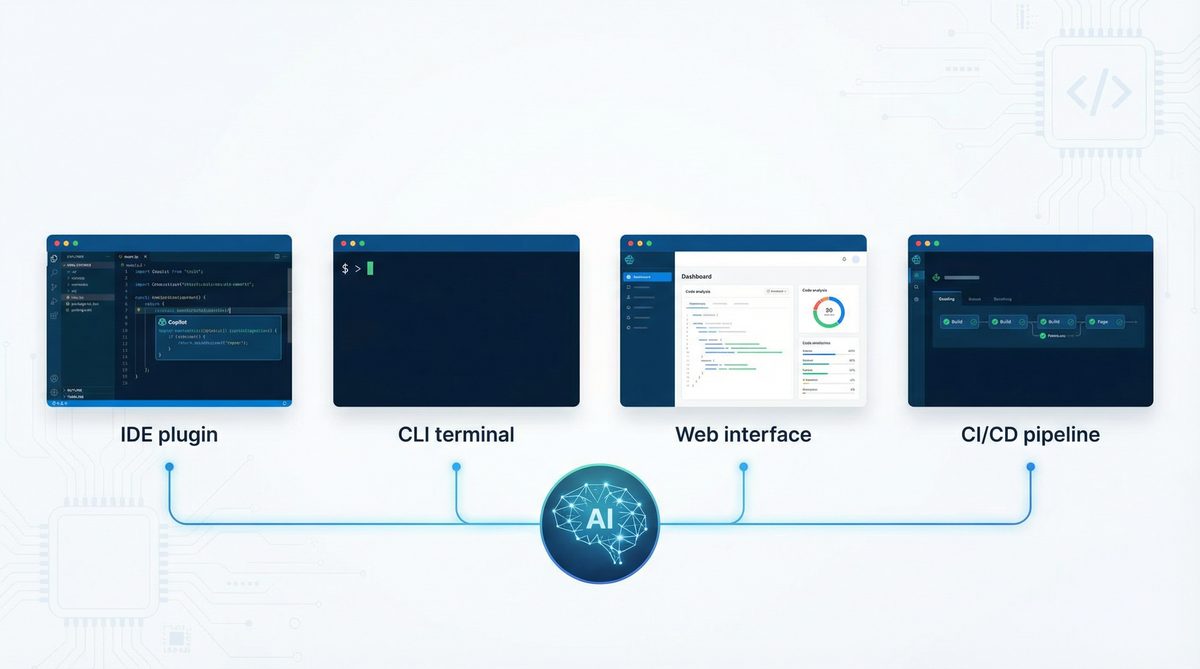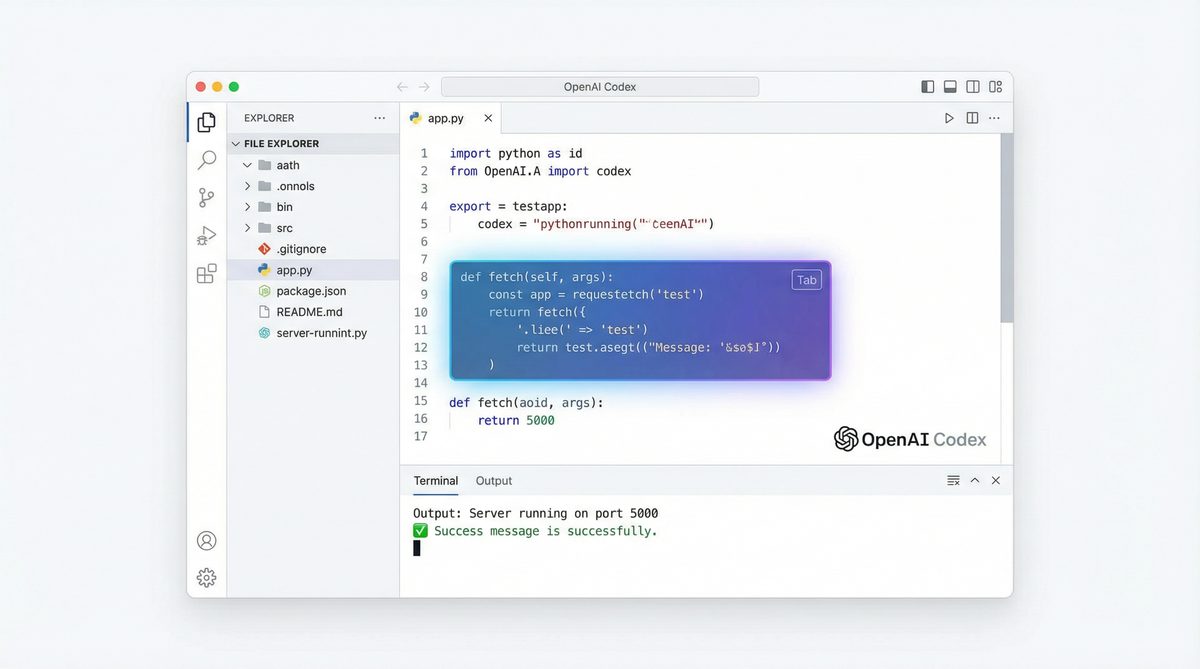
OpenAI Codex remains one of the most powerful AI coding agents available in 2026, revolutionizing how developers write, review, and debug software. Powered by the advanced GPT-5.4 and GPT-5.3-codex models, Codex integrates seamlessly across IDEs, CLI tools, web and mobile platforms, and CI/CD pipelines. This tutorial offers a detailed, step-by-step guide to mastering Codex, from initial setup to advanced workflows, illustrating its strengths in frontend development, multi-modal support, and new usage limit systems.
As AI assistance becomes deeply embedded in software engineering, understanding how to leverage Codex effectively is essential. This article not only covers the technical setup but also dives into practical use cases, performance considerations, and best practices that will help developers at all levels maximize productivity and code quality in 2026’s rapidly evolving development landscape.
Access 40,000+ AI Prompts for ChatGPT, Claude & Codex — Free!
Subscribe to get instant access to our complete Notion Prompt Library — the largest curated collection of prompts for ChatGPT, Claude, OpenAI Codex, and other leading AI models. Optimized for real-world workflows across coding, research, content creation, and business.
Access Free Prompt Library
1. Introduction to OpenAI Codex in 2026
OpenAI Codex, built on GPT-5.x models, is designed specifically for software development tasks including code generation, debugging, and code review. Currently, over 3 million developers and organizations globally use Codex weekly, leveraging its one-shot generation capabilities, especially for frontend frameworks. With the introduction of the new $100/month Pro plan, users gain 5x the usage limits, making it ideal for heavy development environments.
- Supports GPT-5.4 (recommended for most tasks) and GPT-5.3-codex models
- Available across multiple interfaces: IDE plugins, command-line tools, web/mobile apps, and CI/CD systems
- Integrates with shell commands, file search, web search, and MCP connectors for complex workflows
- New usage model charges reasoning time against the 5-hour monthly limit
The evolution of Codex from its earlier releases demonstrates a strong commitment to developer-centric features. For instance, the GPT-5.4 model offers enhanced contextual understanding, allowing it to comprehend multi-file projects and complex logic flows more effectively than previous versions. This advancement reduces the need for extensive prompt engineering and iterative correction, speeding up development cycles.
Moreover, Codex’s integration capabilities have expanded to support multi-modal inputs and outputs, such as voice commands and visual UI element recognition, enabling developers to interact with codebases more naturally. These features are particularly valuable in collaborative environments where design assets, documentation, and code must be synchronized efficiently.
In addition to individual developers, large organizations have adopted Codex for scaling development teams. The Pro plan’s increased usage limits and concurrency support facilitate simultaneous sessions across teams, enabling consistent AI-assisted coding standards and reducing onboarding times for new engineers.
2. Prerequisites for Using OpenAI Codex
2.1 Account and Subscription
First, create or log into your OpenAI account. Choose your subscription based on usage:
- Free tier: Limited access with strict usage caps
- Plus plan: Moderate limits suitable for casual users
- Pro plan ($100/month): Provides 5x the Codex limits, essential for professional developers and teams
Pro users benefit from extended reasoning time and higher concurrency, critical for large codebases and complex debugging sessions. Additionally, the Pro plan includes prioritized support and early access to new features, which can be pivotal for enterprise environments that require cutting-edge capabilities and responsiveness.
Subscription selection should consider not only immediate needs but also expected project scale and team collaboration requirements. For example, startups scaling rapidly might start with Plus but upgrade to Pro as development velocity accelerates, while individual hobbyists may effectively operate within the Free tier limitations.
2.2 Environment Setup
Ensure you have the following prerequisites installed on your development machine:
- Python 3.10+ or your preferred language runtime
- OpenAI CLI: The latest OpenAI CLI tool for command-line usage and API interaction
- IDE: Popular IDEs like VS Code, JetBrains IntelliJ, or WebStorm with Codex plugin support
- Network: Stable internet connection to access Codex APIs
For CI/CD integration, your pipeline environment should support API calls and secret management for authentication tokens.
Additionally, consider configuring your development environment for enhanced security and reliability:
- Use virtual environments: Isolate dependencies to avoid conflicts when working on multiple projects
- Enable token rotation: Regularly regenerate API keys and update environment variables to reduce security risks
- Implement network proxies: For organizations with strict network policies, configure proxies to enable API access
It is also recommended to keep your CLI and plugins updated regularly to benefit from performance improvements, new features, and security patches. Automated update checks or integration with package managers can simplify maintenance.
2.3 API Keys and Permissions
Generate your API key from the OpenAI dashboard with Codex access enabled. Store this securely and configure it in your environment variables:
export OPENAI_API_KEY="your_api_key_here"Verify your API permissions allow usage of GPT-5.4 and GPT-5.3-codex models. API management best practices include:
- Scoped API keys: Limit keys to specific models or usage to minimize exposure in case of leaks
- Rate limiting: Monitor your API usage to avoid unexpected quota exhaustion and apply backoff strategies
- Audit logs: Regularly review API call logs for anomalies or unauthorized access attempts
For organizations, integrating API key management with centralized secrets management tools (like HashiCorp Vault or AWS Secrets Manager) ensures secure and compliant handling of credentials.
3. Setting Up OpenAI Codex in Your Development Environment
3.1 IDE Integration
OpenAI Codex plugins are available for major IDEs, providing inline code completion, context-aware suggestions, and debugging assistance.
Example: Setting up Codex in VS Code
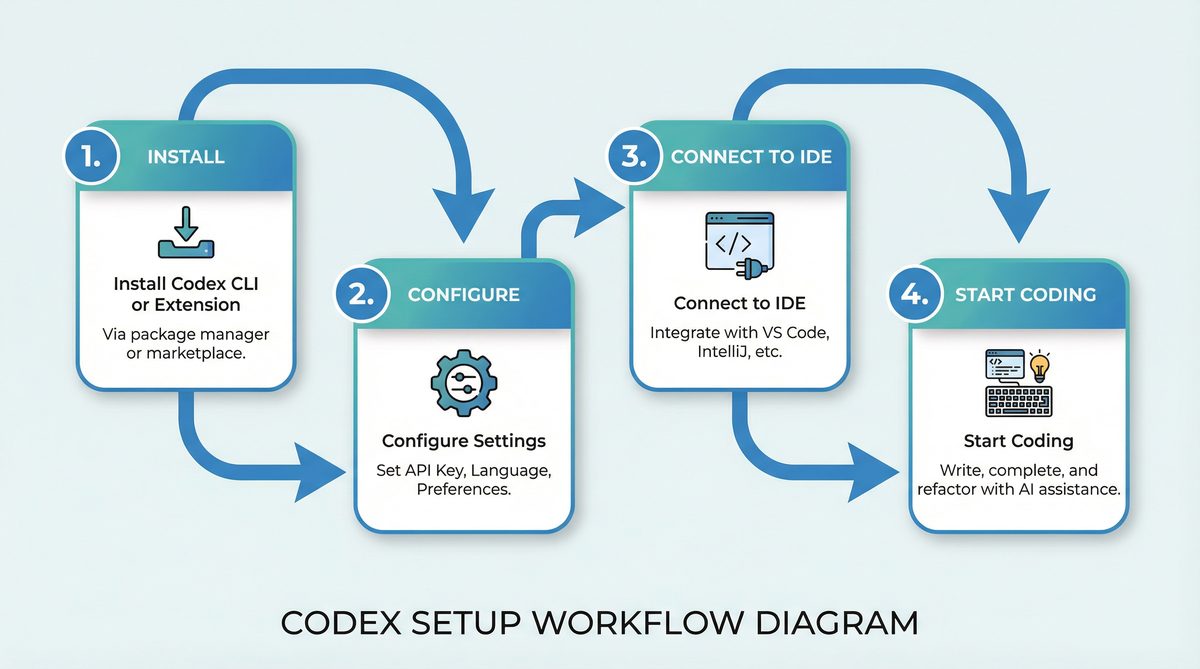
- Open VS Code Marketplace and search for “OpenAI Codex” plugin.
- Install the plugin and reload VS Code.
- Configure the plugin settings by entering your API key in the extension settings.
- Set the preferred model to
gpt-5.4for most code generation tasks.
Once configured, you can highlight code snippets and invoke Codex suggestions via the command palette (e.g., Ctrl+Shift+P → “Codex: Generate Code”).
Many developers find that enabling real-time suggestions and inline completions significantly accelerates their coding workflow. The Codex plugin also supports multi-language projects, detecting the file type automatically and adjusting model parameters accordingly for optimized results.
3.1.1 Advanced Configuration in IDEs
Beyond basic setup, users can customize Codex behavior through advanced parameters such as:
- Temperature: Controls randomness in generated code; lower values yield more deterministic output, higher values introduce creativity
- Max tokens: Limits the length of generated code snippets to suit the task
- Context window size: Adjusts how much surrounding code is considered for generating suggestions, useful in large files
Some IDE plugins support snippet templates and macro recording, allowing developers to chain Codex-generated code with predefined patterns, further reducing repetitive coding tasks.
3.2 Command-Line Interface (CLI) Setup
The OpenAI CLI offers powerful Codex interactions directly from your terminal, facilitating scripting, code generation, and debugging without leaving your shell environment.
Installation:
pip install openai-cliBasic Configuration:
openai config set api_key your_api_key_here
openai config set model gpt-5.4
Example: Generate a Python function using CLI:
openai codex generate --prompt "Write a Python function to merge two sorted lists" --max-tokens 100The CLI supports additional options like specifying temperature, top-p sampling, and stop tokens to fine-tune generation. It also allows batch processing through scripting, enabling automated generation of multiple code snippets or bulk refactoring tasks.
3.2.1 Scripting and Automation with CLI
For developers managing large codebases, integrating Codex CLI commands into custom scripts can automate routine tasks. Examples include:
- Generating boilerplate code for newly created modules
- Batch refactoring function signatures across multiple files
- Automated generation of documentation or code comments
These workflows can be triggered via cron jobs or build scripts, ensuring consistent application of coding standards and reducing manual effort.
3.3 Web and Mobile Platforms
OpenAI Codex is accessible through web and mobile apps designed for quick code snippets and on-the-go development.
- Web IDE supports real-time collaboration and code generation
- Mobile apps offer voice-to-code and instant code review features
These platforms are optimized for frontend development tasks, leveraging one-shot generation to produce complete UI components rapidly.
The web IDE’s collaborative features include shared editing sessions with live Codex suggestions visible to multiple developers, facilitating pair programming and remote code reviews. Real-time syntax highlighting and error detection further enhance productivity.
Mobile apps, with their voice-to-code capabilities, enable developers to quickly prototype or troubleshoot while away from their primary workstations. For example, a developer can dictate a function signature and receive the generated code directly on their phone, streamlining bug fixes during commutes or meetings.
3.3.1 Security and Privacy Considerations on Mobile and Web
When using Codex on web or mobile platforms, developers should be aware of data privacy and security implications. Sensitive code snippets transmitted over networks should be protected via HTTPS and encrypted at rest where possible. OpenAI provides enterprise-grade security features, including single sign-on (SSO) and role-based access control (RBAC), to safeguard organizational codebases.
Developers working with proprietary or confidential projects should ensure compliance with company policies when using cloud-based AI coding tools, possibly opting for on-premises or private deployment options if available.
3.4 CI/CD Pipeline Integration
Codex can be integrated into continuous integration and deployment pipelines to automate code reviews, generate test cases, and assist in debugging.
Example: GitHub Actions Workflow Snippet
name: Codex Code Review

on: [pull_request]

jobs:
  codex-review:
    runs-on: ubuntu-latest
    steps:
      - uses: actions/checkout@v3
      - name: Run Codex Review
        env:
          OPENAI_API_KEY: ${{ secrets.OPENAI_API_KEY }}
        run: |
          python scripts/codex_review.py --pr ${{ github.event.pull_request.number }}
This allows automated Codex feedback within pull requests, enhancing code quality and reducing manual review times.
By embedding Codex into CI/CD, teams can enforce coding standards, detect potential bugs early, and generate missing test coverage automatically. These capabilities reduce the cognitive load on human reviewers, enabling them to focus on architectural and design considerations.
3.4.1 Best Practices for Pipeline Integration
To maximize Codex’s efficacy in pipelines, consider the following:
- Incremental analysis: Run Codex only on changed files or code blocks to conserve usage limits and speed up feedback
- Parallel jobs: Use concurrency to analyze multiple pull requests or branches simultaneously, especially with Pro plan benefits
- Result aggregation: Collect Codex’s insights into a summary report or annotation comments within the pull request interface
- Error handling: Implement retries and graceful fallbacks in case of API throttling or outages
These strategies ensure Codex complements existing CI/CD processes without introducing bottlenecks or excessive costs.
4. Your First Project Using OpenAI Codex
4.1 Project Setup
This example walks through building a simple React frontend component using Codex with GPT-5.4.
Step 1: Initialize a React project (if not already created):
npx create-react-app codex-tutorial
cd codex-tutorial
Setting up a fresh React environment ensures a clean context for Codex to generate components aligned with the latest React standards, including hooks and functional components.
4.2 Generating a Component
Invoke Codex in your IDE or CLI to generate a functional React button component with loading state and accessibility features.
Prompt: “Create a React button component with a loading spinner and aria-label for accessibility.”
import React, { useState } from 'react';
function LoadingButton({ onClick, label }) {
const [loading, setLoading] = useState(false);
const handleClick = async () => {
setLoading(true);
await onClick();
setLoading(false);
};
return (
);
}
export default LoadingButton;Codex generates complete, production-ready code with proper hooks and ARIA attributes in one shot, showcasing its frontend strength.
This component uses React’s useState hook for managing asynchronous loading state, and applies accessibility best practices using aria-label. The generated spinner placeholder text “Loading…” can be replaced with an SVG or CSS animation for enhanced UX. Codex’s ability to produce such accessible and idiomatic React code reduces the need for developers to write boilerplate or consult documentation extensively.
4.2.1 Customizing Generated Components
Developers can extend Codex-generated components by prompting it to add features such as:
- Customizable spinner animations using CSS or third-party libraries
- Keyboard navigation support and focus management
- Integration with form validation libraries for disabled states
For example, adding a prompt like “Enhance the LoadingButton with keyboard accessibility and customizable spinner color” will yield code that respects focus outlines and accepts props for theming, illustrating Codex’s flexibility in iterative development.
4.3 Running and Testing the Component
Integrate this component into your app and test in the browser:
import React from 'react';
import LoadingButton from './LoadingButton';

function App() {
  const handleClick = () => new Promise(resolve => setTimeout(resolve, 2000));

  return (

  );
}

export default App;
This example demonstrates rapid prototyping with Codex, eliminating boilerplate writing and reducing errors.
Running this app in development mode immediately shows the button’s loading behavior, enabling quick feedback cycles. Codex-generated code aligns with React’s conventions, ensuring compatibility with typical build and testing tools such as Webpack and Jest.
4.3.1 Testing with Codex Assistance
To ensure component reliability, developers can prompt Codex to generate unit tests, as shown later in section 5.4. Adding tests early reduces regressions, especially when components grow in complexity. This practice embeds quality assurance into the development workflow, augmenting human efforts with AI-driven automation.
5. Advanced Workflows with OpenAI Codex
5.1 Code Review and Debugging
Codex excels not only in generation but also in reviewing and debugging code. You can paste your code snippet and prompt Codex to identify bugs or suggest improvements.
Example Prompt for Debugging: “Review the following Python code and identify any bugs.”
def calculate_average(numbers):
    total = sum(numbers)
    return total / len(numbers)  # Possible ZeroDivisionError if list empty
Codex will suggest adding input validation to prevent division by zero:
def calculate_average(numbers):
    if not numbers:
        return 0  # or raise ValueError("Empty list")
    total = sum(numbers)
    return total / len(numbers)
Beyond simple bug detection, Codex can suggest performance optimizations, code style improvements, and security hardening. For example, it can recommend using generator expressions to reduce memory usage or applying input sanitization to prevent injection attacks.
5.1.1 Collaborative Code Review with Codex
Integrating Codex into code review platforms allows teams to receive AI-driven insights alongside human comments. Codex can flag common anti-patterns, adherence to company coding standards, and identify redundant code segments. This hybrid approach accelerates code review cycles and enhances team knowledge sharing.
5.2 Multi-Modal and Contextual Commands
Codex supports shell commands, file search, and web search integrations, enabling complex coding workflows. For example, you can ask Codex to find a function definition across a large codebase by combining file search with code generation.
Example CLI command:
openai codex search --query "authentication handler" --path "./src"Or use MCP connectors to interface Codex with external APIs or databases directly from your coding environment.
This multi-modal capability enables developers to blend coding tasks with contextual information retrieval seamlessly. For instance, while debugging, you can ask Codex to pull related documentation snippets or recent commit messages matching a function signature, providing richer context for decision-making.
5.2.1 Practical Use Cases of Multi-Modal Commands
- Context-aware refactoring: Locate all instances of deprecated API usage and generate replacement code
- Automated documentation update: Fetch code comments, generate summaries, and update README files automatically
- Security auditing: Search for known vulnerability patterns and suggest patches
These scenarios illustrate how Codex transcends simple code generation to become an intelligent assistant for diverse software engineering challenges.
5.3 Leveraging New Usage Limit System
Codex now tracks reasoning time against a 5-hour monthly limit. Efficient prompt design and session management are essential to maximize usage:
- Keep prompts concise but detailed
- Use one-shot generation for complete tasks to minimize multiple calls
- Cache frequent queries or responses where applicable
Pro users benefit from 5x the limit, allowing extended development sessions without interruption.
Understanding how reasoning time is calculated helps optimize consumption. For example, complex multi-turn conversations or large code snippets increase reasoning time disproportionately. Developers can break down tasks into smaller, standalone prompts or pre-process code to highlight relevant sections, reducing unnecessary context processing.
5.3.1 Monitoring and Analytics
The OpenAI dashboard provides detailed analytics on usage patterns, enabling developers and managers to identify high-consumption workflows and optimize accordingly. Alerts can be configured to notify when usage approaches limits, facilitating proactive management.
5.4 Using Codex in CI/CD for Automated Testing
Codex can generate unit tests automatically based on existing code. Integrate this into your pipeline to maintain robust test coverage.
Example prompt for test generation: “Generate Jest unit tests for the following React component.”
import React from 'react';

function Greeting({ name }) {
  return ;
}

export default Greeting;
Codex generates:
import { render, screen } from '@testing-library/react';
import Greeting from './Greeting';
test('renders greeting with name', () => {
render(Automated test generation accelerates coverage expansion and encourages test-driven development (TDD). Codex can also generate tests for edge cases, error handling, and user interactions, often overlooked in manual test writing.
5.4.1 Extending Automated Testing
Beyond unit tests, Codex can assist in generating:
- Integration tests: Simulating API calls and component interactions
- End-to-end tests: Creating scripts compatible with frameworks like Cypress or Selenium
- Performance tests: Generating scripts to benchmark critical code paths
Incorporating Codex-generated tests into CI pipelines ensures continuous validation of software quality with minimal human overhead.
6. Tips and Best Practices for Maximizing Codex Efficiency
6.1 Choosing Between GPT-5.4 and GPT-5.3-codex Models
While GPT-5.4 is recommended for most tasks due to improved reasoning and code generation quality, GPT-5.3-codex remains useful for legacy integrations or specific language support.
GPT-5.4 excels in understanding complex requirements, multi-file contexts, and generating idiomatic code across modern frameworks. However, GPT-5.3-codex can be faster for simpler tasks and may better support certain niche languages or domains where it has been fine-tuned.
Developers should benchmark model performance against their specific workloads and adjust accordingly. Hybrid approaches using both models in tandem are possible, switching based on task complexity or latency requirements.
6.2 Writing Effective Prompts
Effective prompt engineering directly impacts Codex output quality. Use the following guidelines:
- Be explicit about language, framework, and coding style
- Provide context such as function signatures or partial code
- Request specific outputs like comments, tests, or performance optimizations
For detailed strategies on crafting prompts, see prompt engineering for code.
Experimenting with prompt templates can standardize input formats across teams, improving consistency. For example, including a comment block specifying inputs, expected outputs, and constraints helps Codex generate more precise code.
6.3 Managing Usage Limits
Monitor your reasoning time consumption via the OpenAI dashboard and optimize sessions by batching related tasks. Pro plan subscribers can schedule heavy workloads accordingly to avoid hitting limits during critical development phases.
Consider implementing local caching layers for frequently requested code snippets or documentation to reduce redundant API calls. Additionally, leveraging asynchronous code generation and pre-fetching suggestions during idle times can smooth usage peaks.
6.4 Incorporating Code Review into Development Cycles
Automate preliminary code reviews with Codex to catch common issues before manual inspection, reducing turnaround time and improving code quality.
Codex can act as a first-pass reviewer, flagging syntax errors, style inconsistencies, potential security vulnerabilities, and suggesting refactorings. Integrating these checks early in feature branches encourages cleaner commits and reduces downstream bugs.
6.5 Frontend Development Best Practices
Codex’s one-shot generation is particularly effective in frontend stacks like React, Vue, and Angular. Utilize it to scaffold components, generate styles, and implement accessibility features swiftly.
Developers should leverage Codex to produce components adhering to established design systems and responsive layouts, accelerating UI consistency. Codex can also help generate CSS-in-JS styles, theme variants, and animation behaviors, reducing reliance on external style guides.
Regularly reviewing Codex output for accessibility compliance ensures inclusivity, as AI-generated code may not always fully account for nuanced user needs.
7. Troubleshooting Common Issues
7.1 API Authentication Errors
Symptoms: “401 Unauthorized” or “Invalid API key” messages.
Solution: Confirm your API key is correctly set in environment variables and has Codex access enabled. Regenerate keys if necessary via the OpenAI dashboard.
Also verify that the key has not expired or been revoked, and that your network allows outbound traffic to OpenAI endpoints. In corporate environments, firewall or proxy configurations may require adjustment.
7.2 Model Selection Problems
Symptoms: Unexpected model responses or errors stating model not found.
Solution: Verify your client configuration explicitly sets model: "gpt-5.4" or model: "gpt-5.3-codex". Check for deprecated model usage and update accordingly.
Keep SDKs and CLI tools up to date, as older versions may default to deprecated models or lack support for new model identifiers. Review release notes and migration guides when upgrading.
7.3 Usage Limit Exceeded
Symptoms: API calls returning “Quota exceeded” or reasoning time exhausted.
Solution: Upgrade to the Pro plan if frequent limits are reached or optimize prompt complexity and session management to reduce reasoning time consumption.
Distribute workloads evenly across billing cycles and implement exponential backoff on retry logic to handle transient quota issues gracefully. Monitoring and alerting on usage spikes can preempt downtime.
7.4 Poor Code Generation Quality
Symptoms: Generated code is incomplete, incorrect, or stylistically inconsistent.
Solution: Refine prompts with more context, specify coding conventions, and use iterative prompting techniques. Refer to ChatGPT for developers for advanced usage patterns.
Review output critically and apply post-generation validation steps, such as linting and static analysis, to catch subtle issues. Combining Codex with traditional tooling yields optimal results.
7.5 Integration Failures in CI/CD
Symptoms: Pipeline jobs failing due to API call errors or timeout.
Solution: Ensure environment variables are securely injected, network calls are allowed, and API rate limits are accounted for in pipeline design.
Implement logging and error reporting within pipeline scripts to detect and diagnose failures quickly. Testing pipeline steps independently outside the CI environment can isolate configuration issues.
8. Comparison of Codex Interfaces
| Interface | Primary Use Case | Strengths | Limitations |
|---|---|---|---|
| IDE Plugins | Real-time code completion, inline suggestions, debugging | Context-aware, seamless editing, supports multiple languages | Requires IDE compatibility, potential latency with large files |
| Command-Line Interface (CLI) | Scripted code generation, batch tasks, shell integration | Lightweight, automatable, integrates with existing workflows | Less interactive, requires command knowledge |
| Web/Mobile Apps | Quick prototyping, on-the-go code generation, collaboration | Accessible anywhere, voice-to-code, multi-device sync | Limited offline support, less powerful than IDE integration |
| CI/CD Pipelines | Automated code review, test generation, deployment automation | Improves quality control, reduces manual intervention | Requires pipeline customization, API rate and usage limits apply |
9. Summary and Further Exploration
OpenAI Codex in 2026 represents a mature AI coding agent, optimized around GPT-5.4 for superior reasoning and code generation. Its multi-interface availability allows developers to integrate AI assistance seamlessly into diverse workflows, from interactive IDE editing to automated CI/CD pipeline tasks. Codex’s strengths in frontend development and one-shot code generation enable faster prototyping and higher productivity.
By combining advanced multi-modal capabilities, flexible deployment options, and a robust usage model, Codex empowers developers and teams to innovate more effectively while maintaining high standards of code quality and security. As AI coding agents evolve, proficiency in leveraging tools like Codex will become a fundamental skill in software engineering.
For developers interested in comparative analyses of various AI coding solutions, including Codex, see AI coding tools comparison. For practical guidance on incorporating AI into development effectively, consult ChatGPT for developers.