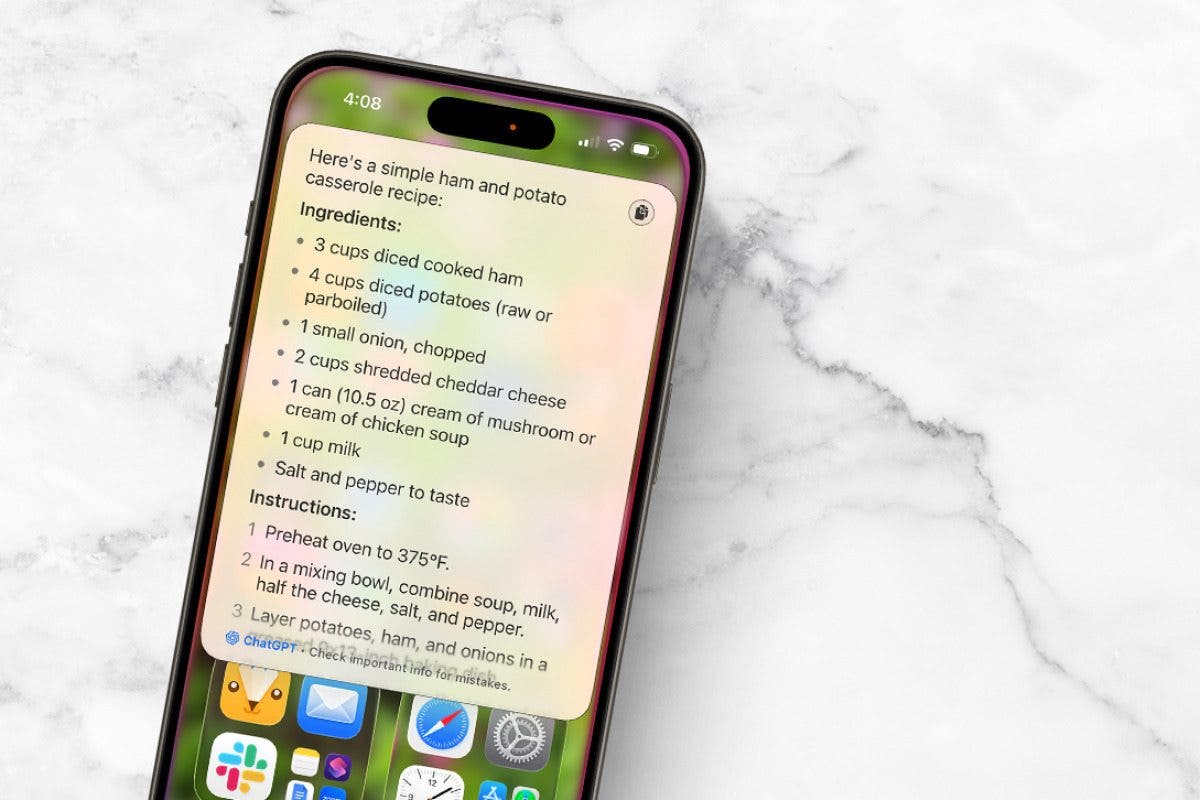
Ever need to make meals just using ingredients you have on hand, but you don’t know what to do? Your iPhone or iPad can help with that! Here’s how to use the AI recipe generator on your iPhone.
Why You’ll Love This Tip
- Learn how to use AI as a recipe generator from ingredients. Just tell Chat GPT what you have on hand!
- Tell Siri if you want an appetizer, main dish, or dessert, and see what AI recipes pop out.
How to Get AI-Generated Recipes on Your iPhone & iPad
System Requirements
This tip only works on iPhones and iPads that can run Apple Intelligence, and was tested on an iPhone 17 Pro running iOS 26.4. Learn how to update to the latest operating system.
Not sure what to make for dinner tonight, and can’t decide what? Or, do you have ingredients but need a recipe for what you have on hand? Try using the AI recipe generator feature on your iPhone or iPad; ChatGPT will give you a recipe in seconds.
Note: This tip will only work if you have Apple Intelligence and ChatGPT turned on. Open the Settings app, tap Apple Intelligence & Siri, and make sure Apple Intelligence is toggled to green. Then, make sure ChatGPT is enabled. Finally, make sure Siri is turned on.
- Say “Siri“, or “Hey Siri, can you make a recipe for me?”
- Tap Use ChatGPT.
- You may be asked if you want a recipe for a dessert, main dish, or something else. Answer, and you’ll see “Working with ChatGPT” on your screen.

- A recipe will pop up on your screen. Scroll down to see the rest of it.

- If you want the recipe generator to use specific ingredients instead of letting ChatGPT pick, say, “Hey, Siri, can you give me a recipe with [insert ingredients here]?” If Siri tries to send you to YouTube or another website for a recipe, you can specify that Siri should use ChatGPT to come up with the recipe.
- For this experiment, I said ham and potatoes, since we have lots of ham left over from Easter. ChatGPT came up with this ham-and-potato casserole recipe for me.

- I went a little wild and asked Siri to give me a recipe for pickles, peanut butter, and marshmallows. The recipe ChatGPT produced was odd, but probably the best combination of those three ingredients anybody could come up with.

Now you know how to use the Apple Intelligence recipe generator from ingredients. Overall, I prefer using my cookbooks or looking up recipes from creators online, since the AI recipe generator offerings are a bit bare bones and untested by real cooks and chefs. In my test trials, I didn’t see as many seasonings, sauces, or more complicated cooking techniques that I’d typically choose from my cookbooks. As AI progresses, I’m sure the recipes will, too. If you liked this tutorial, sign up for our free Tip of the Day!
More On: Apple Intelligence
Top image credit: Amguy13 / Shutterstock.com

Leanne Hays has over a dozen years of experience writing for online publications. As a Feature Writer for iPhone Life, she has authored hundreds of how-to, Apple news, and gear review articles, as well as a comprehensive Photos App guide. Leanne holds degrees in education and science and loves troubleshooting and repair. This combination makes her a perfect fit as manager of our Ask an Expert service, which helps iPhone Life Insiders with Apple hardware and software issues.
In off-work hours, Leanne is a mother of two, homesteader, audiobook fanatic, musician, and learning enthusiast.
Learn about Leanne