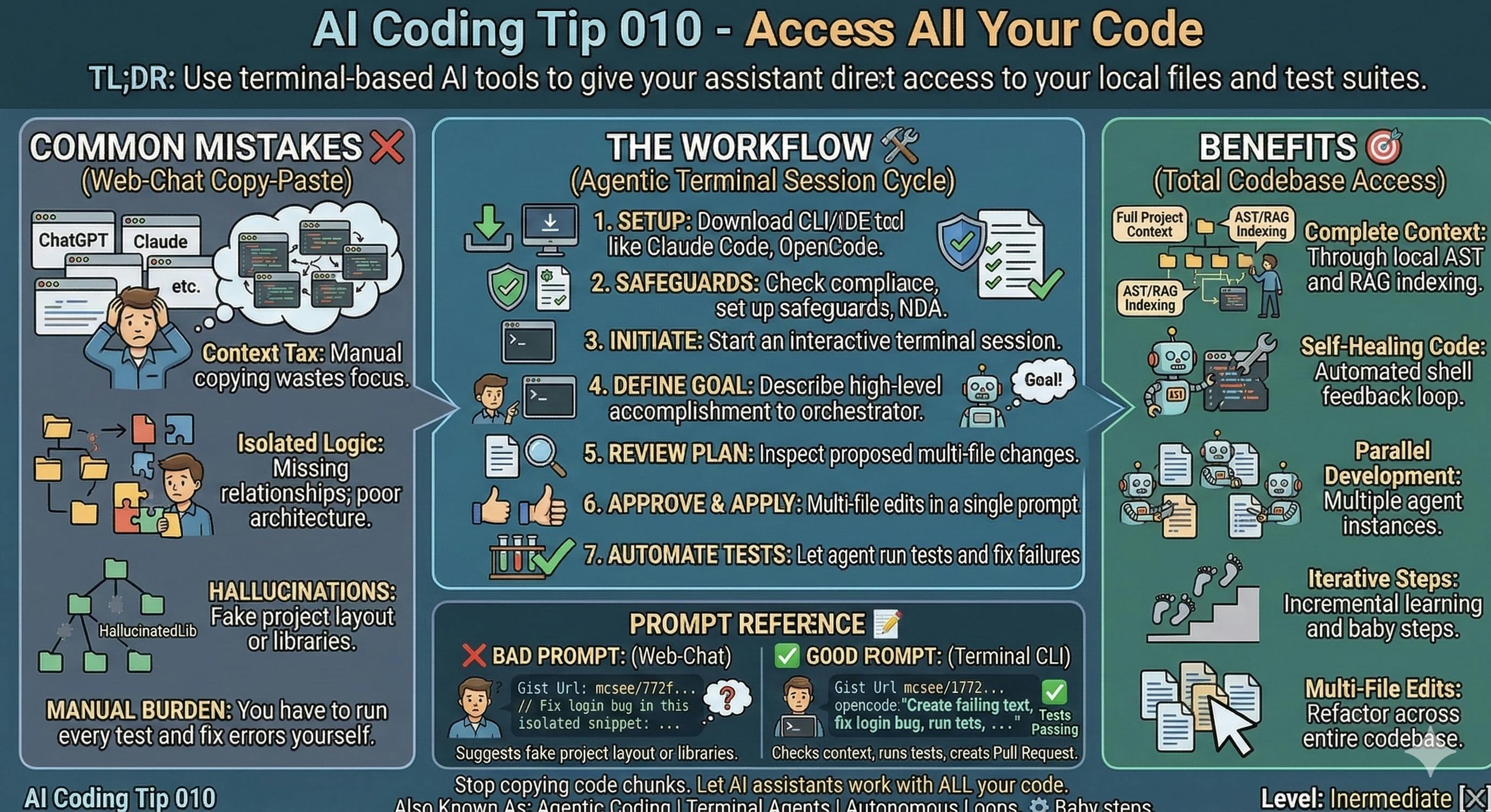
Stop copying code chunks. Start letting AI agents work directly with your files.
TL;DR: Use terminal-based AI tools to give your assistant direct access to your local files and test suites.
Common Mistake ❌
You copy code snippets into a web browser chat like ChatGPT, Claude, or Grok.
You manually move code back and forth and give small chunks of code, filling up the context window.
You lose the context of your folder structure, relations among modules, and the whole architecture.
The AI often (wrongly) guesses your project layout and hallucinates.
When you do this, you get inconsistent code and outdated logic.
Problems Addressed 😔
- Context Tax: Manual copying wastes your focus.
- Hallucinations: The AI suggests libraries you don’t actually have.
- Isolated logic: The assistant doesn’t know if your code even builds.
- Manual effort: You have to run every test and fix every error yourself.
You’re basically playing assistant to the AI, running around doing the busywork.
How to Do It 🛠️
Download a CLI or IDE tool like Claude Code, OpenCode, Windsurf, or similar, and let it access ALL your codebase.
(You’ll need to check compliance, set up safeguards, and respect any NDAs).
Open your terminal and start an interactive session. Let the agent navigate through all your code.
Describe what you want to accomplish at a high level and delegate to the orchestrator agent.
Review the proposed plan in the terminal.
Approve the changes to update your local files.
Let the agent run your tests and fix failures automatically.
Benefits 🎯
Full project context through local AST and RAG indexing.
Self-healing code through automated shell feedback loops.
Multi-file edits in a single prompt.
Parallel development using multiple agent instances.
Iterative incremental learning and experimentation. Baby steps.
Context 🧠
We were all blown away when ChatGPT came out.
I wrote an article 2 days after its release, understanding it was a game-changer.
Even people like me who had been working with earlier GPT models.
Four years later, you still see many developers coding this way.
It works for small algorithms and functions, but falls apart for real software engineering.
Prompt Reference 📝
Bad Prompt
// Please fix the login bug in this snippet:

async function loginUser(email, password) {
  const url="https://api.penrosebrain.com/login";

  try {
    const response = await fetch(url, {
      method: 'PUT',
      headers: {
        'Content-Type': 'application/json',
      },
      body: JSON.stringify({ email, password }),
    });

  } catch (error) {
    console.error('There was an error:', error.message);
    alert(error.message);
  }
}
Good Prompt
// opencode: "Create a failing text, fix the login bug, run tests,
// Ensure it passes the new test and all the previous ones
// Create a Pull Request so I can review it

async function loginUser(email, password) {
  const url="https://api.penrosebrain.com/login";

  try {
    const response = await fetch(url, {
      method: 'PUT',
      headers: {
        'Content-Type': 'application/json',
      },
      body: JSON.stringify({ email, password }),
    });

  } catch (error) {
    console.error('There was an error:', error.message);
    alert(error.message);
  }
}
Considerations ⚠️
CLI agents have a learning curve.
Always review all changes before committing them.
Use a sandbox environment if you run untrusted code.
Type 📝
[X] Semi-Automatic
Limitations ⚠️
Don’t use this for tiny, one-off scripts.
Web chats work better for creative brainstorming or generating images.
High token usage in long sessions can drive up your API costs.
Tags 🏷️
- Complexity
Level 🔋
[X] Intermediate
Related Tips 🔗
https://hackernoon.com/ai-coding-tip-003-force-read-only-planning?embedable=true
https://hackernoon.com/ai-coding-tip-006-review-every-line-before-commit?embedable=true
Connect external data using the Model Context Protocol (MCP).
Run local models if you need 100% privacy.
Conclusion 🏁
Move your AI assistant to the terminal.
You’ll work faster and make fewer mistakes.
When you delegate the boring parts, you can focus on architecture and high-level design.
More Information ℹ️
https://www.firecrawl.dev/blog/why-clis-are-better-for-agents?embedable=true
https://aider.chat/?embedable=true
https://code.claude.com/docs/en/overview?embedable=true
https://www.builder.io/blog/opencode-vs-claude-code?embedable=true
https://www.augmentcode.com/tools/ai-coding-assistants-for-large-codebases-a-complete-guide?embedable=true
https://blog.marcnuri.com/boosting-developer-productivity-ai-2025?embedable=true
https://opencode.ai/docs/?embedable=true
Also Known As 🎭
Agentic Coding
Terminal Agents
Autonomous Coding Loops
Tools 🧰
Claude Code, OpenCode, Aider, Codex CLI.
Disclaimer 📢
The views expressed here are my own.
I am a human who writes as best as possible for other humans.
I use AI proofreading tools to improve some texts.
I welcome constructive criticism and dialogue.
I shape these insights through 30 years in the software industry, 25 years of teaching, and writing over 500 articles and a book.
This article is part of the AI Coding Tip series.
[https://maxicontieri.substack.com/p/ai-coding-tips]()