By using this site, you agree to the Privacy Policy and Terms of Use.
Accept
World of SoftwareWorld of SoftwareWorld of Software
  • News
  • Software
  • Mobile
  • Computing
  • Gaming
  • Videos
  • More
    • Gadget
    • Web Stories
    • Trending
    • Press Release
Search
  • Privacy
  • Terms
  • Advertise
  • Contact
Copyright © All Rights Reserved. World of Software.
Reading: Android 17 Beta 1 finally lets you remove the At a Glance widget on your home screen
Share
Sign In
Notification Show More
Font ResizerAa
World of SoftwareWorld of Software
Font ResizerAa
  • Software
  • Mobile
  • Computing
  • Gadget
  • Gaming
  • Videos
Search
  • News
  • Software
  • Mobile
  • Computing
  • Gaming
  • Videos
  • More
    • Gadget
    • Web Stories
    • Trending
    • Press Release
Have an existing account? Sign In
Follow US
  • Privacy
  • Terms
  • Advertise
  • Contact
Copyright © All Rights Reserved. World of Software.
World of Software > News > Android 17 Beta 1 finally lets you remove the At a Glance widget on your home screen
News

Android 17 Beta 1 finally lets you remove the At a Glance widget on your home screen

News Room
Last updated: 2026/02/13 at 5:09 PM
News Room Published 13 February 2026
Share
Android 17 Beta 1 finally lets you remove the At a Glance widget on your home screen
SHARE

TL;DR

  • After testing it in Android 16 QPR3 Beta 1, Android 17 Beta 1 now appears to let all users remove the At a Glance home screen widget.
  • You’ll still see At a Glance on the lock screen, and you gain more space on your home screen for other widgets.
  • Android 17 Beta 1 also includes minor visual changes to the volume and brightness bars.

After a delayed rollout earlier this week, Google has officially launched Android 17 Beta 1 (strangely, on a Friday afternoon with extremely little fanfare). We’re digging through the update to see what’s new, and while there isn’t too much in this initial build of Android 17, there are a few visual tweaks worth noting.

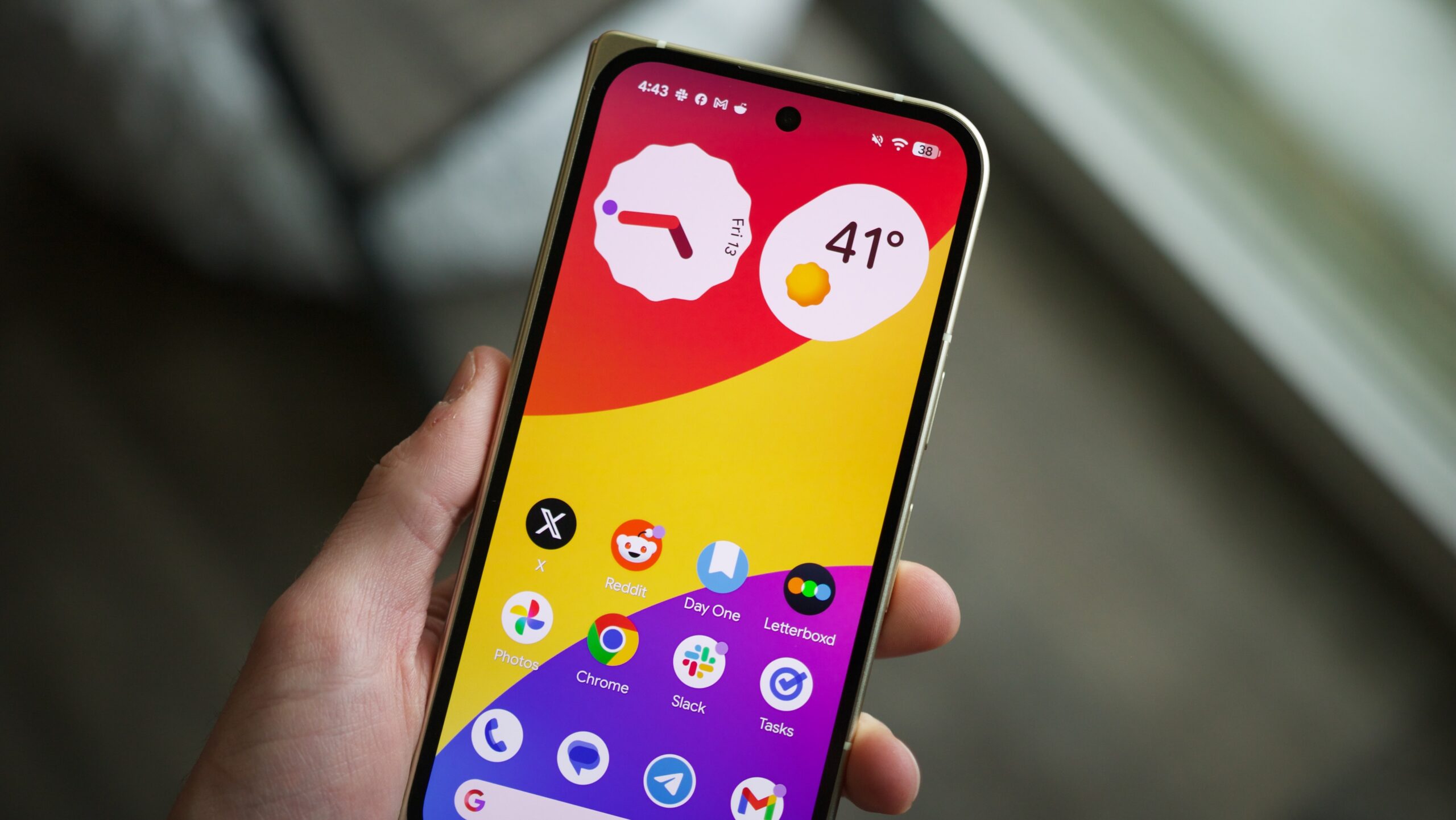
To hide At a Glance, press and hold on the widget, tap Settings, and tap the new toggle next to “Show on home screen.” Toggling this off will remove At a Glance from the top-left corner of your first home screen, though you will still see it on the lock screen. You can also use the newly freed-up home screen space for app icons, other widgets, or whatever else you want to do with it.

This is something I’ve wanted for years, so seeing it in Android 17 is fantastic.

The other UI changes are much less impactful, though still worth mentioning. The volume bar now features a volume slider icon at the bottom, replacing the three-dot icon in Android 16. Tapping it still opens the main volume page, and the new icon is much more representative of it.

The sun icon in the brightness slider in Quick Settings has also been updated with rounded edges, compared to the sharp design in Android 16.

Other than these changes, plus some new customization options for the home screen Google Search bar, that’s about it for what’s new in Android 17 Beta 1. We know Google is working on much more interesting features (such as the split Quick Settings and notification panel option), but we aren’t seeing those in this first beta release. And that’s expected! Google typically doesn’t include a ton of user-facing changes in these initial betas, so this is par for the course.

We’ll keep hunting for anything else we might have overlooked, but we’d expect to see the really interesting stuff in future Beta updates — and possibly extending to Android 17 QPR1 Beta builds later this year.

Don’t want to miss the best from Android Authority?

google preferred source badge light@2xgoogle preferred source badge dark@2x

Thank you for being part of our community. Read our Comment Policy before posting.

Sign Up For Daily Newsletter

Be keep up! Get the latest breaking news delivered straight to your inbox.
By signing up, you agree to our Terms of Use and acknowledge the data practices in our Privacy Policy. You may unsubscribe at any time.
Share This Article
Facebook Twitter Email Print
Share
What do you think?
Love0
Sad0
Happy0
Sleepy0
Angry0
Dead0
Wink0
Previous Article The Founder’s Guide to Choosing “Boring” Software That Won’t Betray You  | HackerNoon The Founder’s Guide to Choosing “Boring” Software That Won’t Betray You | HackerNoon
Next Article 10 High-Performing Pinterest Content Ideas 10 High-Performing Pinterest Content Ideas
Leave a comment

Leave a Reply Cancel reply

Your email address will not be published. Required fields are marked *

Stay Connected

248.1k Like
69.1k Follow
134k Pin
54.3k Follow

Latest News

Resilience Engineering in .NET 8: Polly Pipelines in Practice | HackerNoon
Computing
UK government calls for review into mobile market | Computer Weekly
News
Amazon Leo Hints It’ll Open Satellite Internet Tech to Third-Party Antennas
News
Kalinihta Digital Ltd Builds Payment Infrastructure Designed for Long-Term Operational Confidence
Gadget

You Might also Like

UK government calls for review into mobile market | Computer Weekly
News

UK government calls for review into mobile market | Computer Weekly

6 Min Read
Amazon Leo Hints It’ll Open Satellite Internet Tech to Third-Party Antennas
News

Amazon Leo Hints It’ll Open Satellite Internet Tech to Third-Party Antennas

7 Min Read
The road to the AI Impact Summit: How to build AI infrastructure from the ground up
News

The road to the AI Impact Summit: How to build AI infrastructure from the ground up

11 Min Read
Microsoft Office 2024 is worth the upgrade — and it’s 60% off
News

Microsoft Office 2024 is worth the upgrade — and it’s 60% off

3 Min Read
//

World of Software is your one-stop website for the latest tech news and updates, follow us now to get the news that matters to you.

Quick Link

  • Privacy Policy
  • Terms of use
  • Advertise
  • Contact

Topics

  • Computing
  • Software
  • Press Release
  • Trending

Sign Up for Our Newsletter

Subscribe to our newsletter to get our newest articles instantly!

World of SoftwareWorld of Software
Follow US
Copyright © All Rights Reserved. World of Software.
Welcome Back!

Sign in to your account

Lost your password?