By using this site, you agree to the Privacy Policy and Terms of Use.
Accept
World of SoftwareWorld of SoftwareWorld of Software
  • News
  • Software
  • Mobile
  • Computing
  • Gaming
  • Videos
  • More
    • Gadget
    • Web Stories
    • Trending
    • Press Release
Search
  • Privacy
  • Terms
  • Advertise
  • Contact
Copyright © All Rights Reserved. World of Software.
Reading: Android 17 wants to solve the biggest headache with using SIM PIN locks
Share
Sign In
Notification Show More
Font ResizerAa
World of SoftwareWorld of Software
Font ResizerAa
  • Software
  • Mobile
  • Computing
  • Gadget
  • Gaming
  • Videos
Search
  • News
  • Software
  • Mobile
  • Computing
  • Gaming
  • Videos
  • More
    • Gadget
    • Web Stories
    • Trending
    • Press Release
Have an existing account? Sign In
Follow US
  • Privacy
  • Terms
  • Advertise
  • Contact
Copyright © All Rights Reserved. World of Software.
World of Software > News > Android 17 wants to solve the biggest headache with using SIM PIN locks
News

Android 17 wants to solve the biggest headache with using SIM PIN locks

News Room
Last updated: 2026/02/28 at 7:47 PM
News Room Published 28 February 2026
Share
Android 17 wants to solve the biggest headache with using SIM PIN locks
SHARE

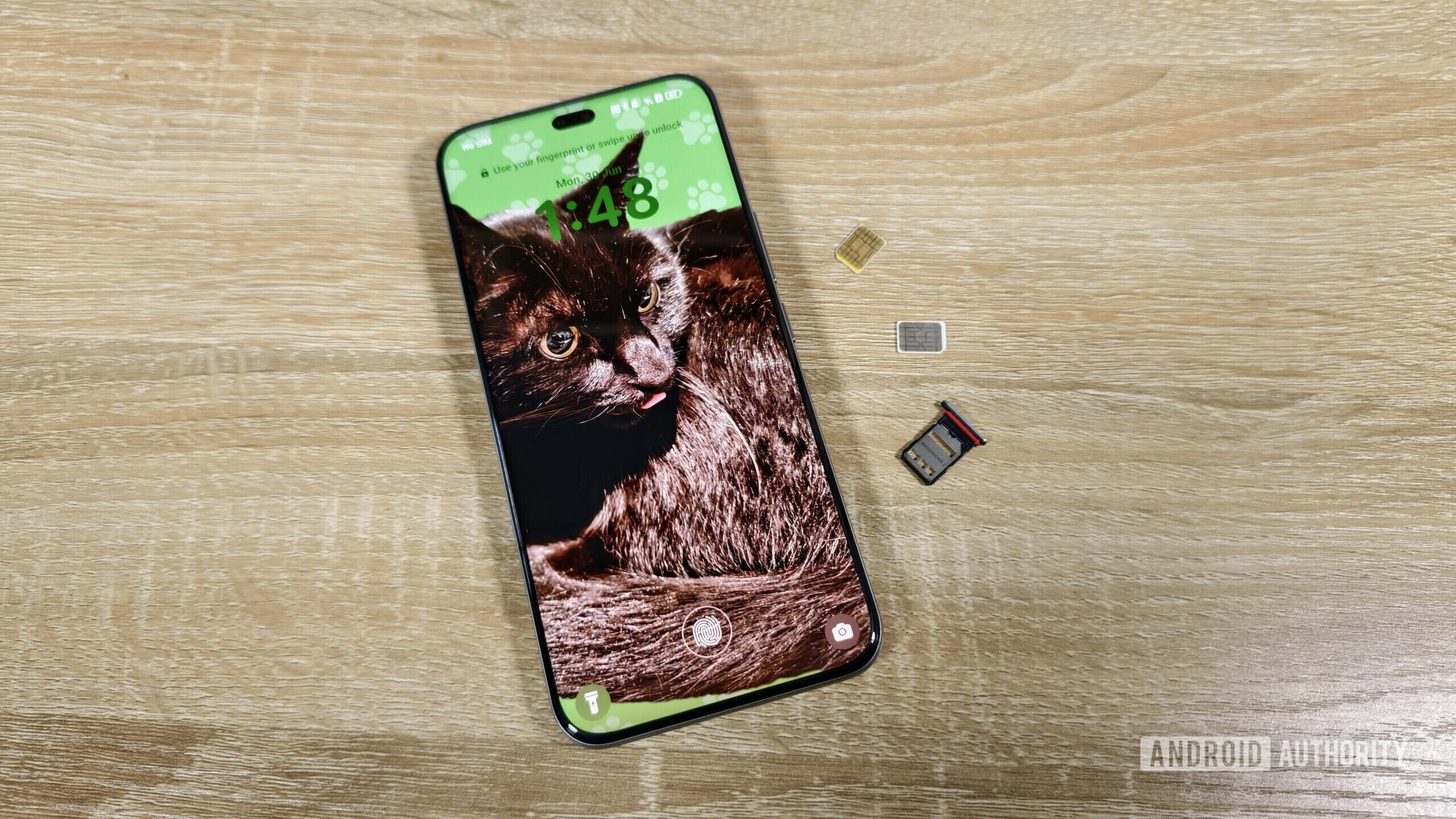
Megan Ellis / Android Authority

TL;DR

  • SIM PINs help protect you from attackers intercepting 2FA codes.
  • Manually entering the PIN on boot can get annoying, though.
  • With Android 17, Google is building a new system for letting the phone automatically handle SIM PIN unlocks.

If you’re a responsible smartphone user, chances are that your phone is already secured with a screen lock — and hopefully that involves a sufficiently long password or PIN. But there’s another PIN you could (and arguably, should) be using to keep your accounts and communication safe: a SIM PIN. And now with Android 17 Beta 2 available to Pixel testers, we’ve spotted a new change Google appears to be working on to make SIM PINs much, much more convenient.

Let’s start by clearing up what we’re talking about here, as there’s a fair chance that you’ve never even heard of a SIM PIN before now, and have no idea what’s going on. Just like a PIN code can keep your phone safe by requiring its entry when your device starts up, a SIM PIN does the same for securing access to your cellular account. When you a power on a phone with a PIN-locked SIM, it won’t be able to make calls, work with texts, or use data until the PIN is entered.

Don’t want to miss the best from Android Authority?

google preferred source badge light@2xgoogle preferred source badge dark@2x

Hopefully, you can already see how this could be handy. With so many services tying authentication to text messages, if someone got their hands on your phone, they could always remove the SIM and insert it into a new device to intercept any 2FA codes — even if they weren’t able to unlock your phone itself. By requiring a separate PIN before the SIM is enabled, we can prevent that kind of attack.

So why don’t more people use SIM PINs? Honestly: We’re lazy. Entering one PIN every time your phone reboots is one thing, but having to enter two PINs back-to-back? Especially if it feels like we’re protecting ourselves against an attack with only a tiny chance we’re ever targeted? That second PIN is going to start feeling like a chore, fast, and eventually many users just don’t want to bother with it.

Enter: automatic SIM lock protection. We find multiple new text strings appearing in Android 17 Beta 2 that make reference to the feature:

Code

Automatic SIM lock protection
Protect SIM card
Enter the SIM card current PIN
Enter current SIM PIN
Automatic PIN management
Protect SIM card from theft
Android-managed PIN
Show Android-managed PIN
Enrollment failed
Enrollment succeeded
Failed getting PIN
Value of the Android-managed PIN:
Lockscreen must be set up to turn on SIM protection
SIM PIN manually managed
SIM PIN managed by Android

Based on those strings, we can draw a few inferences about how this is likely to work. The core idea behind it appears to be that rather than manually entering a SIM PIN yourself on startup, you’d instead program the SIM PIN into Android, and then have the system itself send the PIN to unlock the SIM after a reboot.

With how our PINs offer protection, that approach actually makes a lot of sense. Without your lock screen PIN, attackers have no chance of getting into your phone and having Android employ the saved SIM PIN. And if they remove the SIM and try to place it in another phone, that one won’t know the SIM PIN saved on your original phone.

Google’s system basically keeps all the security of a SIM PIN, while removing all the inconvenience. Just make sure you jot down the Android-managed PIN somewhere secure, in case your phone ever dies and you’d like to pop the SIM into a new handset.

So far we haven’t yet been able to access the UI for this feature, but hopefully we’ll see that implemented in a future Android 17 release.

⚠️ An APK teardown helps predict features that may arrive on a service in the future based on work-in-progress code. However, it is possible that such predicted features may not make it to a public release.

Thank you for being part of our community. Read our Comment Policy before posting.

Sign Up For Daily Newsletter

Be keep up! Get the latest breaking news delivered straight to your inbox.
By signing up, you agree to our Terms of Use and acknowledge the data practices in our Privacy Policy. You may unsubscribe at any time.
Share This Article
Facebook Twitter Email Print
Share
What do you think?
Love0
Sad0
Happy0
Sleepy0
Angry0
Dead0
Wink0
Previous Article Argo CD 3.3 Brings Safer GitOps Deletions and Smoother Day‑to‑Day Operations Argo CD 3.3 Brings Safer GitOps Deletions and Smoother Day‑to‑Day Operations
Next Article Indie App Spotlight: ‘Itsyhome’ adds smart home controls to your Mac’s menu bar – 9to5Mac Indie App Spotlight: ‘Itsyhome’ adds smart home controls to your Mac’s menu bar – 9to5Mac
Leave a comment

Leave a Reply Cancel reply

Your email address will not be published. Required fields are marked *

Stay Connected

248.1k Like
69.1k Follow
134k Pin
54.3k Follow

Latest News

Claude hits #1 on the App Store as users rally behind Anthropic’s government standoff – 9to5Mac
News
Fewer cameras can be better, and this phone proves it
News
Just What Is Mobile World Congress, Anyway?
News
Xgimi MoGo 4 Laser Review: This Mini Projector Plays in the Big Leagues
News

You Might also Like

Claude hits #1 on the App Store as users rally behind Anthropic’s government standoff – 9to5Mac
News

Claude hits #1 on the App Store as users rally behind Anthropic’s government standoff – 9to5Mac

2 Min Read
Fewer cameras can be better, and this phone proves it
News

Fewer cameras can be better, and this phone proves it

11 Min Read
Just What Is Mobile World Congress, Anyway?
News

Just What Is Mobile World Congress, Anyway?

8 Min Read
Xgimi MoGo 4 Laser Review: This Mini Projector Plays in the Big Leagues
News

Xgimi MoGo 4 Laser Review: This Mini Projector Plays in the Big Leagues

7 Min Read
//

World of Software is your one-stop website for the latest tech news and updates, follow us now to get the news that matters to you.

Quick Link

  • Privacy Policy
  • Terms of use
  • Advertise
  • Contact

Topics

  • Computing
  • Software
  • Press Release
  • Trending

Sign Up for Our Newsletter

Subscribe to our newsletter to get our newest articles instantly!

World of SoftwareWorld of Software
Follow US
Copyright © All Rights Reserved. World of Software.
Welcome Back!

Sign in to your account

Lost your password?