By using this site, you agree to the Privacy Policy and Terms of Use.
Accept
World of SoftwareWorld of SoftwareWorld of Software
  • News
  • Software
  • Mobile
  • Computing
  • Gaming
  • Videos
  • More
    • Gadget
    • Web Stories
    • Trending
    • Press Release
Search
  • Privacy
  • Terms
  • Advertise
  • Contact
Copyright © All Rights Reserved. World of Software.
Reading: Apple CarPlay Not Working After The iOS 26 Update? There’s An Easy Fix For That – BGR
Share
Sign In
Notification Show More
Font ResizerAa
World of SoftwareWorld of Software
Font ResizerAa
  • Software
  • Mobile
  • Computing
  • Gadget
  • Gaming
  • Videos
Search
  • News
  • Software
  • Mobile
  • Computing
  • Gaming
  • Videos
  • More
    • Gadget
    • Web Stories
    • Trending
    • Press Release
Have an existing account? Sign In
Follow US
  • Privacy
  • Terms
  • Advertise
  • Contact
Copyright © All Rights Reserved. World of Software.
World of Software > News > Apple CarPlay Not Working After The iOS 26 Update? There’s An Easy Fix For That – BGR
News

Apple CarPlay Not Working After The iOS 26 Update? There’s An Easy Fix For That – BGR

News Room
Last updated: 2025/12/19 at 11:32 PM
News Room Published 19 December 2025
Share
Apple CarPlay Not Working After The iOS 26 Update? There’s An Easy Fix For That – BGR
SHARE


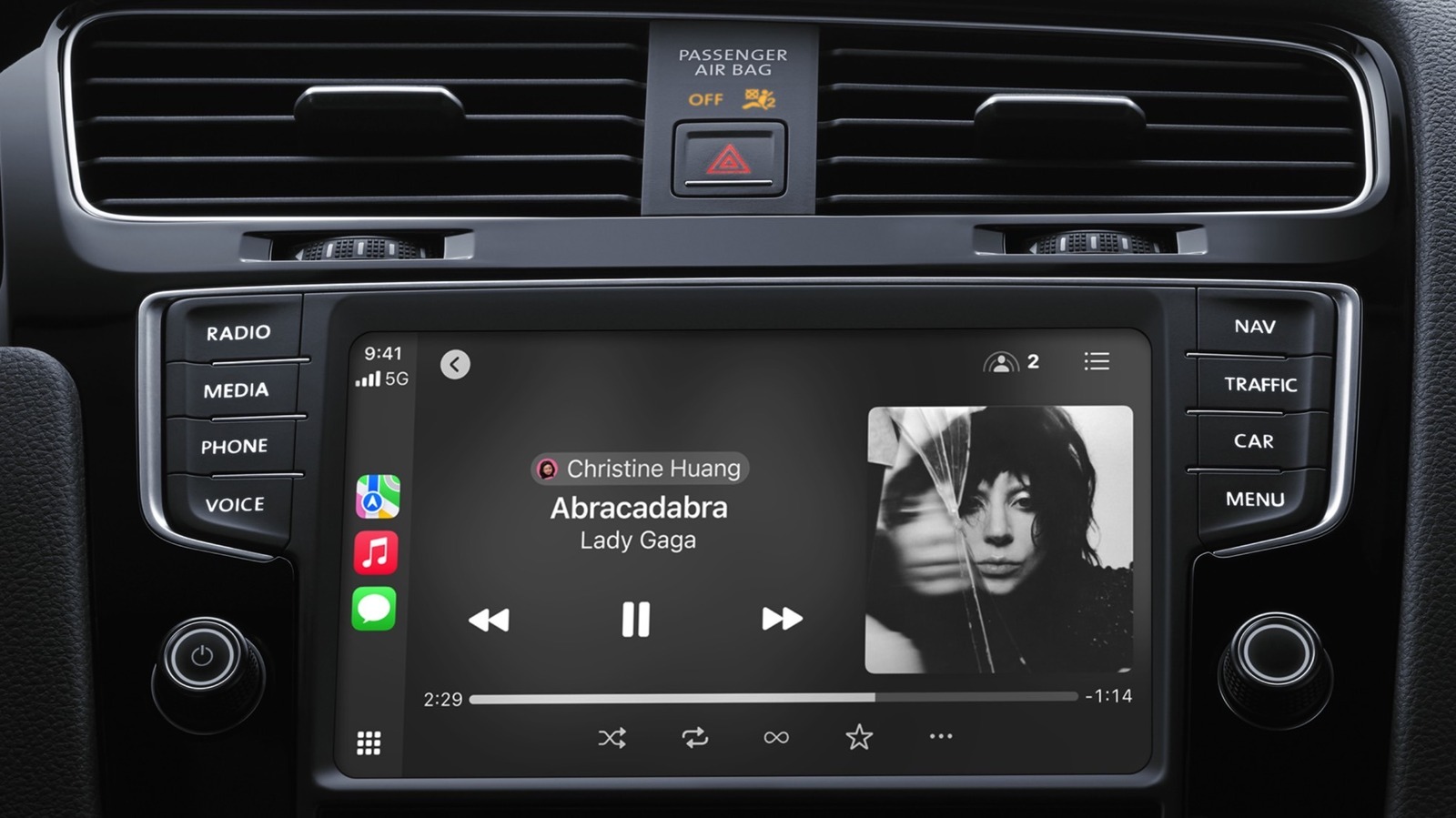
Stop turning your iPhone on and off again, because doing so likely won’t bring back Apple CarPlay if it’s disconnected, especially if this issue started happening after the main iOS 26 update, as it did for many users. 

TikTok user Charly went viral this week for sharing a public service announcement about unexpected CarPlay connectivity issues and how to fix them. Unfortunately, there’s nothing users can do to patch whatever bug is preventing a wireless connection, but they can use a USB-C cable with data transfer capabilities to link the iPhone to the car and restore CarPlay functionality.

@charlyssa.thatsme

Quick PSA if you have an iPhone. #iphone #appleupdate #carplay

♬ original sound – charlyssa.thatsme

“If you have an iPhone and your CarPlay stopped working after the most recent update, you need a data cable,” Charly said in a video that recently went viral, as other iPhone users encountered the problem. She explained to Motor1 that she discovered the fix via “a lot of trial and error.” After she read online that others had the same issue, she assumed the problem was related to data transfers and tried connecting the iPhone to the car via a data cable.

You may already own a data cable that’s compatible with CarPlay


Chinnapong/Shutterstock

Charly’s experiment was successful. She fixed the CarPlay connection with the help of a data cable, which is just a USB-C cable that also transfers data. The TikToker noted that she tried every USB-C cable she had, but none worked until she tried a data cable. Other iPhone users who encounter the wireless connectivity problem may experience the same. Since not all charging cables can transfer data, CarPlay won’t work if you use a charging cable to hook up the iPhone to your car, as it won’t transmit the data that needs to reach your car’s infotainment system.

If you still have the original USB-C cable that shipped with your iPhone, you luckily already own a data cable. If your iPhone is a model from the 11 to 14 series, the original Lightning to USB-C cable that came with it also transfers data.

You’ve likely purchased extra USB-C cables if your iPhone isn’t new, so picking one of those up at random is not enough to ensure CarPlay works. Sure, you can test one by one, but you can instead check the cable for markings that indicate it supports data transfer (like transfer speeds). If those aren’t visible, you may want to see if the iPhone triggers a data transfer with your computer when using the cable to connect the two devices. If all else fails, you can purchase a third-party data cable from an electronics store and keep it in the car for emergency CarPlay connectivity.

Other fixes that may restore your CarPlay connection

CarPlay is supposed to “just work,” as Apple likes to say when talking about new products and features. The iPhone should connect to your car wirelessly and automatically. It’s unclear which of the latest iOS 26 updates caused the CarPlay connectivity problems. Apple released the new main build in mid-September, and then issued two smaller updates, iOS 26.1 with new features and iOS 26.2 with extra improvements and tweaks. You can already install the beta version of iOS 26.3. Charly doesn’t say which software version she’s running. If iOS 26 is the latest update she installed, updating to iOS 26.2 could fix the issue. That’s something you can also try before switching to the wired CarPlay experience.

If your car only has USB-C ports and your iPhone has a Lightning port, you will need a USB-C to Lightning adapter like the one Apple sells for $29. This specific accessory transfers data and power, so it should work with CarPlay. Apple notes in a support document that “some combinations of adapters, cables, and vehicle entertainment systems might disrupt the wired CarPlay connection.” Apple suggests USB-A to USB-C cables for such situations. If your car takes only USB-A cables, you’ll need an adapter that supports data transfer.



Sign Up For Daily Newsletter

Be keep up! Get the latest breaking news delivered straight to your inbox.
By signing up, you agree to our Terms of Use and acknowledge the data practices in our Privacy Policy. You may unsubscribe at any time.
Share This Article
Facebook Twitter Email Print
Share
What do you think?
Love0
Sad0
Happy0
Sleepy0
Angry0
Dead0
Wink0
Previous Article Huawei launches HarmonyOS 6 developer beta version at HDC 2025 · TechNode Huawei launches HarmonyOS 6 developer beta version at HDC 2025 · TechNode
Next Article Inhuman Resources: The Double Standard of AI Use in Modern Recruiting | HackerNoon Inhuman Resources: The Double Standard of AI Use in Modern Recruiting | HackerNoon
Leave a comment

Leave a Reply Cancel reply

Your email address will not be published. Required fields are marked *

Stay Connected

248.1k Like
69.1k Follow
134k Pin
54.3k Follow

Latest News

Microsoft Office 2024 Home & Business for Mac or PC plunges to .97
Microsoft Office 2024 Home & Business for Mac or PC plunges to $99.97
News
How To Get Your Boss To Invest in Influencer Marketing
Computing
Today’s Working Codes And How To Claim Rewards
Mobile
Best Apple Watch deal: Save 0 on Apple Watch Series 11
Best Apple Watch deal: Save $100 on Apple Watch Series 11
News

You Might also Like

Microsoft Office 2024 Home & Business for Mac or PC plunges to .97
News

Microsoft Office 2024 Home & Business for Mac or PC plunges to $99.97

1 Min Read
Best Apple Watch deal: Save 0 on Apple Watch Series 11
News

Best Apple Watch deal: Save $100 on Apple Watch Series 11

3 Min Read
New data shows only 1.6 million units of video game hardware were sold in the US in November, making it the worst month since 1995
News

New data shows only 1.6 million units of video game hardware were sold in the US in November, making it the worst month since 1995

5 Min Read
TikTok Sale Details Emerge, As Company Signs Agreement To Form U.S. Joint Venture – BGR
News

TikTok Sale Details Emerge, As Company Signs Agreement To Form U.S. Joint Venture – BGR

4 Min Read
//

World of Software is your one-stop website for the latest tech news and updates, follow us now to get the news that matters to you.

Quick Link

  • Privacy Policy
  • Terms of use
  • Advertise
  • Contact

Topics

  • Computing
  • Software
  • Press Release
  • Trending

Sign Up for Our Newsletter

Subscribe to our newsletter to get our newest articles instantly!

World of SoftwareWorld of Software
Follow US
Copyright © All Rights Reserved. World of Software.
Welcome Back!

Sign in to your account

Lost your password?