So… are blogs still a thing in 2026? Well, yeah. For me it certainly is. My blog still makes $500,000+ a year… but it’s a lot different now, than it was ten years ago.
Point being… if I had to start a blog from zero today, I wouldn’t follow the same blogging rules, formats, or processes I did ten years ago.
While blogging certainly isn’t dead, and still drives real revenue for my business, the changes have been massive. The winning play isn’t to simply write longer, more SEO-optimized content. What works today, is building a system that consistently publishes highly specific content that grows your underlying business.
In today’s video breakdown, I talk about how blogging still supports more than $500,000 in annual revenue across my diversified businesses. All thanks to the content I create & share here.
Key Takeaways About Blogging in 2026
- Blogging still works, but the format and expectations changed because of social media trends—people consume more video and social content now.
- I don’t bet on motivation anymore, I build systems that make consistent publishing the default.
- A DIY workflow with ChatGPT can plan pillars, clusters, calendars, drafts, and SEO edits, but it gets manual fast.
- Scaling to 300+ posts a year isn’t an “artificial intelligence” problem, it’s an operations problem.
- Purpose-built blog automation tools (like RightBlogger) removes repetitive steps so I can spend time where it matters.
Now, let’s dig a little deeper in to why and how blogging has changed in recent years.
Why Blogging Looks Different Now
I still love blogging, but I treat it differently now because the internet works differently now.
Ten years ago, a blog could grow through strong search engine rankings by publishing solid posts and waiting. Today, with Google AI Overviews serving up instant answers, people want the fastest path to an answer, and a lot of them prefer video first. Look at your own habits. Are you reading three blog posts a day, or are you watching YouTube, scrolling Instagram, or getting stuck in TikTok for “five minutes” that turns into 45?
That change doesn’t kill blogging. It changes what a blog needs to be.
Here are the two reasons I’d start differently if I were starting from scratch:
- People consume content differently now. Video and social media trends are where attention goes first, so my blog needs to reflect my brand voice while working with that reality, not against it.
- Blogging isn’t about one-off posts anymore. It’s not “publish when I feel like it,” and it’s definitely not “spray the internet with AI slop instead of original content and hope Google rewards me.”
What I build instead is a content system that keeps going even when I’m tired, busy, or just not feeling it.
Systems beat motivation every day of the week.
That’s the core idea behind everything you’re about to read. I’m going to walk through two ways I build that system now: a DIY approach with ChatGPT, and the purpose-built workflow I use inside RightBlogger to run content across my sites (and client sites) without turning my life into a spreadsheet.
If you’re also in the early stages, my longer guide on how to start a blog in 2026 will help you get the foundation right, so your content engine has something solid to sit on.
How to Build A DIY Content System With ChatGPT
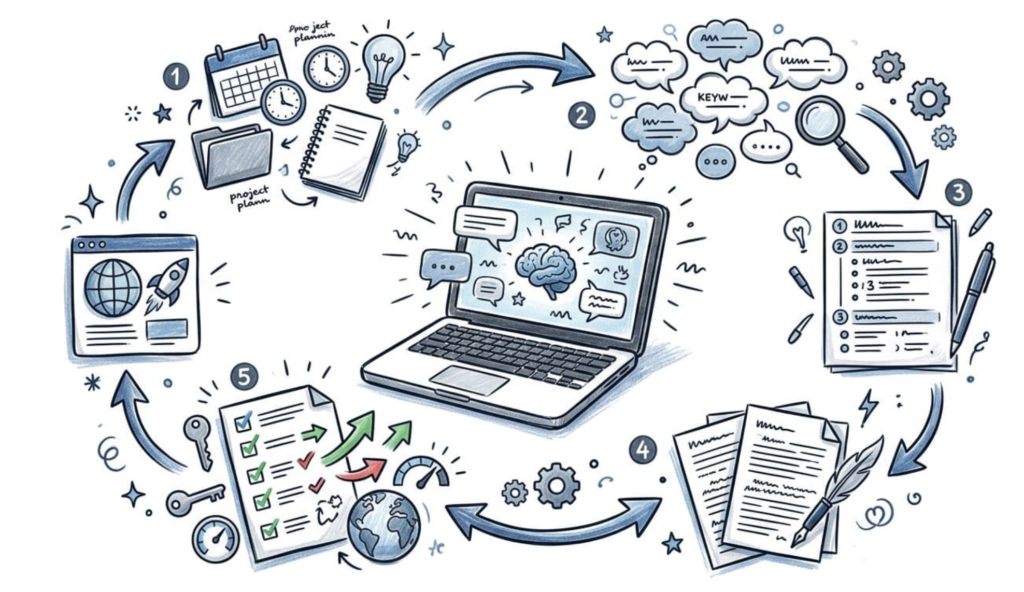
When I build a content system with ChatGPT, I’m not asking it to “write a blog post.” I’m asking it to help me run a repeatable process.
That process looks like this:
- Give the AI context about my site and audience
- Generate keyword clusters and content ideas
- Turn those ideas into pillars (so my content actually connects)
- Turn pillars into a calendar (so I publish consistently)
- Draft, then edit for SEO and publish readiness
Step 1: Set Up Your ChatGPT Project With Real Context
The first thing I do is set up a project and give it context about the site.
I’ll add reference materials if I have them, like files, and I’ll write a clear paragraph explaining the niche, the tone, the style, the target audience, and who the AI is supposed to be in the process. The goal is to stop the generic output before it starts.
At a minimum, I’ll make sure my “instructions” cover:
- What the site is about (niche and audience)
- The voice and tone (how I’d actually talk)
- The goal (organic traffic, high-intent keywords, long-term engine)
Here’s that ChatGPT prompt template for training your AI as an expert in your industry:
Act as an experienced senior strategist at [YOUR INDUSTRY]. I’m starting a blog in the niche of [MAIN TOPICS]. My goal is to grow organic search traffic, rank for high-intent keywords, and build a long-term content engine.
Create a strategic overview that includes:
the top 5 audience segments I should target
the main problems they are trying to solve
the types of content that will attract them
monetization opportunities tied to each segment
the long-term positioning angle that would make this blog stand out
Think in terms of building a scalable SEO brand, not just writing random blog posts.
This is also where having a good outline process saves time later. If you want help structuring posts fast, my free AI blog outline generator can give you a strong starting outline you can edit before writing.
Step 2: Generate Keyword Clusters and Content Ideas
Once the project has context, I have ChatGPT generate the raw material: problems, clusters, content types, and monetization paths.
I’m looking for answers to questions like:
- What are the biggest problems each audience segment is trying to solve through keyword research?
- What keywords signal buying intent or strong action intent?
- What types of posts fit those searches? (Guides, comparisons, tutorials, checklists, etc.)
I also want monetization ideas early, not because I’m trying to sell on every post, but because it forces clarity. A blog that “helps people” is nice. A blog that helps people and maps to revenue is a business.
Here’s that ChatGPT prompt template for mapping out your keyword clusters:
Act as an SEO content architect. Based on the niche [YOUR NICHE] design a content cluster strategy for a new blog.
Create:
8 pillar topics
10 supporting articles under each pillar
Each article should:
target a specific search intent
be written as a beginner-friendly blog post
logically build topical authority
Output this as a clean, organized list grouped by pillar. Prioritize topics with long-term evergreen value.
If you want more examples of how others approach ChatGPT for keyword research prompts, peep this guide to modern keyword research over on RightBlogger.
Step 3: Map Out Content Pillars (vs Random Posting)
After I have clusters, I organize them into structured content through a smaller number of pillars.
That matters because pillars turn content into a connected experience. Instead of 80 isolated posts, I get a site where one post naturally leads to the next, and Google can understand what I’m an authority on.
At this stage, I’m thinking about intent and outcomes. For each pillar, I want posts that:
- Bring in new readers (top-of-funnel, but still useful)
- Help readers take action (high-intent posts)
- Support internal linking (so posts strengthen each other)
Here’s my ChatGPT prompt for creating content pillars that’ll establish you as an authority online:
Organize all of these topic suggestions into their respective pillars.
Prioritize them in order of the highest potential to attract targeted customers for my business at [YOURWEBSITE.COM].
If you’re using AI to help with drafting here, personalization is the difference between “fine” and “publish-worthy.” My guide on ways to personalize AI content shows the exact mindset I use so the final post still sounds like me.
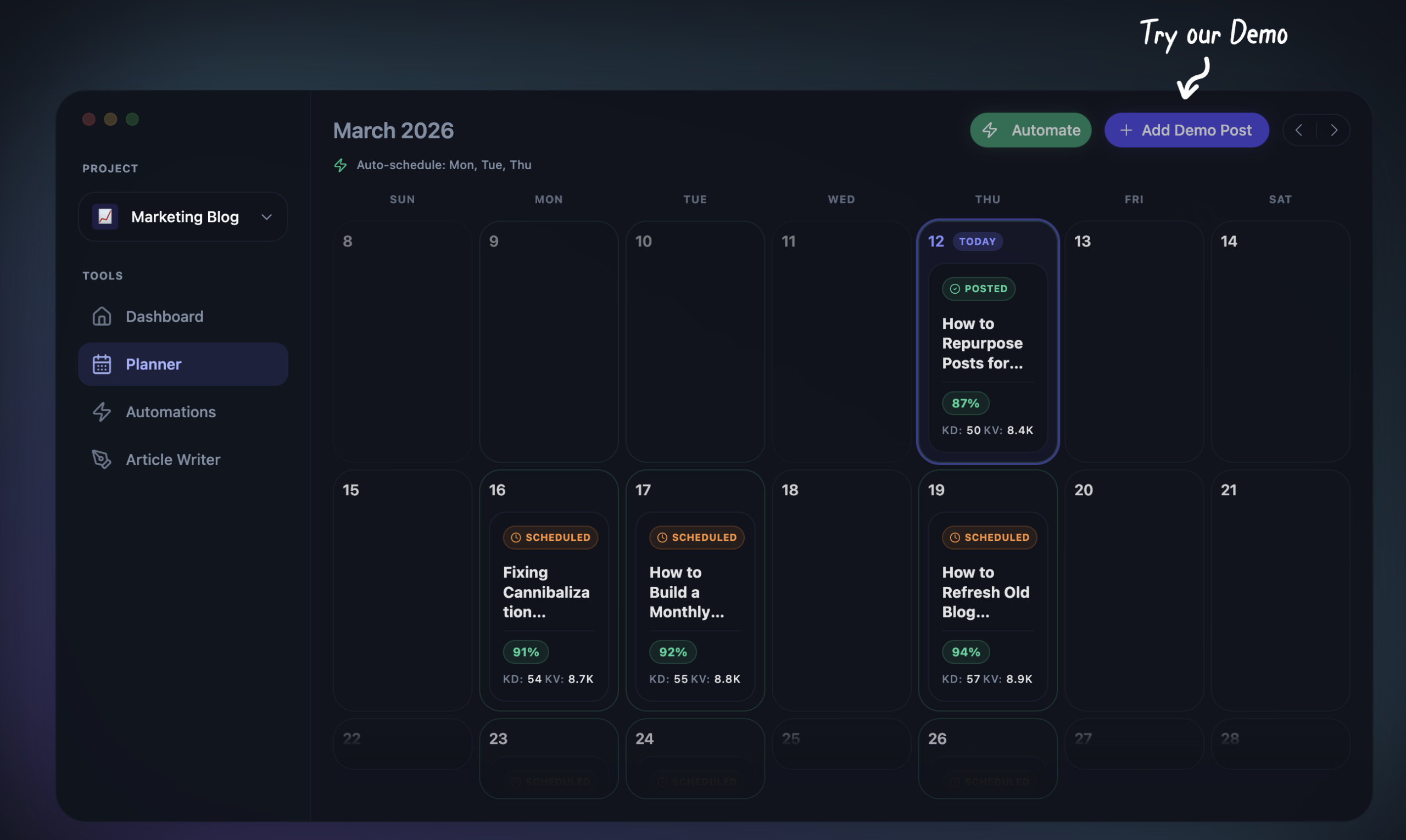
Step 4: Turn Pillars Into a 90-Day Publishing Calendar
Once pillars exist, I turn them into a schedule. Consistency is where most blogs fail, not because the writer is bad, but because life gets busy.
Here’s one of the ChatGPT prompts I use to operationalize a 90-day publishing schedule:
You are my content operations manager. Turn the content cluster plan into a 90-day publishing calendar.
Requirements:
3 posts per week
a logical progression from beginner to advanced topics
balanced coverage of all pillars
no redundant topics
Output as a structured calendar with:
Week #
Post title
Target intent
Short description of the article
I like a 90-day plan because it’s long enough to build momentum, but short enough that I can adjust based on what’s working. The point isn’t to lock myself into a rigid plan. The point is to stop waking up thinking, “What should I write today?”
If you’re the type who likes a visual plan, this is basically the “editorial calendar” moment.
Step 5: Draft Your First Post, Then Add the SEO Layer
Here’s where the DIY ChatGPT workflow starts to feel repetitive, because you’re moving chunks of text around and running multiple passes.
First, I generate blog post outlines for the post (based on title, intent, and a short description). Here’s that prompt:
Act as a senior SEO editor. Create a detailed blog post outline for the article:
[TITLE]
[INTENT]
[DESCRIPTION]
Requirements:
optimized for organic search
clear heading hierarchy (H2 + H3)
beginner-friendly explanations & key takeaways at the end of the introduction
actionable steps
internal linking opportunities
FAQ section targeting long-tail questions
The goal is to produce an outline that could rank and satisfy search intent completely.
Then I go from outline to first draft.
To generate my first draft, I use this prompt:
Write a complete SEO-optimized blog post based on this outline.
Requirements:
conversational but authoritative tone
clear formatting for web readability
short paragraphs
practical examples
beginner-friendly explanations
no fluff or filler
Write for a reader who wants fast clarity and real value.
That first draft usually comes out fine but it’s often pretty thin. It might lack depth, it won’t include images, and it usually won’t include internal links unless you force that behavior.
So I add an editing and optimization pass, including checks for search intent and additions like meta descriptions.
Here’s the editing and optimizing ChatGPT prompt I use:
Act as an SEO editor improving an existing article.
Enhance this draft to:
improve clarity
tighten language
increase topical authority
add relevant examples
strengthen headings
optimize for featured snippets
Keep the meaning the same but upgrade the quality.
That second pass gets the post closer to publish-ready. Still, it’s not the finish line. I always sanity-check for:
- Whether the post actually answers the search intent
- Whether it sounds like me, not like a generic template
- Whether it needs examples, images, or clearer structure
- Whether it needs internal links to related posts
If you want a deeper overview of how I think about AI and SEO together, I’ve got a full guide on AI tools for SEO and how I use them without sacrificing quality.
Step 6: The Reality Check When You Try to Scale
A DIY workflow using simple AI tools like ChatGPT can work great for your first 10 posts. It can even work for your first 50.
Then you try to scale to 300 posts a year and you realize the real constraint isn’t content creation, it’s operations.
This is the question I ask to force that reality check in the video walkthrough above:
“If I tried to scale this workflow into 300+ articles per year using only AI-generated content from large language models, what operational bottlenecks would I run into?”
When you rely on a manual process, the bottlenecks show up fast: repetitive prompting, version control problems, inconsistent formatting, inconsistent quality, missed internal links, and a lot of time spent moving content between tools.
That’s why I keep coming back to the same answer: the bottleneck isn’t AI, it’s the system around it.
My Purpose-Built Blog Automation System
Because I need to publish consistently (without turning content into a full-time job), I moved to a workflow that’s built for efficient content operations with the help of AI.
That’s why I built (and use) RightBlogger as a purpose-built AI blog automation system.
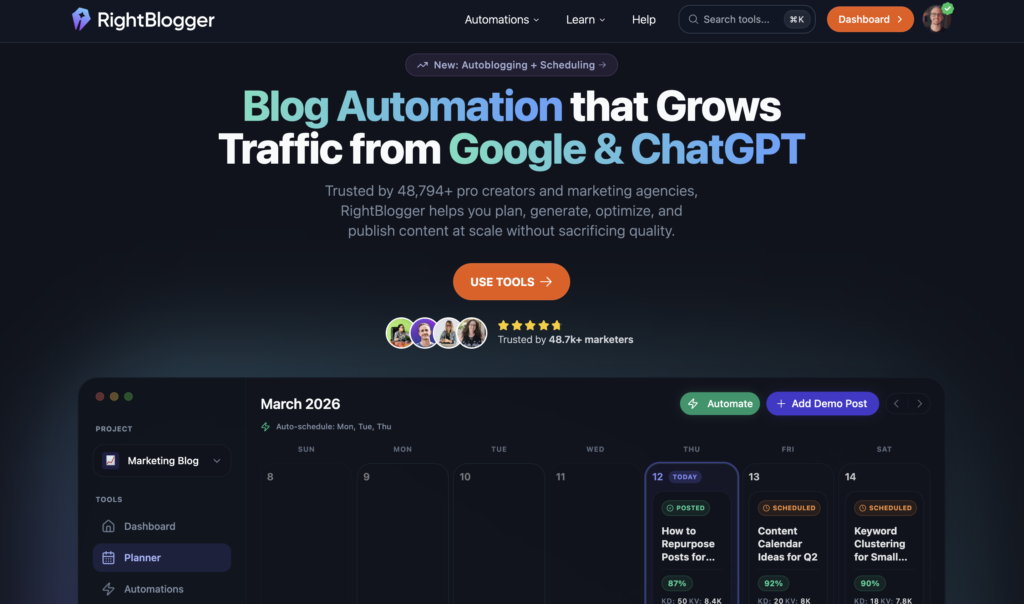
Instead of prompting from scratch every time, I can connect a site once and set up full blog automation that generates smart ideas, schedules drafts, and runs an AEO & SEO-optimization layer without babysitting every step along the way.
If you’re still exploring tools and want to compare options, I’ve also put together my list of the best AI writing tools and what each one is actually good at.
Quick-Start: Adding Individual Posts (Without Building an Automation Yet)
Sometimes I just want to add a single post to my schedule and get a strong draft to edit.
In RightBlogger, that’s the quick New Post flow.
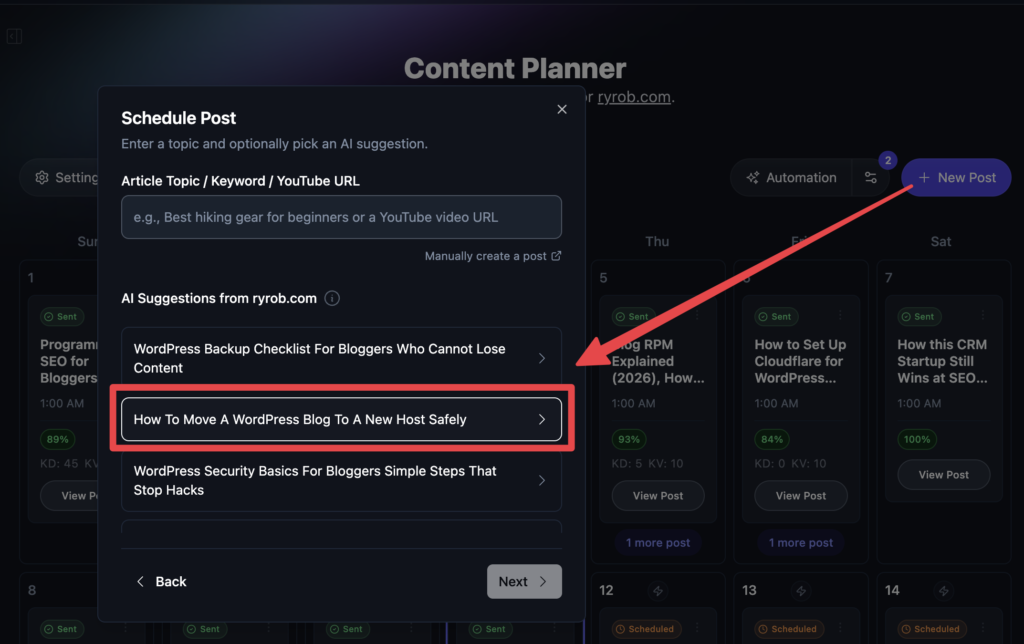
The AI suggests topics based on the connected website, I pick one,drop it into the next available calendar slot, and I turn on auto SEO optimization.
A simplified process like this with an AI blog automation tool removes the “blank page” moment entirely. I’m not asking, “What should I write? Or how should I write it?” I’m choosing from ideas that already match my site’s current needs.
Once the draft is generated, I review it like an editor. I’ll tune a few sections, add personal experience, double-check claims, and make sure the post feels human. The draft gets me 80% to 90% of the way there, and that’s the whole point.
Automation Option 1: YouTube-To-Blog Publishing
If you publish videos, this is one of the cleanest ways to build a multi-channel system.
I can connect my YouTube channel, set a scan frequency (daily is ideal), and when a new video goes live the generative AI can turn it into a full blog post in my voice, tone, and style.
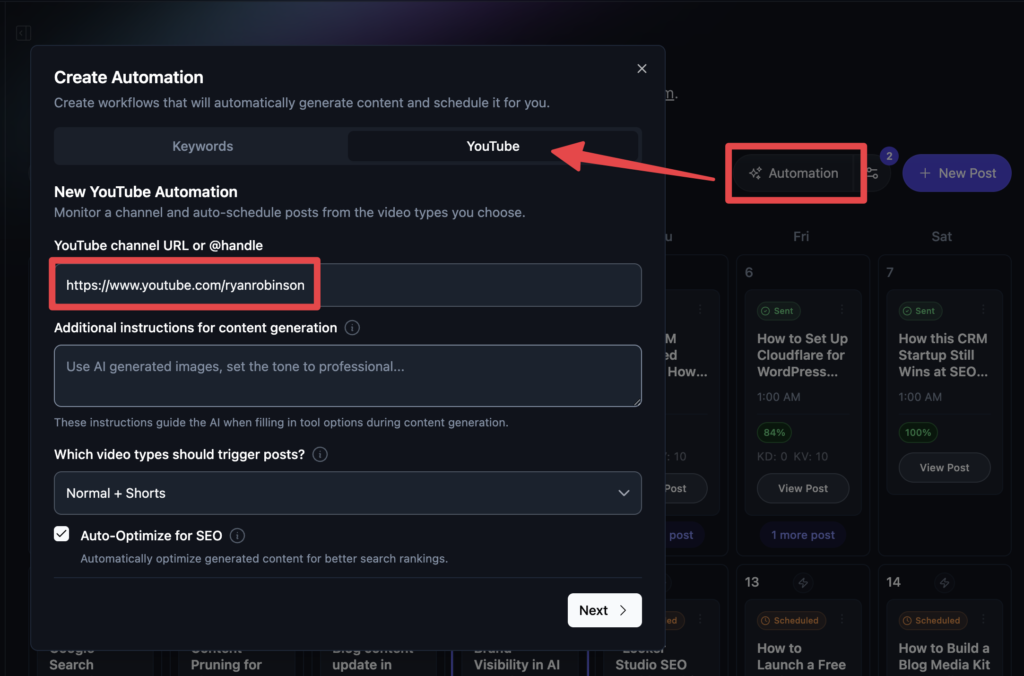
This automation is particularly powerful because it solves two problems at once:
- It lets me meet people where they already are (YouTube).
- It turns that same work into search-friendly written content that can compound for years.
If you’ve never used ChatGPT to support your blogging workflow before, peep my list of ChatGPT prompts for blogging.
Automation Option 2: Keyword Automation for Consistent Organic Traffic
This is the always publishing option that fully automates your blog.
With a keyword automation, I connect my site, give topic guidance (like which pillars to focus on), add formatting preferences (images, key takeaways, FAQs), and keep auto SEO optimization turned on.
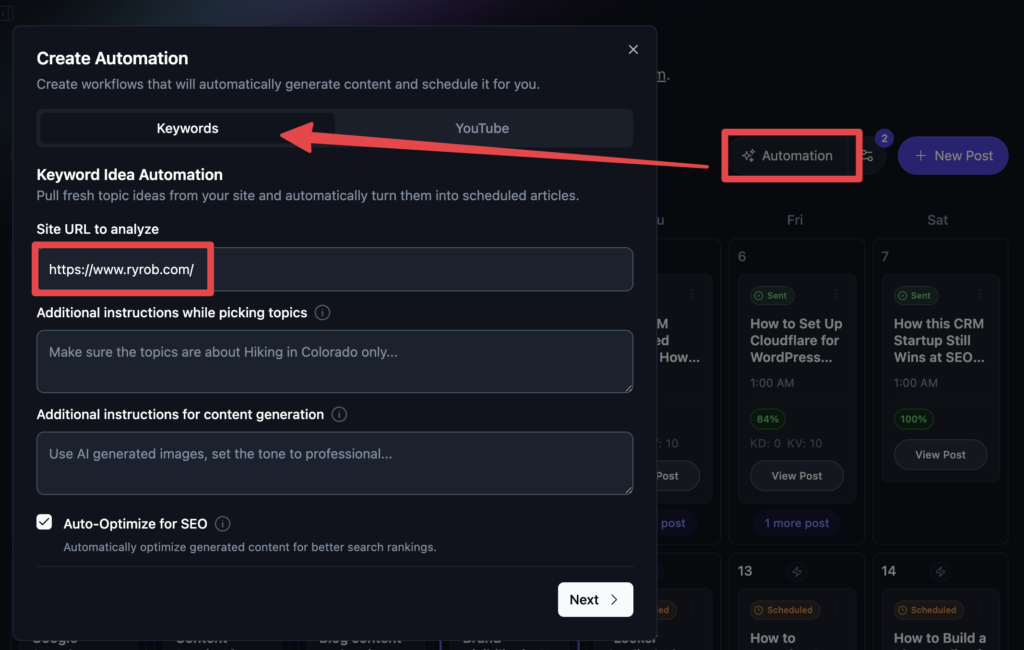
Then I set the publishing frequency. I recommend daily if your site can support it and if you’re committed to editing and quality checks.
RightBlogger’s automation system can build topics ahead of time (often about a week out), which means I’m not guessing what’s coming next. This drives consistent organic traffic and boosts search engine rankings.
In other words, the engine keeps running in the background.
If you want help writing better prompts in general, my free AI prompt generator is a simple way to build structured instructions without overthinking it.
Review and Optimize Before Anything Gets Published
Automation doesn’t mean “trust blindly.”
Before posts go live, I review them in the editor. I’m looking for clean formatting, clear headings, and anything that feels off-brand or too generic.
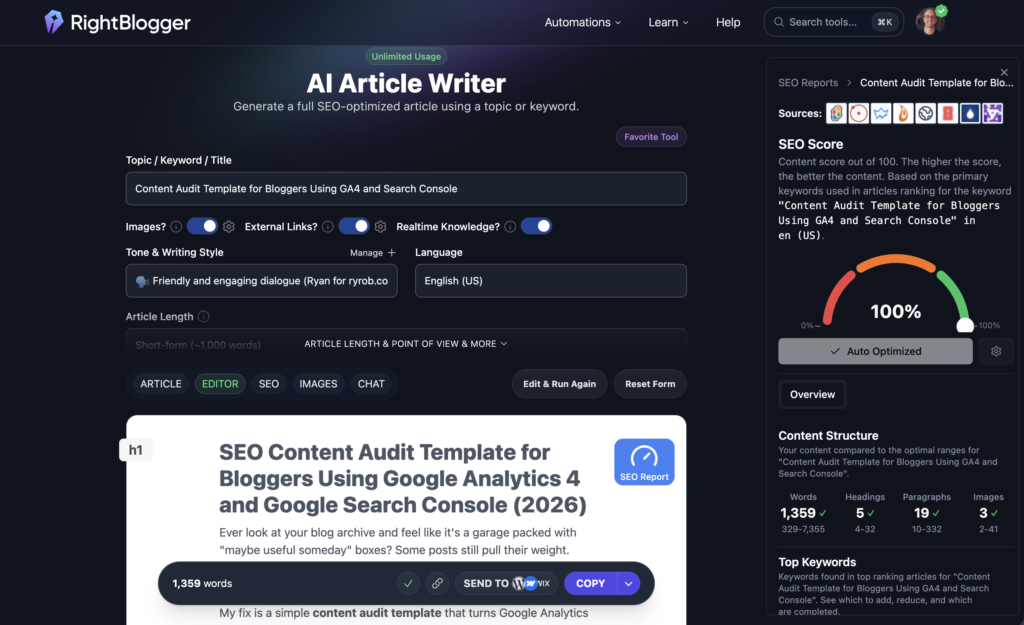
Then I check the SEO report, because I want a quick view of:
- How complete the coverage is (topics and keywords)
- Whether the length matches what’s already ranking
- Whether headings make sense for a skimmer
This is the unglamorous part, but it’s where quality content is won through human expertise.
Automation creates the baseline consistency. Editing protects your name.
If you want to test the same system I use, you can take RightBlogger for a spin with a free account. If you decide to go premium, use code RYAN20 for a lifetime 20% off.
I’m biased here because I built this blog automation tool, but that’s also why I’m so confident in it. It’s designed around the real bottleneck: turning ideas into published content, consistently… and it works.
Only Systems Win When Your Schedule Gets Busy
At this point, my approach to blogging is pretty simple:
- I don’t build a blogging strategy around writing individual blog posts or hoping to turn content into revenue.
- I build a blogging system that runs even when I’m busy, and attracts potential customers to my site.
That’s what’s working with my blogging system now. So for me, blogging is still a thing that works exceptionally well in 2026.
If you want to go deeper, join my newsletter for bloggers where I share what I’m testing in SEO and content systems today.
Use My 50+ Powerful Free Blogging Tools Today
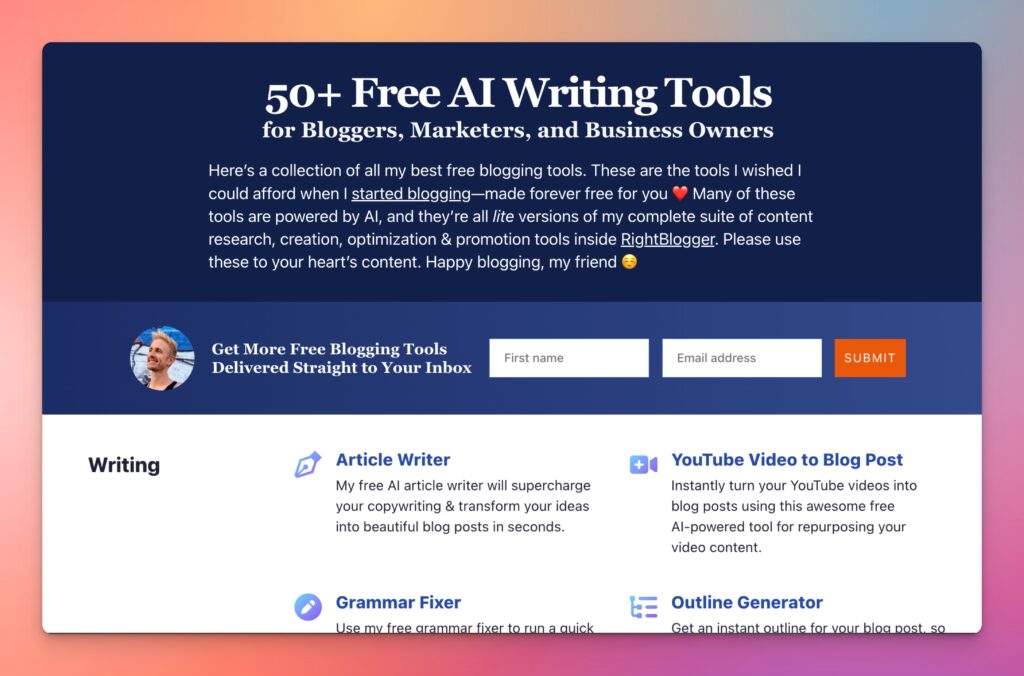
When I first started blogging, I couldn’t afford fancy tools. That sucked. And that’s why I’ve built a stable of powerful free blogging tools ranging from keyword research to an AI article writer, blog idea generator and more. Forever free for all to use—no strings attached.
FAQs About Whether Blogging is Still a Thing
Is blogging still worth it in 2026?
Yes. Blogging still drives meaningful revenue for me, but the path looks different now, especially with Google AI Overviews reshaping search. I focus on consistent publishing, strong search intent, and a system that keeps running even when my motivation dips.
Can I build a content system with only ChatGPT?
You can, especially at the start. ChatGPT can help you plan pillars and structured content, create calendars, draft posts, and run SEO edits. The tradeoff is that the workflow becomes manual fast when you try to scale.
What’s the biggest mistake people make with AI blog content?
Publishing first drafts of AI-generated content without editing. AI can write quickly, but you still need to fact-check with reference materials, add your experience, tighten the structure, and make sure the post genuinely answers the reader’s search intent.
How often should I publish if I’m starting from zero?
Consistency matters more than intensity. A sustainable schedule you can keep for 90 days beats an aggressive plan you quit in two weeks.
What’s the difference between a content strategy and a content engine?
A strategy is the plan. A content engine is the plan plus the workflow, tools, calendar, SEO optimization, and review steps that make publishing predictable.
So Are Blogs Still a Thing? With the Right System, Yes
If I were starting from scratch today, I’d stop obsessing over individual posts and I’d build a system that compounds while staying true to my brand voice.
The DIY ChatGPT workflow is a solid way to get started with an AI-assisted blogging system, but it gets manual very quickly. Especially when it comes to editing, refinement, and trying to publish at volume.
That’s why I lean on blog automation tools, and my own editorial review to keep quality high, avoid plagiarism, while publishing consistently. In the long run, leveraging artificial intelligence, systems are what win.
Blog Automation that Grows Traffic from Google & ChatGPT
Join 48,751+ pro creators and marketing agencies automating their blogs with RightBlogger