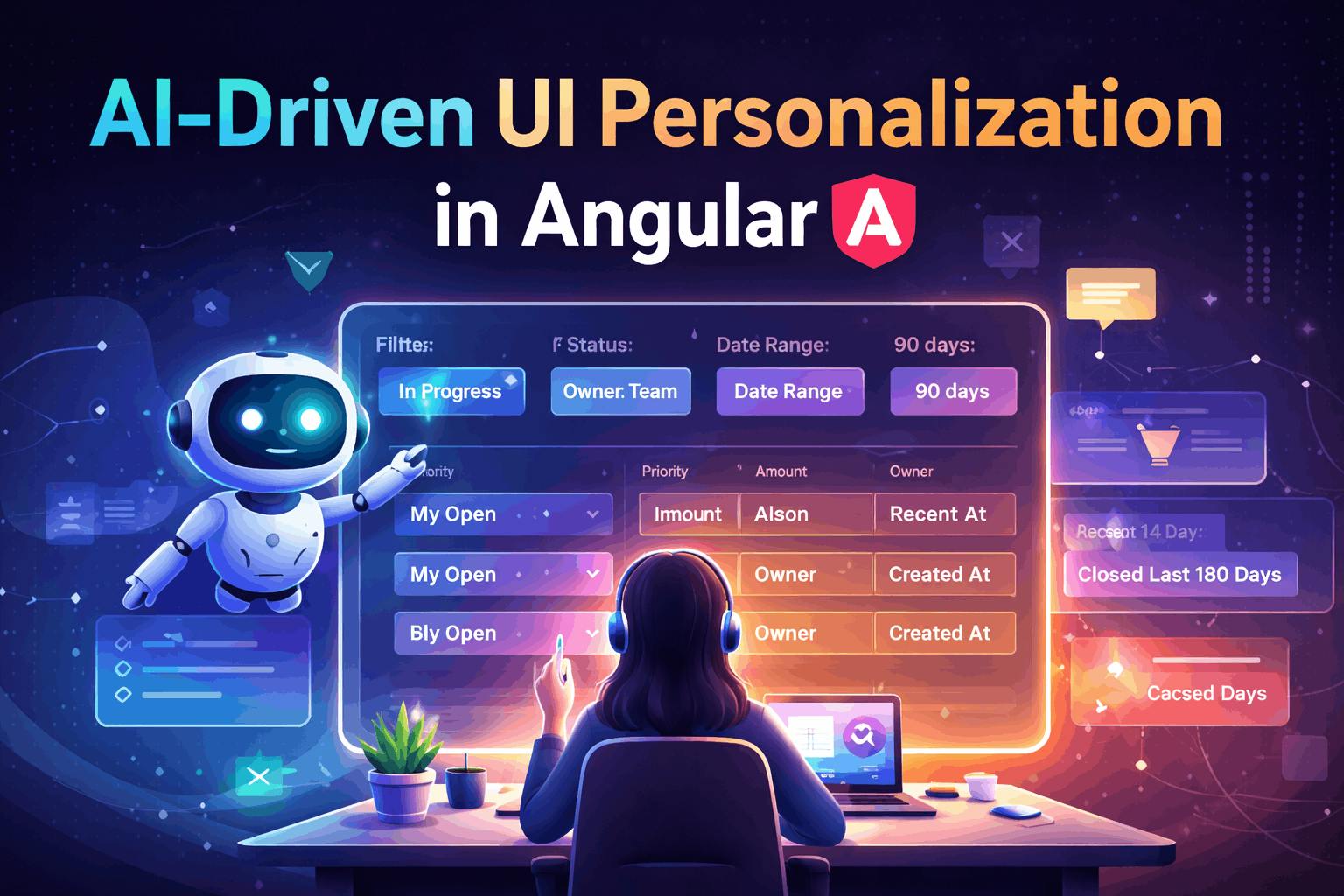
Modern enterprise application assessment is not only about performance and scalability but also about how it caters to users. Fixed UI, constant filters, and uniform layouts can lead to unnecessary issues, particularly in Angular applications where various users engage with the same data in different ways.
AI-driven UI personalization is going to help to address this issue effectively. Rather than depending on hard-coded preferences or updating it manually by the user or relying on everything on user-provided data, AI can propose smarter layouts, dynamic filters, and rearrange layouts in the Angular applications to maintain complete and deterministic control. The idea here is to use AI to simply suggest based on user behavior.
This article is focused on exploring the practical approach to establishing this interaction in a new or existing application. You will learn how to build a secure architecture, enforce strict response schemas, and implement AI recommendations in a manner that upholds reliability, performance, and user trust.
From Static Defaults to Intelligent Starting Points
In many Angular apps, the first screen users see relies on fixed assumptions—default filters, set column order, and standard shortcuts. Default preferences and filters make sense, but they often do not match how it works for individual users. As a result, users spend their initial moments adjusting the interface before they can start working. AI changes this starting point. Instead of showing the same layout to everyone, the application can provide context-aware suggestions such as applicable filters, meaningful column arrangements, or quick filters applies to the user’s behavior. The experience feels faster, not because of a redesign of the UI but because it starts closer to what the user really needs. The key is that these suggestions should remain predictable and manageable. Angular still controls what is allowed, keeping the interface stable while gradually becoming more useful. With this idea in place, let’s look at how to implement it in a practical Angular proof of concept.
Implementation: Angular Frontend
import { Component, computed, effect, inject, signal } from '@angular/core';
import { CommonModule } from '@angular/common';
import { HttpClient, provideHttpClient } from '@angular/common/http';
import { FormsModule } from '@angular/forms';

import { MatTableModule } from '@angular/material/table';
import { MatSelectModule } from '@angular/material/select';
import { MatButtonModule } from '@angular/material/button';
import { MatChipsModule } from '@angular/material/chips';

type Status="ALL" | 'OPEN' | 'IN_PROGRESS' | 'CLOSED';
type OwnerScope="ME" | 'TEAM' | 'ALL';

type UiPrefs = {
  version: string;
  defaultFilters: { status: Status; ownerScope: OwnerScope; dateRangeDays: number; };
  columnOrder: string[];
  shortcuts: Array<{
    id: string;
    label: string;
    filters: { status: Status; ownerScope: OwnerScope; dateRangeDays: number; };
  }>;
  rationale: string;
};

type OrderRow = {
  id: string;
  createdAt: string;
  status: Status;
  amount: number;
  currency: string;
  customer: string;
  owner: string;
  priority: 'LOW' | 'MEDIUM' | 'HIGH';
};

@Component({
  selector: 'app-orders',
  standalone: true,
  imports: [
    CommonModule,
    FormsModule,
    MatTableModule,
    MatSelectModule,
    MatButtonModule,
    MatChipsModule
  ],
  providers: [provideHttpClient()],
  templateUrl: './orders.component.html',
  styleUrl: './orders.component.scss'
})
export class OrdersComponent {
  private http = inject(HttpClient);

  // Set user context
  private userContext = {
    route: '/orders',
    role: 'manager',          // demo
    device: 'desktop',
    timezone: Intl.DateTimeFormat().resolvedOptions().timeZone,
    allowedColumns: ['id','createdAt','status','amount','currency','customer','owner','priority'],
    recentActions: ['visited_orders', 'used_filter_status_open', 'sorted_amount_desc'],
    teamSizeBucket: 'SMALL'   // no exact numbers
  };

  // --- UI state
  filters = signal<{ status: Status; ownerScope: OwnerScope; dateRangeDays: number }>({
    status: 'OPEN',
    ownerScope: 'ME',
    dateRangeDays: 30
  });

  displayedColumns = signal<string[]>(['id', 'status', 'createdAt', 'amount']);

  shortcuts = signal<UiPrefs['shortcuts']>([]);
  rationale = signal<string>('');

  // Mock data
  data = signal<OrderRow[]>([
    { id: 'A-1001', createdAt: '2026-02-01', status: 'OPEN', amount: 120.5, currency: 'USD', customer: 'Acme', owner: 'Lavi', priority: 'HIGH' },
    { id: 'A-1002', createdAt: '2026-01-21', status: 'IN_PROGRESS', amount: 80, currency: 'USD', customer: 'Globex', owner: 'Rupanshi', priority: 'MEDIUM' },
    { id: 'A-1003', createdAt: '2025-12-18', status: 'CLOSED', amount: 300, currency: 'USD', customer: 'Initech', owner: 'Lavi', priority: 'LOW' },
  ]);

  filteredData = computed(() => {
    const { status, ownerScope, dateRangeDays } = this.filters();
    const now = new Date('2026-02-08'); // demo “today”; use new Date() in real
    const cutoff = new Date(now);
    cutoff.setDate(now.getDate() - dateRangeDays);

    return this.data().filter(r => {
      const okStatus = status === 'ALL' ? true : r.status === status;
      const okOwner =
        ownerScope === 'ALL' ? true :
        ownerScope === 'TEAM' ? true : // demo: treat TEAM as ALL for now
        r.owner === 'Lavi'; // demo “ME”
      const okDate = new Date(r.createdAt) >= cutoff;
      return okStatus && okOwner && okDate;
    });
  });

  constructor() {
    // Fetches personalization at page load
    this.loadPersonalization();

    // When user changes filters this can later log telemetry
    effect(() => {
      void this.filters();
    });
  }

  loadPersonalization() {
    this.http.post<UiPrefs>('http://localhost:8787/api/ui-preferences', this.userContext)
      .subscribe({
        next: (prefs) => this.applyPreferencesDeterministically(prefs),
        error: () => {
          // ignore (keep defaults)
        }
      });
  }

  // Apply AI prefs safely
  applyPreferencesDeterministically(prefs: UiPrefs) {
    const allowed = new Set(this.userContext.allowedColumns);

    this.filters.set({ ...prefs.defaultFilters });

    const required = ['id', 'status', 'createdAt'];
    const cleaned = prefs.columnOrder.filter(c => allowed.has(c));
    for (const c of required) {
      if (!cleaned.includes(c)) cleaned.unshift(c);
    }

    this.displayedColumns.set([...new Set(cleaned)].slice(0, 8));

    this.shortcuts.set(prefs.shortcuts ?? []);
    this.rationale.set(prefs.rationale ?? '');
  }

  applyShortcut(id: string) {
    const sc = this.shortcuts().find(s => s.id === id);
    if (!sc) return;
    this.filters.set({ ...sc.filters });
  }
}
Angular UI
<div class="page">
  <h2>Orders</h2>

  <div class="toolbar">
    <mat-form-field appearance="outline">
      <mat-label>Status</mat-label>
      <mat-select [(ngModel)]="filters().status" (ngModelChange)="filters.set({ ...filters(), status: $event })">
        <mat-option value="ALL">All</mat-option>
        <mat-option value="OPEN">Open</mat-option>
        <mat-option value="IN_PROGRESS">In progress</mat-option>
        <mat-option value="CLOSED">Closed</mat-option>
      </mat-select>
    </mat-form-field>

    <mat-form-field appearance="outline">
      <mat-label>Owner</mat-label>
      <mat-select [(ngModel)]="filters().ownerScope" (ngModelChange)="filters.set({ ...filters(), ownerScope: $event })">
        <mat-option value="ME">Me</mat-option>
        <mat-option value="TEAM">Team</mat-option>
        <mat-option value="ALL">All</mat-option>
      </mat-select>
    </mat-form-field>

    <mat-form-field appearance="outline">
      <mat-label>Date range (days)</mat-label>
      <input matInput type="number" [ngModel]="filters().dateRangeDays"
             (ngModelChange)="filters.set({ ...filters(), dateRangeDays: +$event })" />
    </mat-form-field>

    <button mat-raised-button (click)="loadPersonalization()">Re-personalize</button>
  </div>

  <div class="shortcuts" *ngIf="shortcuts().length">
    <mat-chip-listbox>
      <mat-chip-option *ngFor="let sc of shortcuts()" (click)="applyShortcut(sc.id)">
        {{ sc.label }}
      </mat-chip-option>
    </mat-chip-listbox>
  </div>

  <p class="rationale" *ngIf="rationale()">
    <strong>AI rationale:</strong> {{ rationale() }}
  </p>

  <table mat-table [dataSource]="filteredData()" class="mat-elevation-z2">
    <ng-container *ngFor="let col of displayedColumns()" [matColumnDef]="col">
      <th mat-header-cell *matHeaderCellDef>{{ col }}</th>
      <td mat-cell *matCellDef="let row">{{ row[col] }}</td>
    </ng-container>

    <tr mat-header-row *matHeaderRowDef="displayedColumns()"></tr>
    <tr mat-row *matRowDef="let row; columns: displayedColumns();"></tr>
  </table>
</div>
Backend to Demonstrate the Personalization
import express from "express";
import cors from "cors";
import dotenv from "dotenv";
import OpenAI from "openai";
import { UI_PREFS_SCHEMA } from "./uiSchema.js";

dotenv.config();

const app = express();
app.use(cors());
app.use(express.json());

const client = new OpenAI({ apiKey: process.env.OPENAI_API_KEY });

/**
 * Deterministic safety layer:
 * enforce a whitelist of allowed columns
 * clamp values
 */
function sanitizeAiPrefs(aiPrefs) {
  const allowedColumns = [
    "id", "createdAt", "status", "amount", "currency", "customer", "owner", "priority"
  ];

  // default filters safe-clamp
  const df = aiPrefs?.defaultFilters ?? {};
  const safeDefaultFilters = {
    status: ["ALL", "OPEN", "IN_PROGRESS", "CLOSED"].includes(df.status) ? df.status : "OPEN",
    ownerScope: ["ME", "TEAM", "ALL"].includes(df.ownerScope) ? df.ownerScope : "ME",
    dateRangeDays: Number.isInteger(df.dateRangeDays)
      ? Math.min(365, Math.max(1, df.dateRangeDays))
      : 30
  };

  // column order safe normalization
  const seen = new Set();
  const safeColumnOrder = (Array.isArray(aiPrefs?.columnOrder) ? aiPrefs.columnOrder : [])
    .filter((c) => typeof c === "string" && allowedColumns.includes(c))
    .filter((c) => (seen.has(c) ? false : (seen.add(c), true)));

  // guarantee a minimum set so UI never breaks
  const requiredCols = ["id", "status", "createdAt"];
  for (const c of requiredCols) {
    if (!seen.has(c)) safeColumnOrder.unshift(c);
  }
  // cap size
  const finalColumns = safeColumnOrder.slice(0, 8);

  // shortcuts safe-clamp
  const shortcuts = Array.isArray(aiPrefs?.shortcuts) ? aiPrefs.shortcuts : [];
  const safeShortcuts = shortcuts.slice(0, 5).map((s, idx) => ({
    id: typeof s?.id === "string" ? s.id : `sc_${idx + 1}`,
    label: typeof s?.label === "string" ? s.label : `Shortcut ${idx + 1}`,
    filters: {
      status: ["ALL", "OPEN", "IN_PROGRESS", "CLOSED"].includes(s?.filters?.status)
        ? s.filters.status
        : safeDefaultFilters.status,
      ownerScope: ["ME", "TEAM", "ALL"].includes(s?.filters?.ownerScope)
        ? s.filters.ownerScope
        : safeDefaultFilters.ownerScope,
      dateRangeDays: Number.isInteger(s?.filters?.dateRangeDays)
        ? Math.min(365, Math.max(1, s.filters.dateRangeDays))
        : safeDefaultFilters.dateRangeDays
    }
  }));

  return {
    version: typeof aiPrefs?.version === "string" ? aiPrefs.version : "v1",
    defaultFilters: safeDefaultFilters,
    columnOrder: finalColumns,
    shortcuts: safeShortcuts,
    rationale: typeof aiPrefs?.rationale === "string" ? aiPrefs.rationale : ""
  };
}

app.post("/api/ui-preferences", async (req, res) => {
  try {
    // Sanitized context (NO PII). You control what is sent.
    const context = req.body;

    const instructions = `
You function as a UI personalization engine for enterprises.
Focus on: speed, reducing clicks, and relevance.
Do not create columns that are not included in the given input context.
Maintain a conservative date range unless the user is a manager looking at history.
Note: This output serves as RECOMMENDATIONS only. The application will implement a whitelist.
`.trim();

    const input = [
      {
        role: "user",
        content: [
          {
            type: "text",
            text:
`UI_CONTEXT (sanitized):
${JSON.stringify(context, null, 2)}

Task:
Recommend defaultFilters, columnOrder, and up to 5 shortcuts for the Orders page.`
          }
        ]
      }
    ];

    const response = await client.responses.create({
      model: "gpt-5",
      reasoning: { effort: "low" },
      instructions,
      input,
      text: {
        format: {
          type: "json_schema",
          name: UI_PREFS_SCHEMA.name,
          schema: UI_PREFS_SCHEMA.schema,
          strict: true
        }
      }
    });

    const raw = response.output_text;
    const aiPrefs = JSON.parse(raw);

    const safePrefs = sanitizeAiPrefs(aiPrefs);
    res.json(safePrefs);
  } catch (err) {
    console.error(err);
    res.status(500).json({
      error: "Failed to generate preferences",
      detail: err?.message ?? String(err)
    });
  }
});

const port = process.env.PORT || 8787;
app.listen(port, () => console.log(`Server listening on http://localhost:${port}`));
Conclusion
AI for interface personalization doesn’t turn your Angular app into some unpredictable mess. It just means users get a smarter setup when they log in. The AI picks up on patterns like which filters someone actually uses, how they prefer their columns, what shortcuts make their job easier and suggests those as defaults. But the Angular app? It’s still running everything. You’re not sacrificing stability or security. We didn’t tear everything apart and rebuild it. We just made sure the foundation was right and tested things properly. Now instead of everyone getting the exact same rigid setup, the interface can actually change based on how someone works. People don’t waste time repeating the same actions, and their day-to-day tasks get easier.