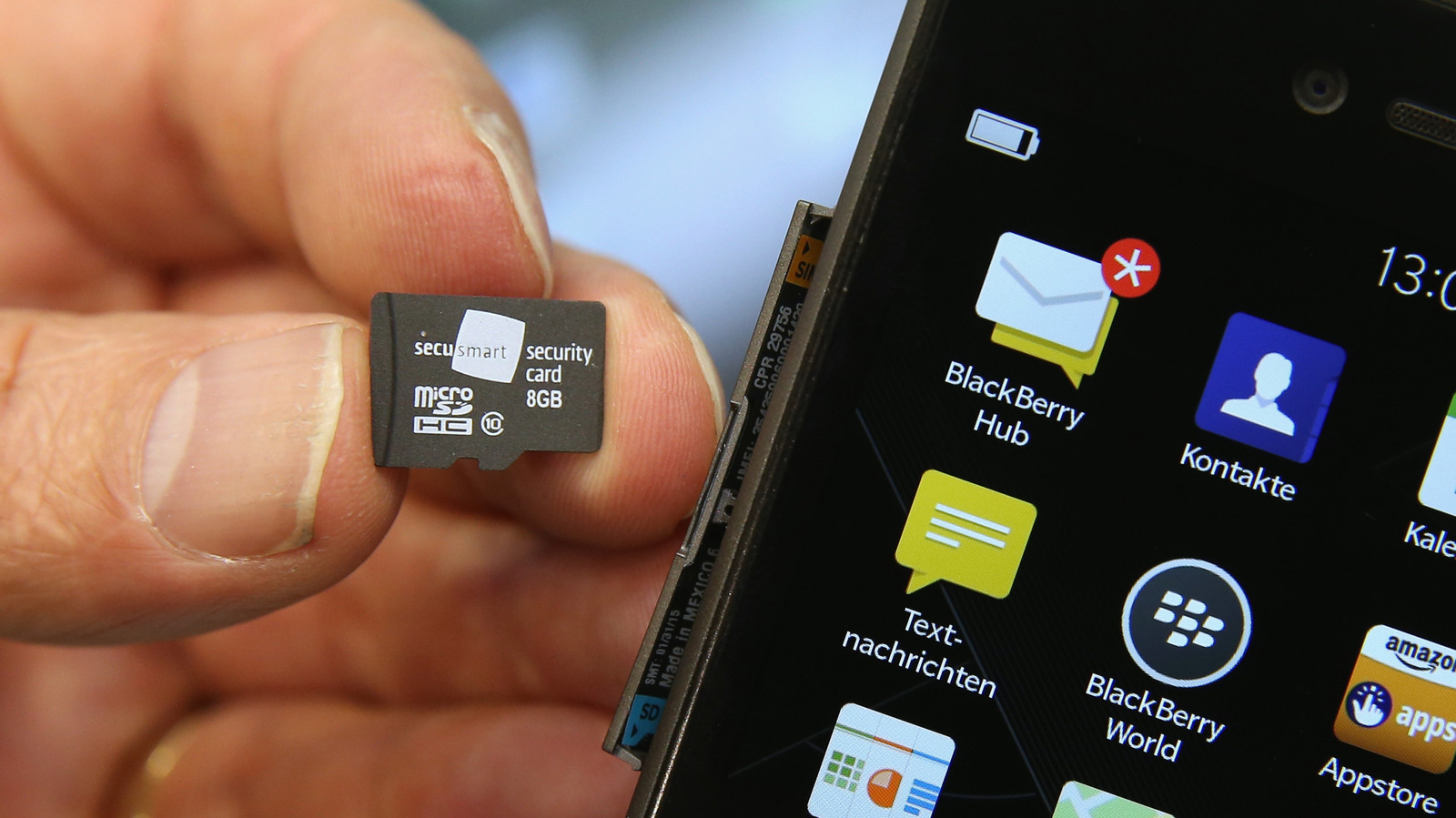
Since Samsung ditched microSD card slots completely in its flagship Galaxy S phones with the S21, there has been a subtle realization that the cards are on the decline. They have since fallen out of the mainstream because many high-end phones come with expanded, secure, and better-performing internal storage. Plus, you can always upload your files to the cloud if you’re running out of space. You might even be looking at your old microSD card and thinking maybe it’s time to toss it aside, but that would be a mistake.
MicroSD cards are particularly useful for devices that offer little to no storage. So if you’re remotely interested in handheld and retro-gaming machines, high-resolution photography, outdoor adventuring, and even budget phones and tablets, that SD card might still be useful to you. Maybe after you’ve breathed new life into it, you might even think of getting some of the newer microSD cards with faster read/write speeds and bigger storage.
Select Android smartphones and tablets
Many Android phones still use microSD cards despite having substantial storage. For instance, you have the Motorola G Stylus, which is a mid-range, stylus-first phone released in 2025. It costs between $300 and $400 and has two versions that come with 128GB and 256GB of internal storage. Even with that, you can expand it with a microSD card of up to 1TB. Samsung still hasn’t written them off when it comes to smartphones, as microSD slots are still making an appearance in its budget-friendly A-Series. The most notable being the Samsung Galaxy A17 5G, a $200 mid-range phone with 128GB or 256GB storage that can be extended with an additional 2TB via microSD card.
Interestingly enough, not all flagship mobile devices from Samsung are devoid of a microSD slot. All current models of the Galaxy Tab, including the Galaxy Tab S11 Ultra, can be extended with up to 2TB of storage. It’s good to know that these high-end tablets, suitable for productivity, content creation, and entertainment, still support them. A case can be made that it needs to make a return in the Galaxy S series phones and be added to iPhones, since not everyone can upgrade to models with larger storage or wants to rely on cloud services.
Handheld gaming consoles
While the newer handheld consoles like the Nintendo Switch 2 and Steam Deck OLED feature sizable internal storage, starting from 256 GB, their older versions do not. For instance, the original Nintendo Switch and second-hand entry-level LCD Steam Deck feature 32 GB and 64 GB of storage, respectively. Emphasis is on the second-hand part when it comes to the Steam Deck because the LCD models have been discontinued.
Despite this, they’re some handhelds worth getting even today, especially if you want to dip your toes into handheld gaming. But since game file sizes have been ballooning for a while, a single install can easily take up 25% of that internal storage. In the case of the 64 GB Steam Deck, a game like Cyberpunk 2077, which requires a minimum of 70 GB, wouldn’t fit. However, they do support microSD cards if you want to expand the storage.
So instead of forcing yourself to delete older games and files to clear space, that old SD card, even one with 128 GB of space, could be enough to install everything you need. The 1 TB microSD cards can be particularly useful if you’re trying to build a digital game collection. You can, for instance, store hundreds of classics in retro-gaming handhelds so you always have them ready to play.
Digital cameras
Digital cameras aren’t relegated to the realm of professional photography and videography. Point-and-shoot cameras, for instance, are great entry points for anyone who wants to take high-quality photos and videos on vacations, parties, weddings, and family gatherings. They’re better than smartphones in some scenarios since they have larger sensors and optical zoom (smartphones have digital zoom). This allows point-and-shoot cameras to take sharper images that preserve detail, even in low-light conditions.
Then you have action cameras, like the GoPro lineup, which are compact, durable, and waterproof digital cameras capable of high-definition photos and videos. Many people use them for sports, traveling, backpacking, and other outdoor activities. GoPro cameras, in particular, have even been used to film scenes in movies, such as “Hardcore Henry,” “Captain America: Civil War,” and “The Martian.”
Many digital cameras don’t have internal storage, but they do have SD card slots. That means you might need that microSD card after all. If the camera doesn’t support a microSD card but the full-size SD, SDHC, or SDXC cards instead, you can always use an adapter.
Drones
Certain aerial shots used to be impossible, dangerous, or required hiring an expensive helicopter just to get them. These days, anyone who can effectively operate a drone can take them. You have probably seen content creators on Facebook, Instagram, TikTok, and YouTube using drones to take stunning and dramatic high-definition shots of weddings, landscapes, beaches, and action sports (surfing, skiing, and mountain biking). Even professionals use them in industries like real estate to show a bird’s-eye view of properties and their surrounding neighborhoods.
The practical applications of drones are many, and yet they’re affordable. Entry-level drones cost between $500 and $2,000. Beginner drones are even cheaper, starting from $50. They are also easy to use and require minimal training. Some of them even have beginner-friendly features like auto-return (if GPS-based), obstacle avoidance, and automatic take-off and landing. Most drones require some sort of SD card, with modern ones requiring a microSDXC card.
Dash cams
Dashboard cameras (dash cams) can provide unbiased evidence for a wide range of incidents that happen on the road. They especially come in handy after an accident, where providing dash cam footage can bring extra context that might show you weren’t at fault. You typically mount a dash cam on your windscreen and plug its cord into your car’s cigarette lighter. Once you switch on your car, it starts recording everything that happens in front as you drive.
If the dash cam has Parking Mode, it will keep recording even when you switch off the ignition. This feature can come in handy if you’re parked and someone hits you and takes off, on top of being a deterrent for thieves. Dash cams record continuously, with most of them recording in three-minute intervals before saving the footage to a microSD.
If the card gets full, the older footage is erased. You can probably record about two hours of footage when using a 16GB microSD. When an incident happens, especially one that involves the police, providing evidence is as easy as providing the card so the footage can be reviewed.