By using this site, you agree to the Privacy Policy and Terms of Use.
Accept
World of SoftwareWorld of SoftwareWorld of Software
  • News
  • Software
  • Mobile
  • Computing
  • Gaming
  • Videos
  • More
    • Gadget
    • Web Stories
    • Trending
    • Press Release
Search
  • Privacy
  • Terms
  • Advertise
  • Contact
Copyright © All Rights Reserved. World of Software.
Reading: Every Apple TV Owner Should Be Using This Visual Setting – BGR
Share
Sign In
Notification Show More
Font ResizerAa
World of SoftwareWorld of Software
Font ResizerAa
  • Software
  • Mobile
  • Computing
  • Gadget
  • Gaming
  • Videos
Search
  • News
  • Software
  • Mobile
  • Computing
  • Gaming
  • Videos
  • More
    • Gadget
    • Web Stories
    • Trending
    • Press Release
Have an existing account? Sign In
Follow US
  • Privacy
  • Terms
  • Advertise
  • Contact
Copyright © All Rights Reserved. World of Software.
World of Software > News > Every Apple TV Owner Should Be Using This Visual Setting – BGR
News

Every Apple TV Owner Should Be Using This Visual Setting – BGR

News Room
Last updated: 2026/02/25 at 8:36 PM
News Room Published 25 February 2026
Share
Every Apple TV Owner Should Be Using This Visual Setting – BGR
SHARE


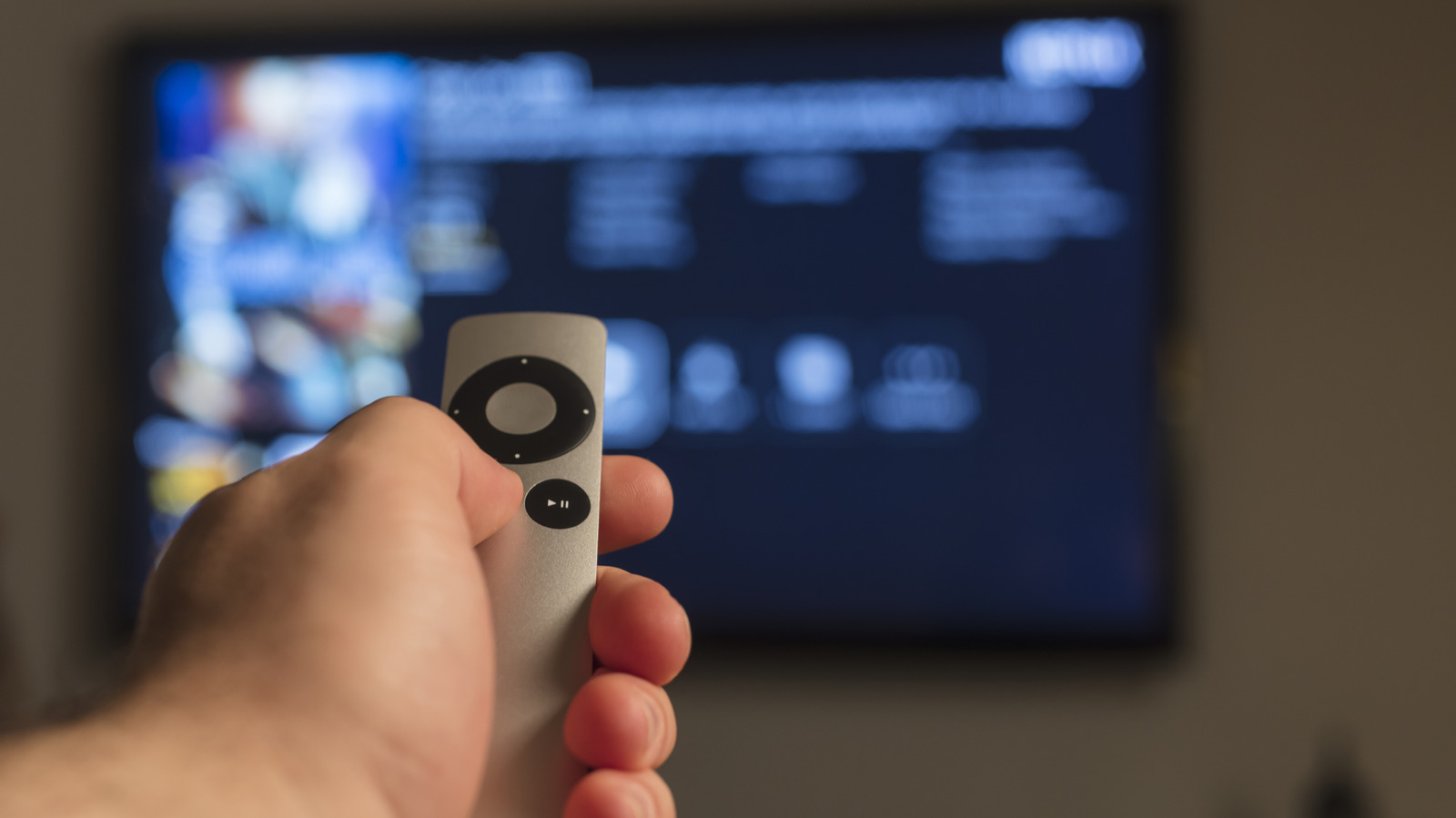
So, you’re one of those people who love binge-watching before bed. In that case, you already know how annoying it is to turn on your Apple TV in a dark room and get washed in blinding white light. It strains your eyes and makes you uncomfortable real quick, the exact opposite of what was supposed to be a relaxing movie night. The good news is, Apple TV offers a quick solution to this in the form of the built-in Dark Mode. The device is usually already set to Dark Mode out of the box, but if yours isn’t, it’s incredibly easy to change this Apple TV setting.

All you have to do is open the Settings app. Then, head over to General and select Appearance. From here, you can click on Dark to permanently set the system to Dark Mode, or select Automatic to switch between Light and Dark Mode depending on the time of day — Light during the day and Dark at night. With Dark Mode enabled, you can navigate your Apple TV better without the harsh glare. It’s much cozier and calmer, too.

More nifty Apple TV settings to make the screen easy on the eyes

On top of the Dark Mode setting, Apple TV comes with two other tools to keep the screen more comfortable to look at: Light Sensitivity and Reduce White Point. Both features are part of Apple TV’s accessibility settings. What Light Sensitivity does is make the screen look dimmer. Reduce White Point — which is similar to iPhone’s battery-saving feature — also effectively dims the display, but it does so by toning down the colors’ brightness level. To turn on these Apple TV features, here’s what you need to do:

  1. Launch the Settings app.
  2. Select Accessibility from the menu.
  3. Under Vision, click on Display.
  4. Scroll down and choose Light Sensitivity.
  5. Press Light Sensitivity to enable it.
  6. Go to Intensity.
  7. Change the percentage to your desired level.
  8. Return to the Display settings.
  9. Head over to Reduce White Point.
  10. Hit Reduce White Point to activate it.
  11. Choose Intensity.
  12. Set your preferred intensity percentage by moving the slider.

If you don’t want to go into Settings every time you want to turn these features on and off, you can add them as accessibility shortcuts instead. Follow these steps to set this up:

  1. Go to the main Accessibility menu in the Settings.
  2. Choose Accessibility Shortcut on the bottom of the screen.
  3. Click on both Light Sensitivity and Reduce White Point.

From here, you can quickly enable and disable both features right from your Apple TV’s Control Center. Just long-press on the TV button on your remote and hit the person icon to open the accessibility shortcut panel at the top of the screen. An even quicker way is pressing three times on the back button to bring up the accessibility shortcut panel, but in the middle of the screen.


Sign Up For Daily Newsletter

Be keep up! Get the latest breaking news delivered straight to your inbox.
By signing up, you agree to our Terms of Use and acknowledge the data practices in our Privacy Policy. You may unsubscribe at any time.
Share This Article
Facebook Twitter Email Print
Share
What do you think?
Love0
Sad0
Happy0
Sleepy0
Angry0
Dead0
Wink0
Previous Article Firefox 149 Beta Released With Convenient Split-View Mode Firefox 149 Beta Released With Convenient Split-View Mode
Next Article Hands on: I’m super impressed with the Galaxy S26 Ultra’s new Privacy Display Hands on: I’m super impressed with the Galaxy S26 Ultra’s new Privacy Display
Leave a comment

Leave a Reply Cancel reply

Your email address will not be published. Required fields are marked *

Stay Connected

248.1k Like
69.1k Follow
134k Pin
54.3k Follow

Latest News

China launches first open robot leasing platform BOTSHARE in Shanghai · TechNode
Computing
3 Cheapest Ways To Turn Your Phone Into A Portable Gaming Console – BGR
News
ByteDance sells Moonton for over  billion to Saudi Arabia’s Public Investment Fund · TechNode
ByteDance sells Moonton for over $6 billion to Saudi Arabia’s Public Investment Fund · TechNode
Computing
Apple issues first Background patch for WebKit browser flaw | Computer Weekly
News

You Might also Like

3 Cheapest Ways To Turn Your Phone Into A Portable Gaming Console – BGR
News

3 Cheapest Ways To Turn Your Phone Into A Portable Gaming Console – BGR

7 Min Read
Apple issues first Background patch for WebKit browser flaw | Computer Weekly
News

Apple issues first Background patch for WebKit browser flaw | Computer Weekly

4 Min Read
Our readers agree: Google just sabotaged your muscle memory by taking this feature away
News

Our readers agree: Google just sabotaged your muscle memory by taking this feature away

5 Min Read
5 Laptops With Better Specs Than The MacBook Neo For The Same Price – BGR
News

5 Laptops With Better Specs Than The MacBook Neo For The Same Price – BGR

14 Min Read
//

World of Software is your one-stop website for the latest tech news and updates, follow us now to get the news that matters to you.

Quick Link

  • Privacy Policy
  • Terms of use
  • Advertise
  • Contact

Topics

  • Computing
  • Software
  • Press Release
  • Trending

Sign Up for Our Newsletter

Subscribe to our newsletter to get our newest articles instantly!

World of SoftwareWorld of Software
Follow US
Copyright © All Rights Reserved. World of Software.
Welcome Back!

Sign in to your account

Lost your password?