By using this site, you agree to the Privacy Policy and Terms of Use.
Accept
World of SoftwareWorld of SoftwareWorld of Software
  • News
  • Software
  • Mobile
  • Computing
  • Gaming
  • Videos
  • More
    • Gadget
    • Web Stories
    • Trending
    • Press Release
Search
  • Privacy
  • Terms
  • Advertise
  • Contact
Copyright © All Rights Reserved. World of Software.
Reading: Facebook Analytics Metrics You Should Track |
Share
Sign In
Notification Show More
Font ResizerAa
World of SoftwareWorld of Software
Font ResizerAa
  • Software
  • Mobile
  • Computing
  • Gadget
  • Gaming
  • Videos
Search
  • News
  • Software
  • Mobile
  • Computing
  • Gaming
  • Videos
  • More
    • Gadget
    • Web Stories
    • Trending
    • Press Release
Have an existing account? Sign In
Follow US
  • Privacy
  • Terms
  • Advertise
  • Contact
Copyright © All Rights Reserved. World of Software.
World of Software > Computing > Facebook Analytics Metrics You Should Track |
Computing

Facebook Analytics Metrics You Should Track |

News Room
Last updated: 2026/04/04 at 4:31 PM
News Room Published 4 April 2026
Share
Facebook Analytics Metrics You Should Track |
SHARE

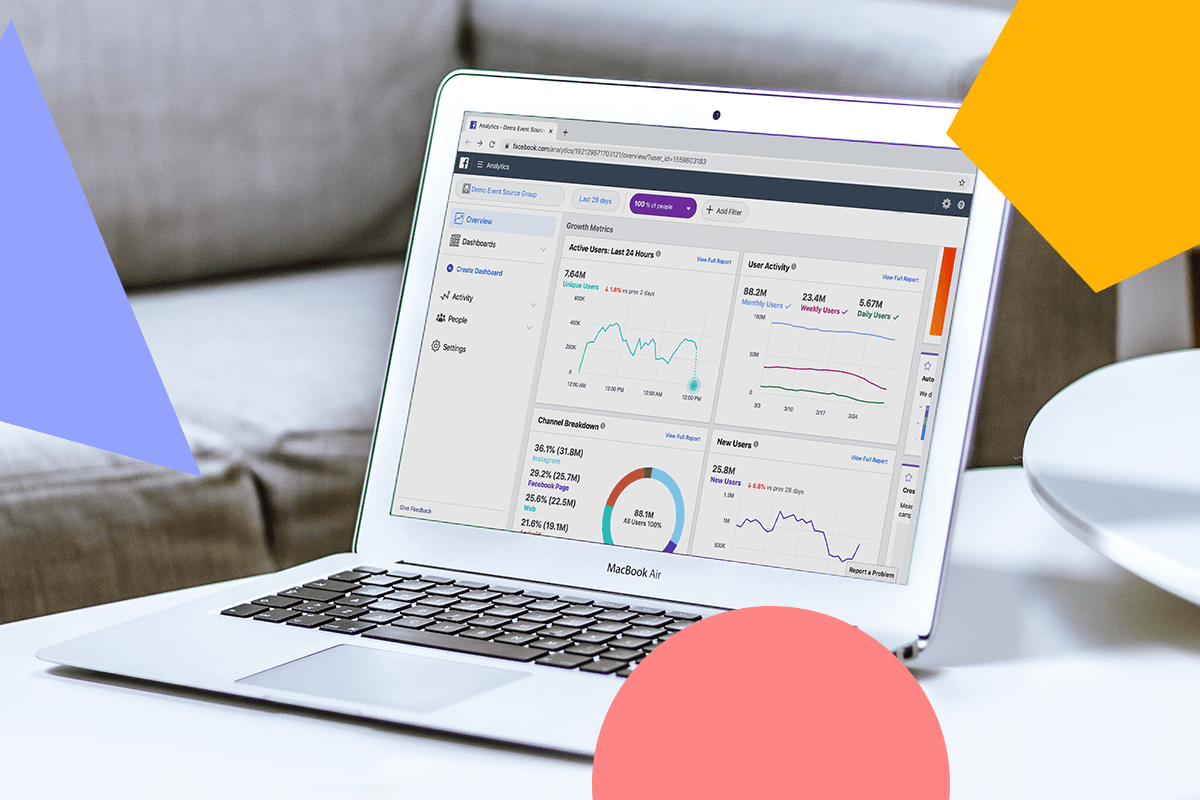
What is Facebook Analytics?

Once you click into the Insights dashboard, you’ll find the Overview section, as marked in the far left navigation column.

Right in step with its name, the Overview section gives you a wealth of information! Here’s how to start navigating:

#1: Page Summary

At the top, you’ll see the Page Summary section showcases a few standout metrics like Page Likes, Post Engagement, and Reach.

If you want to see your metrics across a different timeframe, you can easily adjust this next to Page Summary. Timeline options to adjust to include “Today”, “Yesterday”, “Last 7 Days”, or “Last 28 Days”!

To learn what all the metrics mean, you can toggle over each section’s gray “i” for a short definition!

But, once you check out a metric and see what it means, how can you use it to your advantage?

There are tons of answers to this, depending on the goals you have for your Facebook Page, but here are few key tips:

  • If you’re focusing on boosting engagement: Check out your Post Engagement metric to assess where there were spikes! For each spike, go back and check out exactly what you posted that day — this will help you clue-in on the content that’s best engaging your audience. Post more of it!

  • If you’re posting videos that link to other webpages: The Videos metric can instantly show you how successfully you’re driving traffic via views and engagement. Investigate why some videos are getting clicked on more than others, and adjust your posting routine from there!

This is just a starting point, but you can deep dive into all the metrics to find out more about your page performance!

TIP: Use the “Export Data” tool in the upper left to export metrics around your Page, posts, or videos as CSV files or Excel spreadsheets! This is handy if you need to provide your team with reporting.

#2: Your Most Recent Posts

If you keep scrolling down the Overview tab page, you’ll see the next section labeled “Your 5 Most Recent Posts.”

This convenient section provides quick insights on your last 5 posts, whether they were photos published, a status update, or a Facebook Stories post!

You can see the publish date/time, a link to the post, and the type, reach, engagement, and an option to promote.

This section is especially useful in assessing how you’re doing recently! Maybe you just did your first Facebook giveaway and published a handful of promotional posts — this section will tell you what you need to know to improve your next one!

Outside of your 5 most-recent posts, you also have the option to go further back and take a look at all of your posts — just click “See All Posts”:

If you click the link to a post, you’ll find an in-depth performance overview including all reactions, comments, and shares on the original post and any shared instances.

NOTE: Interactions that have been changed or deleted are counted toward the total. For example, when someone changes a reaction from love to like, it counts as two interactions!

#3: Pages to Watch

The last section of the Overview page is the Pages to Watch feature, a crowd favorite! This handy little section compiles a quick shortlist of a few other pages that are similar to your own.

It allows you to track the progress of 5 or more Pages you wish to watch, or save in this section to check up on later. Once you click “Watch Page”, you’ll see how many likes they get so you can keep up!

Here’s a few benefits of using this feature:

  • You can know how your Facebook Page is performing amongst peers and competitors

  • It’s a great source if you’re looking for content inspiration

  • You can use it to get a pulse on what’s trending in your line of business

  • If you click through on one of the Pages to Watch and scroll down, you’ll find their ranked top posts from the week!


Sign Up For Daily Newsletter

Be keep up! Get the latest breaking news delivered straight to your inbox.
By signing up, you agree to our Terms of Use and acknowledge the data practices in our Privacy Policy. You may unsubscribe at any time.
Share This Article
Facebook Twitter Email Print
Share
What do you think?
Love0
Sad0
Happy0
Sleepy0
Angry0
Dead0
Wink0
Previous Article Here’s How Much Starlink Costs in 2026 (and How to Decide If It’s Worth It) Here’s How Much Starlink Costs in 2026 (and How to Decide If It’s Worth It)
Next Article Understanding the Needs of Your Team Understanding the Needs of Your Team
Leave a comment

Leave a Reply Cancel reply

Your email address will not be published. Required fields are marked *

Stay Connected

248.1k Like
69.1k Follow
134k Pin
54.3k Follow

Latest News

I’m going to watch Michigan vs Arizona at no-cost — here’s how you can stream for FREE too
News
Best Amazon Spring Sale headphones deals 2026: Bose, Sony, and Apple are still on sale
News
Why Comments Are More Valuable Than Ever on TikTok –  Blog
Why Comments Are More Valuable Than Ever on TikTok – Blog
Computing
Here’s How Speakers Make Multiple Sounds At Once – BGR
News

You Might also Like

Why Comments Are More Valuable Than Ever on TikTok –  Blog
Computing

Why Comments Are More Valuable Than Ever on TikTok – Blog

1 Min Read
ByteDance fires LLM team head over conflict of interest · TechNode
Computing

ByteDance fires LLM team head over conflict of interest · TechNode

1 Min Read
How to Find the Best TikTok Hashtags For Your Videos
Computing

How to Find the Best TikTok Hashtags For Your Videos

19 Min Read
Players Are Not Quitting Games – They’re Quitting Bad Experiences | HackerNoon
Computing

Players Are Not Quitting Games – They’re Quitting Bad Experiences | HackerNoon

11 Min Read
//

World of Software is your one-stop website for the latest tech news and updates, follow us now to get the news that matters to you.

Quick Link

  • Privacy Policy
  • Terms of use
  • Advertise
  • Contact

Topics

  • Computing
  • Software
  • Press Release
  • Trending

Sign Up for Our Newsletter

Subscribe to our newsletter to get our newest articles instantly!

World of SoftwareWorld of Software
Follow US
Copyright © All Rights Reserved. World of Software.
Welcome Back!

Sign in to your account

Lost your password?