By using this site, you agree to the Privacy Policy and Terms of Use.
Accept
World of SoftwareWorld of SoftwareWorld of Software
  • News
  • Software
  • Mobile
  • Computing
  • Gaming
  • Videos
  • More
    • Gadget
    • Web Stories
    • Trending
    • Press Release
Search
  • Privacy
  • Terms
  • Advertise
  • Contact
Copyright © All Rights Reserved. World of Software.
Reading: First look: Here’s how Android’s cool automatic SIM lock protection works
Share
Sign In
Notification Show More
Font ResizerAa
World of SoftwareWorld of Software
Font ResizerAa
  • Software
  • Mobile
  • Computing
  • Gadget
  • Gaming
  • Videos
Search
  • News
  • Software
  • Mobile
  • Computing
  • Gaming
  • Videos
  • More
    • Gadget
    • Web Stories
    • Trending
    • Press Release
Have an existing account? Sign In
Follow US
  • Privacy
  • Terms
  • Advertise
  • Contact
Copyright © All Rights Reserved. World of Software.
World of Software > News > First look: Here’s how Android’s cool automatic SIM lock protection works
News

First look: Here’s how Android’s cool automatic SIM lock protection works

News Room
Last updated: 2026/03/20 at 10:44 AM
News Room Published 20 March 2026
Share
First look: Here’s how Android’s cool automatic SIM lock protection works
SHARE

Megan Ellis / Android Authority

TL;DR

  • The latest Android Canary build includes an automatic SIM lock protection feature.
  • This feature saves you from having to enter your SIM card’s PIN when rebooting your phone.
  • This comes several weeks after we first uncovered evidence of the feature.

Google has enabled the automatic SIM lock protection feature in the latest Android Canary build. The feature is accessible by tapping Security & Privacy > More security & privacy > Protect SIM card. Check out the screenshots below.

Don’t want to miss the best from Android Authority?

google preferred source badge light@2xgoogle preferred source badge dark@2x

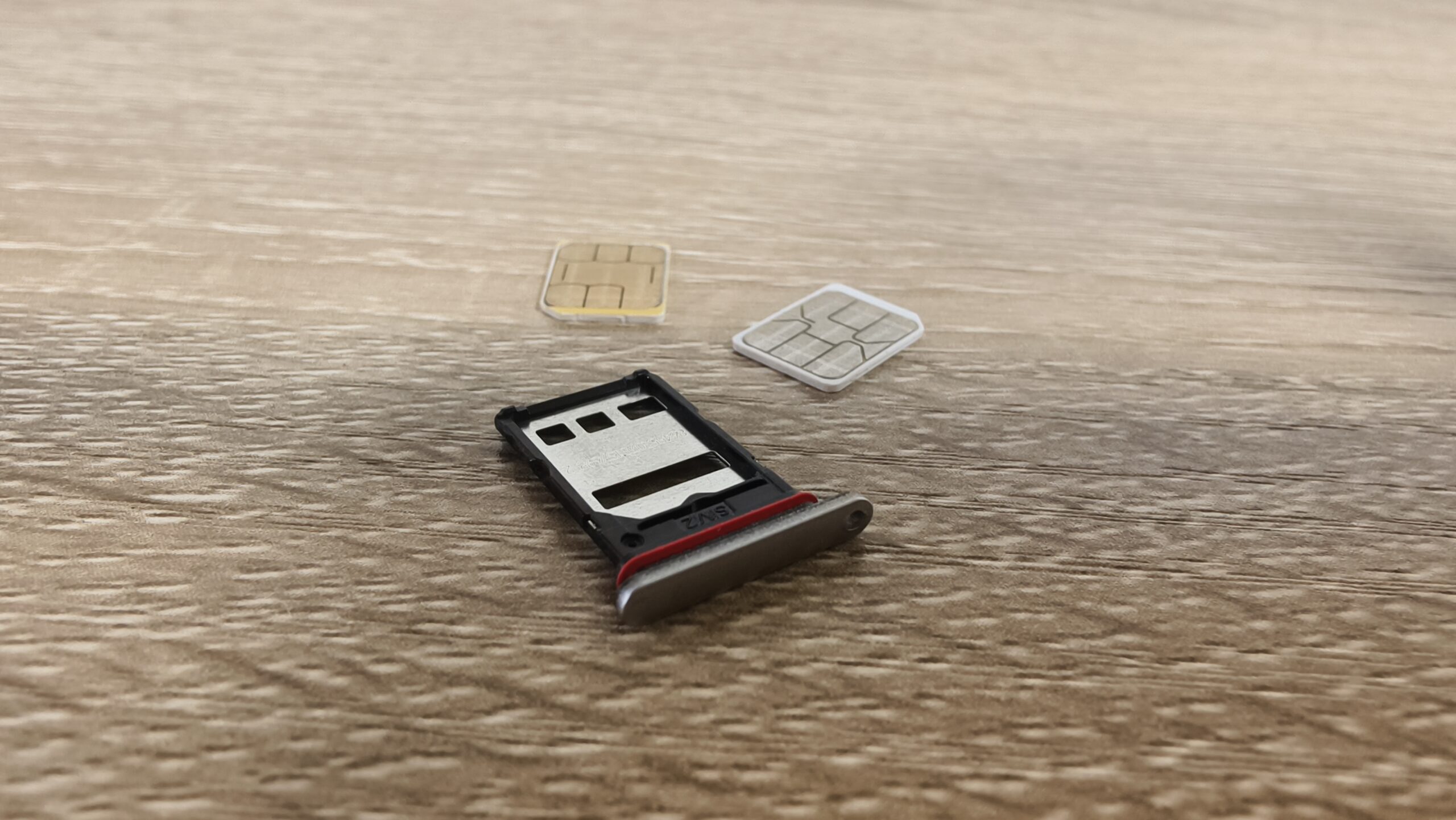
For the uninitiated, a SIM PIN differs from a phone’s unlock PIN and can be set up on virtually all physical SIM cards. Once you’ve enabled this PIN, it needs to be entered whenever you reboot your phone or when you put the SIM in another phone. Without a SIM PIN, you can’t use your SIM card for phone calls, text messages, or mobile data connectivity.

However, it can be inconvenient to remember your SIM card’s PIN in addition to other PINs and passwords in your life. Fortunately, that’s where automatic SIM lock protection comes in.

How does this SIM lock feature work?

To set up the feature, first tap the Automatic PIN management toggle and then enter your phone’s passcode or scan your biometrics. Once you’ve activated this toggle, you’ll be prompted to enter your SIM card’s current PIN. Haven’t set up a SIM card PIN yet? Then you can tap the use carrier default option (see the third screenshot above) to use your network’s default code. The carrier’s default PIN is typically 0000, 1234, 1111, or another similarly simple code.

Do you have a PIN enabled on your SIM card?

35 votes

Once you’ve entered your SIM card’s PIN and tapped OK, that’s it. Now, the Android OS will automatically enter your SIM card PIN when you enter your device’s lock code upon rebooting. You can also view the SIM card’s PIN by tapping the Show Android-managed PIN option within the Automatic SIM lock protection section.

Automatic PIN management is clearly a very convenient option for Android phone users, as it means you don’t need to remember the SIM PIN (although you should still write it down somewhere just in case). However, your SIM card PIN still has to be entered if the card is inserted into another phone, giving you a handy layer of protection if your phone is stolen. This is particularly useful if you’re worried about criminals accessing your two-factor codes.

Thank you for being part of our community. Read our Comment Policy before posting.

Sign Up For Daily Newsletter

Be keep up! Get the latest breaking news delivered straight to your inbox.
By signing up, you agree to our Terms of Use and acknowledge the data practices in our Privacy Policy. You may unsubscribe at any time.
Share This Article
Facebook Twitter Email Print
Share
What do you think?
Love0
Sad0
Happy0
Sleepy0
Angry0
Dead0
Wink0
Previous Article Sony could be about to retire one of PlayStation’s most recognisable brands Sony could be about to retire one of PlayStation’s most recognisable brands
Next Article Apple just broke launch-week records for new Mac users Apple just broke launch-week records for new Mac users
Leave a comment

Leave a Reply Cancel reply

Your email address will not be published. Required fields are marked *

Stay Connected

248.1k Like
69.1k Follow
134k Pin
54.3k Follow

Latest News

Tesla loses its head of Giga Shanghai to a Chinee energy firm · TechNode
Computing
UK Cyber Monitoring Centre plans expansion in US amid risk of Category 5 attack | Computer Weekly
News
Vivo’s best camera phone option has a launch date
Gadget
Platform Engineering as a Practice of Sociotechnical Excellence
News

You Might also Like

UK Cyber Monitoring Centre plans expansion in US amid risk of Category 5 attack | Computer Weekly
News

UK Cyber Monitoring Centre plans expansion in US amid risk of Category 5 attack | Computer Weekly

7 Min Read
Platform Engineering as a Practice of Sociotechnical Excellence
News

Platform Engineering as a Practice of Sociotechnical Excellence

68 Min Read
Google’s battery-powered Nest Doorbell is  off right now
News

Google’s battery-powered Nest Doorbell is $40 off right now

2 Min Read
Netflix's First-Ever Live Concert Hypes BTS' Big Return. Here's How to Watch
News

Netflix's First-Ever Live Concert Hypes BTS' Big Return. Here's How to Watch

4 Min Read
//

World of Software is your one-stop website for the latest tech news and updates, follow us now to get the news that matters to you.

Quick Link

  • Privacy Policy
  • Terms of use
  • Advertise
  • Contact

Topics

  • Computing
  • Software
  • Press Release
  • Trending

Sign Up for Our Newsletter

Subscribe to our newsletter to get our newest articles instantly!

World of SoftwareWorld of Software
Follow US
Copyright © All Rights Reserved. World of Software.
Welcome Back!

Sign in to your account

Lost your password?