By using this site, you agree to the Privacy Policy and Terms of Use.
Accept
World of SoftwareWorld of SoftwareWorld of Software
  • News
  • Software
  • Mobile
  • Computing
  • Gaming
  • Videos
  • More
    • Gadget
    • Web Stories
    • Trending
    • Press Release
Search
  • Privacy
  • Terms
  • Advertise
  • Contact
Copyright © All Rights Reserved. World of Software.
Reading: Galaxy S25 gets iOS-like Quick Settings customizations with latest beta update
Share
Sign In
Notification Show More
Font ResizerAa
World of SoftwareWorld of Software
Font ResizerAa
  • Software
  • Mobile
  • Computing
  • Gadget
  • Gaming
  • Videos
Search
  • News
  • Software
  • Mobile
  • Computing
  • Gaming
  • Videos
  • More
    • Gadget
    • Web Stories
    • Trending
    • Press Release
Have an existing account? Sign In
Follow US
  • Privacy
  • Terms
  • Advertise
  • Contact
Copyright © All Rights Reserved. World of Software.
World of Software > News > Galaxy S25 gets iOS-like Quick Settings customizations with latest beta update
News

Galaxy S25 gets iOS-like Quick Settings customizations with latest beta update

News Room
Last updated: 2025/12/08 at 9:59 AM
News Room Published 8 December 2025
Share
Galaxy S25 gets iOS-like Quick Settings customizations with latest beta update
SHARE

Paul Jones / Android Authority

TL;DR

  • Samsung launched the One UI 8.5 beta for the Galaxy S25 series.
  • As part of the update, users can now separate, resize, and vertically orient volume and brightness sliders in the Quick Settings panel.
  • The update also introduces categorized toggle widgets that can be added outside of the standard collapsible panels.

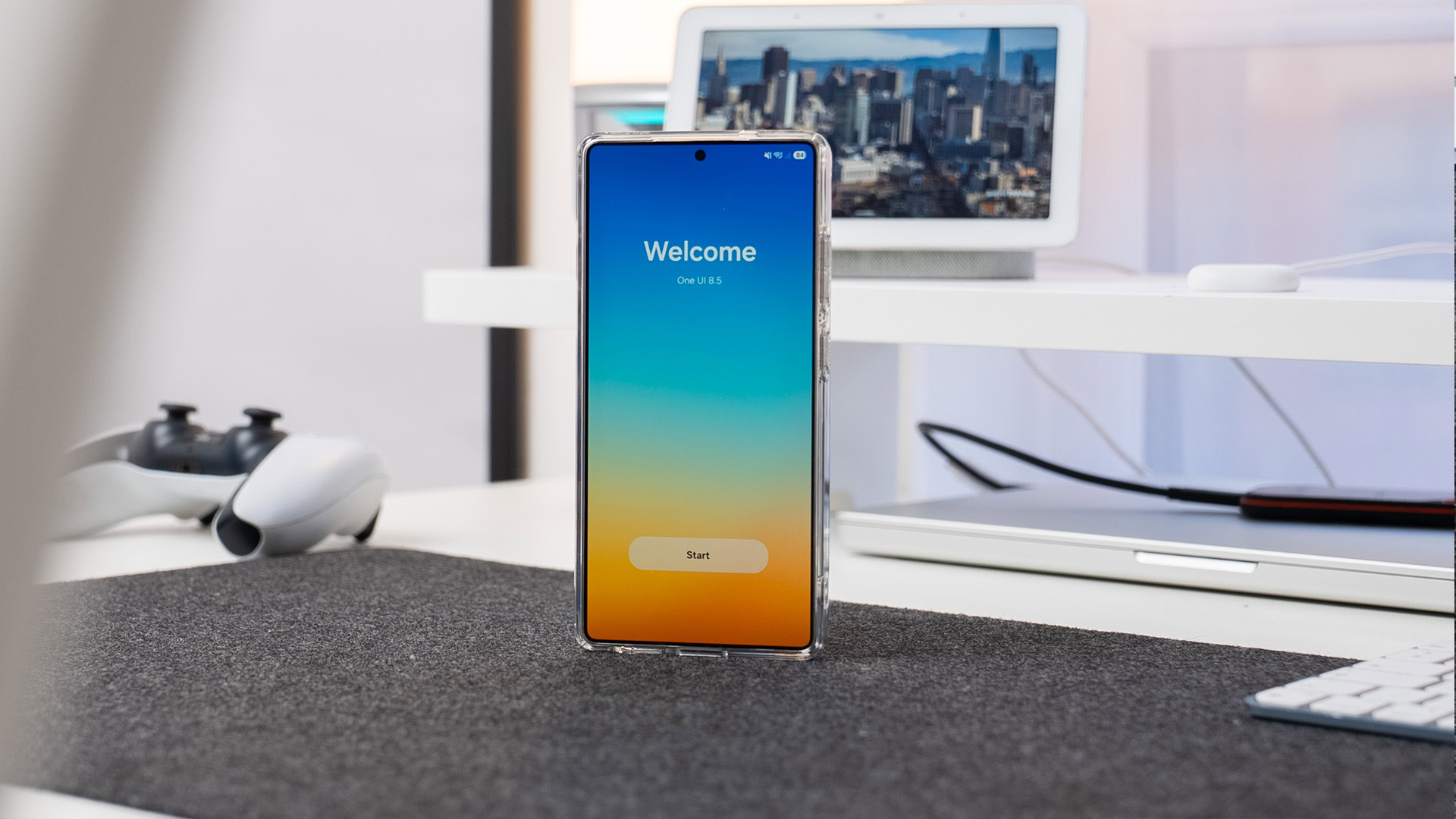
Samsung just launched One UI 8.5 beta for the Galaxy S25 series. It’s a big update for Galaxy phones, and S25 series users can now try out standout features like an adaptive lock screen clock and Storage Share, though they’ll have to wait a bit for the elusive Bixby x Perplexity upgrade. Another significant change introduced by this update is the better customization options for the Quick Settings panel, which may help you achieve the perfect setup for your needs, although Samsung may have looked at Apple for some inspiration.

Don’t want to miss the best from Android Authority?

google preferred source badge light@2xgoogle preferred source badge dark@2x

In One UI 7 and One UI 8, users can reorder items like the volume and brightness sliders, and add and remove toggles in the panel below Wi-Fi and Bluetooth. These were decent customizations, but that’s all that could be changed.

With One UI 8.5, Samsung is allowing users to separate the brightness and volume sliders into independent sliders (instead of a combined slider). Additionally, they can be individually resized and even converted into vertical sliders, rather than the default horizontal orientation, similar to the vertical orientation available on iOS’ Control Center.

One UI 8.5 also allows toggles to be added outside of the collapsible Quick Settings panels. When you go to add a new toggle widget, you will now see categories, much like iOS’ Control Center.

iPhone 16 Pro Control Center

Ryan Haines / Android Authority

One can argue whether or not iOS is the inspiration for these changes, but having the option for more customization is great for Galaxy users. You can now create the perfect Quick Settings panel setup that works exactly for your needs with the right toggles and placement.

Thank you for being part of our community. Read our Comment Policy before posting.

Sign Up For Daily Newsletter

Be keep up! Get the latest breaking news delivered straight to your inbox.
By signing up, you agree to our Terms of Use and acknowledge the data practices in our Privacy Policy. You may unsubscribe at any time.
Share This Article
Facebook Twitter Email Print
Share
What do you think?
Love0
Sad0
Happy0
Sleepy0
Angry0
Dead0
Wink0
Previous Article AMD Working On Push-Based Load Balancing For Linux To Further Enhance Performance AMD Working On Push-Based Load Balancing For Linux To Further Enhance Performance
Next Article Apple Fitness+ expands to 28 new countries with AI dubbing Apple Fitness+ expands to 28 new countries with AI dubbing
Leave a comment

Leave a Reply Cancel reply

Your email address will not be published. Required fields are marked *

Stay Connected

248.1k Like
69.1k Follow
134k Pin
54.3k Follow

Latest News

Seattle startup Scowtt raises M to turn CRM data into better ad campaigns
Seattle startup Scowtt raises $12M to turn CRM data into better ad campaigns
Computing
Photopea Review: A Free, Browser-Based Photoshop Substitute
News
Early Benchmarks Of Linux 6.19 Git Raising Some Concerns
Computing
Give your PC a total refresh for just  with this Microsoft upgrade
Give your PC a total refresh for just $10 with this Microsoft upgrade
News

You Might also Like

Photopea Review: A Free, Browser-Based Photoshop Substitute
News

Photopea Review: A Free, Browser-Based Photoshop Substitute

3 Min Read
Give your PC a total refresh for just  with this Microsoft upgrade
News

Give your PC a total refresh for just $10 with this Microsoft upgrade

3 Min Read
Apple TV dominates Golden Globes nominations across major categories
News

Apple TV dominates Golden Globes nominations across major categories

3 Min Read
OpenAI says it’s disabled ad-like app promotions in ChatGPT
News

OpenAI says it’s disabled ad-like app promotions in ChatGPT

4 Min Read
//

World of Software is your one-stop website for the latest tech news and updates, follow us now to get the news that matters to you.

Quick Link

  • Privacy Policy
  • Terms of use
  • Advertise
  • Contact

Topics

  • Computing
  • Software
  • Press Release
  • Trending

Sign Up for Our Newsletter

Subscribe to our newsletter to get our newest articles instantly!

World of SoftwareWorld of Software
Follow US
Copyright © All Rights Reserved. World of Software.
Welcome Back!

Sign in to your account

Lost your password?