TL;DR
- Google’s introducing PC Connect, for streaming your computer’s display to an Android XR headset.
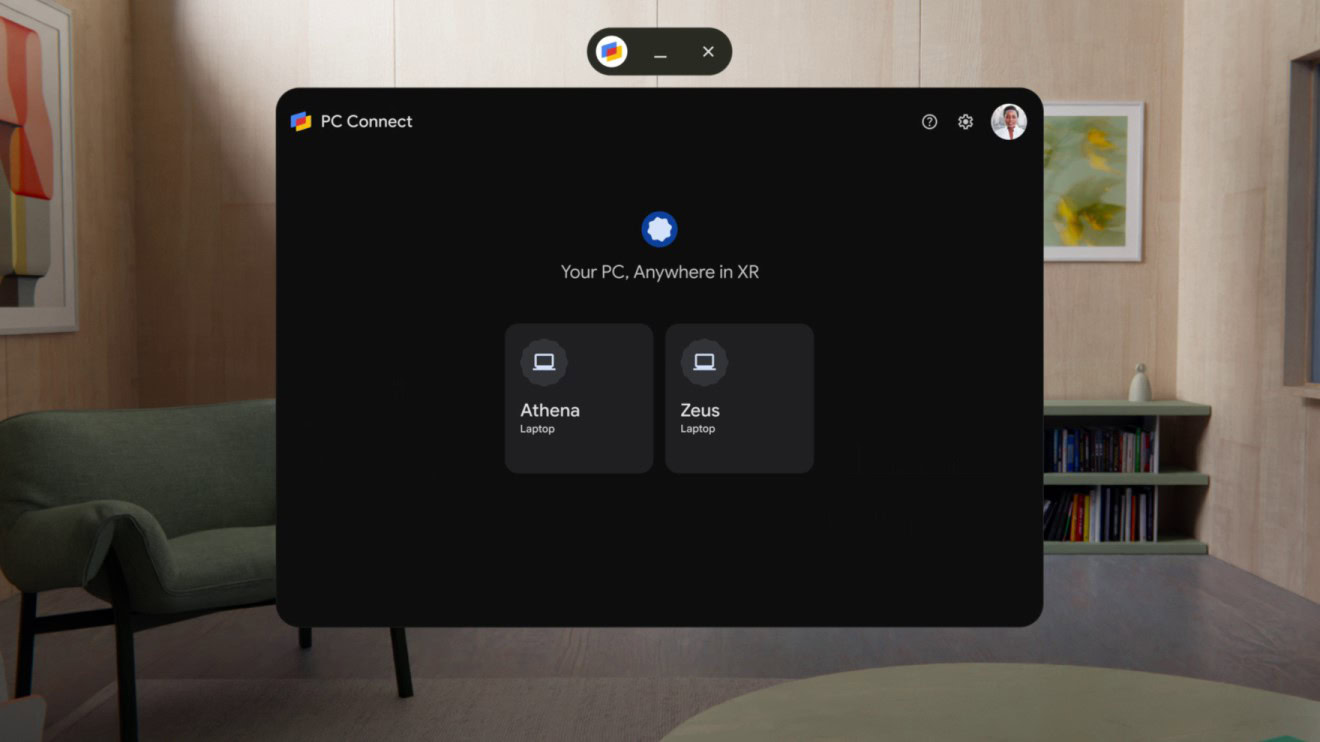
- PC Connect supports multiple computers, letting you jump from one to another.
- Beta access to PC Connect begins today.
Samsung’s Galaxy XR is here, and while both it and Android XR itself are still in their early days, we’re already starting to get a real sense of the potential this kind of hardware offers. While many users may be content to stick to the content they find on Android, having a high-resolution, immersive screen strapped to your face practically begs for the chance to connect it with some of the other media in our lives, and when it comes to PC software, Google intends to make that as easy as possible.
Don’t want to miss the best from Android Authority?


In another world, viewing PC output on a headset like the Galaxy XR could be a real chore, forcing you to hook up a physical DisplayPort cable, and then making you choose between viewing either that PC video feed, or the Android XR environment.
With Android XR on the Galaxy XR, though, Google is slicing right through all that red tape. This is all thanks to a software solution called PC Connect. With your XR headset on, getting started with playing a game that lives on your PC will be as easy as selecting the PC Connect app.
Not only does that make it easy to jump between devices if you’ve got multiple PCs you might want to interact with through your headset, but the fact that we’re still viewing this feed within Android XR means that you’ve still got access to features like Gemini the whole time. As you can observe in Google’s demo above, Gemini’s able to see what’s on your PC and not just answer questions based on what you’re doing, but also interact with that screen, highlighting areas of interest.
If you’re one of the lucky few to already have a Galaxy XR headset, you won’t have to wait to give PC Connect a try, as Google gets beta access started today.
Thank you for being part of our community. Read our Comment Policy before posting.