By using this site, you agree to the Privacy Policy and Terms of Use.
Accept
World of SoftwareWorld of SoftwareWorld of Software
  • News
  • Software
  • Mobile
  • Computing
  • Gaming
  • Videos
  • More
    • Gadget
    • Web Stories
    • Trending
    • Press Release
Search
  • Privacy
  • Terms
  • Advertise
  • Contact
Copyright © All Rights Reserved. World of Software.
Reading: Google will let you tell Discover what you want to see
Share
Sign In
Notification Show More
Font ResizerAa
World of SoftwareWorld of Software
Font ResizerAa
  • Software
  • Mobile
  • Computing
  • Gadget
  • Gaming
  • Videos
Search
  • News
  • Software
  • Mobile
  • Computing
  • Gaming
  • Videos
  • More
    • Gadget
    • Web Stories
    • Trending
    • Press Release
Have an existing account? Sign In
Follow US
  • Privacy
  • Terms
  • Advertise
  • Contact
Copyright © All Rights Reserved. World of Software.
World of Software > News > Google will let you tell Discover what you want to see
News

Google will let you tell Discover what you want to see

News Room
Last updated: 2025/12/15 at 8:59 PM
News Room Published 15 December 2025
Share
Google will let you tell Discover what you want to see
SHARE

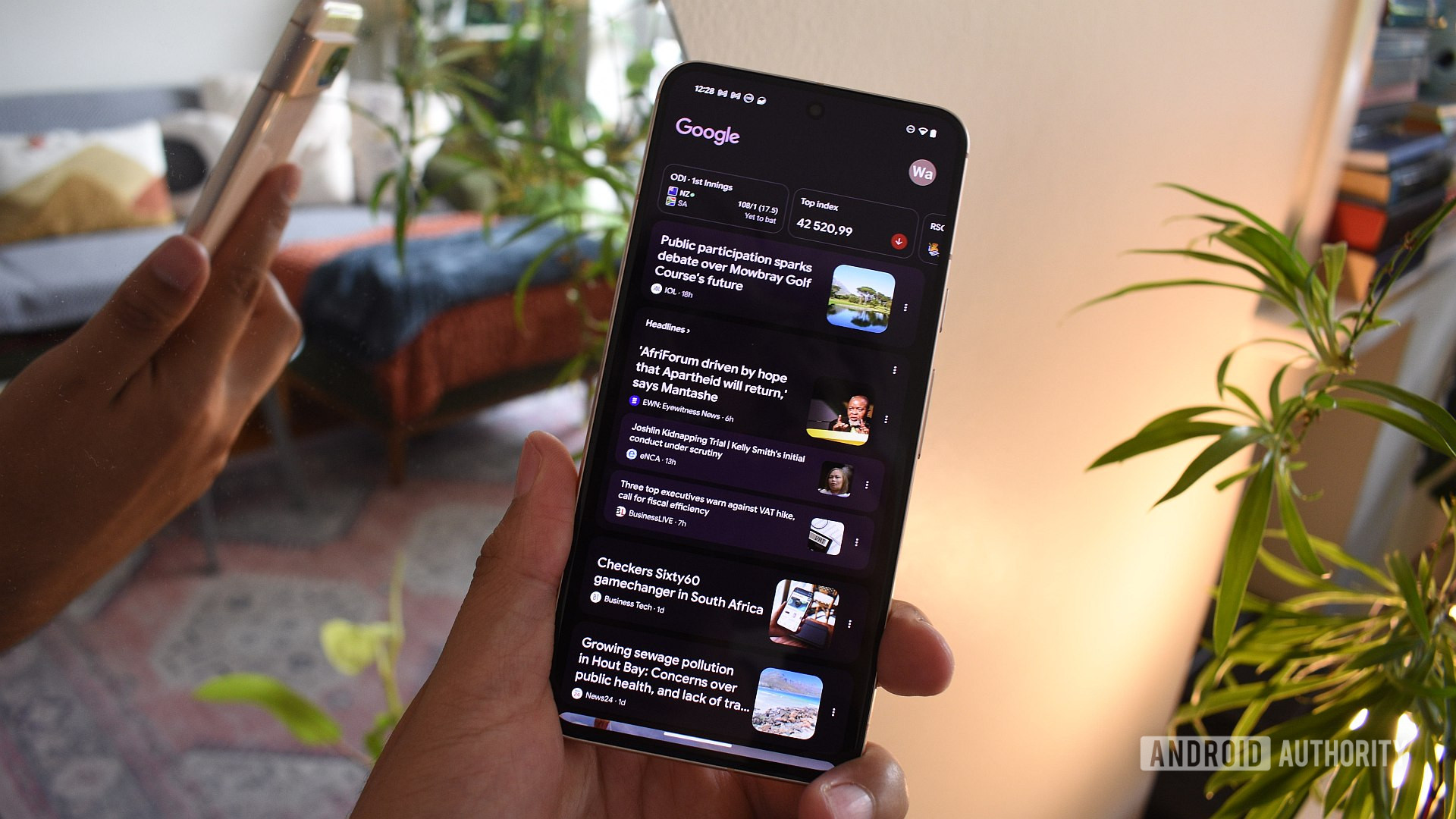
Andy Walker / Android Authority

TL;DR

  • A new Google Search Labs experiment lets you “Tailor your feed,” personalizing Discover content.
  • The experiment sees users make plain-language requests about the type of content they want to see.
  • You can sign up for the latest experiment in Search Labs now.

Google gives the option to try a bunch of developing search-related features early in Search Labs. This weekend, a Reddit user spotted a new Labs feature that purportedly lets you tweak the content on your Discover feed to your liking — using AI, of course.

User Gaiden206 posted screenshots of the new experiment on the r/pixel_phones subreddit. Called “Tailor your feed,” the experiment lets you tell the Google app specifically the type of content you do or don’t want to see in Discover, with flexibility to add or remove topics, or narrow the focus of a type of content you’re already seeing. You can even use it to have Discover pick up or exclude content from specific sources.

Don’t want to miss the best from Android Authority?

google preferred source badge light@2xgoogle preferred source badge dark@2x

Google Discover already has features that let you tweak the type of content you see in your feed. Tapping the three-dot icon in the upper right corner of any story in Discover surfaces options to request less content of a certain type, or to exclude content around certain topics or from certain sources.

This new experiment lets you get more specific. Using text input, you can “Tell your Discover feed what you want to see in your own words.” For example, Google says you could tell Discover that you only want to see recipes that account for certain dietary preferences. You can also make more abstract requests, like telling Discover to give your feed a specific “vibe.”

To access this experiment, you’ll need to sign up for Search Labs. Once you’re in, you’ll see a new icon that looks like a laboratory flask in the top left corner of the Google app. Tap that icon, then scroll down to Tailor your feed and tap Turn on. If you find your Discover feed shows you a lot of irrelevant content and you don’t mind telling Google a little more about yourself, this one might be up your alley.

Thank you for being part of our community. Read our Comment Policy before posting.
Sign Up For Daily Newsletter

Be keep up! Get the latest breaking news delivered straight to your inbox.
By signing up, you agree to our Terms of Use and acknowledge the data practices in our Privacy Policy. You may unsubscribe at any time.
Share This Article
Facebook Twitter Email Print
Share
What do you think?
Love0
Sad0
Happy0
Sleepy0
Angry0
Dead0
Wink0
Previous Article Check Price, Specs and Availability Check Price, Specs and Availability
Next Article iOS 26.3 Beta 1 Features: What’s New So Far iOS 26.3 Beta 1 Features: What’s New So Far
Leave a comment

Leave a Reply Cancel reply

Your email address will not be published. Required fields are marked *

Stay Connected

248.1k Like
69.1k Follow
134k Pin
54.3k Follow

Latest News

WeChat bans 209 accounts allegedly using AI to impersonate public figures · TechNode
Computing
You Can Turn Your Raspberry Pi Into A TV – Here’s How – BGR
News
Nvidia acquires Slurm developer SchedMD to enhance its software capabilities –  News
Nvidia acquires Slurm developer SchedMD to enhance its software capabilities – News
News
plans to increase production of the H200 in the face of an avalanche of orders, according to Reuters
Mobile

You Might also Like

You Can Turn Your Raspberry Pi Into A TV – Here’s How – BGR
News

You Can Turn Your Raspberry Pi Into A TV – Here’s How – BGR

5 Min Read
Nvidia acquires Slurm developer SchedMD to enhance its software capabilities –  News
News

Nvidia acquires Slurm developer SchedMD to enhance its software capabilities – News

5 Min Read
This laptop is powered by your Samsung phone, and it just got a big upgrade
News

This laptop is powered by your Samsung phone, and it just got a big upgrade

4 Min Read
Today's NYT Mini Crossword Answers for Dec. 16 – CNET
News

Today's NYT Mini Crossword Answers for Dec. 16 – CNET

2 Min Read
//

World of Software is your one-stop website for the latest tech news and updates, follow us now to get the news that matters to you.

Quick Link

  • Privacy Policy
  • Terms of use
  • Advertise
  • Contact

Topics

  • Computing
  • Software
  • Press Release
  • Trending

Sign Up for Our Newsletter

Subscribe to our newsletter to get our newest articles instantly!

World of SoftwareWorld of Software
Follow US
Copyright © All Rights Reserved. World of Software.
Welcome Back!

Sign in to your account

Lost your password?