By using this site, you agree to the Privacy Policy and Terms of Use.
Accept
World of SoftwareWorld of SoftwareWorld of Software
  • News
  • Software
  • Mobile
  • Computing
  • Gaming
  • Videos
  • More
    • Gadget
    • Web Stories
    • Trending
    • Press Release
Search
  • Privacy
  • Terms
  • Advertise
  • Contact
Copyright © All Rights Reserved. World of Software.
Reading: Here’s What Every Different Keyboard Switch Color Actually Means – BGR
Share
Sign In
Notification Show More
Font ResizerAa
World of SoftwareWorld of Software
Font ResizerAa
  • Software
  • Mobile
  • Computing
  • Gadget
  • Gaming
  • Videos
Search
  • News
  • Software
  • Mobile
  • Computing
  • Gaming
  • Videos
  • More
    • Gadget
    • Web Stories
    • Trending
    • Press Release
Have an existing account? Sign In
Follow US
  • Privacy
  • Terms
  • Advertise
  • Contact
Copyright © All Rights Reserved. World of Software.
World of Software > News > Here’s What Every Different Keyboard Switch Color Actually Means – BGR
News

Here’s What Every Different Keyboard Switch Color Actually Means – BGR

News Room
Last updated: 2026/04/05 at 10:25 PM
News Room Published 5 April 2026
Share
Here’s What Every Different Keyboard Switch Color Actually Means – BGR
SHARE


Wachiwit/Getty Images

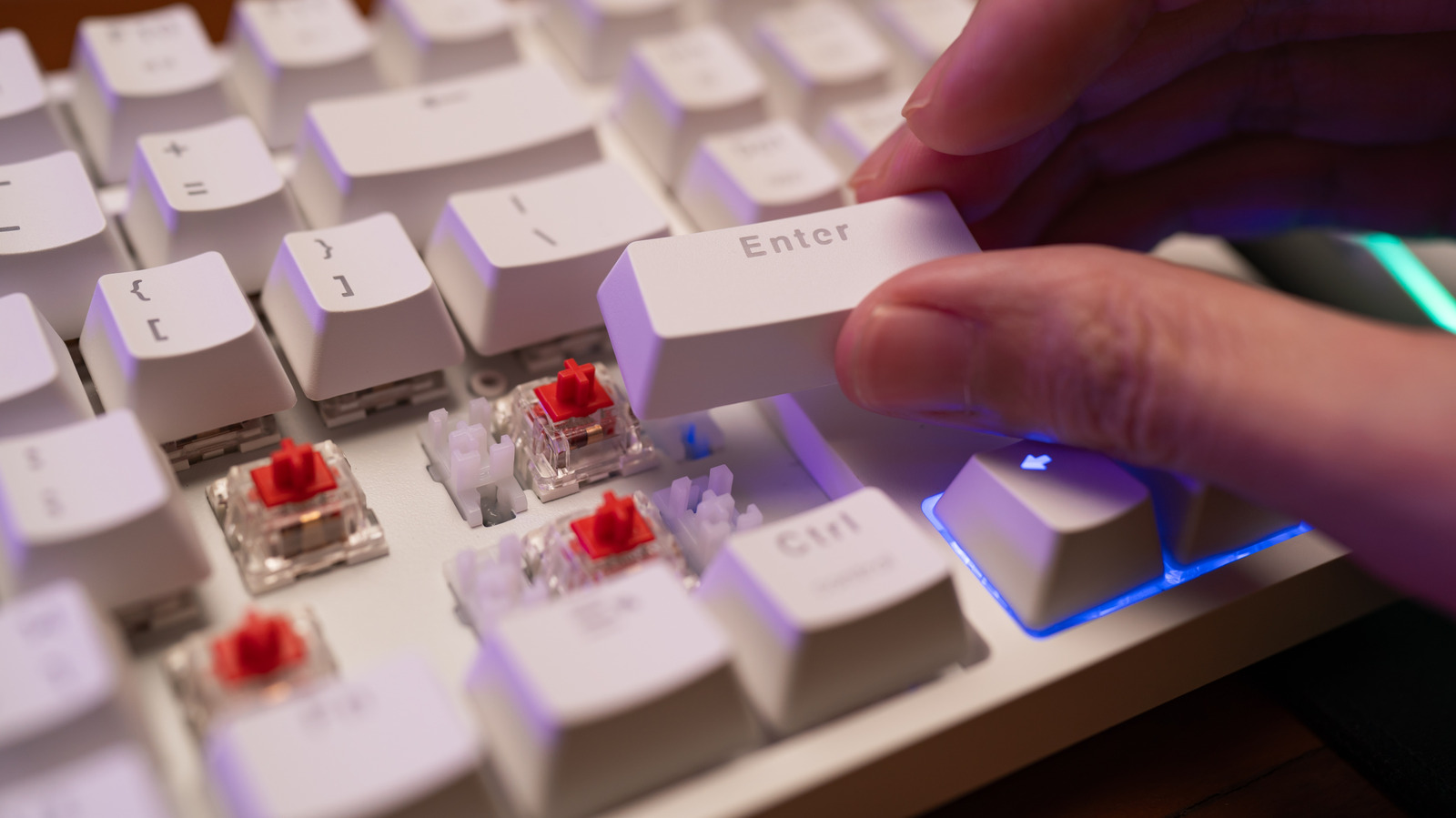
Mechanical keyboards are highly customizable, allowing you to tweak almost every aspect of the typing experience. It just depends on how deep you want to go. One of the things you can customize is the keyboard switches, the mechanisms that determine how keystrokes are registered when you press the keys. There are several types of switches, and it can be hard to choose which one is the right fit for you. The good thing is that they’re color-coded, with each one having its own feel and sound.

The most common keyboard colors are red, blue, brown, black, and yellow. Each color belongs to one of the three categories of keyboard switch types: linear, clicky, and tactile. Linear switches are smooth with no noticeable resistance (bump) or click at the point of actuation (where the computer recognizes the input). Clicky switches have both a click and a bump. Tactile switches have a bump but no click.

Once you get a good understanding of these, you’ll be able to match every key color to the purpose you have in mind for the mechanical keyboard. One of the most popular uses for a mechanical keyboard is gaming, such as pairing the keyboard with a Steam Deck. Another is typing anything from notes and articles to code and data entry. But the best part is that you can mix and match switches to create a unique combination that matches your preferences. Mechanical keyboards are so popular that they’ve even found their way into the realm of fidget toys for tech enthusiasts.

Common keyboard switch colors explained
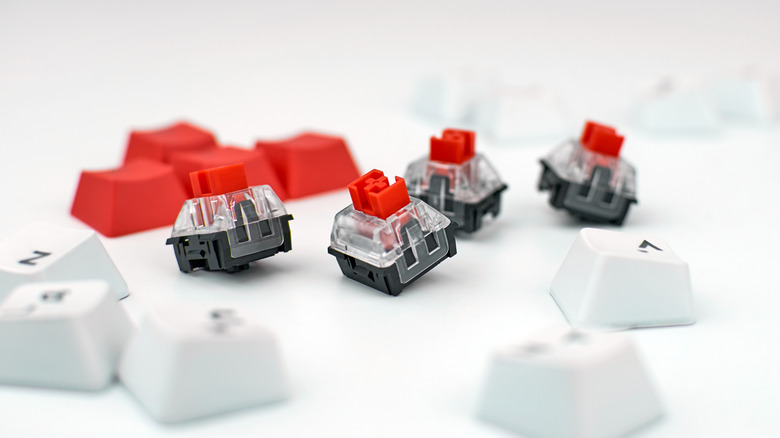

Several keyboard caps and red keyboard switches
Daryadanik/Getty Images

One keyboard switch color you’ll encounter the most is red, which is a linear switch known for having a low actuation force of about 45 grams. This means you don’t need to push it hard to register input or actuate. Other common switch colors are yellow and black, both of which are linear. A yellow switch has a moderate actuation force of about 50 grams, while a black switch has a high actuation force of about 60 grams. Red switches are popular among competitive gamers because they allow for quick activation and spamming of abilities. Black switches are generally preferred by typists because they offer more precision, and yellow switches sit somewhere in the middle.

Another well-known switch color is blue, which is the clicky kind. Gamers usually stay away from these because they have a higher actuation force of between 50 and 60 grams. They’re a favorite among people who type a lot, such as writers, journalists, transcriptionists, and computer programmers, because they are highly precise. However, they aren’t suitable for quiet spaces, as the clicks can be loud.

The last common color is brown, and it is a tactile switch with a moderate actuation force of between 45 and 55 grams. It can be used for both gaming and typing since it mixes speed with precision. It’s also great for people who make a lot of mistakes when using red switches because the bump provides noticeable feedback, preventing them from easily activating a key or pushing it all the way down (bottoming out).

Less common keyboard switch colors
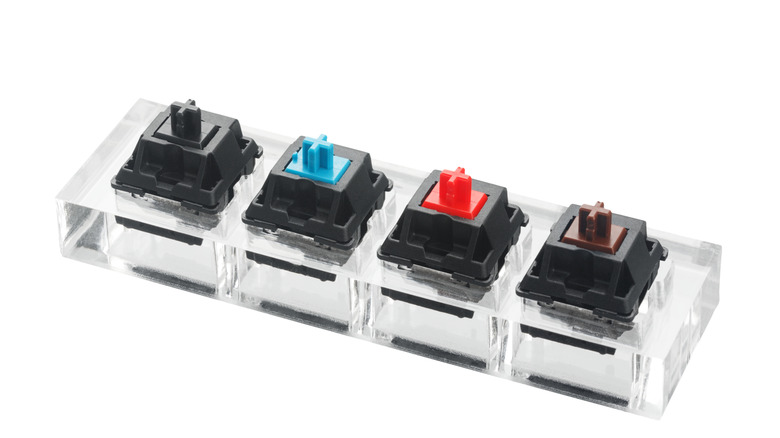

Black, blue, red, and brown keyboard switches
Viach80/Getty Images

There are switches that are less common because they cater to very specific use cases. Take the silver switch, for example, it’s linear and has a shorter stem. Because of this, it has a short travel distance, effectively lowering its actuation point and making keystrokes register faster than a red switch. It’s very imprecise for typing, but good for competitive gamers who value speed over precision. Still, mechanical keyboards with silver switches are cool gadgets for any gaming setup that even casual players can use to enjoy button-mashing games.

Another less common color is the clear kind, and it’s a tactile switch with a very high actuation force. It’s specifically for typists who want a slower and more deliberate typing experience. When using a mechanical keyboard with these switches, you will really feel like you’re typing because you need to put some power into pressing the keys. Finally, you have the rare green switches that appeal to people who want the extremely loud click of an old typewriter. They also have a higher actuation force than blue switches.




Sign Up For Daily Newsletter

Be keep up! Get the latest breaking news delivered straight to your inbox.
By signing up, you agree to our Terms of Use and acknowledge the data practices in our Privacy Policy. You may unsubscribe at any time.
Share This Article
Facebook Twitter Email Print
Share
What do you think?
Love0
Sad0
Happy0
Sleepy0
Angry0
Dead0
Wink0
Previous Article BEYOND Expo 2025: “SHE BEYOND: BREAKING BOUNDARIES, CREATING THE FUTURE” · TechNode BEYOND Expo 2025: “SHE BEYOND: BREAKING BOUNDARIES, CREATING THE FUTURE” · TechNode
Next Article The Best Video Editing Mobile Apps Right Now The Best Video Editing Mobile Apps Right Now
Leave a comment

Leave a Reply Cancel reply

Your email address will not be published. Required fields are marked *

Stay Connected

248.1k Like
69.1k Follow
134k Pin
54.3k Follow

Latest News

Huawei Zurich Lab’s New Open-Source Tech Lets LLMs Run on Consumer GPUs · TechNode
Computing
Dynamic Languages Faster and Cheaper in 13-Language Claude Code Benchmark
News
18 of the Best Design Apps For Creating Gorgeous Instagram Stories
Computing
Here’s how NASA cleared the iPhone 17 Pro Max for astronauts on Artemis II – 9to5Mac
News

You Might also Like

Dynamic Languages Faster and Cheaper in 13-Language Claude Code Benchmark
News

Dynamic Languages Faster and Cheaper in 13-Language Claude Code Benchmark

5 Min Read
Here’s how NASA cleared the iPhone 17 Pro Max for astronauts on Artemis II – 9to5Mac
News

Here’s how NASA cleared the iPhone 17 Pro Max for astronauts on Artemis II – 9to5Mac

4 Min Read
Today's NYT Connections: Sports Edition Hints, Answers for April 6 #560
News

Today's NYT Connections: Sports Edition Hints, Answers for April 6 #560

3 Min Read
An iPhone has now captured photos no Android phone has ever taken
News

An iPhone has now captured photos no Android phone has ever taken

3 Min Read
//

World of Software is your one-stop website for the latest tech news and updates, follow us now to get the news that matters to you.

Quick Link

  • Privacy Policy
  • Terms of use
  • Advertise
  • Contact

Topics

  • Computing
  • Software
  • Press Release
  • Trending

Sign Up for Our Newsletter

Subscribe to our newsletter to get our newest articles instantly!

World of SoftwareWorld of Software
Follow US
Copyright © All Rights Reserved. World of Software.
Welcome Back!

Sign in to your account

Lost your password?