


By using this site, you agree to the Privacy Policy and Terms of Use.
Accept
World of SoftwareWorld of SoftwareWorld of Software
  • News
  • Software
  • Mobile
  • Computing
  • Gaming
  • Videos
  • More
    • Gadget
    • Web Stories
    • Trending
    • Press Release
Search
  • Privacy
  • Terms
  • Advertise
  • Contact
Copyright © All Rights Reserved. World of Software.
Reading: Here’s What ‘HDMI-CEC’ Means (And If You Should Turn It On) – BGR
Share
Sign In
Notification Show More
Font ResizerAa
World of SoftwareWorld of Software
Font ResizerAa
  • Software
  • Mobile
  • Computing
  • Gadget
  • Gaming
  • Videos
Search
  • News
  • Software
  • Mobile
  • Computing
  • Gaming
  • Videos
  • More
    • Gadget
    • Web Stories
    • Trending
    • Press Release
Have an existing account? Sign In
Follow US
  • Privacy
  • Terms
  • Advertise
  • Contact
Copyright © All Rights Reserved. World of Software.
World of Software > News > Here’s What ‘HDMI-CEC’ Means (And If You Should Turn It On) – BGR
News

Here’s What ‘HDMI-CEC’ Means (And If You Should Turn It On) – BGR

News Room
Last updated: 2026/01/02 at 11:59 AM
News Room Published 2 January 2026
Share
Here’s What ‘HDMI-CEC’ Means (And If You Should Turn It On) – BGR
SHARE


Djavan Rodriguez/Getty Images

Home entertainment systems are absolutely loaded with features in this day and age. Some features are meant to make your movies and TV shows look better, like HDMI Enhanced, while others are meant to make your TV easier to use. If you really want to make the most of your TV and home entertainment system, then you’re going to need to know which of these settings to make use of — and when. One setting that you might not know much about, but which you should seriously consider using, is HDMI-CEC.

Short for HDMI-Consumer Electronics Control, HDMI-CEC essentially creates a one-stop shop for controlling your TV and other interconnected home entertainment devices. This means you can control things like your gaming console, your sound bar, your TV, and other connected devices through the HDMI cables that run from your TV. This is great, as it allows you to more easily turn on devices, change the volume, and more.

There are, of course, some pros and cons to using HDMI-CEC. Depending on what you want to do with your system, you’ll either find it a useful or annoying feature to deal with. For those who want a “one-touch” system that turns on everything, like their TV, soundbar, etc, then HDMI-CEC is a great addition to TVs.

The problem with HDMI-CEC
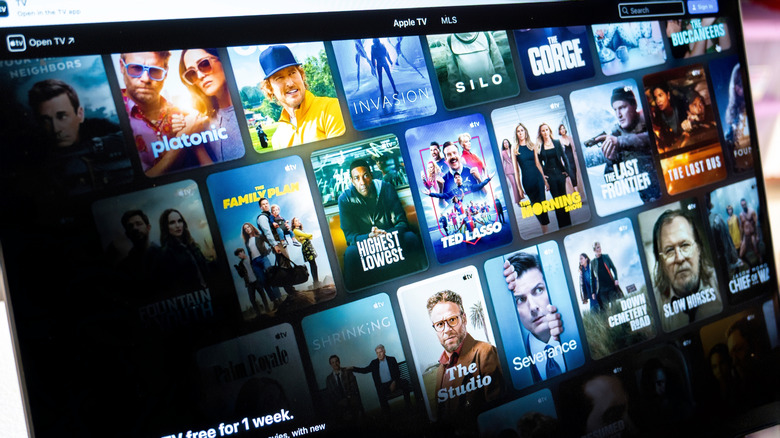

display showing apple tv movies and tv shows
agustin.photo/Shutterstock

Just like any feature on your TV, HDMI-CEC has a few problems you’ll want to be aware of. This HDMI setting can cause a slew of different issues, including some possible command issues with certain devices. For example, if you have the feature turned on and the devices set to work with the same remote, sometimes turning off your TV when using your cable or satellite box will turn off both. However, the next time you turn those devices on, they’ll assume you’re picking back up right where you left off and turn on both devices. This means you’ll need to turn the satellite box off if you aren’t using it.

There isn’t any kind of universal compatibility, either, so you’ll need to be picky about which devices you get for your home entertainment system to make the most out of HDMI-CEC. Additionally, the feature has been known to cause some lag when using it, so you might end up with a more frustrating than helpful control setup. You also won’t be able to completely make use of HDMI ARC’s upgraded sound benefits, which is a shame.

There’s also the fact that turning on HDMI-CEC can either be easy or really convoluted, depending on what TV brand you use. That’s because different brands often use different names for options on their menus, as well as for HDMI-CEC itself. If you’re looking to turn on HDMI-CEC, try searching up the name of your TV brand and looking for specific instructions that way. Most modern TVs should have HDMI-CEC, as the feature has been a staple in TVs since 2005, and it shouldn’t matter what HDMI port you use.


Sign Up For Daily Newsletter

Be keep up! Get the latest breaking news delivered straight to your inbox.
By signing up, you agree to our Terms of Use and acknowledge the data practices in our Privacy Policy. You may unsubscribe at any time.
Share This Article
Facebook Twitter Email Print
Share
What do you think?
Love0
Sad0
Happy0
Sleepy0
Angry0
Dead0
Wink0
Previous Article 3 new to Netflix movies to stream this weekend (Jan. 2-4) 3 new to Netflix movies to stream this weekend (Jan. 2-4)
Next Article Pebble’s round smartwatch is getting a reboot Pebble’s round smartwatch is getting a reboot
Leave a comment

Leave a Reply Cancel reply

Your email address will not be published. Required fields are marked *

Stay Connected

248.1k Like
69.1k Follow
134k Pin
54.3k Follow

Latest News

Best thermostat deal: Get the Google Nest Learning Thermostat at its lowest price yet
News
5 DeWalt Gadgets Users Swear By – BGR
News
GE’s new smart fridge wants to help you shop for groceries
News
Musk's AI chatbot Grok apologizes after generating sexualized image of young girls
News

You Might also Like

Best thermostat deal: Get the Google Nest Learning Thermostat at its lowest price yet
News

Best thermostat deal: Get the Google Nest Learning Thermostat at its lowest price yet

3 Min Read
5 DeWalt Gadgets Users Swear By – BGR
News

5 DeWalt Gadgets Users Swear By – BGR

11 Min Read
GE’s new smart fridge wants to help you shop for groceries
News

GE’s new smart fridge wants to help you shop for groceries

7 Min Read
Musk's AI chatbot Grok apologizes after generating sexualized image of young girls
News

Musk's AI chatbot Grok apologizes after generating sexualized image of young girls

0 Min Read
//

World of Software is your one-stop website for the latest tech news and updates, follow us now to get the news that matters to you.

Quick Link

  • Privacy Policy
  • Terms of use
  • Advertise
  • Contact

Topics

  • Computing
  • Software
  • Press Release
  • Trending

Sign Up for Our Newsletter

Subscribe to our newsletter to get our newest articles instantly!

World of SoftwareWorld of Software
Follow US
Copyright © All Rights Reserved. World of Software.
Welcome Back!

Sign in to your account

Lost your password?