

By using this site, you agree to the Privacy Policy and Terms of Use.
Accept
World of SoftwareWorld of SoftwareWorld of Software
  • News
  • Software
  • Mobile
  • Computing
  • Gaming
  • Videos
  • More
    • Gadget
    • Web Stories
    • Trending
    • Press Release
Search
  • Privacy
  • Terms
  • Advertise
  • Contact
Copyright © All Rights Reserved. World of Software.
Reading: Here’s What The Infinity Button Does On Your JBL Speaker – BGR
Share
Sign In
Notification Show More
Font ResizerAa
World of SoftwareWorld of Software
Font ResizerAa
  • Software
  • Mobile
  • Computing
  • Gadget
  • Gaming
  • Videos
Search
  • News
  • Software
  • Mobile
  • Computing
  • Gaming
  • Videos
  • More
    • Gadget
    • Web Stories
    • Trending
    • Press Release
Have an existing account? Sign In
Follow US
  • Privacy
  • Terms
  • Advertise
  • Contact
Copyright © All Rights Reserved. World of Software.
World of Software > News > Here’s What The Infinity Button Does On Your JBL Speaker – BGR
News

Here’s What The Infinity Button Does On Your JBL Speaker – BGR

News Room
Last updated: 2026/03/24 at 12:02 AM
News Room Published 24 March 2026
Share
Here’s What The Infinity Button Does On Your JBL Speaker – BGR
SHARE


Olejohny/Getty Images

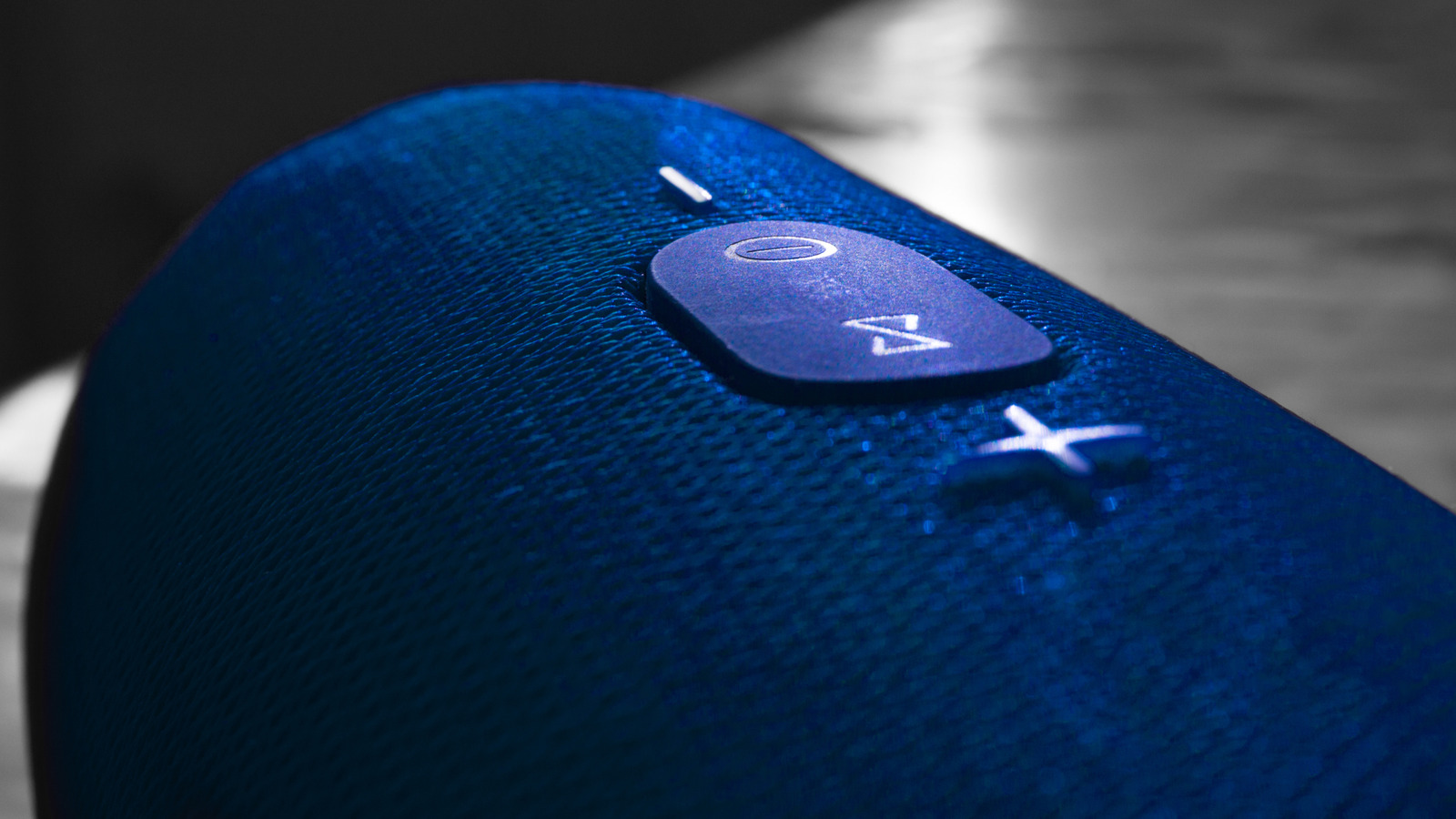
The best JBL speakers have a wide variety of buttons, some of which have a clear purpose, like increasing or decreasing the volume, but others, like the infinity button, might not. This could become less clear were you to press it and nothing happens. But, if you have multiple JBL speakers, ignoring the infinity button means missing out on a great feature. The infinity button on many JBL speakers activates PartyBoost mode, which lets you pair more than one device at the same time to all play the same music. 

This is ideal for covering larger areas with synced tunes. Another neat aspect of PartyBoost is that you can synchronize up to 100 JBL devices at the same time. While that may be unnecessary for the casual user, it’s fun to imagine the possibilities. Just be aware that not every JBL model is compatible with PartyBoost, as some older models use Connect+ instead.

The infinity button connects multiple JBL speakers
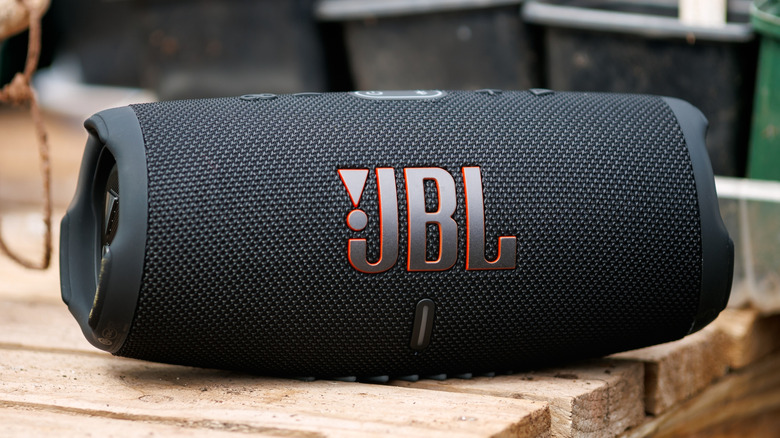

JBL portable Bluetooth speaker on wooden table outdoors
Max_555/Shutterstock

Depending on what you normally do with your JBL speaker, PartyBoost may not be very useful all the time. Since most of the best Bluetooth speakers can easily cover a whole room with music, having multiple units playing at the same time could be impractical in certain scenarios. However, if you want to play music over a large area during an event, such as a barbecue with friends, PartyBoost can be quite handy. 

Using at least two compatible JBL devices, start streaming music to one, open the JBL Portable app, and once the first speaker is detected, press the PartyBoost button on both speakers. When using PartyBoost, there are two settings to choose from. The first one is Party mode, which makes every synced device play the same music. The other is Stereo mode, which lets you split the sound between right and left channels. But keep in mind, Stereo mode requires two of the same speaker models to work properly.

Not all JBL speakers are compatible with PartyBoost
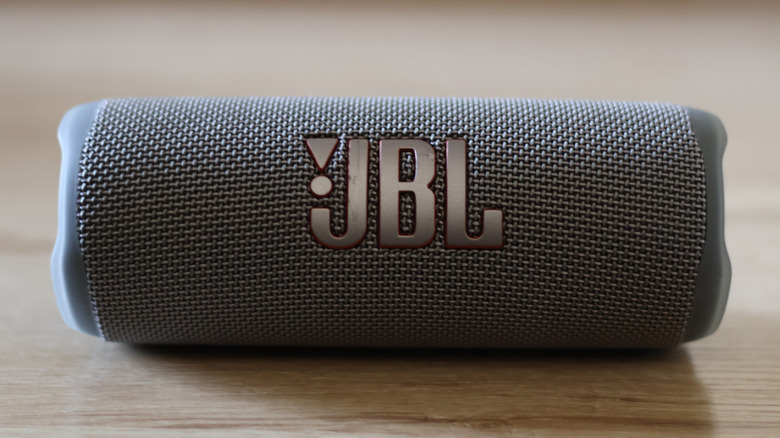

JBL portable speaker close-up on wooden surface
McSleepy/Shutterstock

PartyBoost isn’t a feature that you’ll find in every JBL speaker, so if you’re interested in buying a device to sync with it, make sure that model supports it. Flip 5 and 6, Charge 5, Pulse 4, Boombox 2 and 3, and Xtreme 3 and 4 all come with the PartyBoost function enabled. The only two exceptions from those models are the Wi-Fi versions of Charge 5 and Boombox 5, which do not support PartyBoost. Certain older JBL speaker models also aren’t compatible with PartyBoost, because they use the Connect or Connect+ protocol for syncing speakers. 

While on paper these two technologies work the same way, it’s not possible to pair speakers with the different standards. Also, some recent models from JBL are ditching PartyBoost in favor of Auracast, so not every modern speaker from the company will work with PartyBoost. Some, such as the Xtreme 4, include both protocols, but this isn’t true across the entire JBL lineup. Despite that, PartyBoost is a useful feature that will remain as a clever way to use your older Bluetooth speakers.



Sign Up For Daily Newsletter

Be keep up! Get the latest breaking news delivered straight to your inbox.
By signing up, you agree to our Terms of Use and acknowledge the data practices in our Privacy Policy. You may unsubscribe at any time.
Share This Article
Facebook Twitter Email Print
Share
What do you think?
Love0
Sad0
Happy0
Sleepy0
Angry0
Dead0
Wink0
Previous Article How to Tell a Compelling Story Through Vertical Video Formats | How to Tell a Compelling Story Through Vertical Video Formats |
Next Article OpenAI’s 2026 Focus on Practical AI Adoption Drives Enterprise Growth – Chat GPT AI Hub OpenAI’s 2026 Focus on Practical AI Adoption Drives Enterprise Growth – Chat GPT AI Hub
Leave a comment

Leave a Reply Cancel reply

Your email address will not be published. Required fields are marked *

Stay Connected

248.1k Like
69.1k Follow
134k Pin
54.3k Follow

Latest News

Mastering Prompt Engineering: Advanced Techniques for ChatGPT Power Users in 2026 – Chat GPT AI Hub
Computing
Google fixes Pixel Watch step overcounting bug, but there’s a catch
News
Using Ringless Voicemail to Support Social Media Campaigns |
Computing
When your culture becomes a meme: the ‘jarring’ effect of Chinamaxxing
News

You Might also Like

Google fixes Pixel Watch step overcounting bug, but there’s a catch
News

Google fixes Pixel Watch step overcounting bug, but there’s a catch

2 Min Read
When your culture becomes a meme: the ‘jarring’ effect of Chinamaxxing
News

When your culture becomes a meme: the ‘jarring’ effect of Chinamaxxing

9 Min Read
Today's NYT Connections: Sports Edition Hints, Answers for March 24 #547
News

Today's NYT Connections: Sports Edition Hints, Answers for March 24 #547

3 Min Read
JLab JBuds Open Review: Airy Audio With All-Day Comfort
News

JLab JBuds Open Review: Airy Audio With All-Day Comfort

5 Min Read
//

World of Software is your one-stop website for the latest tech news and updates, follow us now to get the news that matters to you.

Quick Link

  • Privacy Policy
  • Terms of use
  • Advertise
  • Contact

Topics

  • Computing
  • Software
  • Press Release
  • Trending

Sign Up for Our Newsletter

Subscribe to our newsletter to get our newest articles instantly!

World of SoftwareWorld of Software
Follow US
Copyright © All Rights Reserved. World of Software.
Welcome Back!

Sign in to your account

Lost your password?