By using this site, you agree to the Privacy Policy and Terms of Use.
Accept
World of SoftwareWorld of SoftwareWorld of Software
  • News
  • Software
  • Mobile
  • Computing
  • Gaming
  • Videos
  • More
    • Gadget
    • Web Stories
    • Trending
    • Press Release
Search
  • Privacy
  • Terms
  • Advertise
  • Contact
Copyright © All Rights Reserved. World of Software.
Reading: How to Add Shazam to the Control Center on an iPhone
Share
Sign In
Notification Show More
Font ResizerAa
World of SoftwareWorld of Software
Font ResizerAa
  • Software
  • Mobile
  • Computing
  • Gadget
  • Gaming
  • Videos
Search
  • News
  • Software
  • Mobile
  • Computing
  • Gaming
  • Videos
  • More
    • Gadget
    • Web Stories
    • Trending
    • Press Release
Have an existing account? Sign In
Follow US
  • Privacy
  • Terms
  • Advertise
  • Contact
Copyright © All Rights Reserved. World of Software.
World of Software > News > How to Add Shazam to the Control Center on an iPhone
News

How to Add Shazam to the Control Center on an iPhone

News Room
Last updated: 2026/03/31 at 9:30 AM
News Room Published 31 March 2026
Share
How to Add Shazam to the Control Center on an iPhone
SHARE

Are you ever out and about, and want to know what song is playing, so you can listen to it again later? You don’t need to buy a special music recognizer app; your iPhone or iPad can recognize songs for free.

Why You’ll Love This Tip

  • Learn how to add Shazam to the Control Center on your iPhone and iPad so you can figure out what song is playing currently.
  • Purchase the song from Apple Music once the music recognizer identifies the song.

How to Add an iPad & iPhone Music Recognizer to the Control Center

System Requirements

This tip was tested on an iPhone 17 Pro running iOS 26.4. Find out how to update to the latest version of iOS.

What song is this? It’s easy to find out, and free! Here’s how to add Shazam to the Control Center of your iPhone and iPad.

Note: A lot of people want to know how to find a song by humming. I tried humming a couple of songs while using the Shazam Control Center feature, but the songs weren’t recognized. Let me know in the comments if you have better luck!

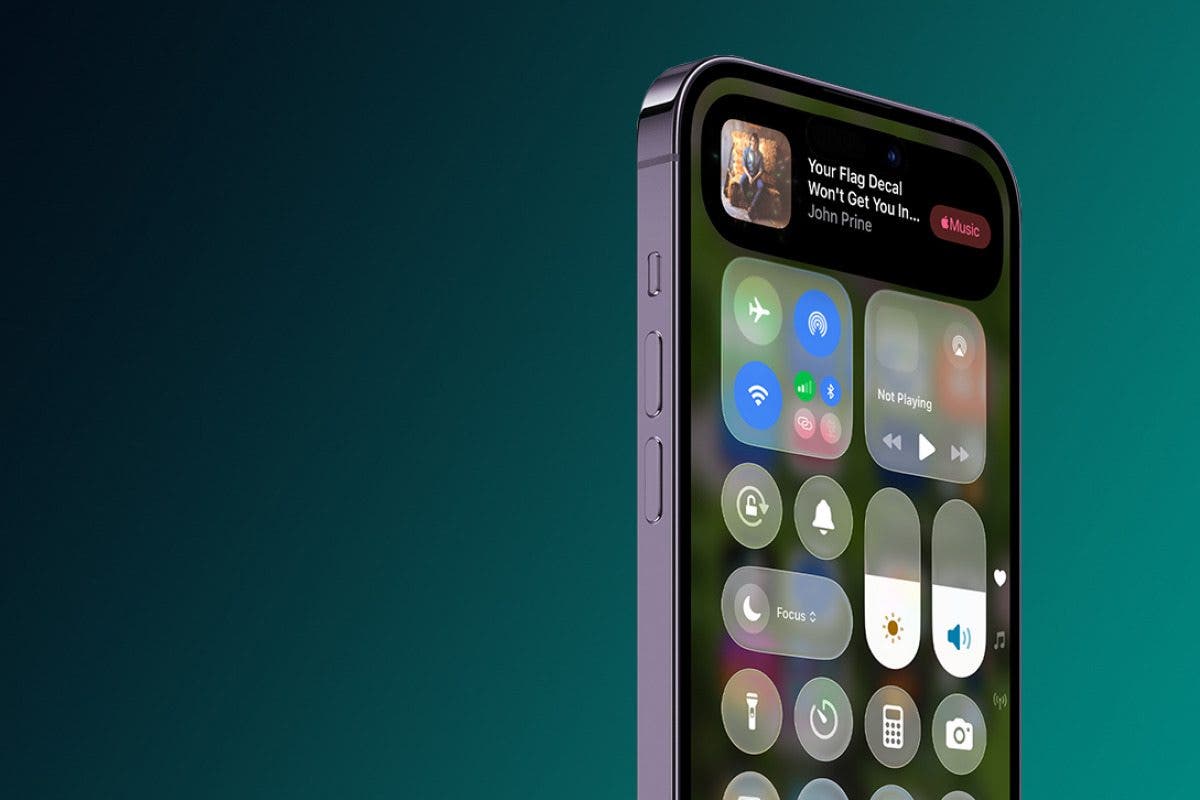
  1. Open the Control Center.
  2. Touch and hold a blank spot in the Control Center.
  3. Tap Add A Control.

    tap add a control in control center
  4. Tap the Recognize Music icon.

    tap recognize music to add to control center
  5. Tap a blank spot in the Control Center to exit editing mode.

    tap control center to turn off edit mode
  6. Now, when you want to identify a song, open the Control Center, tap the Recognize Music icon, and your iPhone or iPad will identify the song (unless it’s extremely obscure). You can tap the Apple Music icon in this box to purchase the song.

    shazam music recognizer has identified song

And that’s it! Now you know how to add Shazam to the Control Center on your iPhone and iPad. Next, learn how to say, “Hey Siri, what song is this?” to identify songs hands-free. For more great Control Center tutorials, check out our free Tip of the Day.

Leanne profile pic

Leanne Hays has over a dozen years of experience writing for online publications. As a Feature Writer for iPhone Life, she has authored hundreds of how-to, Apple news, and gear review articles, as well as a comprehensive Photos App guide. Leanne holds degrees in education and science and loves troubleshooting and repair. This combination makes her a perfect fit as manager of our Ask an Expert service, which helps iPhone Life Insiders with Apple hardware and software issues.

In off-work hours, Leanne is a mother of two, homesteader, audiobook fanatic, musician, and learning enthusiast.

Learn about Leanne

Sign Up For Daily Newsletter

Be keep up! Get the latest breaking news delivered straight to your inbox.
By signing up, you agree to our Terms of Use and acknowledge the data practices in our Privacy Policy. You may unsubscribe at any time.
Share This Article
Facebook Twitter Email Print
Share
What do you think?
Love0
Sad0
Happy0
Sleepy0
Angry0
Dead0
Wink0
Previous Article OnePlus 15R vs OnePlus 15: Which is best? OnePlus 15R vs OnePlus 15: Which is best?
Next Article 5 Laptops You Can Still Get With A CD-DVD Drive In 2026 – BGR 5 Laptops You Can Still Get With A CD-DVD Drive In 2026 – BGR
Leave a comment

Leave a Reply Cancel reply

Your email address will not be published. Required fields are marked *

Stay Connected

248.1k Like
69.1k Follow
134k Pin
54.3k Follow

Latest News

Your TV’s Color Accuracy Is More Important Than You Think – Here’s Why – BGR
News
Apple’s iMac set for a huge display upgrade inspired by the iPad Pro
Gadget
5 Best Social Media Compliance Tools in 2026 – The Gain Blog
Computing
80 percent in new survey concerned about AI
News

You Might also Like

Your TV’s Color Accuracy Is More Important Than You Think – Here’s Why – BGR
News

Your TV’s Color Accuracy Is More Important Than You Think – Here’s Why – BGR

3 Min Read
80 percent in new survey concerned about AI
News

80 percent in new survey concerned about AI

0 Min Read

Indonesia starts implementing social media restrictions for children under 16

8 Min Read
Don’t Like Your Gmail Email Address? You Can Finally Change It
News

Don’t Like Your Gmail Email Address? You Can Finally Change It

2 Min Read
//

World of Software is your one-stop website for the latest tech news and updates, follow us now to get the news that matters to you.

Quick Link

  • Privacy Policy
  • Terms of use
  • Advertise
  • Contact

Topics

  • Computing
  • Software
  • Press Release
  • Trending

Sign Up for Our Newsletter

Subscribe to our newsletter to get our newest articles instantly!

World of SoftwareWorld of Software
Follow US
Copyright © All Rights Reserved. World of Software.
Welcome Back!

Sign in to your account

Lost your password?