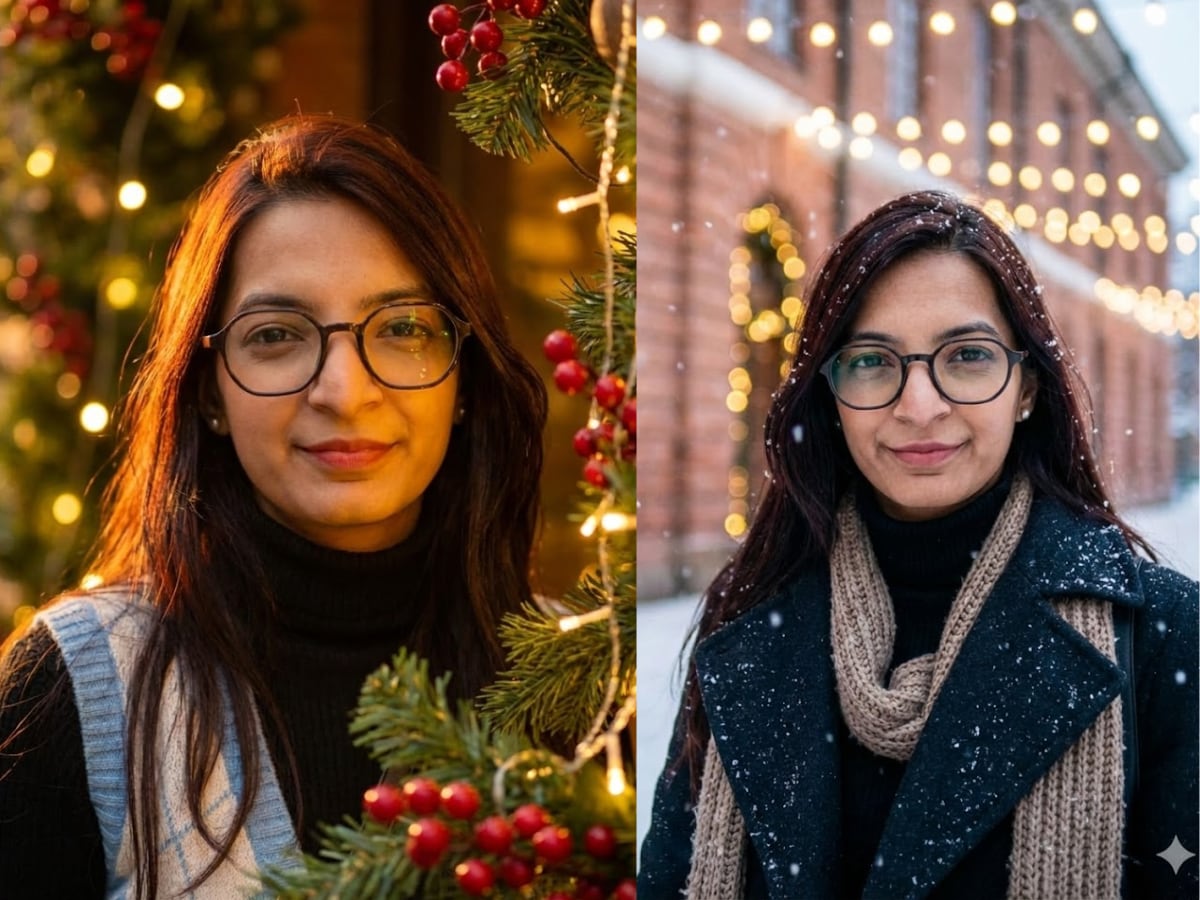
Christmas is almost here, and along with decorations, lights, and music, there’s another fun way people are getting into the festive mood – AI-generated Christmas portraits. If you’ve been scrolling social media and wondering how everyone suddenly has studio-style holiday photos, the answer is simple: AI image tools.
With newer image models now available, turning a normal selfie into a Christmas-themed portrait doesn’t take editing skills or fancy software. All you need is a good photo and the right prompt. Wondering how to turn yoru selfies into Christmas AI portraits? Read on.
How to convert your selfie into a Christmas AI portrait
The steps are almost identical, whether you use Google’s Nano Banana Pro or OpenAI’s ChatGPT Images.
- Open the AI tool of your choice
- Upload the selfie you want to transform
- Write a prompt describing the Christmas style you want
- Generate the image and refine if needed
For example, a prompt like this works well:
“Transform the uploaded photo into a warm, elegant Christmas portrait. Keep the person’s real facial features, skin tone, and expression exactly the same. Add soft holiday lighting, subtle golden highlights, festive greenery, warm fairy lights, and classic red and green tones. Make it look realistic and timeless, not cartoonish.”
You can also try winter-themed prompts with snowfall, scarves, coats, or outdoor lighting for a more cinematic Christmas feel.
What kind of selfies work best?
For best results, use a clear, well-lit selfie where your face is fully visible. Avoid heavy shadows, sunglasses, or filters. The clearer the original photo, the easier it is for the AI to preserve your real features.
Also, always mention in your prompt that the AI must retain your original facial structure and identity. That one line makes a big difference.