By using this site, you agree to the Privacy Policy and Terms of Use.
Accept
World of SoftwareWorld of SoftwareWorld of Software
  • News
  • Software
  • Mobile
  • Computing
  • Gaming
  • Videos
  • More
    • Gadget
    • Web Stories
    • Trending
    • Press Release
Search
  • Privacy
  • Terms
  • Advertise
  • Contact
Copyright © All Rights Reserved. World of Software.
Reading: How to Create a Shop on Instagram (Step-by-Step) |
Share
Sign In
Notification Show More
Font ResizerAa
World of SoftwareWorld of Software
Font ResizerAa
  • Software
  • Mobile
  • Computing
  • Gadget
  • Gaming
  • Videos
Search
  • News
  • Software
  • Mobile
  • Computing
  • Gaming
  • Videos
  • More
    • Gadget
    • Web Stories
    • Trending
    • Press Release
Have an existing account? Sign In
Follow US
  • Privacy
  • Terms
  • Advertise
  • Contact
Copyright © All Rights Reserved. World of Software.
World of Software > Computing > How to Create a Shop on Instagram (Step-by-Step) |
Computing

How to Create a Shop on Instagram (Step-by-Step) |

News Room
Last updated: 2026/04/06 at 2:55 AM
News Room Published 6 April 2026
Share
How to Create a Shop on Instagram (Step-by-Step) |
SHARE

How To Create a Shop on Instagram

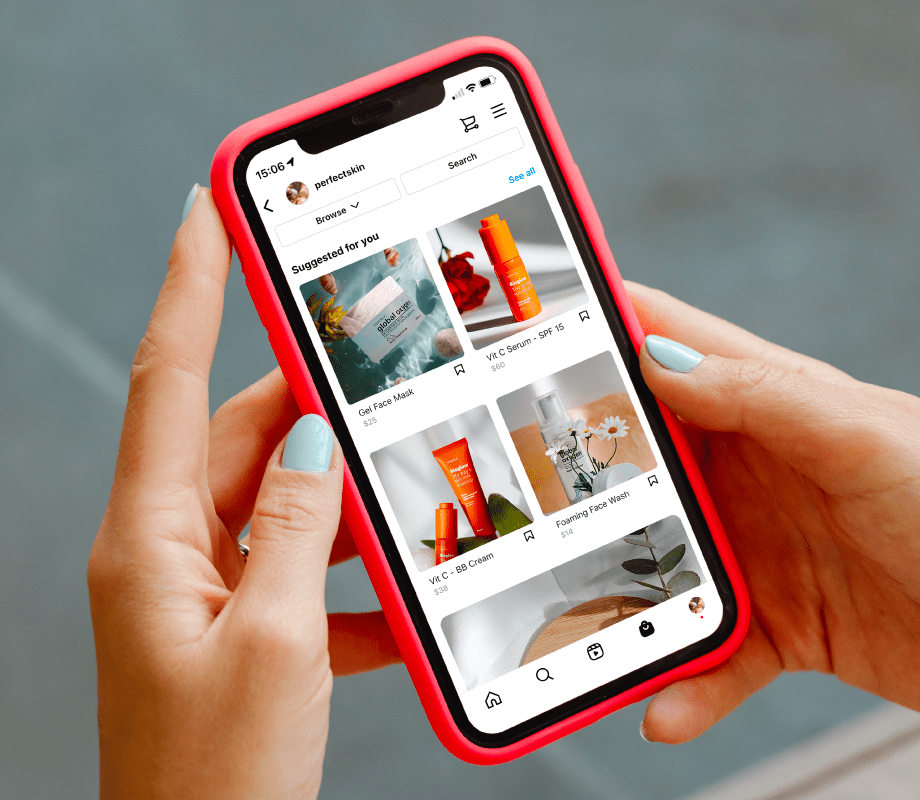
Setting up an Instagram Shop is easier than you might think. Here’s a step-by-step guide to help you get started.

Step #1: Check Your Eligibility

To get set up with Instagram Shop, your business needs to meet the following eligibility requirements:

  1. Your business is located in a supported market

  2. Your business has an eligible product

  3. Your business complies with Instagram’s merchant agreement and commerce policies

  4. Your business owns a website domain in which you intend to sell from

Step #2: Convert to a Business or Creator Account

Before you can set up an Instagram Shop, you’ll need to switch to a Business account. Follow these steps to convert your account.

Once you have a Business account, you can add in relevant business information, such as opening hours, business address, phone number and a link to your website.

Step #3: Connect to a Facebook Page

Next up, follow these steps to link your Instagram business account to a Facebook Page:

  1. Go to your business’s Instagram profile

  2. Select “Edit profile”.

  3. Under the “Public business information” section, select “Page”

  4. Choose a Facebook Page from your Pages that you’d like to connect.

  5. If you don’t have a Facebook Page, select “Create a new Facebook Page”.

NOTE: Facebook Page Shop is not required, only a Facebook Page.

Step #4: Upload Your Product Catalog

Instagram Shop requires you to have a product catalog, which is a list of all your products, inventory, and descriptions.

There are two ways to connect a product catalog to your Instagram business account:

  1. Catalogue Manager (The “do it yourself” method found within Facebook Business Manager)

  2. E-commerce Platform Partner (An integration through one of Meta’s certified e-commerce platform partners, such as Shopify or BigCommerce)

Step #5: Account Review

Once you’ve connected a product catalog to your Instagram, you will need to submit your account for review by following these steps:

  1. Go to your business’s Instagram profile and tap the menu icon

  2. Select “Settings”.

  3. Sign up for shopping

  4. Follow the steps to submit your account for review.

  5. Visit “Shopping” in your “Settings” at any time to check your status.

NOTE: Account reviews typically take a few days but sometimes can take longer.

Some businesses may be notified that additional information is necessary to prove ownership of your website domain. If you receive this notification, follow these steps to complete a domain verification process to submit your account for review.

Step #6: Turn On Shopping

Once your account is approved, you can turn on shopping features.

  1. Go to your business’s Instagram profile and tap the menu icon.

  2. Select “Settings”.

  3. Tap “Business” and then tap “Shopping”.

  4. Select the “product catalogue” that you want to connect to your account.

  5. Select “Done”.

NOTE: If you don’t see Shopping in your settings, your account is probably still under review or hasn’t been approved for Instagram Shopping.

Your Instagram Shop will automatically appear on your Instagram profile page.

PSA: You can add product tags when you schedule your posts in advance with ! Join 4M+ marketers and sign up for a account today.


Schedule, manage, & analyze Instagram posts with — try it for free.

Start free trial

Sign Up For Daily Newsletter

Be keep up! Get the latest breaking news delivered straight to your inbox.
By signing up, you agree to our Terms of Use and acknowledge the data practices in our Privacy Policy. You may unsubscribe at any time.
Share This Article
Facebook Twitter Email Print
Share
What do you think?
Love0
Sad0
Happy0
Sleepy0
Angry0
Dead0
Wink0
Previous Article News Mobility: ‘A stunning lack of transparency’ |  News News Mobility: ‘A stunning lack of transparency’ | News
Next Article 👨🏿‍🚀 Daily – MTN Ghana’s MoMo moves out | 👨🏿‍🚀 Daily – MTN Ghana’s MoMo moves out |
Leave a comment

Leave a Reply Cancel reply

Your email address will not be published. Required fields are marked *

Stay Connected

248.1k Like
69.1k Follow
134k Pin
54.3k Follow

Latest News

Do you really need to wash towels after using each time? I asked the experts
News
Huawei to pre-install self-developed HarmonyOS on all new devices in 2025 · TechNode
Computing
35 Black Creators on Social Media (That Should Be On Your Radar)
Computing
Google Play Store now lets you dig through app reviews for real answers
News

You Might also Like

Huawei to pre-install self-developed HarmonyOS on all new devices in 2025 · TechNode
Computing

Huawei to pre-install self-developed HarmonyOS on all new devices in 2025 · TechNode

1 Min Read
35 Black Creators on Social Media (That Should Be On Your Radar)
Computing

35 Black Creators on Social Media (That Should Be On Your Radar)

7 Min Read
Mastering ChatGPT Atlas Agent Mode: 12 Advanced Prompting Strategies for AI-Powered Browsing – Chat GPT AI Hub
Computing

Mastering ChatGPT Atlas Agent Mode: 12 Advanced Prompting Strategies for AI-Powered Browsing – Chat GPT AI Hub

22 Min Read
Black Myth: Wukong Xbox version delayed due to memory limitations · TechNode
Computing

Black Myth: Wukong Xbox version delayed due to memory limitations · TechNode

1 Min Read
//

World of Software is your one-stop website for the latest tech news and updates, follow us now to get the news that matters to you.

Quick Link

  • Privacy Policy
  • Terms of use
  • Advertise
  • Contact

Topics

  • Computing
  • Software
  • Press Release
  • Trending

Sign Up for Our Newsletter

Subscribe to our newsletter to get our newest articles instantly!

World of SoftwareWorld of Software
Follow US
Copyright © All Rights Reserved. World of Software.
Welcome Back!

Sign in to your account

Lost your password?