By using this site, you agree to the Privacy Policy and Terms of Use.
Accept
World of SoftwareWorld of SoftwareWorld of Software
  • News
  • Software
  • Mobile
  • Computing
  • Gaming
  • Videos
  • More
    • Gadget
    • Web Stories
    • Trending
    • Press Release
Search
  • Privacy
  • Terms
  • Advertise
  • Contact
Copyright © All Rights Reserved. World of Software.
Reading: How to download Android 16 QPR3 Beta 2 on your Pixel right now
Share
Sign In
Notification Show More
Font ResizerAa
World of SoftwareWorld of Software
Font ResizerAa
  • Software
  • Mobile
  • Computing
  • Gadget
  • Gaming
  • Videos
Search
  • News
  • Software
  • Mobile
  • Computing
  • Gaming
  • Videos
  • More
    • Gadget
    • Web Stories
    • Trending
    • Press Release
Have an existing account? Sign In
Follow US
  • Privacy
  • Terms
  • Advertise
  • Contact
Copyright © All Rights Reserved. World of Software.
World of Software > News > How to download Android 16 QPR3 Beta 2 on your Pixel right now
News

How to download Android 16 QPR3 Beta 2 on your Pixel right now

News Room
Last updated: 2026/01/15 at 10:08 AM
News Room Published 15 January 2026
Share
How to download Android 16 QPR3 Beta 2 on your Pixel right now
SHARE

Adamya Sharma / Android Authority

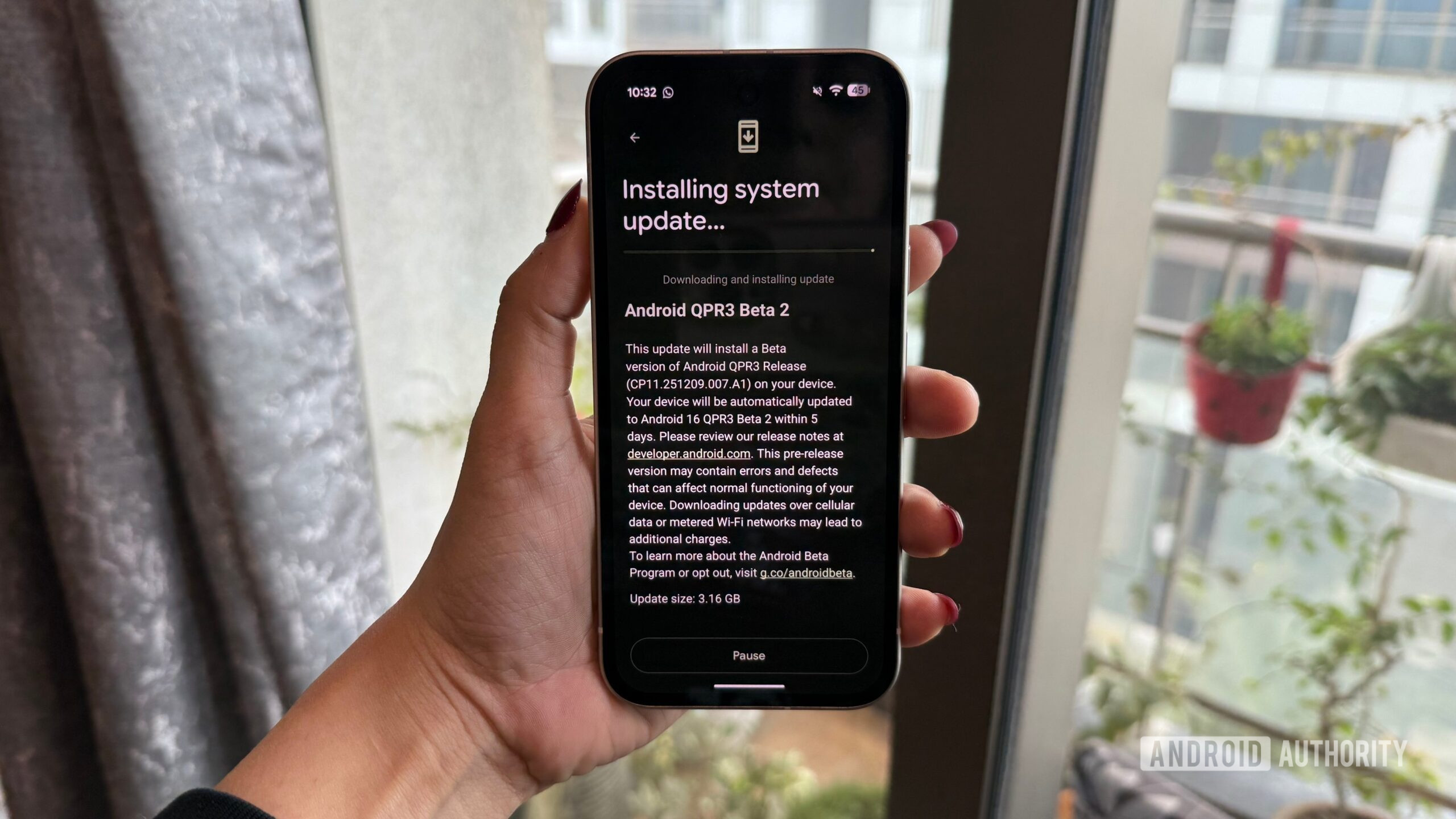
Google began the QPR3 beta program in December with the release of QPR3 Beta 1, and with QPR3 Beta 2, Google has squashed a ton of bugs to make this next Android update more stable and usable.

Interested in downloading Android 16 QPR3 Beta 2 on your Pixel? Whether you’ve been using Beta 1 or are downloading QPR3 for the first time, here’s what you need to know.

How to download Android 16 QPR3 Beta 2 if you already have Beta 1

If you’re currently using Android 16 QPR3 Beta 1, updating to Beta 2 is as simple as downloading any other Android update. You may have already received a notification for the update, but if not, you can manually check for it by following these steps:

  1. Open the Settings app on your phone.
  2. Scroll down the page.
  3. Tap System.
  4. Tap Software updates.
  5. Tap System update.
  6. Tap Check for updates.

Within a second or two, Android 16 QPR3 Beta 2 should appear. Follow the on-screen instructions to download and install it, and that’s all there is to it.

How to download Android 16 QPR3 Beta 2 if you didn’t join Beta 1

If you didn’t join Beta 1 last month, but you’re now interested in checking out Beta 2, it’s still relatively easy to download — you just have a few more steps to follow. First, you need to enroll your Pixel in Google’s beta program so you’re eligible to download Android 16 QPR3 Beta 2. Here’s how to do so.

  1. Open Google Chrome (or any web browser) and go to google.com/android/beta.
  2. Tap your profile icon in the top-right corner (log in to your account if you aren’t already).
  3. Scroll down the page until you find Your eligible devices.
  4. Tap Opt in next to the Pixel you want to download the beta onto.
  5. Scroll to agree to the terms of the beta.
  6. Tap Confirm and enroll.
  7. Tap OK.
Android 16 QPR3 Beta 2 image

Adamya Sharma / Android Authority

With this done, your Pixel is enrolled in the beta program and should now be able to download Android 16 QPR3 Beta 2. You’ll follow the same steps above to check for a software update, which for reference, are as follows:

  1. Open the Settings app on your phone.
  2. Scroll down the page.
  3. Tap System.
  4. Tap Software updates.
  5. Tap System update.
  6. Tap Check for updates.

It can sometimes take a couple of hours for Google to properly register your device in the beta, so if you don’t immediately see QPR3 Beta 2 as an available update, that’s OK. Come back later, follow the steps again to check for an update, and it should be there waiting for you.

Don’t want to miss the best from Android Authority?

google preferred source badge light@2xgoogle preferred source badge dark@2x

Thank you for being part of our community. Read our Comment Policy before posting.

Sign Up For Daily Newsletter

Be keep up! Get the latest breaking news delivered straight to your inbox.
By signing up, you agree to our Terms of Use and acknowledge the data practices in our Privacy Policy. You may unsubscribe at any time.
Share This Article
Facebook Twitter Email Print
Share
What do you think?
Love0
Sad0
Happy0
Sleepy0
Angry0
Dead0
Wink0
Previous Article WIRED Tested Dozens of Blenders. The Best Has Lasted a Decade WIRED Tested Dozens of Blenders. The Best Has Lasted a Decade
Next Article D7VK 1.2 Released For Improving Direct3D 6 Front-End D7VK 1.2 Released For Improving Direct3D 6 Front-End
Leave a comment

Leave a Reply Cancel reply

Your email address will not be published. Required fields are marked *

Stay Connected

248.1k Like
69.1k Follow
134k Pin
54.3k Follow

Latest News

Beginner AI Tutorials Teach “Hello World.” This Teaches “Production.” | HackerNoon
Computing
Teeth Grinding Can Happen When You’re Asleep. Here' How to Stop It From Ruining Your Smile
News
Sky 4K: 30 best things to watch in 4K on Sky Q, Sky Glass or Sky Stream
Gadget
The best budget smartphone you can buy
News

You Might also Like

Teeth Grinding Can Happen When You’re Asleep. Here' How to Stop It From Ruining Your Smile
News

Teeth Grinding Can Happen When You’re Asleep. Here' How to Stop It From Ruining Your Smile

7 Min Read
The best budget smartphone you can buy
News

The best budget smartphone you can buy

20 Min Read
BGF appoints new chief investment officer – UKTN
News

BGF appoints new chief investment officer – UKTN

2 Min Read
Verizon Offering  Credit Following Major Outage, Here’s How to Get It
News

Verizon Offering $20 Credit Following Major Outage, Here’s How to Get It

8 Min Read
//

World of Software is your one-stop website for the latest tech news and updates, follow us now to get the news that matters to you.

Quick Link

  • Privacy Policy
  • Terms of use
  • Advertise
  • Contact

Topics

  • Computing
  • Software
  • Press Release
  • Trending

Sign Up for Our Newsletter

Subscribe to our newsletter to get our newest articles instantly!

World of SoftwareWorld of Software
Follow US
Copyright © All Rights Reserved. World of Software.
Welcome Back!

Sign in to your account

Lost your password?