The Problem
You’ve deployed an Azure Function using Docker to production, everything looks good, but when you try to call your function endpoint, you get a frustrating 401 Unauthorized error:
curl -X POST
"https://my-prod-functions.azurewebsites.net/api/MyFunction?code=my-function-key"
-H "Content-Type: application/json"
# Response: 401 Unauthorized
Meanwhile, your non-dockerized development environment works perfectly with the exact same code and keys. What’s going on?
The Investigation
Step 1: Rule Out the Obvious
First, I checked all the usual suspects:
- Function keys were correct (copied from Portal → Functions → Function Keys)
- No App Service Authentication enabled
- No IP restrictions
- CORS configured properly
- Authorization level set to
AuthorizationLevel.Functionin my code.
Step 2: Check the Logs
Application Insights revealed something interesting:
Request successfully matched the route with name 'MyFunction' and template 'api/MyFunction' Executing StatusCodeResult, setting HTTP status code 401
The request was reaching the function and matching the route, but Azure was returning 401 before the code even executed. This meant the issue was at the Azure Functions runtime authentication layer, not in my code.
Step 3: The Critical Discovery
I inspected the environment variables via Kudu console (https://my-functions.scm.azurewebsites.net) and found:
AzureWebJobsSecretStorageType = files
WEBSITES_ENABLE_APP_SERVICE_STORAGE = false  # I THOUGHT THIS IS THE PROBLEM!
The Root Cause
Here’s what was happening:
How Azure Functions Stores Keys
Azure Functions can store authentication keys in two ways:
- File-based storage (
AzureWebJobsSecretStorageType = files)
- Keys stored as JSON files in
/home/data/Functions/secrets/ - Requires persistent file system access
- Default for non-containerized apps
- Blob-based storage (
AzureWebJobsSecretStorageType = blob)
- Keys stored in Azure Blob Storage
- No file system dependency
- Recommended for Docker containers
The Docker Conflict
When you set WEBSITES_ENABLE_APP_SERVICE_STORAGE = false (common for stateless Docker containers), Azure does not mount persistent storage to your container.
This means:
- Your function keys exist in Azure’s storage
- But your container cannot access them
- Authentication always fails with 401
Let me verify this in the container:
# SSH into container or via Kudu

ls -la /home/data/
# Result: No such file or directory

ls -la /azure-functions-host/Secrets/
#Result: No such file or directory
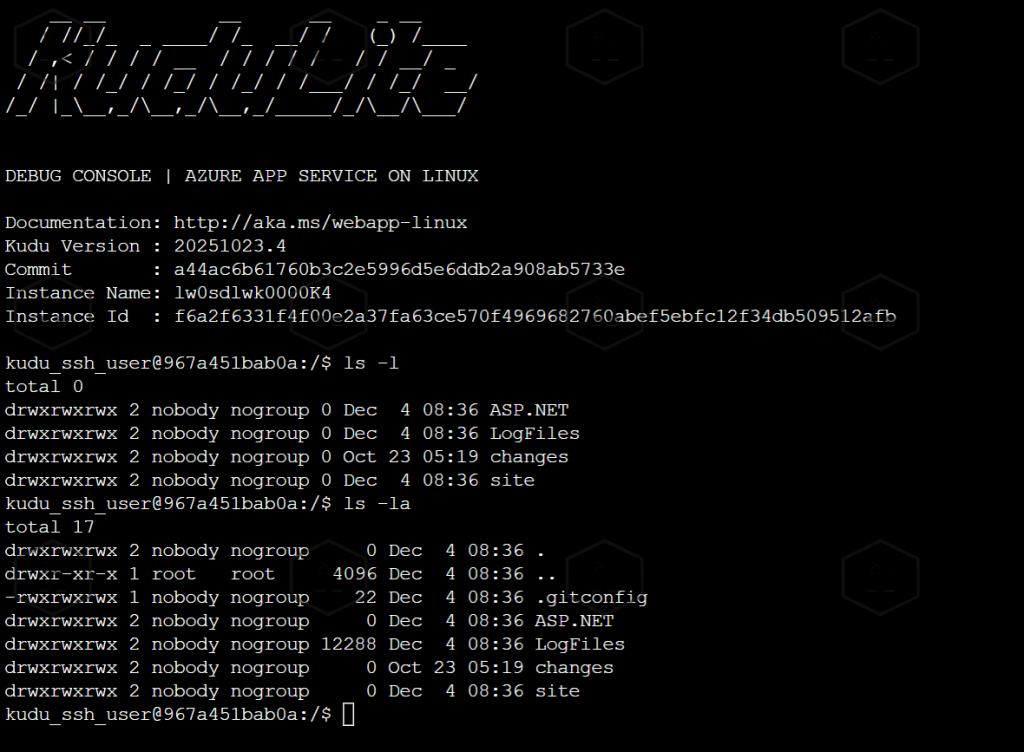
The secrets directory didn’t exist because storage wasn’t mounted!
The Secondary Issue
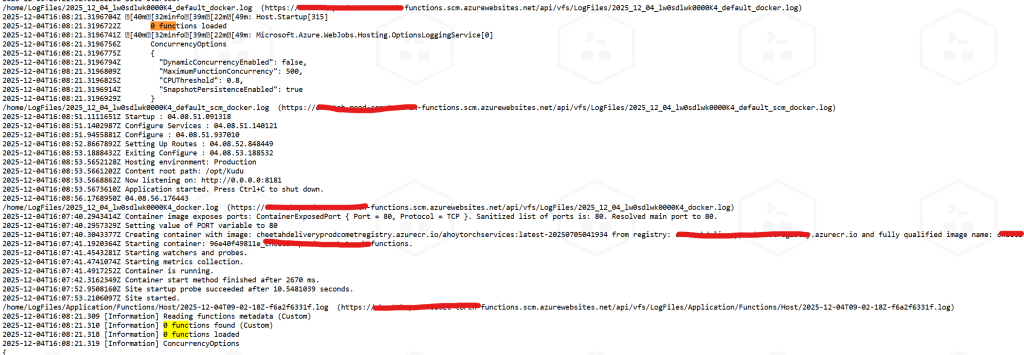
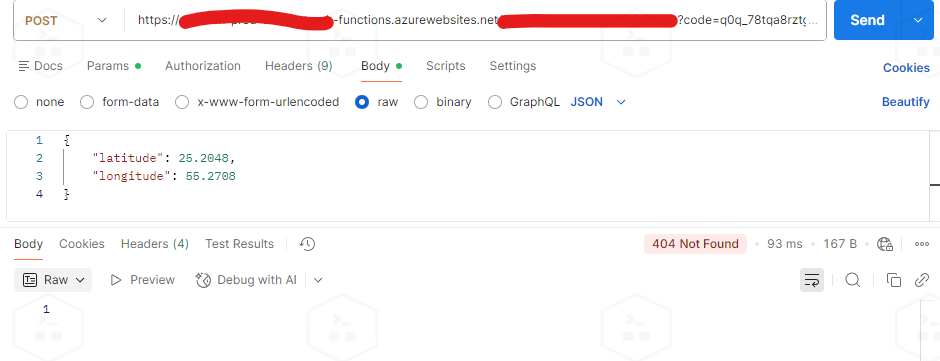
When I initially tried to fix this by setting WEBSITES_ENABLE_APP_SERVICE_STORAGE = true, authentication worked but I got 404 Not Found instead!
Why? Because mounting Azure’s persistent storage at /home/site/wwwroot/ overwrote my Docker container’s application files. The mounted directory only had host.json but no compiled DLLs (in the docker container, not the host container it is very important to keep that in mind there are two containers here the host container and the app docker container) so Azure Functions runtime finds 0 functions to load so When a request comes in Authentication works (keys in blob) but Function not found so we get 404.In short, this option makes the host find the function key files (so authentication works) but loses the functions themselves. We cant use it and WEBSITES_ENABLE_APP_SERVICE_STORAGE needs to be false.
The Solution
The correct fix for Dockerized Azure Functions is to use blob-based secret storage:
Step 1: Change Secret Storage Type
In Azure Portal:
- Go to your Function App
- Navigate to Configuration → Application Settings
- Find or add:
AzureWebJobsSecretStorageType - Set value to:
blob - Ensure:
WEBSITES_ENABLE_APP_SERVICE_STORAGEisfalse
Step 2: Save and Restart
Click Save, then restart the function app. Azure will automatically:
- Create a
azure-webjobs-secretscontainer in your storage account - Migrate existing keys to blob storage
- Configure the runtime to read from blobs
Step 3: Get Your Keys
Go to Portal → Function App → Functions → [Your Function] → Function Keys
Copy the key from the Portal (this is the decrypted version).
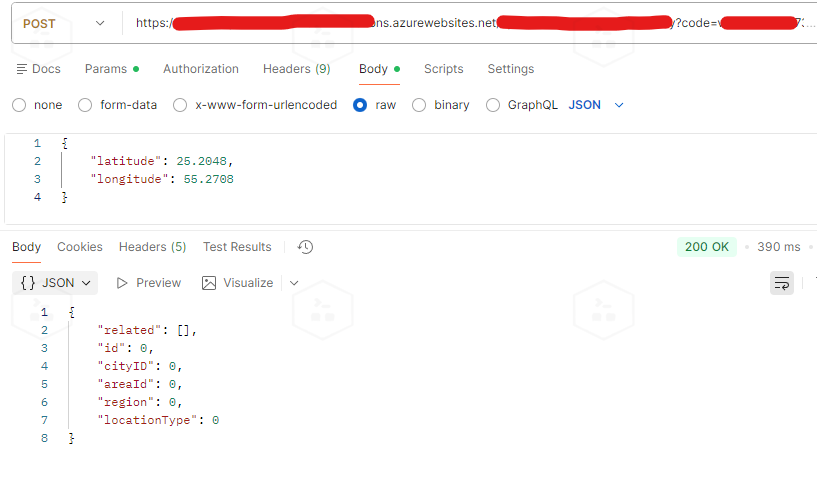
Step 4: Test
curl -X POST  "https://my-prod-functions.azurewebsites.net/api/MyFunction?code=<KEY_FROM_PORTAL>"
-H "Content-Type: application/json"
-d '{"test": "data"}'

# Response: 200 OK
Understanding Key Encryption
When you check blob storage, you’ll see keys stored like this:
{ "keys": [
  {
    "name": "default",
    "value": "CfDJ8AAAAAAA...encrypted-value...",
    "encrypted": true
  }
 ]
}
Important: You cannot use this encrypted value directly! Azure automatically:
- Stores keys encrypted in blob storage (for security)
- Decrypts them at runtime using machine keys
- Validates incoming requests against decrypted values
Always get your keys from the Azure Portal UI, which shows the decrypted version.
Complete Configuration Reference
Dockerfile (Example)
FROM mcr.microsoft.com/azure-functions/dotnet:4 AS base
WORKDIR /home/site/wwwroot
EXPOSE 80

FROM mcr.microsoft.com/dotnet/sdk:6.0 AS build
WORKDIR /src
COPY ["MyFunction/MyFunction.csproj", "MyFunction/"]
RUN dotnet restore "MyFunction/MyFunction.csproj"
COPY . .
WORKDIR "/src/MyFunction"
RUN dotnet build "MyFunction.csproj" -c Release -o /app/build

FROM build AS publish
RUN dotnet publish "MyFunction.csproj" -c Release -o /app/publish

FROM base AS final
WORKDIR /home/site/wwwroot
COPY --from=publish /app/publish .
ENV AzureWebJobsScriptRoot=/home/site/wwwroot
    AzureFunctionsJobHost__Logging__Console__IsEnabled=true
Required App Settings
# Secret storage configuration
AzureWebJobsSecretStorageType = blob
AzureWebJobsStorage = <your-storage-connection-string>
# Docker configuration
WEBSITES_ENABLE_APP_SERVICE_STORAGE = false
WEBSITE_RUN_FROM_PACKAGE = 0
# Functions runtime
FUNCTIONS_WORKER_RUNTIME = dotnet
FUNCTIONS_EXTENSION_VERSION = ~4
Why This Happens
This issue is specific to Docker + Azure Functions because:
- Docker containers should be stateless and immutable
- File-based secrets require mounted persistent storage
- Mounting storage can overwrite containerized application files
- The solution is using blob storage, which is stateless-friendly
Non-dockerized function apps don’t have this problem because they naturally have access to the App Service file system.
Summary
Problem: Dockerized Azure Functions return 401 when using file-based secret storage without mounted volumes.
Solution: Use blob-based secret storage, which is stateless and Docker-friendly.
Key Settings:
AzureWebJobsSecretStorageType = blob WEBSITESENABLEAPPSERVICESTORAGE = false
This configuration allows your Docker container to remain stateless while still securely accessing authentication keys from Azure Blob Storage.
Troubleshooting a similar issue? Feel free to reach out in the comments below!