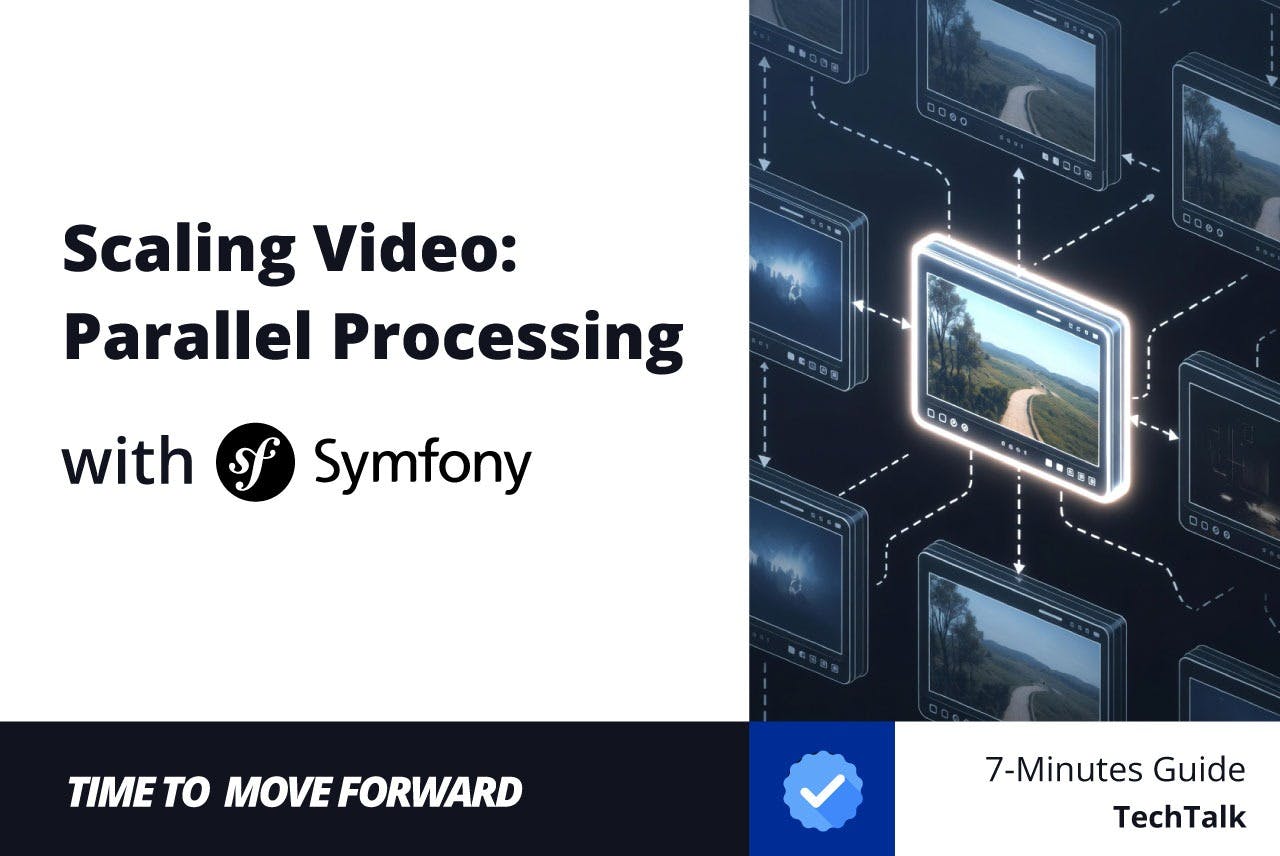
Processing video is one of the heaviest tasks a web application can handle. If you are still running shell_exec(‘ffmpeg …’) inside a Controller, you are likely blocking your PHP-FPM threads, frustrating your users, and risking timeouts.
In 2026, we don’t do that. We treat video processing as an asynchronous, distributed pipeline.
With the release of Symfony 7.4, we have new tools that make this robust and native. We now have a dedicated #[Video] validation constraint, native support for shared directories, and the mature Messenger component to orchestrate parallel pipelines.
In this article, we will build a production-grade video processing architecture that:
- Validates uploads instantly using the new Symfony 7.4 constraints.
- Offloads heavy lifting to background workers.
- Parallelizes tasks (transcoding, thumbnails, analysis) simultaneously.
Prerequisites
- PHP 8.2+ (PHP 8.4 recommended).
- Symfony 7.4 (symfony/skeleton & symfony/webapp-pack).
- FFmpeg installed on your server/container (sudo apt install ffmpeg).
- Composer packages: n php-ffmpeg/php-ffmpeg(v1.3+) n symfony/messengersymfony/validator
The Architecture: Shared Directory Strategy
Before writing code, we must solve the physical storage problem. When a user uploads a video to your Web Container, your Worker Container (which might be on a different server) needs to access it.
In Symfony 7.4, we lean into the “Shared Directory” pattern — a standardized location for stateful data shared across nodes (like NFS mounts or Docker Volumes).
Infrastructure setup (Conceptual):
- Web Node: Mounts /mnt/shared_storage to ./var/storage.
- Worker Node: Mounts the same volume to ./var/storage.
We will configure this path in services.yaml to ensure our code is agnostic of the physical location.
# config/services.yaml
parameters:
    # The absolute path to the shared storage (mapped volume)
    app.storage_dir: '%kernel.project_dir%/var/storage'

services:
    _defaults:
        autowire: true
        autoconfigure: true
        bind:
            $storageDir: '%app.storage_dir%'
Validation: The New #[Video] Constraint
In previous versions, we had to rely on the generic File constraint and guess MIME types, or write complex custom validators to check duration and codecs.
Symfony 7.4 introduces the native #[Video] constraint. It uses FFmpeg internals (via ffprobe) to validate metadata before you even accept the business logic.
Let’s create a DTO for our upload.
// src/Dto/VideoUploadDto.php
namespace AppDto;

use SymfonyComponentHttpFoundationFileUploadedFile;
use SymfonyComponentValidatorConstraints as Assert;

final readonly class VideoUploadDto
{
    public function __construct(
        #[AssertNotBlank]
        #[AssertVideo(
            maxSize: '500M',
            mimeTypes: ['video/mp4', 'video/quicktime', 'video/webm'],
            minWidth: 1280,
            maxWidth: 3840, // 4K limit
            minDuration: 5, // Seconds
            maxDuration: 3600,
            allowPortrait: false, // Enforce landscape
            suggestedExtensions: ['mp4', 'mov']
        )]
        public UploadedFile $file,

        #[AssertNotBlank]
        #[AssertLength(min: 5, max: 255)]
        public string $title
    ) {}
}
This constraint requires the ffprobe binary to be executable by the web user.
The Orchestrator: Messenger Pipelines
To process video efficiently, we shouldn’t just run one giant script. We should split the work into Pipelines. When a video is uploaded, we will dispatch a “Manager Message,” which then dispatches sub-tasks to be run in parallel.
The Messages (DTOs)
We use readonly classes for immutable message objects.
// src/Message/ProcessVideoUpload.php
namespace AppMessage;

/**
 * The Trigger: Dispatched immediately after upload.
 */
final readonly class ProcessVideoUpload
{
    public function __construct(
        public string $videoId,
        public string $filename
    ) {}
}
// src/Message/TranscodeVideo.php
namespace AppMessage;

/**
 * Sub-Task: Heavy encoding work.
 */
final readonly class TranscodeVideo
{
    public function __construct(
        public string $videoId,
        public string $filename,
        public string $targetFormat // e.g., 'hls', 'mp4-720p'
    ) {}
}
// src/Message/GenerateThumbnail.php
namespace AppMessage;

/**
 * Sub-Task: Image extraction.
 */
final readonly class GenerateThumbnail
{
    public function __construct(
        public string $videoId,
        public string $filename,
        public int $timestamp
    ) {}
}
Configuring Transports
We need at least two transports:
- async_priority: For fast tasks (thumbnails, database updates).
- async_heavy: For long-running tasks (transcoding). This prevents a 10-minute 4K encode from blocking your thumbnail generation.
# config/packages/messenger.yaml
framework:
    messenger:
        failure_transport: failed

        transports:
            # Fast lane
            async_priority:
                dsn: '%env(MESSENGER_TRANSPORT_DSN)%'
                options:
                    queue_name: priority_queue

            # Slow lane (Heavy video processing)
            async_heavy:
                dsn: '%env(MESSENGER_TRANSPORT_DSN)%'
                options:
                    queue_name: video_encoding_queue
                    # Increase timeout for workers on this queue
                    auto_setup: true

            failed: 'doctrine://default?queue_name=failed'

        routing:
            'AppMessageProcessVideoUpload': async_priority
            'AppMessageGenerateThumbnail': async_priority
            'AppMessageTranscodeVideo': async_heavy
The Processing Logic
We will use the php-ffmpeg library. First, install it:
composer require php-ffmpeg/php-ffmpeg
The Manager Handler
This handler receives the initial upload event and “fans out” the work. This is the Parallel Pipeline pattern.
// src/MessageHandler/ProcessVideoUploadHandler.php
namespace AppMessageHandler;

use AppMessageGenerateThumbnail;
use AppMessageProcessVideoUpload;
use AppMessageTranscodeVideo;
use PsrLogLoggerInterface;
use SymfonyComponentMessengerAttributeAsMessageHandler;
use SymfonyComponentMessengerMessageBusInterface;

#[AsMessageHandler]
final readonly class ProcessVideoUploadHandler
{
    public function __construct(
        private MessageBusInterface $bus,
        private LoggerInterface $logger
    ) {}

    public function __invoke(ProcessVideoUpload $message): void
    {
        $this->logger->info("Starting pipeline for video: {$message->videoId}");

        // 1. Dispatch Thumbnail Generation (Fast)
        // We generate 3 thumbnails in parallel by dispatching 3 messages
        $this->bus->dispatch(new GenerateThumbnail($message->videoId, $message->filename, 5));
        $this->bus->dispatch(new GenerateThumbnail($message->videoId, $message->filename, 30));
        $this->bus->dispatch(new GenerateThumbnail($message->videoId, $message->filename, 60));

        // 2. Dispatch Transcoding (Slow/Heavy)
        // These will go to the 'async_heavy' transport
        $this->bus->dispatch(new TranscodeVideo($message->videoId, $message->filename, 'mp4-720p'));
        $this->bus->dispatch(new TranscodeVideo($message->videoId, $message->filename, 'webm-720p'));

        $this->logger->info("Pipeline dispatched successfully.");
    }
}
The Heavy Worker Handler
Now, we implement the actual logic using FFmpeg.
// src/MessageHandler/TranscodeVideoHandler.php
namespace AppMessageHandler;

use AppMessageTranscodeVideo;
use FFMpegFFMpeg;
use FFMpegFormatVideoX264;
use PsrLogLoggerInterface;
use SymfonyComponentFilesystemFilesystem;
use SymfonyComponentMessengerAttributeAsMessageHandler;

#[AsMessageHandler]
final readonly class TranscodeVideoHandler
{
    public function __construct(
        private string $storageDir,
        private LoggerInterface $logger,
    ) {}

    public function __invoke(TranscodeVideo $message): void
    {
        $inputFile = $this->storageDir . '/' . $message->filename;
        $outputFile = $this->storageDir . '/processed/' . $message->videoId . '-' . $message->targetFormat . '.mp4';

        // 1. Verify existence (Robustness)
        if (!file_exists($inputFile)) {
            // In a shared dir setup, there might be a slight sync delay or error.
            // Throwing exception triggers Messenger retry policy.
            throw new RuntimeException("File not found: $inputFile");
        }

        $this->logger->info("Transcoding {$message->videoId} to {$message->targetFormat}...");

        // 2. Initialize FFMpeg
        $ffmpeg = FFMpeg::create();
        $video = $ffmpeg->open($inputFile);

        // 3. Configure Format (x264 codec, AAC audio)
        $format = new X264();
        $format->setKiloBitrate(1000)
               ->setAudioChannels(2)
               ->setAudioKiloBitrate(128);

        // 4. Save
        // This is a blocking process that can take minutes.
        // Because it's in a worker, the user is not waiting.
        $filesystem = new Filesystem();
        $filesystem->mkdir(dirname($outputFile));

        $video->save($format, $outputFile);

        $this->logger->info("Transcoding complete: $outputFile");
    }
}
The Controller: Tying It Together
The controller’s job is now incredibly simple:
Validate -> Move to Storage -> Dispatch -> Return 202 Accepted.
// src/Controller/VideoController.php
namespace AppController;

use AppDtoVideoUploadDto;
use AppMessageProcessVideoUpload;
use SymfonyBundleFrameworkBundleControllerAbstractController;
use SymfonyComponentHttpFoundationJsonResponse;
use SymfonyComponentHttpFoundationRequest;
use SymfonyComponentHttpKernelAttributeMapUploadedFile;
use SymfonyComponentMessengerMessageBusInterface;
use SymfonyComponentRoutingAttributeRoute;
use SymfonyComponentUidUuid;

#[Route('/api/videos')]
class VideoController extends AbstractController
{
    public function __construct(
        private string $storageDir,
        private MessageBusInterface $bus
    ) {}

    #[Route('/upload', methods: ['POST'])]
    public function upload(
        // Validates automatically using our DTO constraints
        #[MapUploadedFile] VideoUploadDto $uploadDto
    ): JsonResponse {

        $file = $uploadDto->file;
        $videoId = Uuid::v7()->toRfc4122();

        // 1. Move file to Shared Directory
        // We use the ID as the filename to avoid collisions
        $filename = $videoId . '.' . $file->guessExtension();
        $file->move($this->storageDir, $filename);

        // 2. Dispatch the Manager Message
        $this->bus->dispatch(new ProcessVideoUpload($videoId, $filename));

        // 3. Immediate Response
        return $this->json([
            'status' => 'processing',
            'id' => $videoId,
            'message' => 'Video accepted. Processing pipelines initiated.'
        ], 202);
    }
}
Running the Pipelines
To see this parallelism in action, you need to run your workers. In a production environment (like Kubernetes or Docker Swarm), you would scale these deployments independently.
Terminal 1 (The Priority Worker): Handles the dispatching and thumbnails.
php bin/console messenger:consume async_priority -vv
Terminal 2 (The Heavy Worker): Handles the actual video encoding. You might run 4 or 5 of these containers.
php bin/console messenger:consume async_heavy -vv
Verification
- POST a 50MB MP4 file to /api/videos/upload.
- Observe Terminal 1: It receives ProcessVideoUpload, then almost instantly dispatches 5 new messages (3 thumbnails, 2 transcodes). It then processes the thumbnails.
- Observe Terminal 2: It picks up TranscodeVideo. You will see the CPU usage rise as FFmpeg runs.
- Check your ./var/storage/processed/ directory. You will see the thumbnails appear quickly, followed later by the transcoded video files.
Conclusion
By leveraging Symfony 7.4, we have transformed a complex problem into a clean, manageable architecture.
- Reliability: The #[Video] constraint ensures no invalid files ever enter our pipeline.
- Scalability: By separating asyncpriority and asyncheavy, thumbnail generation is never blocked by large video encoding.
- Maintainability: The logic is decoupled. You can change the transcoding library or the storage engine (e.g., to S3 using Flysystem) without touching the Controller or the Validation logic.
This architecture is “production-ready” but allows for growth. As you scale, you might replace the local Shared Directory with an Object Storage abstraction (using league/flysystem-aws-s3-v3), but the Messenger pipeline concepts remain exactly the same.
Video processing doesn’t have to be scary. With the right constraints and queue architecture, it becomes predictable and observable.
Have questions about scaling Symfony pipelines? Let’s connect. I share daily tips on modern PHP architecture.
LinkedIn: Connect with me [https://www.linkedin.com/in/matthew-mochalkin/]