How to Use Codex Security to Detect and Patch Vulnerabilities in Your Codebase: Step-by-Step Tutorial

In an era where software security is paramount, developers face increasing pressure to identify and remediate vulnerabilities before they can be exploited. OpenAI’s Codex Security, introduced in late 2025, revolutionizes this process by leveraging advanced AI to analyze codebases, detect complex security flaws, validate potential risks, and even suggest or automate patches. This tutorial offers a comprehensive, hands-on guide to using the Codex Security agent effectively within your development workflow.
Whether you manage a large-scale enterprise application or a growing startup’s code repository, mastering Codex Security can drastically reduce your security debt and accelerate remediation cycles. By walking through setup, analysis, vulnerability triage, and patch deployment, you will gain practical insight into integrating AI-powered security into your coding practices.
Understanding Codex Security: Capabilities and Benefits
What is Codex Security?
Codex Security is an extension of OpenAI’s Codex model, fine-tuned specifically for cybersecurity tasks. Released in November 2025, it combines natural language understanding with deep code analysis to identify vulnerabilities across multiple programming languages and frameworks. Unlike traditional static application security testing (SAST) tools, Codex Security contextualizes code within the entire project environment, enabling detection of subtle, multi-file or configuration-based security issues.
Key features include:
- Context-aware vulnerability detection: Analyzes dependencies, API usages, and code flow.
- Automated validation: Simulates exploit scenarios to confirm the presence and severity of vulnerabilities.
- Patch generation and suggestions: Automatically proposes secure code modifications and can optionally apply fixes.
- Multi-language support: Covers Python, JavaScript, Java, C#, Ruby, and more.
- Integration-friendly: Compatible with CI/CD pipelines and popular version control systems.
These capabilities position Codex Security as a powerful ally in proactive codebase defense and continuous security integration.
Why Choose Codex Security Over Traditional Tools?
Conventional security scanners often generate high false-positive rates, require manual triage, and struggle with complex inter-file vulnerabilities. Codex Security’s AI-driven approach reduces noise by leveraging project context and uses real-time exploit validation to prioritize findings. Additionally, its patching suggestions are grounded in best coding practices, ensuring maintainability alongside security.
Organizations adopting Codex Security report up to a 40% reduction in remediation time and significant improvements in vulnerability detection accuracy, based on OpenAI’s November 2025 beta program data.
Complete Guide to Building AI-Powered Automation Workflows Using ChatGPT API,… describes how to integrate Codex Security into automated pipelines to streamline vulnerability management.
Step 1: Setting Up Codex Security in Your Development Environment
Prerequisites
Before getting started, ensure the following:
- Access to an OpenAI account with Codex Security enabled (available since November 2025 through OpenAI Enterprise subscriptions).
- Your codebase is hosted on a Git-compatible version control system (GitHub, GitLab, Bitbucket, etc.).
- Node.js version 18.x or higher and Python 3.10+ installed on your local machine.
- Basic familiarity with command-line interfaces and your preferred code editor.
Installation
Codex Security is delivered as a CLI tool and an API. Begin by installing the CLI globally via npm:
npm install -g @openai/codex-securityVerify installation by running:
codex-security --versionIt should output a version number such as v1.0.3, reflecting the stable release as of March 2026.
Authentication and Configuration
Next, authenticate the CLI with your OpenAI API key. Set your environment variable in the terminal:
export OPENAI_API_KEY="your_api_key_here"Then, initialize Codex Security within your project directory to create a configuration file codexsecurity.config.json:
codex-security initThis interactive command prompts for your preferred scanning depth, supported languages, and integration targets (e.g., GitHub Actions, Jenkins). For example, enabling GitHub Actions integration allows automatic scans on pull requests.
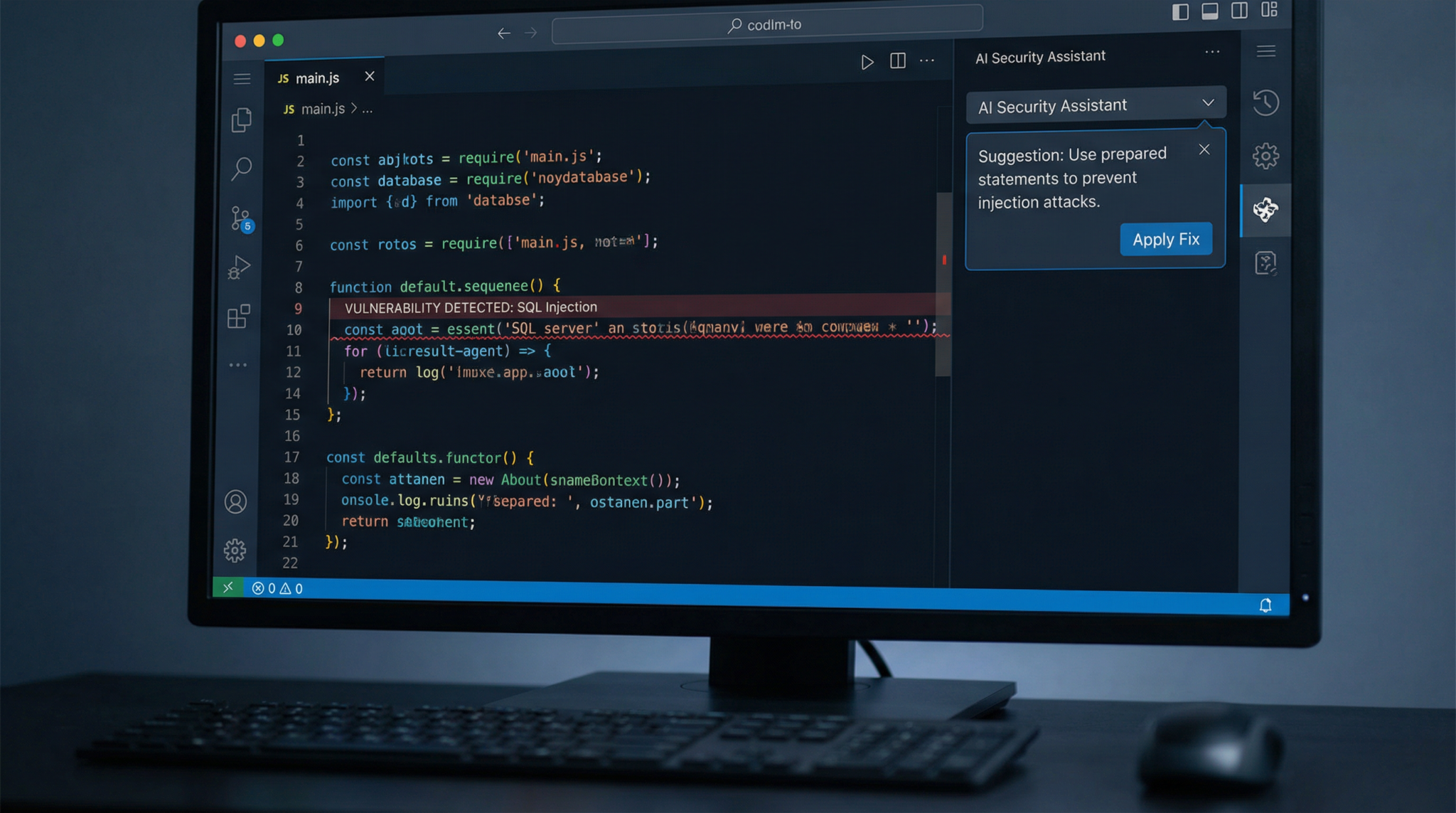
Step 2: Running Your First Security Scan
Basic Scan Command
With the configuration in place, perform a vulnerability scan by running:
codex-security scanThis command triggers the agent to:
- Parse your entire project context, including dependencies and environment files.
- Run multi-language static code analysis augmented by AI reasoning.
- Identify potential security issues such as SQL injection, cross-site scripting (XSS), insecure deserialization, and privilege escalation risks.
Scan duration depends on project size but averages 2-5 minutes for repositories with ~50,000 lines of code.
Reviewing Scan Results
Upon completion, Codex Security generates a detailed report saved as security-report.json and displayed in your terminal. The report categorizes findings by severity:
- Critical: Exploitable vulnerabilities confirmed by validation.
- High: Likely vulnerabilities needing prompt review.
- Medium and Low: Potential risks and code smells.
Example output snippet:
{
  "vulnerabilities": [
    {
      "id": "CS-2026-001",
      "file": "src/api/user.js",
      "line": 134,
      "type": "SQL Injection",
      "severity": "Critical",
      "description": "Unsanitized user input passed to SQL query.",
      "validation": "Exploit confirmed via simulated payload."
    }
  ]
}
Codex Security’s validation step uses dynamic analysis techniques to simulate attacks, reducing false positives significantly.
Interactive Web Dashboard
For enhanced usability, the CLI can launch a web dashboard:
codex-security dashboardThis interface provides sortable tables, code snippet previews, and timeline tracking of vulnerabilities over time, ideal for security teams and developers collaborating on remediation.
Claude Code vs OpenAI Codex in 2026: The Definitive Comparison Guide for AI-P… offers a detailed examination of Codex’s security features compared to alternative AI coding assistants.
Step 3: Validating and Prioritizing Vulnerabilities
Automated Validation Explained
Not all flagged issues represent real threats. Codex Security’s unique validation engine dynamically analyzes suspicious code by injecting safe test payloads and monitoring their effects on the execution environment.
This process filters out false alarms, ensuring developers focus on confirmed or highly probable vulnerabilities.
Customizing Validation Parameters
By default, validation runs standard exploit simulations. You can customize these parameters in codexsecurity.config.json to include additional test cases or exclude specific files.
Example configuration snippet:
{
  "validation": {
    "enabled": true,
    "payloads": ["sql-injection", "xss", "command-injection"],
    "excludePaths": ["tests/", "migrations/"]
  }
}
Prioritization Strategies
Codex Security ranks vulnerabilities not only by severity but also potential impact based on project context, such as exposed APIs or critical infrastructure dependencies. This prioritization helps allocate remediation efforts efficiently.
Security managers can export prioritized lists in CSV or integrate with issue trackers like Jira via API.
Step 4: Generating and Applying Patches
Patch Suggestions
One of Codex Security’s most powerful features is its ability to suggest code fixes automatically. After vulnerability detection, run:
codex-security patch-suggestThe tool analyzes the problematic code segment and generates a secure alternative, adhering to best practices and framework conventions.
For example, in the case of SQL injection, Codex Security might replace concatenated SQL strings with parameterized queries.
Reviewing and Applying Patches
Patch suggestions are committed to a new Git branch named codex-security-fixes by default, allowing developers to review, test, and merge changes safely.
Alternatively, you can apply patches directly with:
codex-security apply-patchesUse this with caution, ideally in staging environments, to prevent unintended regressions.
Human-in-the-Loop Best Practices
While Codex Security’s AI is highly accurate, manual code review remains essential, especially for complex business logic scenarios. Developers should:
- Examine AI-generated patches for compliance with project standards.
- Run full test suites to confirm no functionality breakage.
- Document changes clearly in commit messages for audit trails.
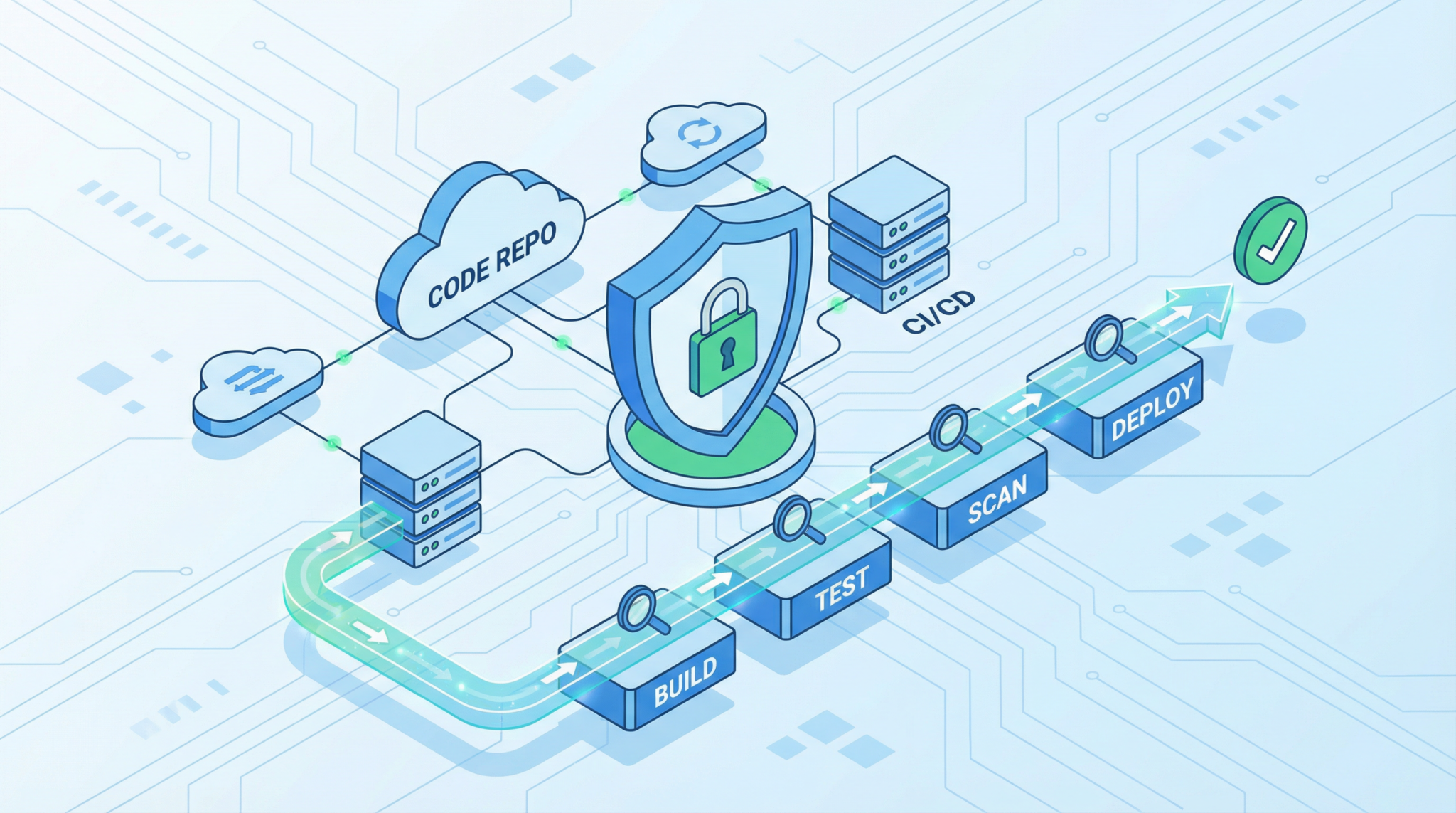
Step 5: Integrating Codex Security into CI/CD Pipelines
Continuous Security Scanning
To maintain ongoing security hygiene, integrate Codex Security scans into your build pipelines. The CLI supports out-of-the-box GitHub Actions and Jenkins plugins.
Example GitHub Actions workflow snippet:
name: Security Scan
on:
  pull_request:
jobs:
  scan:
    runs-on: ubuntu-latest
    steps:
    - uses: actions/checkout@v3
    - name: Setup Node.js
      uses: actions/setup-node@v3
      with:
        node-version: '18'
    - name: Install Codex Security
      run: npm install -g @openai/codex-security
    - name: Run Security Scan
      env:
        OPENAI_API_KEY: ${{ secrets.OPENAI_API_KEY }}
      run: codex-security scan --fail-on-critical
This configuration automatically blocks pull requests if critical vulnerabilities are detected, ensuring insecure code does not reach production.
Alerting and Reporting
Codex Security supports webhook integrations and email notifications for rapid incident response. Customize alert thresholds and delivery channels in your configuration file.
Access 40,000+ AI Prompts for ChatGPT, Claude & Codex — Free!
Subscribe to get instant access to our complete Notion Prompt Library — the largest curated collection of prompts for ChatGPT, Claude, OpenAI Codex, and other leading AI models. Optimized for real-world workflows across coding, research, content creation, and business.
Access Free Prompt Library
Practical Takeaways and Analysis
Adopting Codex Security introduces several tangible benefits:
- Enhanced accuracy: AI-powered validation reduces false positives, saving developer time.
- Faster remediation: Automated patch suggestions accelerate fixes, shortening vulnerability windows.
- Seamless integration: Compatibility with existing toolchains enables continuous security without workflow disruption.
- Multi-language proficiency: Supports polyglot codebases common in modern applications.
However, developers should remain vigilant about AI recommendations, maintaining manual oversight to mitigate risks of incorrect or incomplete patches. Combining Codex Security with traditional code audits and penetration testing forms a robust, layered defense strategy.
Overall, OpenAI’s Codex Security represents a significant leap forward in automated application security, empowering developers to build safer software at scale.
Complete Guide to Building AI-Powered Automation Workflows Using ChatGPT API,… for advanced automation techniques that complement Codex Security in securing your development lifecycle.