To make the iPhone as capable as it is, Apple equipped it with several sensors. One of these is the LiDAR scanner. LiDAR — short for Light Detection and Ranging — is a sensor that essentially measures distances to develop a 3D map of the surroundings. It’s particularly popular for helping self-driving cars “see” the space around them, mapping shorelines and terrains for assessment and research, and scanning existing conditions of buildings.
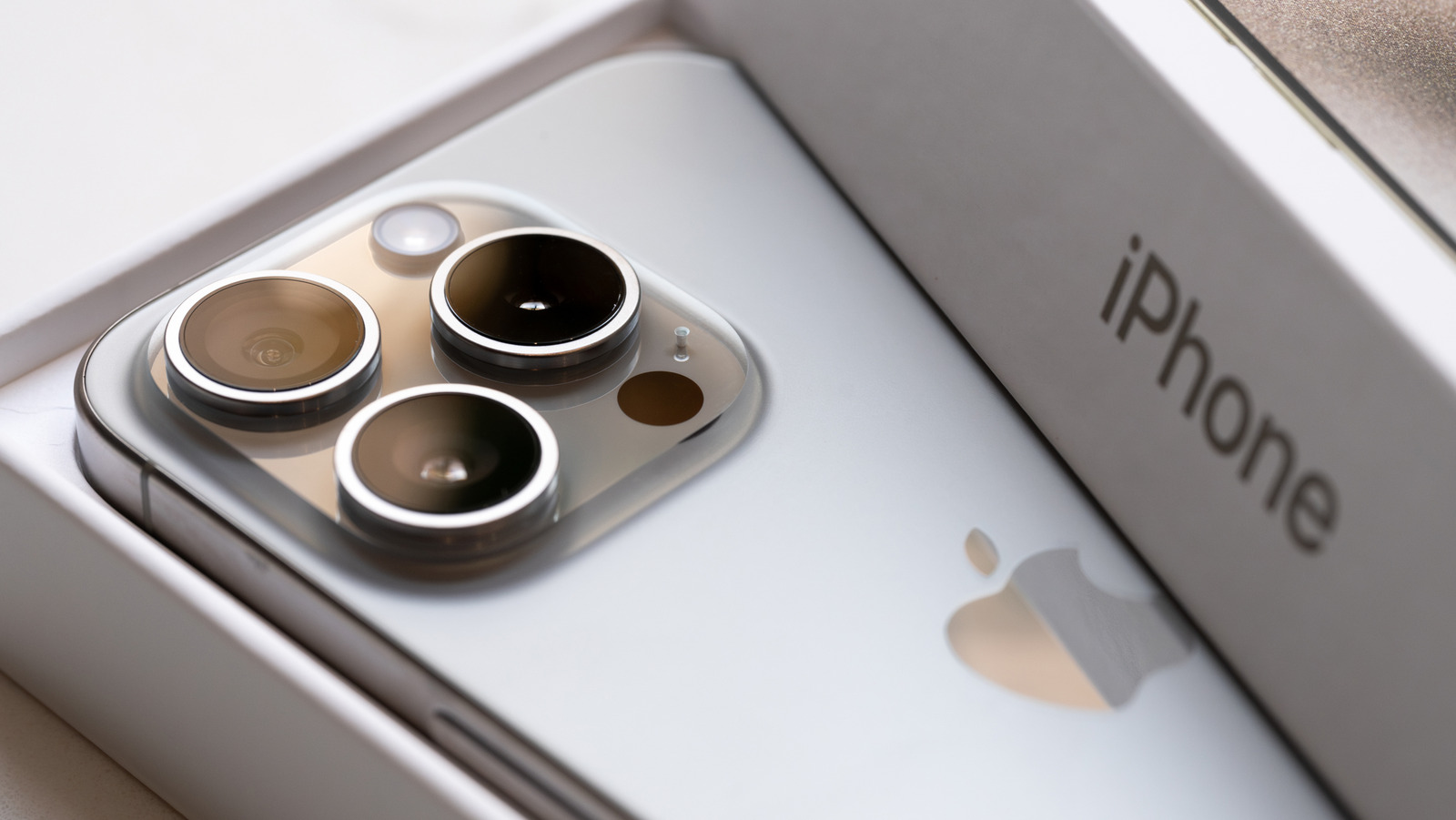
The LiDAR sensor on your iPhone, though, offers more practical everyday uses. This small black circle near the rear camera lenses is actually responsible for some of the iPhone tricks most people don’t know about — person height measurement, AR gaming, and enhanced camera autofocus. Thanks to the LiDAR on your iPhone, you can interact with your environment better.
However, it’s important to note that the LiDAR scanner isn’t a standard sensor on all iPhones. It’s only built into the Pro models of both the iPhone and iPad, starting with the iPhone 12 Pro and Pro Max and the iPad Pro 11-inch (2nd generation) and 12.9-inch (4th generation). If you have one of these devices, here’s how you can start using the LiDAR.
How to use your iPhone’s LiDAR sensor with native apps
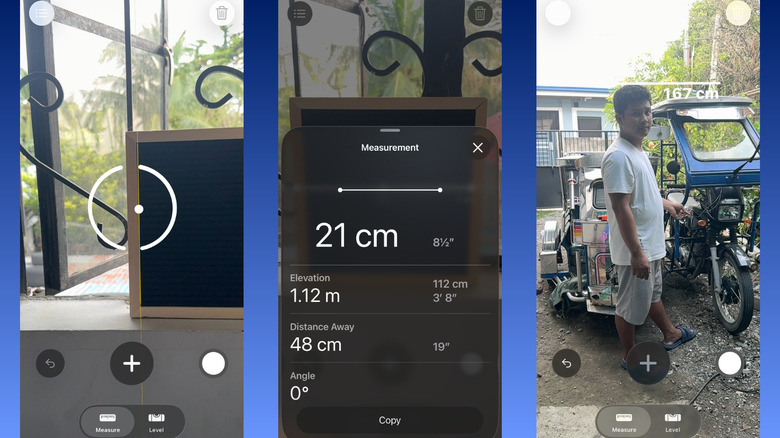
You can easily try out the LiDAR scanner on your iPhone with one native app: Measure. With LiDAR, Measure gets more advanced features, such as person height measurement, virtual ruler, guide lines, detailed measurements, and measurement history. Here’s how to use these LiDAR-powered functionalities:
- Launch Measure.
- To measure an object:
- Move your phone until you see a circle with a central dot on the screen.
- Place the dot over one end of the object you want to measure.
- If the point is on a straight edge, wait for a few seconds for the yellow guide line to appear. The dot will automatically snap to this guide line.
- Hit the plus icon in the middle to save the starting point.
- Drag the dotted line to the other end of the object.
- Press the plus icon again. The line will then turn solid with the measurement and a virtual ruler displayed over the object.
- Tap the measurement to see more details, including the elevation, your distance away from the object, and the measurement’s angle.
- To change the start and end points, long-press on the point and reposition it. You should see the new measurement appear on screen.
- To measure someone’s height on your iPhone:
- Point your iPhone to the person. Make sure their head and feet are in the frame.
- Wait for the measurement to pop up near their head. This should appear automatically, without any other input on your end.
- Hit the capture button on the bottom-right to take a screenshot of the measurement.
To see the measurement history for the ongoing session, press the icon in the top-left. You can select Copy to copy all the measurements for use in another app, or Clear All to delete your history.
How to use your iPhone’s LiDAR sensor with third-party apps
Beyond the Measure app, your iPhone’s LiDAR sensor also powers loads of third-party apps. You can use it for several applications — probably the most popular of which is room scanning and decorating. Room scanner apps like magicplan and the IKEA Kreative option in the IKEA app let you scan a room to generate accurate 3D models and 2D floor plans right on your iPhone. All you have to do is point your camera and sweep it around the room to capture every detail. Depending on the app, you can then decorate the space with furniture, measure the room, or import the plan to professional software like SketchUp and AutoCAD.
The LiDAR on your iPhone can also come in handy for object 3D scanning. With apps like 3d Scanner App and Polycam, you can create a 3D digital model of everyday objects for 3D printing or digital artwork. These apps work by simply moving your phone around the object to cover all the sides.
Other than room scanners and 3D object makers, Augmented Reality (AR) gaming apps harness the power of your iPhone’s LiDAR too. What the LiDAR sensor does for these apps is merge their virtual objects with your real surroundings. For instance, in the RC Club AR Racing Simulator, you can control a virtual RC car to move across your room. It can jump from your coffee table, drive on the floor, and bump into books.
Accessibility for people with vision impairments is another impactful application of the LiDAR scanner. Apps like Super Lidar and Obstacle Detector For Blind use the scanner to assess the distance of obstacles. After determining the distance, sound and haptic alerts are sent to help the user move around better.