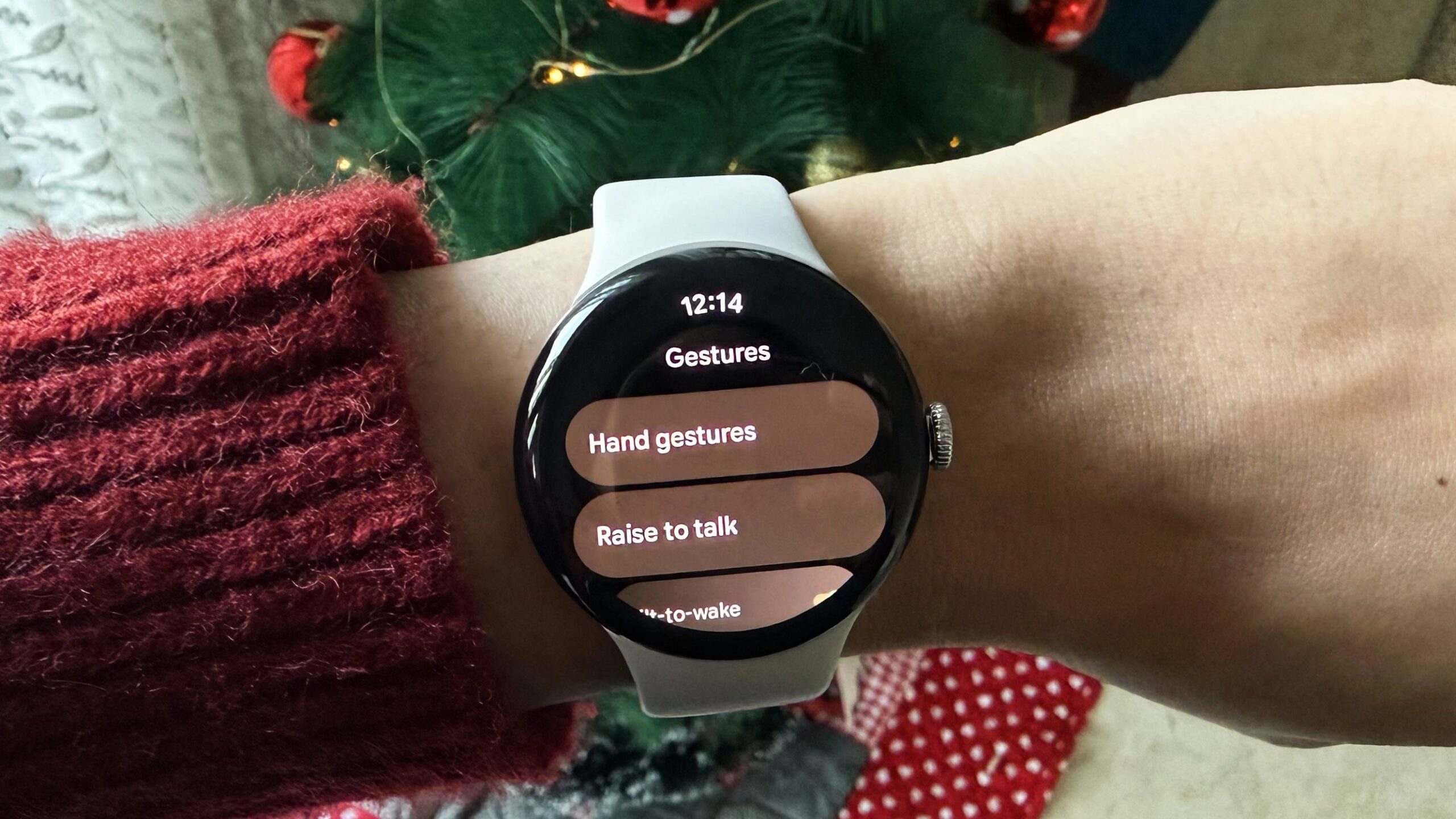
Google’s new hand gestures for the Pixel Watch are finally here, and they genuinely make using the watch feel more intuitive. You can now control parts of the watch by doing a Double pinch or a quick Wrist turn, instead of wasting time with screen taps. This can be very useful when your hands are full or if you prefer one-handed use, as I do.
Don’t want to miss the best from Android Authority?

Unfortunately, hand gestures are exclusive to the Pixel Watch 4 running Wear OS 6.1 or later, so older Pixel Watches, including the Pixel Watch 2 and Pixel Watch 3, are out of luck for now. They also don’t function completely as expected at this time.
Should Google bring hand gestures to the Pixel Watch 2 and Pixel Watch 3?
4 votes
Here’s everything you can do today, what works smoothly, what’s still a bit inconsistent, and how to turn the whole thing on (or off).
How gestures work on Pixel Watch 4

Adamya Sharma / Android Authority
When you first install the December update on your Pixel Watch 4, also known as the Wear OS 6.1 update, the two new hand gestures are enabled by default. Helpful on-screen hints pop up wherever Double pinch or Wrist turn gestures are supported, which makes learning them pretty convenient.
Double pinch: Tap your thumb and index finger together twice. This is the main new hand gesture, and most of the supported features rely on it.
Wrist turn: Quickly flip your wrist away from you and back. This gesture is very limited in utility.
What each gesture can do (right now)
Here’s a simple table showing which gesture works for what and whether it works reliably:
| Feature/Action | Double pinch | Wrist turn | Notes |
|---|---|---|---|
| Feature/Action
Scroll through alerting notifications |
Double pinch
✔️ |
Wrist turn
❌ |
Notes
Only works when a notification arrives for the first time. Doesn’t work on notifications accessed from the notification shade. |
| Feature/Action
Send the first Smart Reply |
Double pinch
✔️ |
Wrist turn
❌ |
Notes
Where Smart Reply is available |
| Feature/Action
Snooze firing alarm |
Double pinch
✔️ |
Wrist turn
❌ |
Notes
Works well. |
| Feature/Action
Stop firing timer |
Double pinch
✔️ |
Wrist turn
❌ |
Notes
Works well. |
| Feature/Action
Start/stop ongoing timer or stopwatch |
Double pinch
✔️ |
Wrist turn
❌ |
Notes
Works smoothly. |
| Feature/Action
Play/pause music |
Double pinch
✔️ |
Wrist turn
❌ |
Notes
Works inconsistently; not reliable in individual music apps like Spotify. Better in the watch’s default player but still spotty. |
| Feature/Action
Take a photo with Camera app |
Double pinch
✔️ |
Wrist turn
❌ |
Notes
Start/stop video recording |
| Feature/Action
Start/stop video recording |
Double pinch
✔️ |
Wrist turn
❌ |
Notes
Start/stop video recording |
| Feature/Action
Dismiss incoming call |
Double pinch
✔️ (End/Answer incoming calls) |
Wrist turn
✔️ (Dismiss incoming calls) |
Notes
None of the calling gestures that are supposed to be supported work just yet.
Google could enable them at a later date. |
| Feature/Action
Scroll through notification list (manually opened) |
Double pinch
❌ |
Wrist turn
❌ |
Notes
Not supported |
| Feature/Action
General UI navigation |
Double pinch
❌ |
Wrist turn
❌ |
Notes
Not supported |
The big picture is that most actions supported by hand gestures on the Pixel Watch 4 rely on the Double pinch gesture. The Wrist turn gesture is currently only good for dismissing expanded notifications.
How to turn one-handed gestures on/off on the Pixel Watch 4
As we mentioned earlier, the new hand gestures are enabled by default once you update your Pixel Watch 4. However, you can undo that directly on your watch or from the Pixel Watch app on your phone.
Open the Google Pixel Watch app on your phone:
- Go to Settings > Gestures > Hand gestures.
- Toggle Double pinch and Wrist turn on or off.
From the Pixel Watch 4
- Swipe down for quick settings.
- Go to Settings > Gestures > Hand gestures.
- Toggle each gesture on/off.
- Here, you can also adjust how often gesture hints appear (Always, Daily, Weekly, Monthly, or Once).
Google has also added a built-in tutorial that you can fire up anytime to learn the new hand gestures.
You’ll see a “What’s New” notification after updating to Wear OS 6.1 for the first time. You’ll also get a day 1 reminder tutorial a day after updating, and you can always learn at a later date by heading to Settings > Gestures > Hand gestures > Education > Hand gestures.
Thank you for being part of our community. Read our Comment Policy before posting.