Stephen Headrick / Android Authority
I think I did it. I think I finally found a system that works for my brain. A system that brings my work and personal lives together under one roof and allows me to stay organized across tasks, documents, and projects — and it’s finally available on Android. This is, after all, the holy grail of productivity apps, right?
Productivity apps are a dime a dozen these days, and I’ve tried way too many in search of something that works for me. But after consistently using it for a while now, I feel confident saying that the app Craft is actually making a difference in my life.
What is your productivity tool of choice?
4 votes
I thought I had it figured out
I feel like I’ve tried everything. Notion, Todoist, Trello, TickTick…. I could go on, but the whole article would consist of naming apps, both big and small, that I’ve given a chance. Many excel in a specific area, but none stuck for me.
My most recent attempt at finding a productivity solution was switching everything to Google’s suite of products. Calendar, Docs, Tasks, and Keep are all great tools, and I especially appreciate Google’s efforts to interconnect them in recent years. Tasks is quite literally built into Calendar now, for example. Keep reminders show up in Tasks. It’s an ecosystem that is starting to feel more cohesive, but most of these products were initially built as standalone tools, and it still feels that way in too many ways.
Where exactly was I supposed to start?

Guest Post / Android Authority
One of the biggest issues I faced when attempting to use Google’s suite is the lack of clear organization. Everything is in its own place, with no way to bring it all into one succinct home view. That means, in order to manage a project, you’re working across at least Docs, Calendar, and Tasks.
When lined up side by side next to Google Docs, opening up Craft feels like a step into the future, except the future is now and Google Docs is just old.
Docs was supposed to be my home base. In my mind, this would give me the flexibility of a document with the organization of a to-do list. I created a document that was supposed to serve as the home across all my projects, and then I’d use tasks to track the minutiae for each project.
Why can’t I create a task directly in Google Docs that will then appear on my Tasks list and in my Google Calendar? Sure, the Tasks app is tacked on to the right side of the screen, but it doesn’t directly interact with my document as one might expect. To be clear, you actually can do what I’m describing here with a work or school account, but I have neither of those, and after seeing the implementation in action, it’s a bit clunky for my tastes. This is just one of many such examples.

Stephen Headrick / Android Authority
Craft, on the other hand, does have what I would consider a home base. I work across a bunch of different documents, depending on which project I’m working on. To get a bird’s eye view of everything, I only need to switch to the Tasks view. Here, all your tasks across all your docs are brought into one place, based on due date and organized by doc. This has really helped me stay on top of the many different things I need to do in a day, and still seeing the tasks arranged by document helps me prioritize what I need to do next.

Stephen Headrick / Android Authority
Perhaps more importantly for me, Google Docs feels stale. The toolbar design has been slightly updated over the years, but the doc itself just doesn’t feel modern to use and look at. We’ll dive into some design and UX elements I love in Craft, and the difference is very clear.
Boring work made beautiful

Stephen Headrick / Android Authority
Craft is called Craft for a reason. This app is a work of art in an otherwise boring world of productivity. When lined up side by side next to Google Docs, opening up Craft feels like a step into the future, except the future is now and Google Docs is just old. Every pixel of Craft feels carefully placed, down to the smallest of details. If Google Docs feels like a chore to use, Craft feels like home.
In Craft, I’ve found a tool so malleable that it works across multiple facets of my life and so well-designed that I actually enjoy using it.
Documents are at the core of Craft, and creating a beautiful document is a central feature of the experience. Like Google Docs, the usual black text on a white background is the default in Craft (although somehow even the standard doc looks better to my eyes than what you get in Google Docs), but with a few clicks, you can bring your document to life.

Stephen Headrick / Android Authority
Both document editors have the usual, baseline features — change the background color, the document color, the text color, give the document a header image — but even with these basic features, Craft just looks better to my eyes.
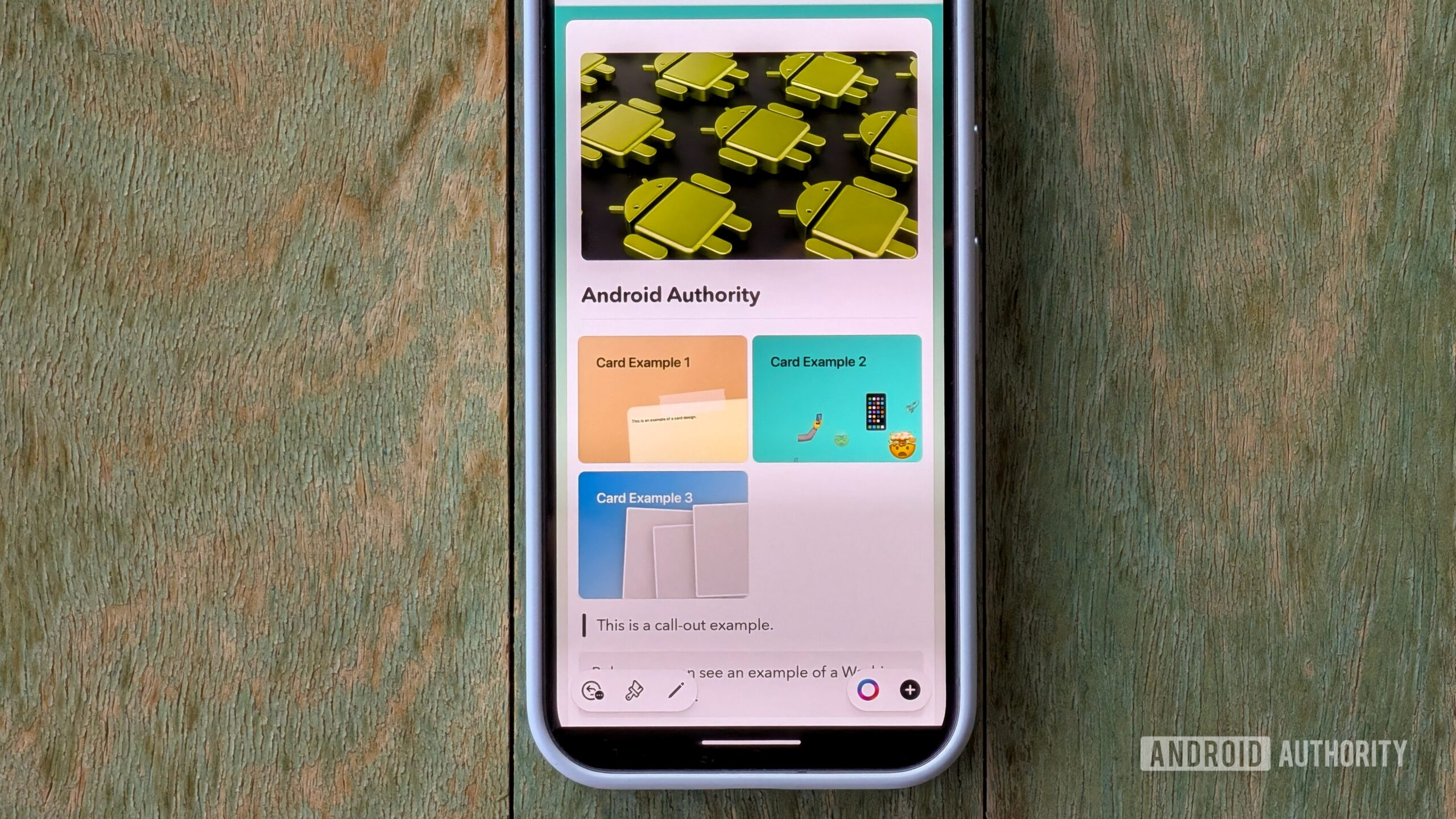
Let’s take it up a notch. In Craft, you can insert all types of what Craft dubs rich blocks, including a whiteboard, a spreadsheet-like collection table, a smart link with a rich preview, a file, or a card, which is essentially a link to a related document within your document, but with unique designs that really change the feel of the document you’re working in. Another great example: instead of using a standard line separator, you can choose from different Washi Tape designs or create your own. I never thought I’d be so excited about a document; if only I had had this when I was in school!
Sound design, in a document app?
Believe it or not, one of my favorite details of Craft is its sound design. There are sound effects tastefully sprinkled throughout the app, and they add an incredibly pleasant touch to the experience. Here are a few of my favorites.
A pencil on paper when you mark a task complete:
The sound of paper ruffling when you create a new document:
My personal favorite is the sound that plays when you enter or exit focus mode, a feature I use quite frequently when writing for this website:
In my research for this article, I came across a blog post from the Craft team, which details the process of coming up with the perfect sounds for what the team envisioned. It’s worth a read.
A very active community
I really admire a company that clearly values its relationship with its customers. Craft has extremely active communities on Reddit and Slack, filled with some of its most dedicated users who are constantly giving feedback. The founders and team members can be seen replying to most of the posts, too.
With that valuable feedback, Craft iterates quickly. I can’t think of too many companies that ship updates and substantial new features as quickly and efficiently as Craft does. Just take a look at the release log.
What more can I ask for?

Stephen Headrick / Android Authority
One of the reasons I haven’t written about Craft until now is because, up until recently, it wasn’t available on Android. Craft started out in the world of Apple, but late last year, it unleashed its app in the Google Play Store. However, Craft for Android is still in beta, and I’m hopeful of some improvements for future updates.
While I’m grateful to finally be able to use Craft on my Pixel, the app is lacking in some areas. For a first release, however, the level of feature parity with its Apple counterpart is impressive. That said, in its current form, the Android app seems to be an adaptation of the mobile web app Craft introduced shortly before the Play Store version. The web app is technically impressive with how functional it feels, but it doesn’t feature the same smooth animations found in the iOS and Mac apps. I’d like to see improvements on this front in the future.

Stephen Headrick / Android Authority
Additionally, Craft as a whole does not support end-to-end encryption. While your data is encrypted in transit and at rest, I wish Craft would support full encryption. Craft utilizes similar security practices you’d find in many of the tools we use every day, so this isn’t something that would stop me from using it for work, but I would find more comfort in knowing that my data is fully encrypted. I would also consider using Craft for other areas of life, like a place to store medical records or other personal data that I otherwise would not store in an app without end-to-end encryption.
Lastly, I’d like to see Craft add support for Gemini. As it stands right now, you can use Craft Assistant with LLMs from Apple, OpenAI, or Meta. For now, I’ll likely stick with the local model options. Admittedly, I haven’t utilized Craft Assistant much yet, so this hasn’t been a huge issue for me.
Where it all happens

Stephen Headrick / Android Authority
I feel like I’ve barely scratched the surface of what Craft has to offer. We haven’t even discussed collaboration in Craft, publishing options for sharing documents, or more about the AI-powered Craft Assistant.
Different tools work for different people. In Craft, I’ve found a tool so malleable that it works across multiple facets of my life and so well-designed that I actually enjoy using it. Whether I’m writing my next article for Android Authority or planning a birthday trip with my brother, Craft is where it all happens.
Don’t want to miss the best from Android Authority?


Thank you for being part of our community. Read our Comment Policy before posting.