Calvin Wankhede / Android Authority
Amazon has always held a tight grip over the software that runs on its devices, and the company’s Echo line of smart speakers and displays is no different. In fact, it’s much more locked down than the Kindle Fire tablets that allow you to sideload regular Android apps. The Echo line doesn’t enjoy that privilege. But thanks to a new open-source project, you can now jailbreak select Echo Show 5 and Show 8 models and replace Amazon’s locked-down Fire OS with full-fledged Android.
Under the hood, Amazon’s smart displays pack similar specifications as mainstream Android devices. For instance, the second-gen Show 5 relied on MediaTek’s MT8163 chip, which also powered the Kindle Fire HD 8 tablet and several budget phones like the Nokia 5.1. However, Amazon has never permitted unlocking the bootloader on its smart displays, keeping us locked to the Alexa-centric Fire OS ecosystem.
This new jailbreak for the Echo Show relies on a BootROM exploit found in older MediaTek-based devices, allowing us to unlock the bootloader and install a custom recovery. We can then install alternative operating systems like LineageOS. Of course, the latter means giving up access to Amazon’s tight software integration and Alexa, so is it worth doing? In my opinion, absolutely.
Android on the Echo Show: What can you do?

Calvin Wankhede / Android Authority
When I learned about the jailbreak’s existence, I immediately grabbed two second-gen Echo Show 5s off Facebook Marketplace. These devices can be found for relatively cheap these days since they first hit the market in 2021.
Since Amazon never intended for these smart displays to run third-party Android apps, they only include 1GB of RAM. This is the biggest limiting factor, but on the flip side, a fresh install of LineageOS is surprisingly lean. Without the bloat of Google Play Services and other background services, I’ve found the interface is surprisingly responsive. In fact, it felt faster zipping around here than it ever did on Amazon’s own Fire OS, which is a heavily skinned variant of Android too.
The LineageOS build developed for the Echo Show 5 has all hardware components functional out of the box, except the front-facing camera. This means you can use the touchscreen, connect to Wi-Fi, play audio through the built-in speakers, and perhaps even install alternative voice assistants, but more on that later.
My Echo Show 5 now behaves like a docked Android tablet with excellent speakers.
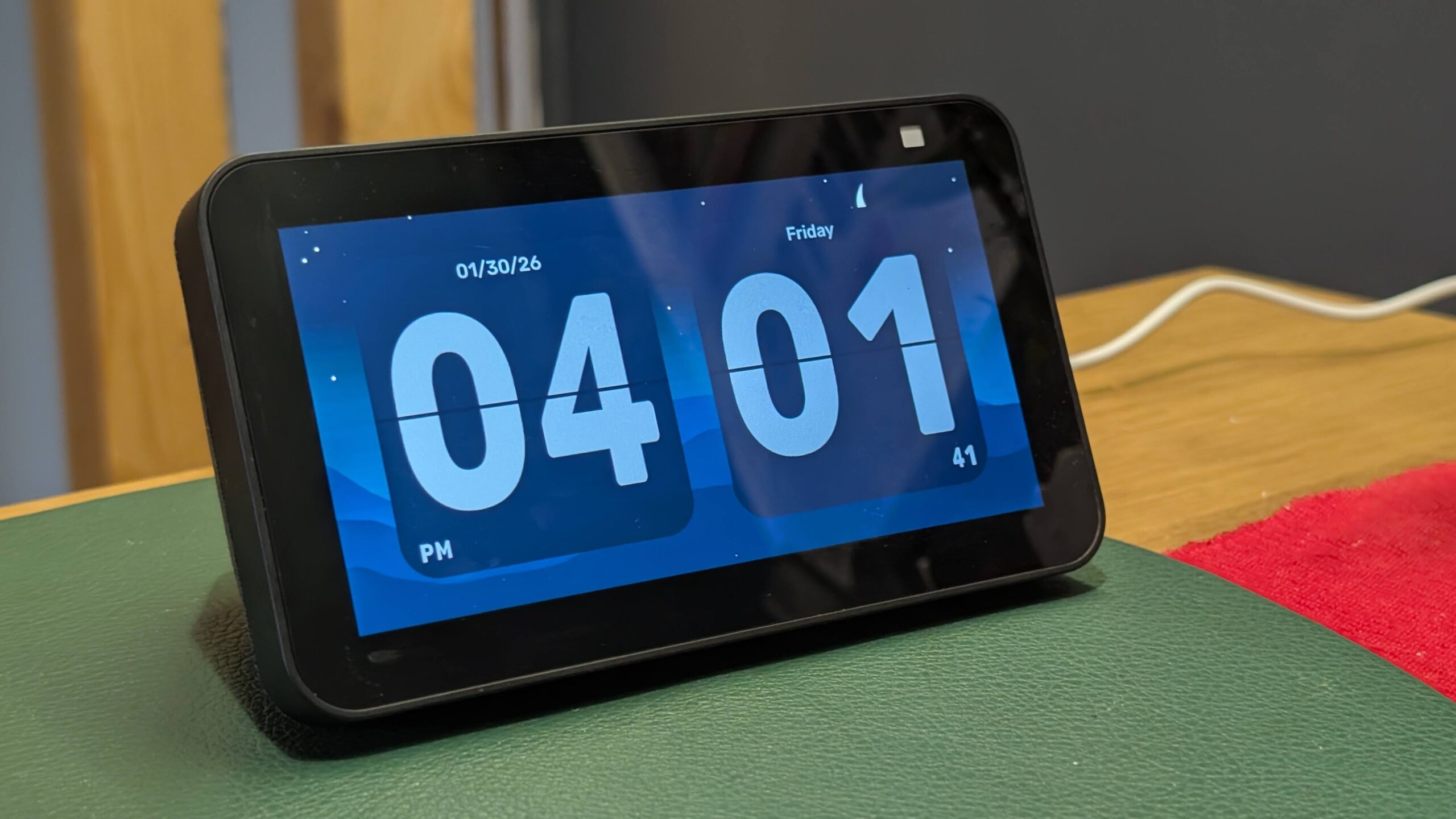
With the ability to install any Android app, the Echo Show 5 instantly becomes more versatile. On Fire OS, the Echo Show cycles through news and shopping suggestions (read: Amazon shopping ads). But with Android, you can install any screen saver app of your choice. I settled on the Flip Clock app (pictured above), which can be dismissed by tapping once on the screen.
I then installed music streaming apps like Spotify and Plexamp, and they worked flawlessly on the Echo Show. I also had success with the open-source YouTube client, NewPipe, which delivers a far better experience than using Amazon’s Silk web browser on Fire OS.
I’m still only scratching the surface of what’s possible with a jailbroken Echo Show. I have another Echo on hand that I plan to turn into a secondary display for my PC or use an app like Touch Portal to trigger keyboard shortcuts. The possibilities are endless, at least compared to the stock Fire OS.
However, if you absolutely need Alexa on your Echo Show at all costs, you might want to avoid jailbreaking your device. There is currently no way of running Amazon’s voice assistant on Android. But if you’ve never enjoyed using Alexa in the first place, this jailbreak is perfect. It allows you to extract meaningful utility from a device that’s destined to sit in a drawer for many people.
Don’t want to miss the best from Android Authority?


How to install Android on an Echo Show

Calvin Wankhede / Android Authority
Getting Android up and running on an Echo Show isn’t as simple as installing the Play Store on Amazon’s Kindle Fire line of tablets, and the process may seem intimidating if you’ve never dabbled with custom ROMs in the past. But the whole process takes less than an hour and it’s rather straightforward if you follow the project’s instructions. There’s always a risk with jailbreaking any device, but I haven’t seen anyone brick their devices following this method yet.
The gist of the process involves rebooting the Echo Device in fastboot mode by holding down the Power and Volume buttons and connecting it to a computer via USB. From there, it’s simply a matter of double-clicking the exploit script and letting it do all the work. A few minutes later, the Echo will reboot into TWRP, the popular custom recovery, where we need to perform a full backup in case we need to return to the stock OS.
Jailbreaking an Echo Show only requires a USB cable and takes less than an hour.
With the device exploited and TWRP installed, you’re ready to install Android. Simply grab the latest LineageOS build and copy it over to the device. Finally, wipe the /system and /data partitions within TWRP and flash the LineageOS ZIP file. A quick reboot later, and you’ll be presented with an Android launcher. At this point, you can sideload individual apps via APK files or sideload an app store like F-Droid.
If you don’t mind a slightly slower interface, you can also install a GApps package. This will install Google’s Play Services framework and the full Play Store. I have only just begun playing around with installing Google’s full complement of apps — including Gemini — on the Echo Show, but it already looks promising.
With many users reporting an increase in the frequency of full-screen ads popping up on Echo Show models over the past few months, this exploit is perhaps the best way to reclaim control over your device. And once the community gets a voice assistant like Gemini up and running, it will likely offer the best smart speaker experience of any on the market.
Thank you for being part of our community. Read our Comment Policy before posting.