Ryan Haines / Android Authority
Judging by the sentiment shared by my colleagues, I’m probably the only person at Android Authority and perhaps the wider world who dislikes Spotify’s overreliance on shortcut gestures. What can I say? I prefer tangible feedback, the type that only tapping a button provides.
I’m a firm believer in giving consumers options, especially when it comes to app design. Prescribing a specific workflow to consumers assumes that everyone is the same, and this simply isn’t true. We all have different needs, expectations, and methods for completing a task effectively. It’s important that you understand my point of view, as it’s not the functionality that Spotify’s shortcut gestures provide that alienates me, but rather the forced implementation of them.
Do you want Spotify to give you more control over the app’s gestures?
5 votes
If you’re not a Spotify user, you’ll likely need some additional context — just know that the app offers so many shortcut swipes, taps, and long-presses for playback and queue management. You can swipe right to add songs to the queue, which is supremely useful when actively managing a session. Then there’s the swipe left in the queue to remove the track from it. Other options include the rather natural swiping up/down to hide or reveal the Now Playing screen, swiping left or right on the playing bar to skip or return to the previous track, and long-pressing on a song to bring up the track’s context menu.

Ryan Haines / Android Authority
On the surface, Spotify’s gesture system alongside its fluid interface makes sense. In practice, it encourages errors from errant swipes and taps.
Let me provide a real-world example. My fiancée and I were recently listening to tracks in our living room while I browsed YouTube and she studied. I had a pretty great flow going, jumping from Solange to Janet Jackson, Cornershop, and a-ha. When the last few songs in the queue arrived, I wanted to add more tracks from my library. I swiped back to return to the previous screen — you know, the default Android back gesture — but Spotify instead interpreted it as a swipe across the playing bar. This forced a skip to the next track, despite this being the last thing I wanted.
This isn’t the first time I’ve done this, either. I’ve also accidentally removed tracks from my queue and from carefully curated playlists containing hundreds of songs.
I’ll admit, gestures are useful. As I mentioned above, swiping left or right on a track in a playlist is a quick way to move select tracks to the queue. It’s a far smoother, more natural action than multiple taps to achieve the same result. But I live in constant fear that I’ll accidentally remove a song from a playlist, accidentally skip a track, or like a song I’ve never even heard. I only find some Spotify gestures useful, and the app provides no way to disable the ones I don’t. Importantly, such a change wouldn’t just benefit me. Offering various control options is accessibility-friendly.

Andy Walker / Android Authority
Thankfully, I feel that there’s a simple fix for my gripe. Spotify could easily add a menu item in settings, call it Gestures, and add toggles for each gesture. From there, users can decide which actions to activate or deactivate, thereby crafting their own workflows.
Gestures can be useful, but I don’t require access to every single one. I’d like to turn off those I don’t use.
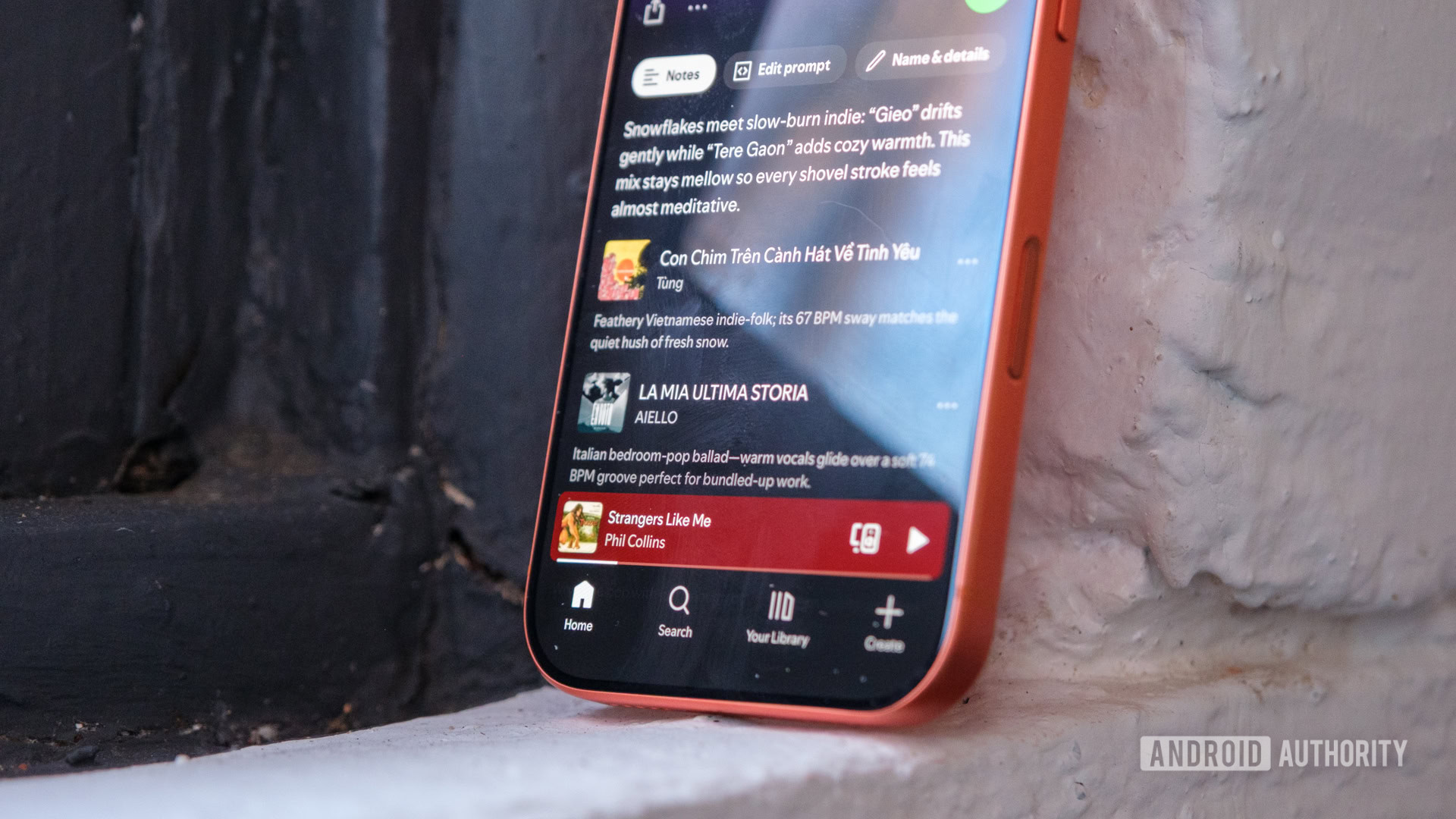
Better yet, Spotify could go one step further and let users rearrange, hide, or add buttons to the Now Playing screen and the playback bar. I only use the Connect button once per session; it’s wasting space that could be used for the Queue or Shuffle buttons. The same goes for the Like button.

Andy Walker / Android Authority
The Create button is a clear demonstration that Spotify developers understand that different users need direct access to different things. The Reduce animations toggle also indicates they recognize the importance of accessibility options. Why can’t this thinking manifest in other areas of the app?
I want to make this very clear: I’m not for one minute saying that Spotify should bin its intricate gesture shortcut system. The current system won’t make the jump to another streaming service, either. I’ve spent plenty of time with YouTube Music, and it, too, has various gesture shortcuts with no options to switch them off or change them.
All I want is more customization options and the option to turn off the distracting and disruptive gestures. Choice is a positive for all users, whether you love or dislike Spotify shortcut swipe controls.
Don’t want to miss the best from Android Authority?


Thank you for being part of our community. Read our Comment Policy before posting.