TL;DR
- The Lenovo Smart Clock used to let users quickly and silently toggle smart lights through its touchscreen interface.
- A few weeks back, that option seems to have gone away for everyone, replaced with an on-device “nightlight” mode.
- While not yet confirmed, the timing of this change and the rise of Gemini for Home feel possibly related.
Gemini has arrived for Google Home, and that’s changing the experience for users everywhere — for better or for worse. While Gemini offers the possibility of much richer AI interactions, users have been worried about losing valued functionality along the way, like Assistant’s useful Continued Conversation mode. Google’s made a pretty strong commitment to supporting its older smart home hardware, but the question of third-party support has been less certain. Today we’re checking out what appears to be one big downgrade that’s hitting just such a third-party device.
Don’t want to miss the best from Android Authority?


Smart displays are a great way to get information and interact with your other smart home devices without needing to always pull out your phone. Google’s delivered a few Nest Hub models that survived the move to Gemini relatively intact, but we also saw companies like Lenovo get into this space — and indeed, last fall we heard about Lenovo’s Smart Display 10 getting ready for Gemini.
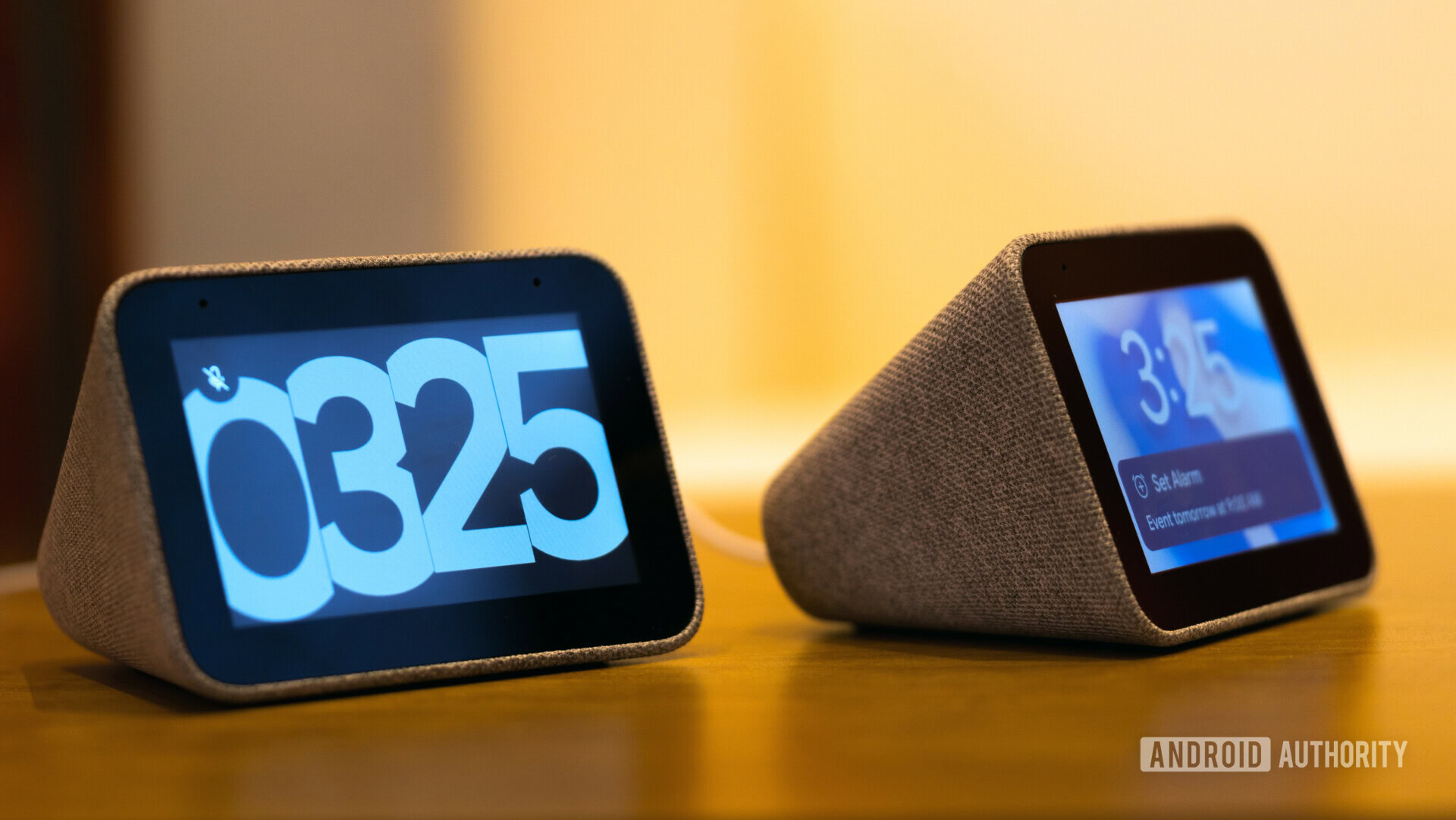
Beyond that larger model, Lenovo also offered a couple pint-sized Smart Clocks: basically, tiny smart displays that fit just right on your bedside table. Compared to the larger screens, these kept their feature set tight — no watching YouTube videos on these displays. You could interact with Assistant, set alarms, control lights, and listen to YouTube Music.
And for years, that was great. I’ve been using the OG Lenovo Smart Clock every day, relying on it to get me up in the morning. And then I’ve been using it to turn off the lights in my bedroom as I’m tucking in at night. But now, that no longer works.
Smart light control with the Lenovo Smart Clock used to be so easy: You’d swipe down from the top of the screen, and then could turn room lights off with a single tap. It was quick, it was silent, and it was my nightly routine. But a few weeks back, it just went away.

Stephen Schenck / Android Authority
Lenovo users on Reddit stated noticing, too, with Smart Clock owners like Cammyron, Enthoa, and many others replying to their posts all sharing the same observation: While they used to have smart light controls on the Smart Clock, suddenly that was eliminated, leaving them with only the nightlight option — one that just turns the Smart Clock’s display on bright, and doesn’t control any other devices.
Personally, I haven’t made the move to Gemini with my Google Home setup just yet, but even with Assistant still active, devices and the backend infrastructure they rely on have clearly been getting ready for the change. Right now, the connection between this loss of functionality and the rise of Gemini may not be much more than circumstantial, but I’ve reached out to both Google and Lenovo in the hopes of confirming a causal relationship — this post will be updated with any response they provide.
Sure, Lenovo Smart Clock users can still use voice input to control their lights, but that’s somehow much less graceful than the previous touch control. Especially when you’re sharing space with others, you don’t always want to be using voice commands as people are trying to fall asleep.
Thank you for being part of our community. Read our Comment Policy before posting.