Amazon Kindle Scribe Colorsoft
The Kindle Scribe Colorsoft is the most refined version of Amazon’s big-screen Kindle yet, and for reading-first use, it’s fantastic. Color adds real value without compromising what makes Kindles great, and the improved software elevates the device to a more modern feel. The price puts it in much more competitive territory, but it definitely holds its own.
I’ve been reviewing E-ink devices long enough to know that color is rarely the slam dunk it sounds like on a spec sheet. Each generation promises fewer compromises, then quickly reminds us that E-Ink color comes with caveats. When Amazon finally brought color to its largest Kindle, the Kindle Scribe, I went in cautiously optimistic. After spending time reading, annotating, and unartistically sketching on the Kindle Scribe Colorsoft, my takeaway is simple: it’s the most polished version of Amazon’s big-screen Kindle yet, and my new favorite e-reader.
A familiar favorite, slightly refined

Kaitlyn Cimino / Android Authority
Physically, the Kindle Scribe Colorsoft looks very similar to the original Scribe, which I already loved. The new model is still large, thin, and utilitarian, with clean lines and minimal branding. Amazon dropped the asymmetry of the first model to bring in uniform bezels and bumped the display up to 11 inches. In hand, this means plenty of room for long reading sessions, plus PDFs, and note-taking without feeling unwieldy, and while it doesn’t tuck away as easily as smaller Kindles, it earns the extra space in my bag.
“The Kindle Scribe Colorsoft is large and utilitarian, with enough space to make reading, PDFs, and note-taking genuinely comfortable.
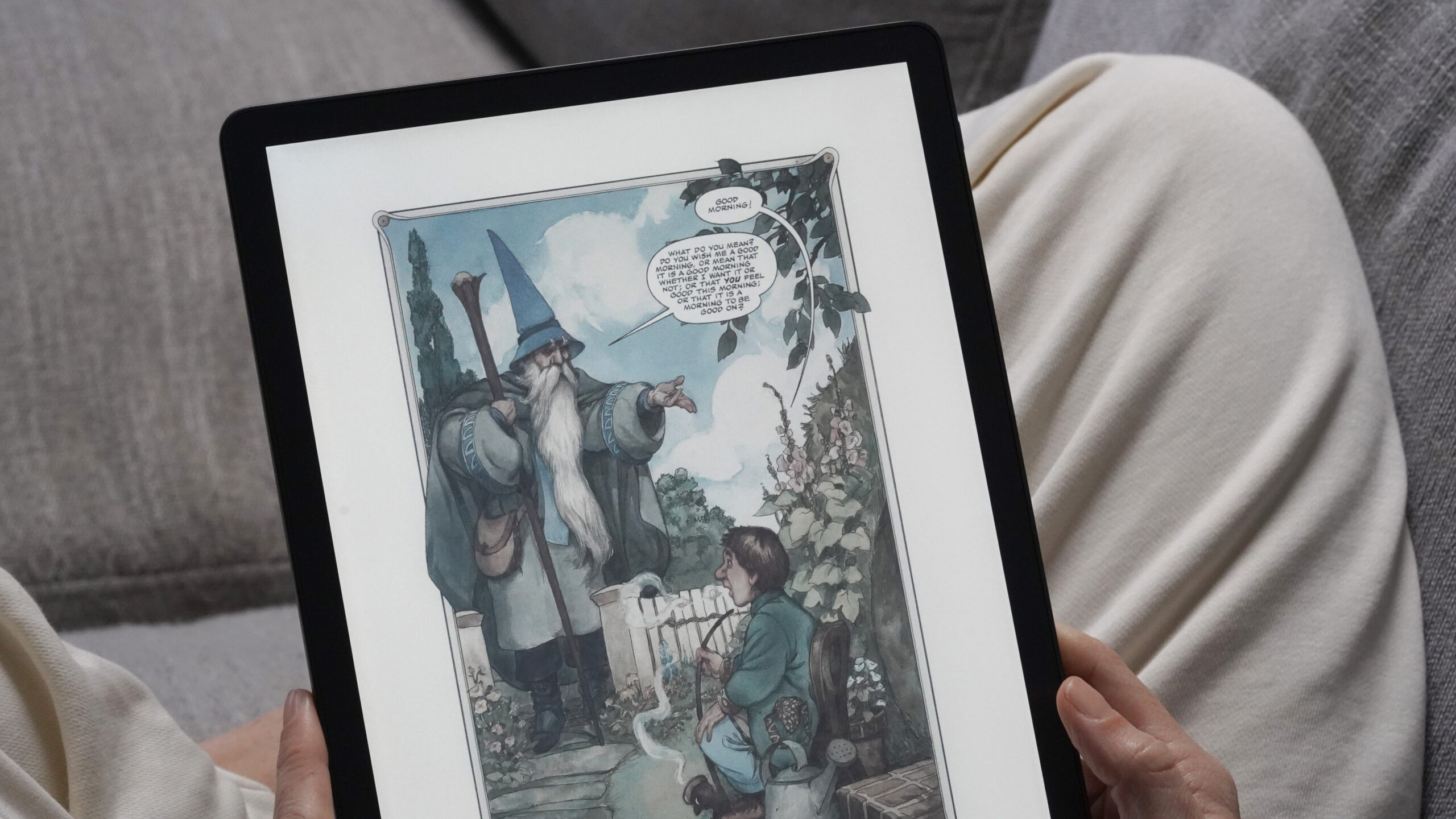
While the hardware may be familiar, the addition of color changes the experience. The Scribe Colorsoft uses a new panel that keeps black-and-white text sharp while layering color on top. It isn’t chasing tablet-style saturation, and colors appear much softer than on an LCD or OLED screen, but that’s by design. It’s used selectively for things like covers and diagrams, adding context and visual interest without dominating the page or overstimulating my eyeballs. The subdued hues keep the soft in Colorsoft. This isn’t a device optimized for comics (though in my opinion, they look fantastic) or art-focused workflows, and users shopping specifically for those use cases may find better options elsewhere.

Kaitlyn Cimino / Android Authority
Meanwhile, one of the biggest improvements over the original Scribe isn’t the display at all, but the software. Nothing has been dramatically redesigned, but it does feel noticeably better to use. Menus are easier to scan, spacing feels more intentional, and the whole interface looks less like it was scaled up from a smaller Kindle and more like it actually belongs on an 11-inch screen. The original Scribe worked well, but it always felt outdated compared to other tech. The Colorsoft finally closes the gap.
The original Scribe worked well, but felt dated where the Colorsoft finally closes the gap.
Performance is smooth and consistent, page turns are quick, menus respond reliably, and writing feels stable. Color refresh introduces occasional ghosting, but it’s minimal and rarely distracting. The adjustable front light is even and comfortable, and while color E-Ink can sometimes look dimmer, the Scribe Colorsoft still feels easy on the eyes for long reading sessions, day or night. In short, this is a polished device, and it behaves like one.
Battery life is also exactly what you’d expect from a Kindle, which is a compliment. Though the specs take a hit with the introduction of colors, even with regular use and note-taking, the Scribe Colorsoft lasts weeks, which meant I stopped thinking about charging almost immediately during this review.
The Scribe Colorsoft in action

Kaitlyn Cimino / Android Authority
At its core, the Kindle Scribe Colorsoft is still a Kindle, and reading on it feels predictably excellent. I like it so much, I have already foolishly set a highly ambitious reading goal for 2026 (no one check back in with me in a year). Color adds a few meaningful upgrades, especially if you enjoy graphic novels, download books for your kids, or just like seeing your covers in color in the library. It also offers me the ability to color-code my highlights. For nonfiction, that means keeping all support text for each of my unhinged theories neatly organized. For reference reading, the colorful highlights are more productive. Maps and charts are also entirely more engaging.
Color also improves the note-taking experience without adding complexity, and switching between colors is quick and intuitive. You can even customize the pen shortcut button, which I constantly accidentally hit. The included stylus is responsive, low-latency, and comfortable to use. Palm rejection works reliably, and pen input feels precise, as does the eraser. In the name of testing, I downloaded an adult maze book to see how the pen handled fine lines. What I learned is that the pen works well, and I am apparently very easy to distract.
Color improves the Kindle Scribe experience without adding complexity.
Unfortunately for sketching, there are no advanced tools or layers, and customization is still limited. Again, my lack of artistic ambition works in the device’s favor. I’m outlining, underlining, and grouping ideas, not drafting a self-portrait, so I never mind. Simplicity extends to the note tools themselves, as the device doesn’t offer smart shape recognition, so rough boxes, arrows, and diagrams stay exactly as you draw them. The pen options are also fairly basic. For casual notes and quick sketches, that’s rarely a problem, but it reinforces that writing here is a secondary feature and not overly ambitious.
PDF and book annotation on the Scribe Colorsoft works, but it behaves differently from traditional margin scribbling. When you write directly on the page using Active Canvas, the surrounding text reflows to make room for your notes, effectively bumping words out of the way rather than letting ink sit on top of them. The system keeps notes tied closely to what you’re reading, but it can feel a little fussy in practice. The constant reflow works well for short comments and light markup, but it’s less satisfying for dense annotation or diagramming, where I’d rather accept some overlap than watch the page rearrange itself around my handwriting.
There’s also the option to push longer notes into an expandable margin canvas, which keeps handwriting alongside the text and can be collapsed again when you’re done. This works well, and to be honest, the ability to keep handwritten notes on my Kindle is still something college-aged Kaitlyn would have sold a kidney for, which just shows you how much I’m already taking Amazon’s progress for granted. It also shows how little I apparently value my organs.
A momentary shortcoming is system-wide dark mode. You can darken book pages using Page Color settings, but the interface itself remains bright. On a device this expensive, that absence feels out of place. Fortunately, Amazon has already confirmed dark mode is coming in a future update.
Color will cost you

Kaitlyn Cimino / Android Authority
The biggest tension with the Kindle Scribe Colorsoft is its price. Starting at around $629.99, it’s a significant jump from the original Kindle Scribe, which launched at roughly $339.99 with its included pen. That nearly $300 increase changes the comparison entirely. At this level, it’s hard not to weigh the Scribe Colorsoft not just against other E-Ink tablets, but against full-fledged tablets and hybrid productivity tools that offer far more flexibility. Even within the E-Ink category, there are more open platforms that offer deeper annotation tools, broader format support, and far fewer constraints on how and where your content lives.
Color gives the Scribe a stronger reason to exist, but it comes at a high cost.
Amazon’s philosophy of restraint still makes sense, and for many readers it’s part of the appeal. But at this price, that restraint feels more conservative than it did on the original Scribe. Expectations are higher, and the limitations are easier to notice. Color gives the Scribe a stronger reason to exist, and it meaningfully improves reading and light note-taking. The hardware feels ready for this price bracket. The software, though, is harder to justify when more robust, customizable writing tablets exist.
Kindle Scribe Colorsoft review: The verdict

Kaitlyn Cimino / Android Authority
The Kindle Scribe Colorsoft is best suited for readers who want a large, premium Kindle with practical color, light note-taking, and a cleaner, more modern interface, not a creative tablet or an all-purpose digital notebook meant to replace every workflow. If you’re coming from earlier Kindles and want more than basic annotation but still live primarily in Amazon’s ecosystem, this is the most polished Scribe yet.
With that said, there are solid alternatives depending on your priorities: devices like the reMarkable Paper Pro ($629 at Amazon) or Boox Note Air5 C ($529.99 at Amazon) lean much further into note-taking and sketching, and traditional tablets like the iPad handle rich annotation, multitasking, and apps that Kindle doesn’t. Even color-centric readers like Kobo’s Libra Colour ($249.99 at Amazon) are worth considering if you want simple color reading without the premium price tag.
The closed Kindle ecosystem will be a deal-breaker for some, especially if you’re after flexible file management or broader app support. Yet, for readers who want a Kindle first and extra note-taking perks second, the Scribe Colorsoft stands out as the best big-screen Kindle Amazon has made. For my reading-first habits, that trade-off works, but it won’t for everyone. If color isn’t a must-have, opting for the black-and-white model is an easy way to save some cash while keeping essentially the same reading and note-taking toolkit.
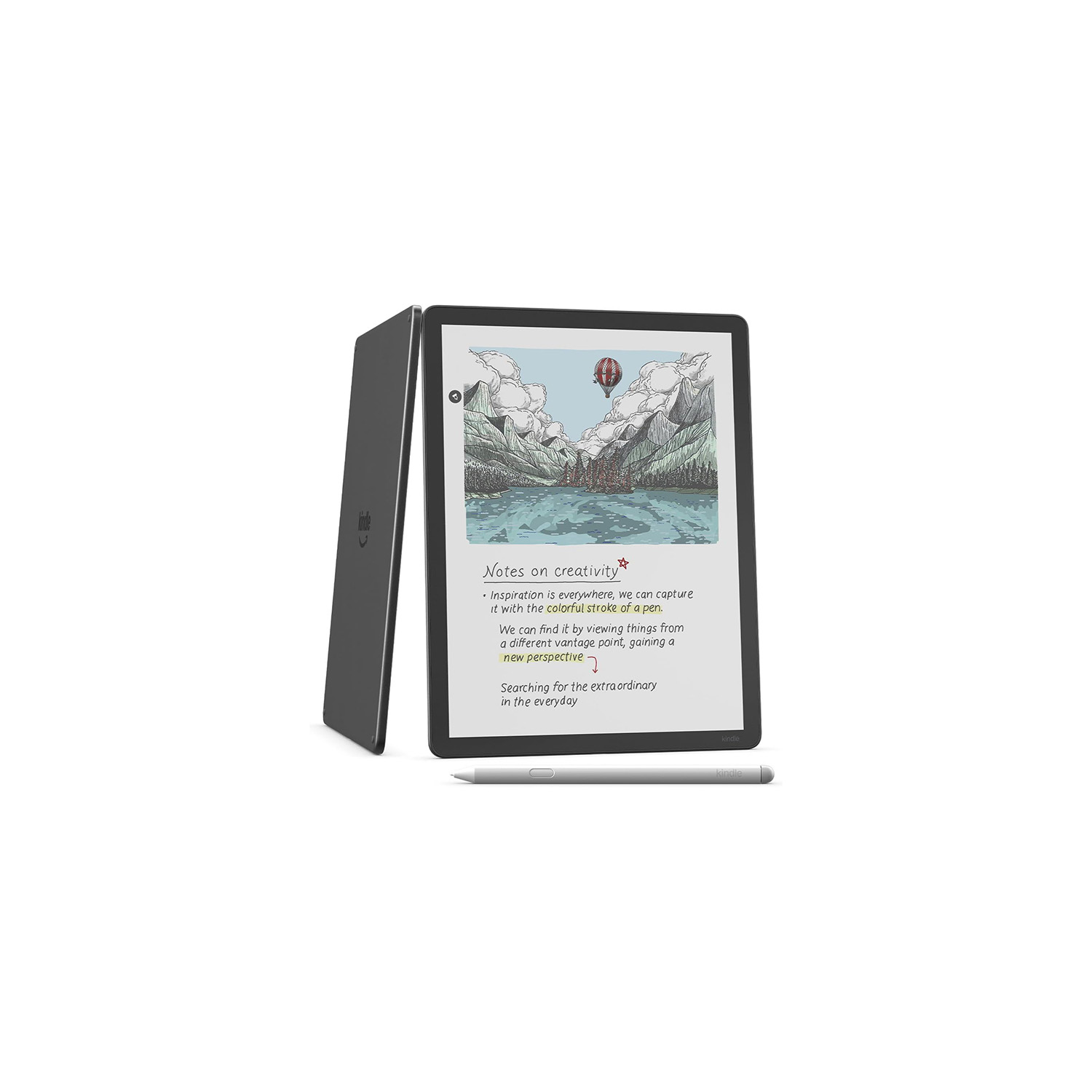

11-ink Colorsoft display • Premium stylus support • Multi-week battery life
MSRP: $629.99
Amazon’s first color Kindle with stylus support
Amazon’s Kindle Scribe Colorsoft brings color to E-Ink, offering a thinner design, improved lighting, and smarter pen tools for its most advanced reading and writing experience yet.
Positives
- Large, comfortable display
- Color enhances books, highlights, and note-taking
- Software feels modern and elevated
- Responsive, low-latency stylus with great eraser
- Battery life lasts weeks
Cons
- Price jump is substantial
- Kindle’s closed ecosystem limits flexibility
- No layers or advanced sketching features
- System-wide dark mode missing at launch
Thank you for being part of our community. Read our Comment Policy before posting.