We may receive a commission on purchases made from links.
To get the best experience out of your TV, you have to do more than calibrate the display. You also need to keep the TV clean, especially the screen, which can collect dust and smudges. The best way to keep the panel clean is by using a microfiber cloth. TV vendors, including LG, Samsung, and Sony, all recommend using microfiber cloths to clean their displays. They also advise cleaning the screen without any chemical substances. Water, applied directly to the cloth instead of the screen, is the main choice for dealing with stubborn smudges. But if you happen to drop the microfiber cloth on the ground or furniture, you should not continue your TV cleaning process until you’ve cleaned it. Microfiber material can pick up debris from the surface it landed on with ease. That debris can then scratch the TV screen and leave permanent marks.
The LG, Samsung, and Sony support documents don’t explain what you should do if you drop your microfiber cloth. They don’t advise users to replace it, though Sony recommends you use three cloths: a dry one for dusting, a slightly dampened cloth for smudges and fingerprints, and an additional dry cloth for finishing. If one of them is dropped, you can easily replace it with one of the others.
Apple, which doesn’t manufacture TV sets of its own but sells plenty of products with displays and its own microfiber Polishing Cloth, has support documents on cleaning screens with microfiber cloths. For example, the company says that if the cloth is “dropped outdoors or on a dirty surface, do not use it to clean the cover glass until it has been thoroughly cleaned.” The same policy can be applied to any microfiber cloth you may own when cleaning products with displays, including TVs.
How to clean your microfiber cloth before using it
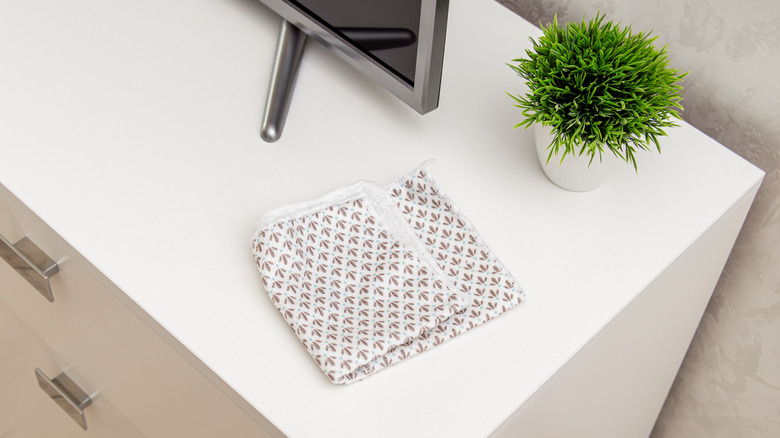
To minimize the risk of your cloth picking up debris that may be dangerous for the TV screen, you can consider vacuuming the room, dusting the furniture, and having spare cloths. That way, you can reduce the risk of picking up larger pieces of dirt that may be big enough to leave marks on the display. But regardless of how clean the TV’s surroundings may be, you’ll still want to clean the cloth.
Apple’s support document that advises not to use a cloth that’s been dropped also says that you should “machine wash and machine dry or hand wash and air dry” the cloth, as needed. A separate document is more detailed, advising users to “hand-wash the polishing cloth with soap and water,” rinse the cloth, and then air dry it for at least 24 hours before re-using it. Apple also advises keeping the microfiber cloth in a clean bag instead of putting it in other places where it can pick up particles.
According to a 3M support document, its Scotch-Brite High Performance Cloth offers specific laundry and care instructions. For example, 3M says that its microfiber cloths can be machine-washed at up to 200 degrees Fahrenheit, but doesn’t recommend fabric softeners. You may use bleach and non-chlorine oxidizing products for sanitation. Importantly, the cloths need to be washed separately from other items, including microfiber flat mops. For drying, 3M advises a maximum temperature of 130 degrees Fahrenheit. You should not pair the cloths with laundry items that have lint. Finally, 3M says that its Scotch-Brite High Performance Cloth is good for 500 wash cycles.
What to know before cleaning your TV with a microfiber cloth
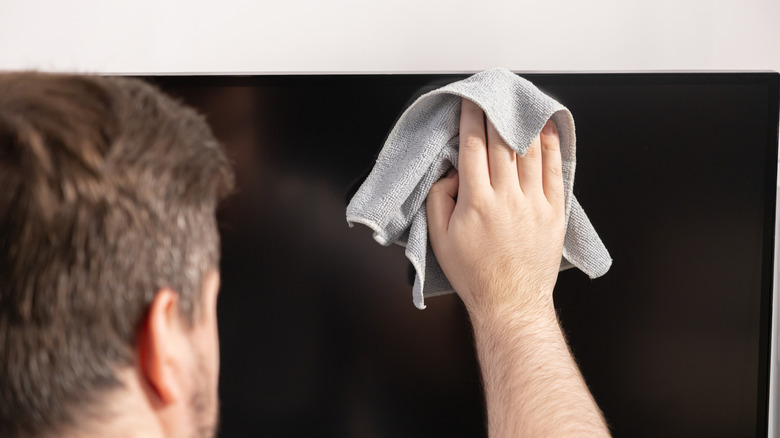
Now that you know how important it is not to drop your microfiber cloths when cleaning your TVs, and how to clean dirty cloths, you may wonder what the correct procedure for cleaning a TV with microfiber cloths is. LG, Samsung, and Sony offer the same general tips. You should turn off the TV, unplug it, and let it cool off for a few minutes. Then, use a microfiber cloth to wipe the screen gently. Applying too much pressure can damage it. Distilled water or warm water can be used for more persistent marks. Use the liquid on the cloth, and ensure the material is almost dry when cleaning the screen. Sony suggests using a drop of neutral detergent in a bowl of distilled water, then applying the mixture to the microfiber cloth.
Instead of water, Apple advises using Zeiss cleaning spray for specific products, like the Vision Pro cover glass. Other Apple products can also be cleaned with disinfectants, including a 70% isopropyl alcohol wipe, 75 % ethyl alcohol wipe, or Clorox Disinfecting Wipes. Apple says these chemicals are good for the nonporous surfaces of Apple products, including displays. However, these instructions do not apply to TV sets.
Finally, you may want to keep the TV cloths separate from the ones you may use on other surfaces, to minimize the risk of damaging the display. You’ll also want to check specific cleaning and instructions for the microfiber cloths you buy for cleaning TVs.