Prompt Chaining: When One Prompt Isn’t Enough
If you’ve ever tried to squeeze an entire project into one prompt—requirements → solution → plan → risks → final doc—you already know how it ends:
- it skips steps,
- it forgets constraints,
- it gives you a “confident” answer you can’t easily verify,
- and the moment something is wrong, you have no idea where the mistake happened.
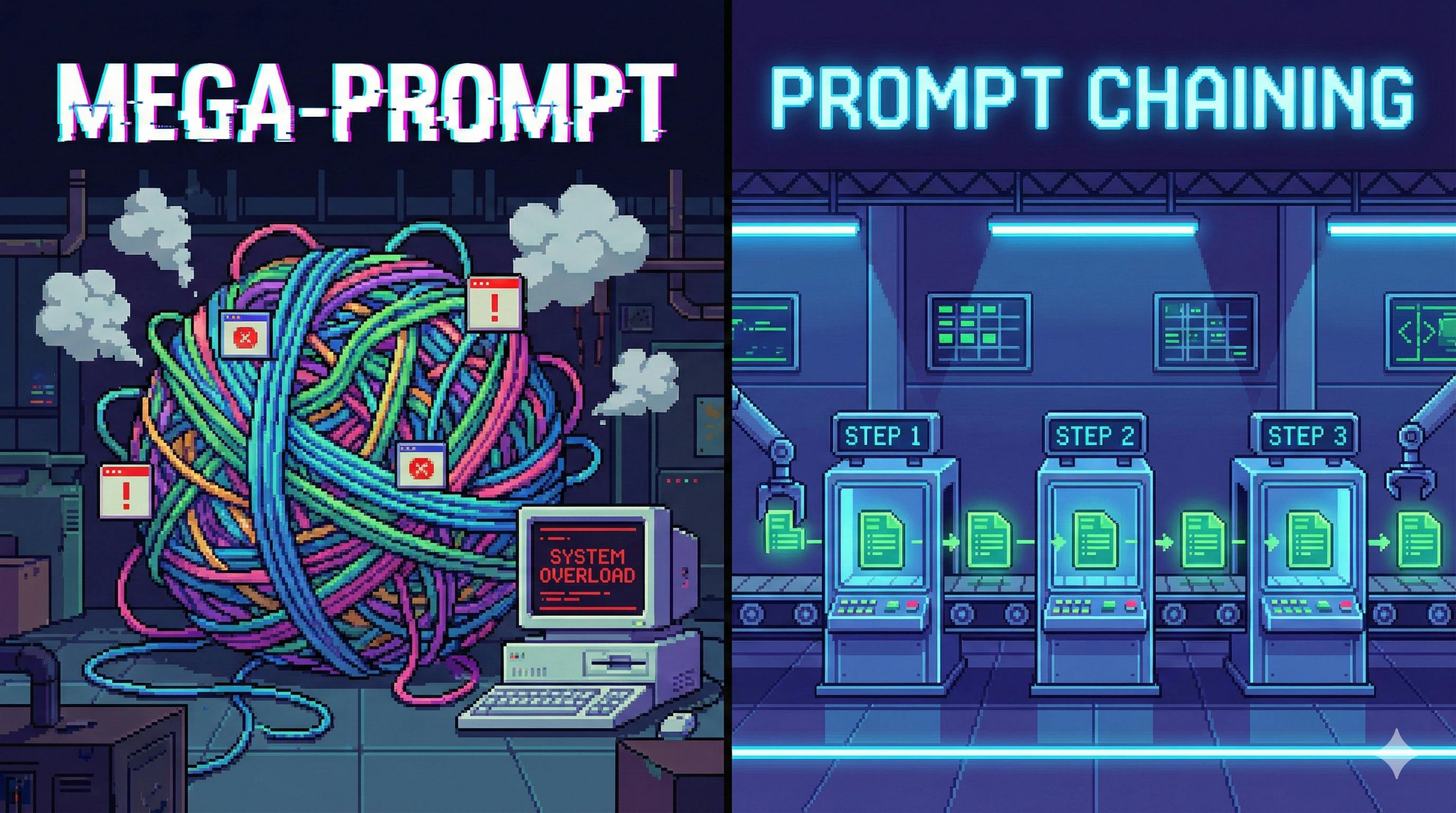
Prompt Chaining is the fix. Think of it as building a workflow where each prompt is a station on an assembly line: one step in, one step out, and the output becomes the input for the next station.
In other words: you’re not asking an LLM to do “everything at once.” You’re asking it to do one thing at a time, reliably.
1) What Is Prompt Chaining?
Prompt Chaining is the practice of:
- Decomposing a big task into smaller sub-tasks
- Designing a dedicated prompt for each sub-task
- Passing structured outputs from one step to the next
- Adding validation + correction steps so the chain doesn’t drift
It’s basically the “microservices mindset” applied to LLM reasoning.
Single Prompt vs Prompt Chaining (in plain English)
| Dimension | Single Prompt | Prompt Chaining |
|—-|—-|—-|
| Complexity | Good for simple, one-shot tasks | Built for multi-step, real workflows |
| Logic | Model guesses the process | You define the process |
| Control | Hard to steer | Every step is steerable |
| Debugging | “Where did it go wrong?” | You can pinpoint the broken step |
| Context limits | Easy to overflow | Feed data gradually, step-by-step |
2) Why It Works (The Real Reason)
LLMs aren’t great at juggling multiple goals simultaneously.
Ask for: “Analyse the requirements, propose features, estimate effort, prioritise, then write a plan”—and you’ve set up a multi-objective optimisation problem. The model will usually do a decent job on one objective and quietly under-deliver on the rest.
Prompt Chaining reduces the cognitive load: one step → one output → one success criteria.
3) The Core Mechanism: Input → Process → Output (Repeated)
At its heart, Prompt Chaining is a loop:
- Input: previous step output + any new data
- Process: the next prompt with rules + format constraints
- Output: structured result for the next step
Here’s a simple chain you can visualise:
flowchart LR
  A[Raw user feedback] --> B[Prompt 1: Extract pain points]
  B --> C[Prompt 2: Propose features]
  C --> D[Prompt 3: Prioritise & estimate effort]
  D --> E[Prompt 4: Write an iteration plan]
4) Four Non-Negotiables for Building Good Chains
4.1 Sub-tasks must be independent and connected
- Independent: each step does one job (no overlap)
- Connected: each step depends on the previous output (no “floating” steps)
Bad: “Extract pain points and design features” Good: Step 1 extracts pain points; Step 2 designs features based on them.
4.2 Intermediate outputs must be structured
Free text is fragile. The next prompt can misread it, re-interpret it, or ignore it.
Use structured formats like JSON, tables, or bullet lists with fixed keys.
Example (JSON you can actually parse):
{
  "pain_points": [
    {"category": "performance", "description": "Checkout takes > 8 seconds", "mentions": 31},
    {"category": "ux", "description": "Refund button hard to find", "mentions": 18},
    {"category": "reliability", "description": "Payment fails with no error", "mentions": 12}
  ]
}
4.3 Each prompt must explicitly “inherit” context
Don’t assume the model will “remember what you meant.” In the next prompt, explicitly refer to the previous output:
“Using the pain_points JSON under pain_points, generate 1–2 features per item…”
4.4 Build in a failure path (validation + repair)
Every chain needs a “quality gate”:
- Validate: “Does output contain all required keys? Are numbers consistent?”
- Repair: “If missing, regenerate only the missing parts”
- Guardrail: “Max 2 retries; otherwise return best effort + errors”
5) Three Architectures You’ll Use Everywhere
5.1 Linear Chaining: fixed steps, no branches
Use it when: the workflow is predictable.
Example: UK Monthly Revenue Report (Linear)
Let’s say you have a CSV export from a UK e-commerce shop and you want:
- cleaning
- insights
- a management-ready report
Step 1 — Data cleaning prompt (outputs a clean table or JSON)
SYSTEM: You are a data analyst. Follow the instructions exactly.
USER:
Clean the dataset below.
Rules:
1) Drop rows where revenue_gbp or units_sold is null.
2) Flag outliers in revenue_gbp: > 3x category mean OR < 0.1x category mean. Do not delete them.
3) Add month_over_month_pct: (this_month - last_month) / last_month * 100.
4) Output as JSON array only. Each item must have:
date, category, revenue_gbp, units_sold, region_uk, outlier_flag, month_over_month_pct
Dataset:
<PASTE DATA HERE>
Step 2 — Insights prompt (outputs bullet insights)
SYSTEM: You are a senior analyst writing for a UK leadership audience.
USER:
Using the cleaned JSON below, produce insights:
1) Category: Top 3 by revenue_gbp, and Top 3 by month_over_month_pct. Include contribution %.
2) Region: Top 2 regions by revenue, and biggest decline (>10%).
3) Trend: Overall trend (up/down/volatile). Explain revenue vs units relationship.
Output format:
- Category insights: 2-3 bullets
- Region insights: 2-3 bullets
- Trend insights: 2-3 bullets
Cleaned JSON:
<PASTE STEP-1 OUTPUT>
Step 3 — Report-writing prompt (outputs final document)
SYSTEM: You write crisp internal reports.
USER:
Turn the insights below into a "Monthly Revenue Brief" (800–1,000 words).
Structure:
1) Executive summary (1 short paragraph)
2) Key insights (Category / Region / Trend)
3) Recommendations (2–3 actionable items)
4) Close (1 short paragraph)
Use GBP (£) formatting and UK spelling.
Insights:
<PASTE STEP-2 OUTPUT>
Linear chains are boring in the best way: they’re predictable, automatable, and easy to test.
5.2 Branching Chaining: choose a path based on classification
Use it when: the next step depends on a decision (type, severity, intent).
Example: Customer message triage (Branching)
Step 1 classifies the message:
SYSTEM: You classify customer messages. Output only the label.
USER:
Classify this message as one of:
- complaint
- suggestion
- question
Output format: label: <one of the three>
Message:
"My order was charged but never arrived, and nobody replied to my emails. This is ridiculous."
Then you branch:
- If complaint → generate incident response plan
- If suggestion → produce feasibility + roadmap slotting
- If question → generate a direct support answer
Complaint handler (example):
SYSTEM: You are a customer ops manager.
USER:
Create a complaint handling plan for the message below.
Include:
1) Problem statement
2) Actions: within 1 hour, within 24 hours, within 48 hours
3) Compensation suggestion (reasonable for UK e-commerce)
Output in three sections with bullet points.
Message:
<PASTE MESSAGE>
Branching chains are how you stop treating every input like the same problem.
5.3 Looping Chaining: repeat until you hit a stop condition
Use it when: you need to process many similar items, or refine output iteratively.
Example: Batch-generate product listings (Looping)
Step 1 splits a list into item blocks:
SYSTEM: You format product data.
USER:
Split the following product list into separate blocks.
Output format (repeat for each item):
[ITEM N]
name:
key_features:
target_customer:
price_gbp:
Product list:
<PASTE LIST>
Step 2 loops over each block:
SYSTEM: You write high-converting product copy.
USER:
Write an e-commerce description for the product below.
Requirements:
- Hook headline ≤ 12 words
- 3 feature bullets (≤ 18 words each)
- 1 sentence: best for who
- 1 sentence: why it's good value (use £)
- 150–200 words total, UK English
Product:
<PASTE ITEM N>
Looping chains need hard stop rules:
- Process exactly N items, or
- Retry at most 2 times if word count is too long, or
- Stop if validation passes
Otherwise you’ll create the world’s most expensive infinite loop.
6) Practical “Don’t Shoot Yourself” Checklist
Problem: intermediate format is messy → next prompt fails
Fix: make formatting non-negotiable.
Add lines like:
- “Output JSON only.”
- “If you can’t comply, output: ERROR:FORMAT.”
Problem: the model forgets earlier details
Fix: explicitly restate the “contract” each time.
- “Use the
pain_pointsarray from prior output.” - “Do not invent extra categories.”
Problem: loops never converge
Fix: define measurable constraints + max retries.
- “Word count ≤ 200”
- “Max retries: 2”
- “If still failing, return best attempt + an error list”
Problem: branch selection is wrong
Fix: improve classification rules + add a second check.
Example:
- Complaint must include negative sentiment AND a concrete issue.
- If uncertain, output label: question (needs clarification).
7) Tools That Make Chaining Less Painful
You can chain prompts manually (copy/paste works), but tooling helps once you go beyond a few steps.
- n8n / Make: low-code workflow tools for chaining API calls, storing outputs, triggering alerts.
- LangChain / LangGraph: build chains with memory, branching, retries, tool calls, and state management.
- Redis / Postgres: persist intermediate results so you can resume, audit, and avoid repeat calls.
- Notion / Google Docs: surprisingly effective for early-stage “human in the loop” chaining.
8) How to Level This Up
Prompt Chaining becomes even more powerful when you combine it with:
- RAG: add a retrieval step mid-chain (e.g., “fetch policy docs” before drafting a response)
- Human approval gates: approve before risky actions (pricing changes, customer refunds, compliance replies)
- Multi-modal steps: text → image brief → diagram generation → final doc
Final Take
Prompt Chaining is not “more prompts.” It’s workflow design.
Once you start treating prompts as steps with contracts, validations, and failure paths, your LLM stops behaving like a chaotic text generator and starts acting like a dependable teammate—one station at a time.
If you’re building anything beyond a one-shot demo, chain it.