

By using this site, you agree to the Privacy Policy and Terms of Use.
Accept
World of SoftwareWorld of SoftwareWorld of Software
  • News
  • Software
  • Mobile
  • Computing
  • Gaming
  • Videos
  • More
    • Gadget
    • Web Stories
    • Trending
    • Press Release
Search
  • Privacy
  • Terms
  • Advertise
  • Contact
Copyright © All Rights Reserved. World of Software.
Reading: Samsung will let you use the Galaxy Z TriFold as a secondary monitor for your PC
Share
Sign In
Notification Show More
Font ResizerAa
World of SoftwareWorld of Software
Font ResizerAa
  • Software
  • Mobile
  • Computing
  • Gadget
  • Gaming
  • Videos
Search
  • News
  • Software
  • Mobile
  • Computing
  • Gaming
  • Videos
  • More
    • Gadget
    • Web Stories
    • Trending
    • Press Release
Have an existing account? Sign In
Follow US
  • Privacy
  • Terms
  • Advertise
  • Contact
Copyright © All Rights Reserved. World of Software.
World of Software > News > Samsung will let you use the Galaxy Z TriFold as a secondary monitor for your PC
News

Samsung will let you use the Galaxy Z TriFold as a secondary monitor for your PC

News Room
Last updated: 2025/12/10 at 8:59 PM
News Room Published 10 December 2025
Share
Samsung will let you use the Galaxy Z TriFold as a secondary monitor for your PC
SHARE

TL;DR

  • Samsung’s Galaxy Z TriFold supports the “Second Screen” feature, letting it act as a wireless external monitor for your Windows PC.
  • This feature uses the Miracast standard to extend your desktop to the phone’s 10-inch screen without requiring any cables.
  • You can connect by opening the Second Screen page on the phone and pressing “Windows + K” on your PC to find the device.

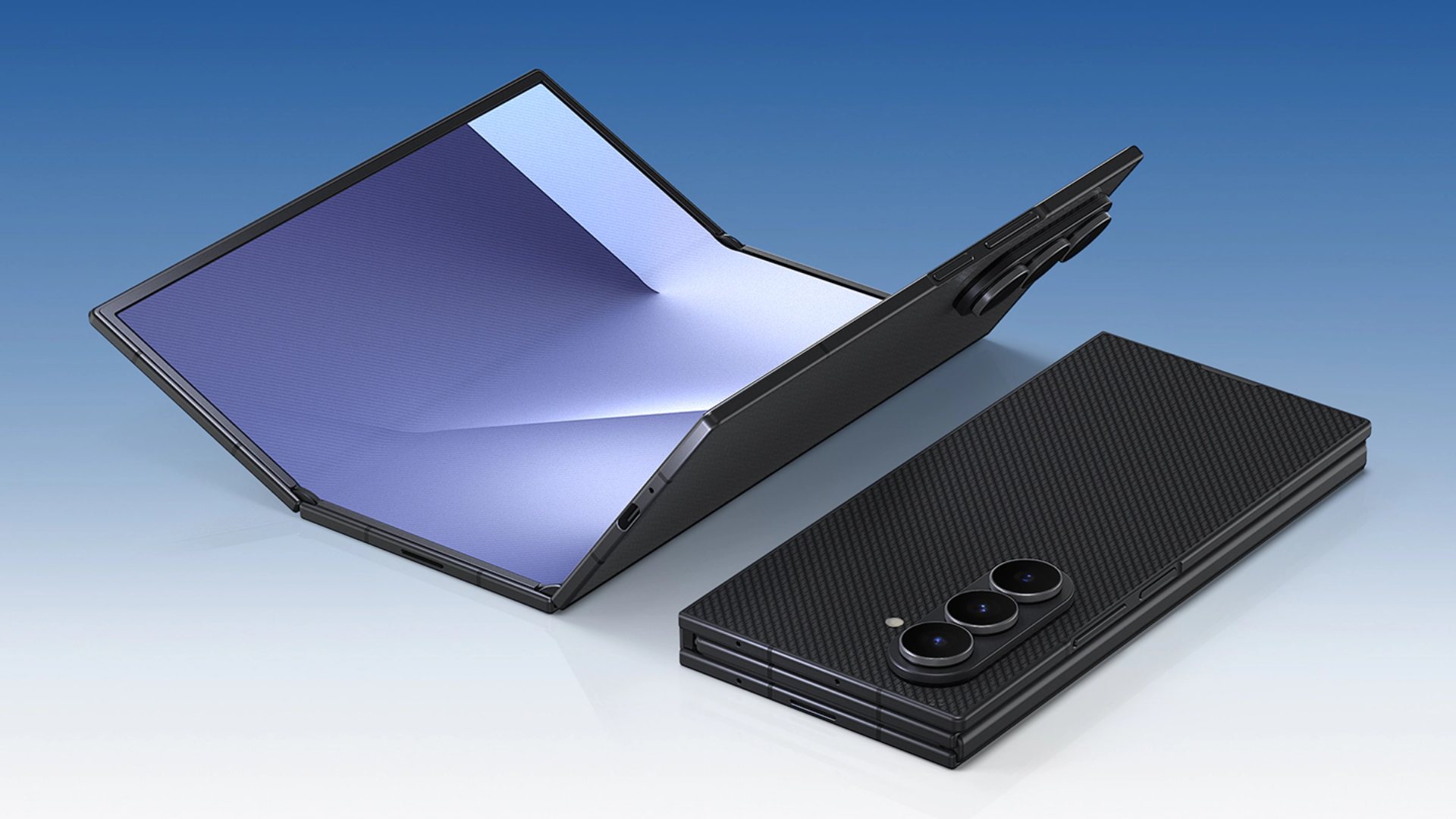
With the Galaxy Z TriFold, Samsung has finally delivered on the original promise of foldable phones: a device that truly transforms from a phone into a tablet. When folded, you interact with a standard 6.5-inch cover display, but unfolding it reveals a massive 10-inch screen. The inner display is so large, in fact, that the software treats it like a tablet, even enabling standalone Samsung DeX directly on the device. But the TriFold’s utility doesn’t end there: it can also function as a secondary monitor for your PC.

Don’t want to miss the best from Android Authority?

google preferred source badge light@2xgoogle preferred source badge dark@2x

When Samsung introduced the Galaxy Z TriFold earlier this month, the company touted it as the first phone to support standalone DeX. It also noted that, like the Galaxy Tab S11, the TriFold supports Extended Mode for projecting the phone’s screen to an external monitor. What Samsung didn’t mention, however, is that the reverse is also possible: You can extend your PC’s screen to the Galaxy Z TriFold.

This functionality comes courtesy of the “Second Screen” feature found on premium Samsung tablets, a lineup the Galaxy Z TriFold is now technically a part of. Second Screen transforms your device into a wireless external monitor for your Windows PC, utilizing the Miracast standard to beam display data without the need for cables.

Galaxy Z TriFold Second Screen

As long as the Second Screen page is open on the TriFold, your Windows PC can discover it. You can initiate the connection by navigating to Settings > System > Display and selecting “Connect to a wireless display,” or simply press Windows + K to quickly launch the Cast menu.

Installing Samsung’s Second Screen app on your PC unlocks advanced options, such as aspect ratio controls, power synchronization, and auto-connection settings. While these aren’t strictly necessary, they streamline the experience if you plan to use the feature regularly. Granted, a $3,000 phone should be more than just a PC accessory, but if you’re traveling and need a secondary display to multitask, the TriFold is a capable substitute in a pinch.

Thanks to Reddit user FragmentedChicken for the tip!

Thank you for being part of our community. Read our Comment Policy before posting.

Sign Up For Daily Newsletter

Be keep up! Get the latest breaking news delivered straight to your inbox.
By signing up, you agree to our Terms of Use and acknowledge the data practices in our Privacy Policy. You may unsubscribe at any time.
Share This Article
Facebook Twitter Email Print
Share
What do you think?
Love0
Sad0
Happy0
Sleepy0
Angry0
Dead0
Wink0
Previous Article Reddit is testing verification Reddit is testing verification
Next Article Embodied intelligence appears in government work report for the first time at NPC · TechNode Embodied intelligence appears in government work report for the first time at NPC · TechNode
Leave a comment

Leave a Reply Cancel reply

Your email address will not be published. Required fields are marked *

Stay Connected

248.1k Like
69.1k Follow
134k Pin
54.3k Follow

Latest News

Foundation Models for 3D Scenes: DINOv2 vs. CLIP for Instance Differentiation | HackerNoon
Computing
This Tool Is Making It Easier to Get Results From Generative AI
News
Elden Ring producer Hidetaka Miyazaki visits Tencent in Shenzhen · TechNode
Computing
Best Apple Watch deal: Save 0 on the Ultra 2
Best Apple Watch deal: Save $250 on the Ultra 2
News

You Might also Like

This Tool Is Making It Easier to Get Results From Generative AI
News

This Tool Is Making It Easier to Get Results From Generative AI

4 Min Read
Best Apple Watch deal: Save 0 on the Ultra 2
News

Best Apple Watch deal: Save $250 on the Ultra 2

3 Min Read

Wed, 12/10/2025 – 18:00 – Editors Summary

1 Min Read
Mythical Beasts: Diving into the depths of the global spyware market
News

Mythical Beasts: Diving into the depths of the global spyware market

34 Min Read
//

World of Software is your one-stop website for the latest tech news and updates, follow us now to get the news that matters to you.

Quick Link

  • Privacy Policy
  • Terms of use
  • Advertise
  • Contact

Topics

  • Computing
  • Software
  • Press Release
  • Trending

Sign Up for Our Newsletter

Subscribe to our newsletter to get our newest articles instantly!

World of SoftwareWorld of Software
Follow US
Copyright © All Rights Reserved. World of Software.
Welcome Back!

Sign in to your account

Lost your password?