By using this site, you agree to the Privacy Policy and Terms of Use.
Accept
World of SoftwareWorld of SoftwareWorld of Software
  • News
  • Software
  • Mobile
  • Computing
  • Gaming
  • Videos
  • More
    • Gadget
    • Web Stories
    • Trending
    • Press Release
Search
  • Privacy
  • Terms
  • Advertise
  • Contact
Copyright © All Rights Reserved. World of Software.
Reading: Should You Charge Your MacBook Pro With MagSafe Or USB-C? – BGR
Share
Sign In
Notification Show More
Font ResizerAa
World of SoftwareWorld of Software
Font ResizerAa
  • Software
  • Mobile
  • Computing
  • Gadget
  • Gaming
  • Videos
Search
  • News
  • Software
  • Mobile
  • Computing
  • Gaming
  • Videos
  • More
    • Gadget
    • Web Stories
    • Trending
    • Press Release
Have an existing account? Sign In
Follow US
  • Privacy
  • Terms
  • Advertise
  • Contact
Copyright © All Rights Reserved. World of Software.
World of Software > News > Should You Charge Your MacBook Pro With MagSafe Or USB-C? – BGR
News

Should You Charge Your MacBook Pro With MagSafe Or USB-C? – BGR

News Room
Last updated: 2026/03/03 at 2:23 PM
News Room Published 3 March 2026
Share
Should You Charge Your MacBook Pro With MagSafe Or USB-C? – BGR
SHARE


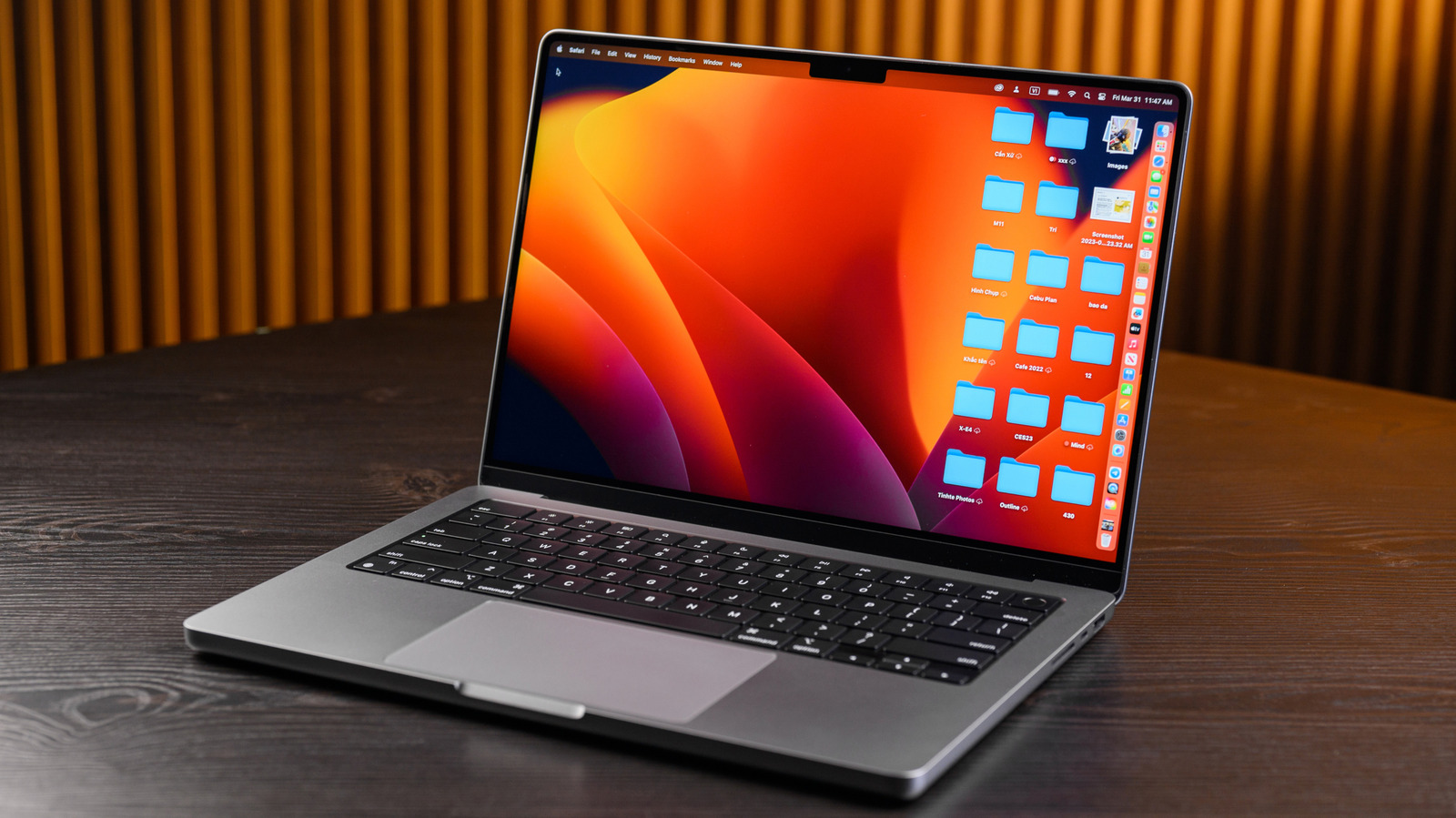
Nguyenducquang/Getty Images

MacBook users weren’t happy in 2016 when Apple removed the beloved, and rather unique, magnetic charging port (MagSafe) from its laptop line and replaced it with USB-C. It took five years for Apple to bring back MagSafe, and the company did it by introducing MagSafe 3 with the redesigned MacBook Pro in 2021. Apple brought MagSafe back to the MacBook Air the following year. But the company didn’t remove USB-C charging support from either model, allowing users to choose how to recharge their MacBooks. If you’re asking yourself which is better for the MacBook Pro, MagSafe or USB-C, the answer may be unexpected: it depends.

For most people, MagSafe is probably the better overall option since it adds a breakaway safety mechanism and an LED charging indicator with no real downsides. But if you want one cable for multiple devices, USB-C becomes the top choice.

Both MagSafe and USB-C can deliver the same charging speeds, provided you pair them with the power adapter that came in the box or one that supports similar wattage. Both cables connect to the power adapter via USB-C. But MacBooks ship only with MagSafe cables in the box, so you’ll need an additional USB-C-to-USB-C cable to charge the MacBook Pro. To take advantage of the maximum charging speeds Apple’s power adapters support, you’ll need to make sure your USB cable can fast charge and handle up to 240 W.

When MagSafe is the best choice
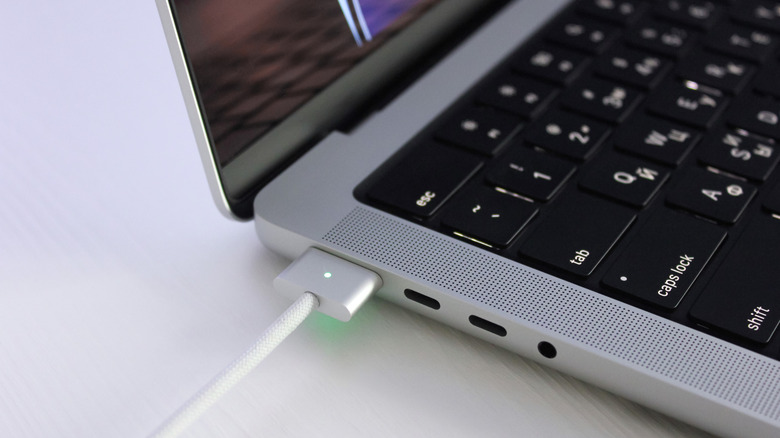

Charging a MacBook Pro via MagSafe.
marymash/Shutterstock

The appeal of MagSafe charging comes from the magnetic connection that prevents yanking the laptop from the desk when somebody inevitably trips on the cable. The MacBook stays put, while the cable disconnects. MagSafe also has a light indicator that will tell you whether it’s charging or fully charged. Finally, MagSafe supports fast charging the MacBook Pro. For 14-inch models, that means the laptop will charge at 96 W or 140 W. The 16-inch MacBook Pros will fast-charge at 140 W with MagSafe.

If you work in places with a lot of foot traffic, or if you have kids at home that rarely pay attention to cables, you may want to stick to MagSafe. That way, you’ll ensure your MacBook Pro is protected from accidental drops while charging at top speeds. Even if there’s no danger to the laptop’s integrity, MagSafe may be the preferred solution when you need to use the USB-C ports on your MacBook Pro for other peripherals and a dock accessory isn’t available. And a final pro-MagSafe argument to consider is that Apple’s proprietary connector is simply easier to plug in than USB-C.

When USB-C is the best choice
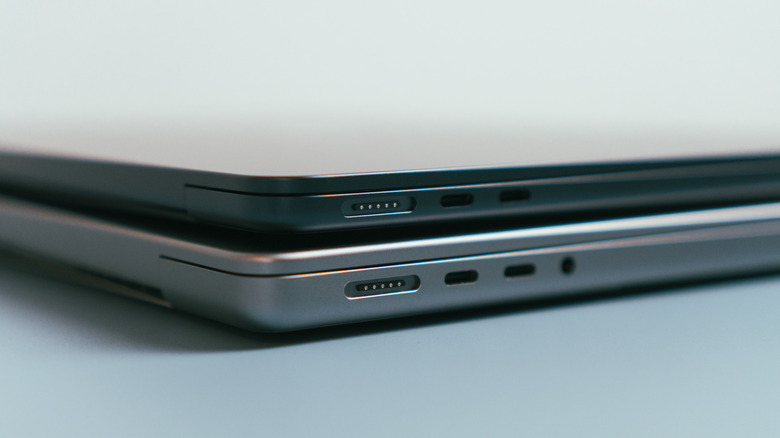

M2 MacBook Air on top of M1 Mac Pro, both featuring MagSafe and USB-C ports on the same side.
Niks Evalds/Shutterstock

The clear advantage of USB-C charging is that you can take a single cable with you and recharge most of your Apple devices, including your iPhone, iPad, MacBook Pro, and MacBook Air. It’s also the charger of choice for most non-Apple mobile electronics, from Android phones and tablets to PCs. This can come in handy during trips when you don’t want to pack more cables than necessary. Or if you want to keep separate cables at home and the office so you don’t have to carry any while you’re commuting, a pair of USB-C chargers would likely cover all of your devices in this scenario.

The downside is that you can’t purchase just any USB-C cable and expect the same MagSafe-grade fast charging speed. You have to buy a USB-PD cable that supports up to 240 W to ensure that it can fast-charge 14-inch and 16-inch MacBook Pros when paired with the proper adapter. You can go for a 100 W USB-C cable if you have a 14-inch MacBook Pro, which supports 96 W fast charging. There’s another requirement that applies to USB-C fast-charging 16-inch MacBook Pro models released since 2021. Only versions released since November 2023 will support USB-C fast charging, and only if you pair a 240 W USB-C cable with the 140 W power adapter.

Even without fast-charging support, it’s likely you’ll always find a USB-C cable around when you’re in a pinch. Apple says that MacBooks that can recharge via USB-C can do so safely with power adapters and cables with higher or lower wattage ratings than the ones Apple recommends for that model. That kind of baseline compatibility is a big reason why all of your devices use USB-C now.



Sign Up For Daily Newsletter

Be keep up! Get the latest breaking news delivered straight to your inbox.
By signing up, you agree to our Terms of Use and acknowledge the data practices in our Privacy Policy. You may unsubscribe at any time.
Share This Article
Facebook Twitter Email Print
Share
What do you think?
Love0
Sad0
Happy0
Sleepy0
Angry0
Dead0
Wink0
Previous Article Meet Vera Report, The App That Lets You Whistleblow Anonymously From a Smartphone Using Telegram  | HackerNoon Meet Vera Report, The App That Lets You Whistleblow Anonymously From a Smartphone Using Telegram | HackerNoon
Next Article Shareholder lobs lawsuit at Apple execs, claims they engaged in anticompetitive behavior Shareholder lobs lawsuit at Apple execs, claims they engaged in anticompetitive behavior
Leave a comment

Leave a Reply Cancel reply

Your email address will not be published. Required fields are marked *

Stay Connected

248.1k Like
69.1k Follow
134k Pin
54.3k Follow

Latest News

How to Create a Blog Business Plan (Free Template) in 2026
Computing
Apple Accidentally Leaks Potential Budget MacBook Ahead of Big Event
News
Microsoft and the Generalitat of Catalonia agree to promote the adoption of AI in public services
Mobile
Digital Accessibility Moves From Compliance to Competitive Edge, Industry Surveys Show | HackerNoon
Computing

You Might also Like

Apple Accidentally Leaks Potential Budget MacBook Ahead of Big Event
News

Apple Accidentally Leaks Potential Budget MacBook Ahead of Big Event

3 Min Read
Apple’s M4 iPad Air vs. M5 iPad Pro: Save 0 or Chase Maximum Power?
News

Apple’s M4 iPad Air vs. M5 iPad Pro: Save $300 or Chase Maximum Power?

12 Min Read
Another Oracle outage is messing up US TikTok
News

Another Oracle outage is messing up US TikTok

1 Min Read
Apple Unveils New MacBooks & Studio Displays
News

Apple Unveils New MacBooks & Studio Displays

0 Min Read
//

World of Software is your one-stop website for the latest tech news and updates, follow us now to get the news that matters to you.

Quick Link

  • Privacy Policy
  • Terms of use
  • Advertise
  • Contact

Topics

  • Computing
  • Software
  • Press Release
  • Trending

Sign Up for Our Newsletter

Subscribe to our newsletter to get our newest articles instantly!

World of SoftwareWorld of Software
Follow US
Copyright © All Rights Reserved. World of Software.
Welcome Back!

Sign in to your account

Lost your password?