If you’re stocking up on games for your Steam Deck, the obvious place to get them is directly from Steam, especially with its excellent sales. It’s also super convenient to own your games on Steam because they’re basically a one-click install in game mode. But if you’ve done any amount of tinkering with the handheld, you know that it’s possible to add non-Steam games to your library, too. Steam Deck owners can save hundreds on games, including grabbing some regular freebies by looking for discounts or claiming games that are free on alternative storefronts.
The actual process is a bit more involved and requires installing a unique app to access additional launchers, such as GOG or Epic Games, finding new places to buy games at a discount or in discounted bundles, or using a tool to find the best available prices. The first thing you’ll want to do is install Heroic Launcher to take advantage of extra storefronts. It’s the best free app to play non-Steam games — it also makes installing them easier. From there, check out the other sellers that often have discounts comparable to or lower than Steam’s regular prices. You’ll be saving hundreds of dollars on games in no time, more so if you’re patient and resist impulse buying.
How to install Heroic and use Epic, GOG, and more
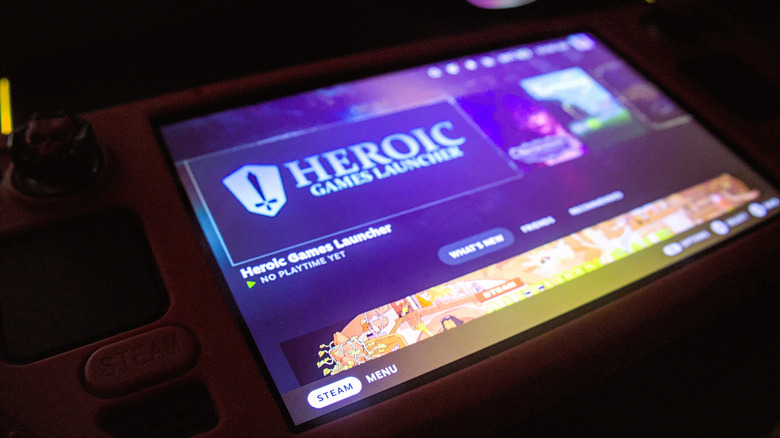
You may now know that GOG and Epic often give away games. Similar to buying normally, you add the games to your cart and check out. As long as you buy them when offered, they’re yours to keep and play whenever you want. If you have Amazon Prime, there’s a Prime Gaming library to claim, as well. Initially, it seems like you need one of the Steam Deck alternatives to play these games, particularly one running Windows. But you can actually access your other libraries on the Steam Deck. The easiest way is to install Heroic Launcher. It’s not available through Steam, so you’ll need to use desktop mode and install it via Linux. Here’s how to get that working.
Open the system menu (Steam button) > Power > Switch to Desktop. Wait for it to load, then click the shopping bag icon in the bottom left of the taskbar. This opens the Discover store, a great place to find more apps and games for your Deck, including emulators. To type, click the search bar and press the Steam+X keys to bring up the virtual keyboard. Enter “Heroic.” Once you’ve found it, click Install and wait for the installation to complete. Now, we need to add it to the Steam Deck’s game mode. Steam should already be open; If not, start it. In the bottom left, click + Add a Game > Add a Non-Steam Game > and add Heroic. After, minimize Steam and click the Return to Gaming Mode icon on the desktop. The Heroic Launcher should now be represented as a game icon. You will need to log in to GOG and EGS, as well as any other launchers you use.
Check alternative storefronts for discounts
You generally want to avoid external storefronts when buying digital games, as some are grey market sellers that acquire their keys through illicit means. But if you know where to look, you’ll be golden. Humble Bundle is a fantastic place to find deals and bundled exclusives — you also donate to the developers and charity, so it’s for a good cause.
Green Man Gaming is another reliable source for discounts, especially if you frequently purchase games there. You can join an XP members program, which offers exclusive benefits each month, including additional coupons and promo codes, available only to members. Finally, Fanatical has a healthy selection of bundles, mostly on indie games, as well as discounts. If you want help finding the best discount prices across popular storefronts, including Steam, use Isthereanydeal, as it aggregates listings from numerous online retailers.
Most of the time, these storefronts will give you a digital key or code. That means you can activate the game(s) on Steam, which is extremely convenient if you prefer one-click installs or want everything through a single platform. Adding the games to your Steam library is pretty easy, too. With Steam open in desktop mode, you can select + Add a Game > Activate a Product on Steam and enter your code there. You can also do it through a browser at Steam’s website, but you’ll need to log in first. There’s always the Steam mobile app on your phone if you want a third activation option. Before you jump into new titles and start experimenting, you should know you can get a boost in most games if you install a bundle of free apps for better battery life and performance. Every Steam Deck owner should give it a try.